Best Web Hosting Services 2026 (Expert Tested & Ranked)
The most comprehensive web hosting test ever conducted

We tested the world’s most popular web hosting services to see which ones really live up to their claims. For every test, we launched real websites hosted on their servers and recorded loading speeds and uptime. We also evaluated features and pricing and challenged the support teams to see if they could provide adequate help – even when things got tricky.


Our team spent long months carefully testing and collecting data on hundreds of web hosts from all over the world, and now, the results are in. We had quite a few surprises along the way – some of the hosts we were betting on ended up performing poorly, while others greatly exceeded our expectations. Let’s take a closer look at the best of the best.
Quick Look at Our Best Web Hosting Services

- Lowest prices on the market for long-term plans
- Offers LiteSpeed for superior WordPress performance
- Beginner-friendly hosting with a proprietary control panel
- Supports WordPress & 100s of other CMSs
- Reliable uptime and fast loading speeds
- Hosting plans rich in resources and free features
- Low-cost shared, cloud, and VPS hosting available
- Support response time needs improvement

- Big discounts for new customers
- Pay-as-you-go on-demand scalable resources
- Free domain and SSL certificate
- Free daily automatic backups with shared plans
- Geo-redundant servers for stable performance
- Cheap VPS plans with unlimited traffic up to 1 Gbit/s
- Website builder with free templates and AI support
- Customer support knowledge could be better

- Google Cloud infrastructure on all plans
- User-friendly Site Tools control panel for each site
- Proprietary SuperCacher tool and out-of-the-box caching
- Free daily backups stored for 30 days
- Vast global data center network
- Fast loading speeds and reliable uptime
- Limited types of hosting available
- Cloud hosting plans can be pricey

-

- Lowest prices on the market for long-term plans
- Uses LiteSpeed technology for top loading speed
- Simple user experience with a proprietary control panel
- Supports WordPress and hundreds of other CMSs
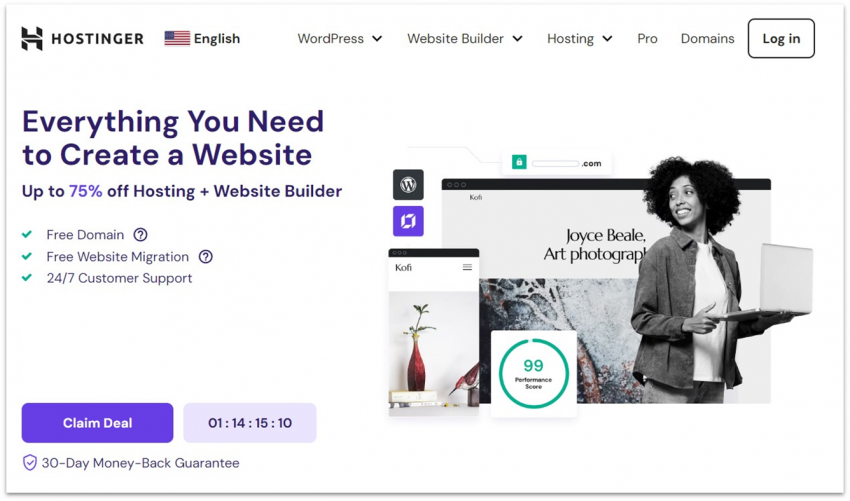
My expectations weren’t very high for Hostinger because of its low introductory prices, but what can I say? I was truly surprised. I never thought I’d see such excellent performance test results on its shared hosting plan. Our Hostinger-hosted test site typically loaded in 0.8 seconds and maintained 100% uptime for a month.
Our testing shows that Hostinger’s loading speeds almost equaled what we saw from much more expensive services. That’s due to its LiteSpeed web servers, which offer faster performance over Apache and Nginx. They’re especially good for WordPress because of a built-in caching system called LSCache that stores ready-to-go versions of your pages.
And the best part is that you can lock in Hostinger’s super-low prices, from as low as $2.49, for up to 4 years. With this affordable price, you also get access to WordPress-specific tools like auto updates and vulnerability scanning. Though some of them, like staging and on-demand backups, aren’t available on the starter plan. All plans include a free 1-year subscription to Hostinger’s email marketing tool that you can use for sending newsletters.
If you want to host anything from a personal blog to a business page and you’d like to get your website online as quickly and as cheaply as possible, you really can’t go wrong with Hostinger. I highly suggest Hostinger’s Business plan to fully access its performance and AI tools, such as the AI content creator, site builder, and troubleshooter for WordPress sites.
-
- Instantly scale RAM and PHP memory to handle traffic spikes
- One-click installation for WordPress and other popular apps
- Low prices and a free domain with every plan
- Free daily automatic backups on shared plans
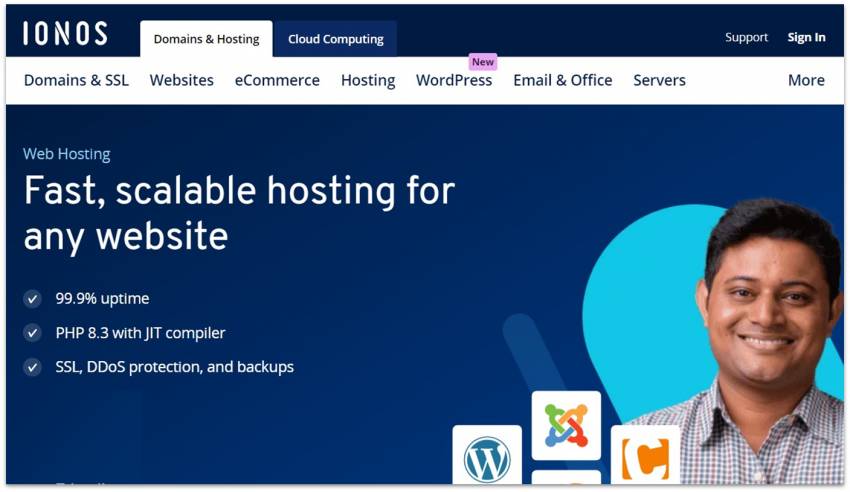
IONOS’ shared hosting plans offer scalable resources, so you can get a performance boost whenever you need to handle high traffic, instead of upgrading to an entirely new plan. Note that there’s a small fee for each upgrade, but you can scale down whenever you no longer need the extra resources. I recommend IONOS’ Plus plan to access its enhanced performance level that’s best for sites with frequently updated content, like local news sites or e-commerce stores.
Despite being an affordable host, IONOS is pretty feature-packed. You get daily backups on all plans and Wildcard SSL, which secures your domain and all its subdomains. What I liked most was how much emphasis it places on customer support. Every customer is assigned a dedicated personal advisor at no extra cost, which means you have personalized, real human help 24/7.
It’s worth noting that IONOS commonly offers big discounts for the first month of long-term billing periods (12, 24, or 36 months), with prices as low as $1.00. However, watch the renewal fees! While the prices may be great for your first month of hosting, higher-tier plans renew at much higher rates than what you signed up for.
-
- A hybrid between shared and managed hosting, offering the best of both worlds
- All plans are hosted on the Google Cloud network infrastructure
- Powerful control panel that’s much more streamlined than cPanel
- Generous resources, even on starter plans
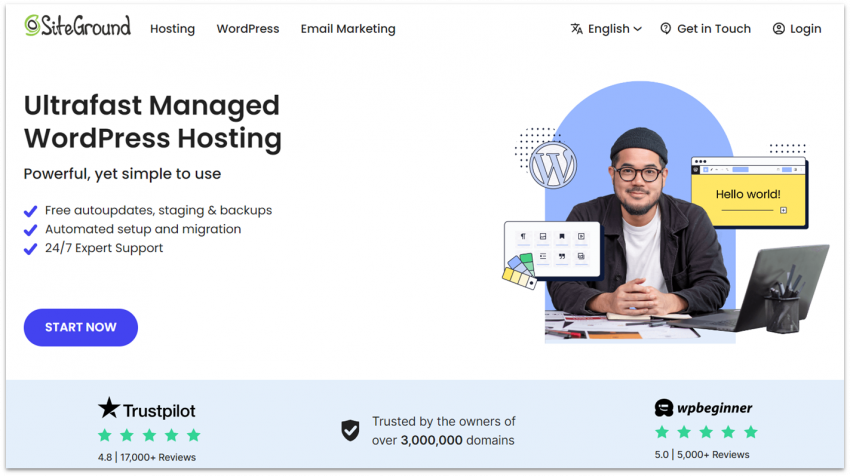
SiteGround’s custom control panel, SiteTools, is a huge improvement over the old-school cPanel. Unlike cPanel, which often manages everything per hosting account, SiteTools is site-centric. It gives each website its own clean, fast, and mobile-friendly dashboard for better granular control. And since it’s proprietary, it’s fully compatible with SiteGround’s caching and security tools.
Besides being functionally better than cPanel, Site Tools is also super easy to use. Everything’s laid out neatly in one place, and you can access WordPress-friendly tools like caching plugins, a security suite, and performance monitoring. Devs would be pretty happy too since it lets you set up site staging, SSH access, and user permissions.
SiteGround’s shared and cloud plans are built on Google Cloud’s top-of-the-line infrastructure. Having a free content delivery network (CDN) on every plan helps as well, even if your target audience is far away from your site’s server. And besides its in-house caching solutions, SiteGround runs HTTP/2 servers that further speed up your site’s loading times. All this doesn’t come cheap, but if you’re looking for a solid, reliable hosting service, you’ll be happy with SiteGround.
-

- Impressive cloud-based hosting features
- Fast website loading speeds
- Worldwide data server network
- Mobile-friendly client dashboard
HostArmada’s cloud hosting infrastructure spreads site data and resources across a network of interconnected servers rather than relying on a single physical machine. This provides good performance under load and low latency, especially since HostArmada keeps relatively fewer clients per server.
Our testing showed that HostArmada returned great results for initial load time and full load speed. Our test site typically fully loaded in 1.1 seconds, with even faster loading speeds recorded. Speed doesn’t count for much, though, if your server is constantly down. Fortunately, that’s not the case with HostArmada. It promises a 99.9% uptime guarantee, and our test site surpassed this mark with a 99.98% uptime score.
All of HostArmada’s managed shared cloud hosting plans use NVMe storage for faster data transfer rates, ideal for content-heavy sites. They also include static file caching and daily backups. If you upgrade to the Speed Reaper plan, you also get LiteSpeed servers and dynamic file caching.
-

- The best choice for hosting on a month-to-month or short-term basis
- Data centers on both US coasts means fast loading speeds for US audiences
- Budget-friendly shared hosting plan with unlimited resources
- Windows and Linux hosting available
InterServer is one of the best options if you’re targeting a North American audience. When we tested its US data centers, the loading speeds all over the US and Canada were great. Even in many Western European countries, speeds were still acceptable – but keep in mind that visitors in other parts of the world may have to wait longer for your site to load.
There are other things to like about InterServer, though. I personally like how there’s only one shared plan, and it comes with unlimited resources. You get all the generous allocation of server space and bandwidth you need without having to upgrade, and InterServer doesn’t even limit the number of domains you can connect or email accounts you can create on a single account. This makes it ideal if you’re looking to build multiple small websites.
InterServer’s monthly rates are among the lowest on the market. The basic shared hosting plan starts at $2.50, and you can lock in this low price for 6, 12, or 24 months before renewal. But while I got excited about its affordable starting price, it turns out that the renewal fees are almost three times higher. Also, unlike most hosts, you don’t get a free domain and need to pay extra for WHOIS domain privacy at sign-up, so factor all that in if you pick InterServer.
-

- Eco-friendly hosting with 1 tree planted for every new account
- Unlimited bandwidth and hosted websites on select plans
- Helpful, responsive technical support
- Free CDN, domain, and daily backups
GreenGeeks may be a small host in a big pond, but it’s a low-priced (at least initially) and eco-friendly web host – and we like that. There’s so much more to its service beyond a noble commitment to the environment, though. We love GreenGeeks for many reasons, but what stands out is actually its 24/7 live support. No matter when I reached out via live chat, I got connected to a representative in under a minute.
It doesn’t stop there; all that “eco-friendly” talk doesn’t hog GreenGeeks on the performance front. It runs LiteSpeed servers, uses HTTP/3, modern caching tech like LSCache and Redis, and a built-in free CDN. That’s why our test site had zero downtime during our weeks-long performance check.
All shared plans come with free email, SSL, domain (first year only), daily backups, and WP-CLI, SSH, staging, and Git for devs. The entry-level plan lets you host one website and provides 25GB of storage, enough for most media-heavy sites. My only qualm is that the Pro and Premium plans have a way-too-high renewal price tag, which can make a lot of people (including myself) a bit reluctant to stick with it for the long haul.
-
- Best managed hosting for multiple e-commerce platforms, from WooCommerce to Magento
- Streamlined, custom-built control panels for maximum efficiency
- Excellent worldwide speeds on a cloud-based network
- Automatic full website backups to a remote server
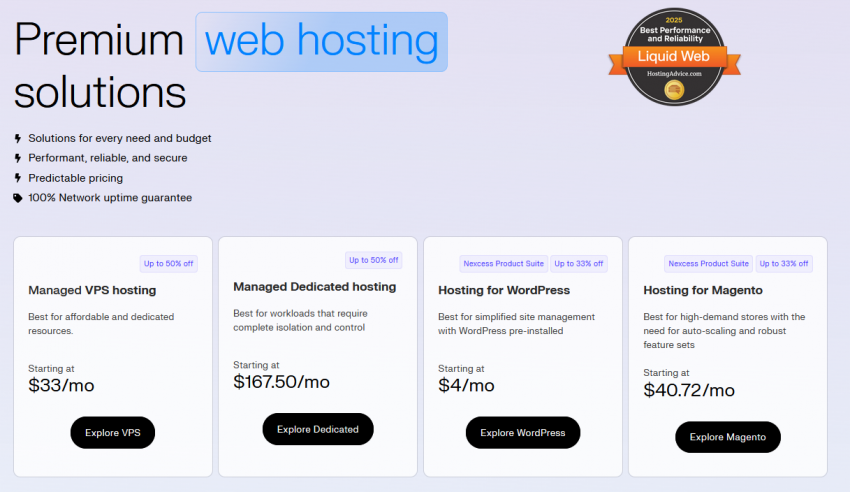
While Hostinger is a great cost-effective and user-friendly solution, you’ll have to make your own optimizations, like managing security and caching plugins properly to get the most out of them. The alternative is Liquid Web’s managed hosting services (Nexcess product suite). Sure, it’s more expensive to have a true professional do the hard work for you, but it’s the easiest, safest, and most worry-free way to host a website.
Liquid Web’s cloud-based managed hosting plans are mainly dedicated to popular e-commerce platforms like WooCommerce and Magento. To support online stores, the plans all include features like PCI compliance support to ensure cardholder data security and 24/7 expert support. Liquid Web also supports WordPress, Craft, and ExpressionEngine.
Liquid Web will boost your available resources in the event of a traffic surge, making its service very reliable for online stores. Even better, this free autoscaling service is included in all plans for a total of 24 hours per month. You get an optimized hosting environment right out of the box – all you need to do is build your website and get traffic.
-
- US and European data centers
- 90-day money-back guarantee
- Excellent 24/7 support
- A detailed knowledge base, superior to most other hosts
InMotion Hosting has data centers on both the US East and West coasts, as well as one in Europe, with a new data center set to open in Singapore soon. I appreciate that InMotion Hosting’s shared hosting starts at a whopping 100 GB of SSD storage, much greater than most other web hosts we’ve tried.
InMotion Hosting doesn’t perform quite as well as some of our other top 10 hosts, but it has something few of the others do: stellar US-based customer support. It separates support into three categories – sales, technical, and accounts, with specific timings. However, technical support is available to customers 24/7/365 via live chat, email, ticket, and phone. Just note that the starter plans (Launch and Core) exclude phone support.
The support experience doesn’t end there. InMotion Hosting has amassed one of the most detailed knowledge bases around, filled with countless tutorials on how to perform every hosting-related task you can think of. If you’re a beginner, you should have all the resources you need to build your first site. Not to forget that you can try out InMotion Hosting for up to 90 days completely risk-free with its money-back guarantee.
-
- Speed-optimized shared, WordPress, and VPS hosting plans
- Beginner-friendly preconfigured caching plugin for managed WordPress hosting plans
- Good loading speeds in North America and parts of Europe
- Automatic traffic surge protection for select plans
Hosting.com (formerly A2 Hosting) is notable for its speed optimization features, like LiteSpeed servers, in-memory caching, and NVMe storage for faster site load times. Its shared hosting service is ideal for those looking to start with one or two online projects, without compromising on speed and budget.
Hosting.com’s performance is decent, with its fastest loading speeds hovering around 0.8 seconds. On the higher end, though, pages loaded at just over 2 seconds. Globally, hosting.com performed well in North America and parts of Western Europe. For Asia and Oceania: not so much. We achieved these sluggish speeds on our shared hosting plan, so if you’re serving an audience here, you might want to look at faster local alternatives first.
Otherwise, hosting.com’s shared hosting plans offer a solid range of features, including unlimited bandwidth, free email, and free site migrations. There’s also a proprietary hosting control panel besides cPanel. Be aware that some of these plans come with limitations. For example, the entry-level Starter web hosting plan supports only one website and offers limited disk space.
-
- Fastest, most consistent loading speeds in our testing
- Easy-to-use, minimum-fuss control panel
- 30+ worldwide data center locations built on Google Cloud
- Specifically designed for WordPress hosting
Kinsta is a fully managed service that only supports WordPress and WooCommerce sites. It’s best for content-heavy sites that require frequent updates, featuring built-in CDN, staging environments, and a 99.99% uptime guarantee – all available even on the entry-level plan. It’s also great for teams, as it allows an unlimited number of users with customizable access levels.
So, what’s not to like? First, it lacks freebies like a domain name and email accounts. Second, the price, which starts at $25.00. Let me say this right away: if price weren’t an issue, Kinsta would absolutely place higher on this list. Its managed WordPress hosting service is even more expensive than Liquid Web’s (which in itself isn’t cheap), but if your budget allows it, Kinsta should definitely be your choice.
Other Notable Top Web Hosting Providers
By definition, a top 10 list should stop at the top 10, but we feel these web hosts deserve an honorable mention for their outstanding service.
ScalaHosting – ScalaHosting is another great hosting provider, but we prefer its VPS plans over its shared web hosting. For this reason, we consider ScalaHosting to have more niche appeal. ScalaHosting makes an ideal “next step” when your site outgrows its shared hosting provider and needs to upgrade. It’s also an especially great choice for new VPS users thanks to its beginner-friendly setup.


Save up to 81 % on your ScalaHosting plan!
Limited-time offer - Don't miss it!
Kamatera – While we like ScalaHosting for the newbie who needs to upgrade, Kamatera is our top choice for the advanced user because its cloud VPS hosting is honestly one of the best options on the market. But if you’re just looking to host a basic site or aren’t great with your server management skills, Kamatera may be too much to handle. Its managed service add-on is also quite pricey.


Save 100 % OFF Kamatera for 30 Days!
Get one month FREE for your server configuration and take advantage of Kamatera's high-performance cloud infrastructure today.
FastComet – If you want to reach audiences in Asia, Oceania, or South America affordably, FastComet is one of your best options. With data centers in Singapore, Tokyo, Mumbai, and Sydney, you have a wide reach for these regions. FastComet’s deployment and performance in the US and Europe are nothing to scoff at either, typically coming in at under 2 seconds during our tests.

Save up to 80 % on your FastComet plan!
Limited-time offer - Don't miss it!
Popular Hosts That Didn’t Make the Cut
Some big names that you’ve probably encountered in your online travels are missing from my top ten list. While some of them actually have a place in the “Worst 10 Hosts” list I’ll get around to writing one day, others were simply meh.
Namecheap – Namecheap is one of the best options for buying, selling, and registering domain names. But you may not know that NameCheap is also a fairly decent shared hosting provider. Still, it’s not quite good enough to make our top ten list – you’re likely better off with something from our top 10 or from our top list of Namecheap alternatives.
Bluehost – We tested Bluehost’s hosting service and found it to be pretty decent. In fact, Bluehost would make a solid budget host for the first-time site owner, as its platform is fairly non-techy and easy to use. Bluehost plans are also generously discounted for your first term and very well priced – especially the entry-level options for shared and WordPress hosting. That said, it’s only good for low-traffic sites and can struggle during traffic surges.
GoDaddy – It’s the most famous web host of all time, but who cares? I signed up to see if it has a place on this list, and when we tested it for three months, what we discovered was a weak service offered at prices that don’t justify its level of performance. By weak service, I mean slow loading speeds (3+ seconds is enough time for visitors to bounce off your page), unreliable uptime, and equally disappointing support. You can do much better with other hosts.
HostPapa – I’ve actually liked HostPapa in the past, and found it to be a generally dependable host. I signed up again to check how it’s doing today, and despite the fact that nothing was horrendous, nothing was very good either. Speeds were disappointing, features were missing, and it offers poor value for money compared to the competition.
The Global Web Host Comparison Project: How We Did It
Now, I try to be trusting. When people tell me they can do something, I want to believe them. But when each and every host in existence claims to be the very best, how can anybody take their word for it?
Some hosting providers use the term “blazing speeds” loosely, but in reality, it often translates to a slow loading time of three seconds for a basic landing page. Similarly, claiming to offer “24/7 expert support service” can be misleading, as the support staff is occasionally available and may not be experts in their field.
The only way to really size up these hosting services is to test them. And so, I set out on a journey to find the answer to the most important question:
Which web hosting services are actually the best ones today?
The process wasn’t easy, as the competition was fierce. I broke my analysis down into three smaller questions:
- Which are the most popular and recognizable web hosts today?
- What am I looking for in a quality hosting service?
- After signing up and thoroughly testing the contenders, how do they compare in terms of features, performance, ease of use, prices, and support?
I’m happy to report that the project went well, and that I was quite surprised by the results myself.
Before we get started, I’ll just mention that we hosted our sites on servers located in these providers’ US data centers, and you can see the results on this page. But our tests didn’t end there – we also had 30+ Website Planet experts from all over the world test these hosts in their own countries, and compare them to local hosts. To see the results of the local tests, you can change the language in the upper right corner of this page.
Or, simply jump ahead to a summary of results for the best web hosting services on the market.
Who Are the Best Web Hosts Available Today?
To find my contenders for the coveted spot of the world’s #1 host, I looked for versatile providers that offer hosting for the widest range of clients – from simple shared hosting and managed WordPress to cloud instances, VPS machines, and dedicated servers.
First on the list was the obvious Hostinger. It’s a host that just keeps on growing, with many millions of customers. Personally, I didn’t think this industry giant would score highly, as oftentimes big web hosts cruise along on name recognition alone, forgetting about trying to be the best. Still, real testing had to be done to determine this.
I had to delve deeper to find my other hosts, as I didn’t want to choose according to popularity alone. I convened with our Website Planet experts from all over the world (Zoom meetings!) to get their opinions on the best services available today. I also asked around in various web development communities, groups, forums, and subreddits. Basically, every place I could think of.
We all discussed our past experiences with dozens of web hosts and debated which ones have been a disappointment, which ones have continuously exceeded our expectations, and which ones were just… meh. We also compared feedback from actual clients to understand which providers they’ve chosen as the most reliable ones.
The hosting services that came up the most often during this research phase make up the bulk of my list.
My dream team was ready, and it was time to start. The next steps were to test each one separately, obsessively gather the results in way too many Google Sheets, and ultimately, compare and rank them.
I’ll explain the testing process and discuss the results in a short moment, but first, let me introduce Website Planet’s final list of contenders. You can click each web host’s name to read our full, honest review.
- Hostinger – Full Review
- IONOS – Full Review
- SiteGround – Full Review
- HostArmada – Full Review
- InterServer – Full Review
- GreenGeeks – Full Review
- Liquid Web (Nexcess) – Full Review
- InMotion Hosting – Full Review
- hosting.com (formerly A2 Hosting) – Full Review
- Kinsta – Full Review
You can jump to the conclusion of this article for coupon discounts on all of the above hosting providers.
While I’ve evaluated all these hosts on a universal scale, please note that I’ve ranked them based on the best general use cases. To that end, they may not be the best for specific use cases like enterprise, reseller, or gaming hosting.
However, we have a lot of other top 10 lists which you can consult if you have a specific use case in mind. We’ve made it our mission to find the best providers for Windows server hosting, WordPress websites, non-profit hosting, and so much more.
If You Want To Test a Web Host, You Have To Build a Real Website
It isn’t possible to evaluate the quality of a web host without using it for real, and to use it for real, you need to build a website. WordPress was my obvious go-to platform, but my website still needed to be about something…
Which brings us to a dark and rainy February night. I was waiting for the bus when I realized my head was a bit stuffy and my throat a bit sore. I was catching a cold! Then I remembered an article I’d read about how vitamins and good nutrition could boost your immune system and possibly avoid the dreaded common cold. Out of my misery and regret, I hit upon a brilliant website idea.
I’m honored and pleased to introduce you to my very own fictional startup, Nutritionistica!

Armed with my revolutionary idea, I bought a flexible WordPress theme and designed a series of similar websites that I launched on each web host’s platform.
For each host, I repeated the same process:
Before signup, I had a long chat with support to size them up. I played dumb (really dumb), asked a ton of questions, and noted how honest and professional the agents were.
If they tried to push me into buying an advanced plan I didn’t need, told tall tales of how performance in Australia would be amazing (even though their servers are located in the US), or showed a general lack of comprehension, I took points off.
After that, I created hosting accounts and linked domain names with each of these providers. I almost always went for the most basic shared hosting plan available, and thoroughly documented the process. I wanted to understand how easy each host is to use, and to check which ones try to weasel some extra bucks off you when you’re not looking. I made note of the data center locations, and if the host offered domain name registration, I used it for that, too.
In each instance, I installed WordPress, an SSL certificate, uploaded my custom theme, and evaluated what the plans actually include. What resources will you be getting and what tools are at your disposal? What features are freely available and what lies locked behind a paywall?
When all my websites were up and running, I contacted support again, telling the agents that my loading speed was disappointing, and requested help to make my website load faster. I then proceeded with any suggested optimizations.
The final step was my performance tests. I measured loading times in the US and all over the world, and enabled uptime monitors to see which hosts were the most reliable. The tools I used were:
- GTmetrix PRO
- Sucuri Load Time Tester (unfortunately it’s no longer available so in some of our tests we also used GTmetrix PRO)
- UptimeRobot’s Pro plan
Results and Analysis: How Did Each Host Fare?
After months of experimenting with the hosts and gathering data, I was finally able to complete my mission – to compare all these hosting providers and find the best one.
I’ve ranked each service in five categories:
You’ll find a detailed table for each category, followed by an explanation and in-depth discussion of all comparison criteria.
Features
Web hosting features are what each service gives you. This consists of the options, resources, tools, services, perks, and bonuses provided by a web host to make sure your website is functional, secure, and accessible. Here’s what you can expect with the basic plans:
| Disk space | Unlimited bandwidth | Control panel | SSL certificates | # of websites | Free email | CDN included | Overall features score | |
|---|---|---|---|---|---|---|---|---|
| Hostinger | 20 GB SSD–100 GB NVMe SSD | ✔ | Proprietary | ✔(Let’s Encrypt) | 3–100 | Up to 100 | ✔ | 5.0 |
| IONOS | 10 GB–unlimited | ✔ | Proprietary | ✔(Wildcard) | 1–unlimited | 1 | ✔ | 5.0 |
| SiteGround | 10–40 GB SSD | ✔ | Proprietary | ✔(Let’s Encrypt) | 1–unlimited | Unlimited | ✔ | 4.7 |
| HostArmada | 15–40 GB NVMe SSD | ✘ (30–90 acceptable usage) |
cPanel | ✔(Sectigo, Auto SSL, and Cloudflare) | 1–unlimited | Unlimited | ✘ | 4.8 |
| InterServer | Unlimited SSD | ✔ | DirectAdmin, cPanel | ✔(Let’s Encrypt) | Unlimited | Unlimited | ✔ | 4.7 |
| GreenGeeks | 25–100 GB SSD | ✔ | cPanel | ✔(Let’s Encrypt) | 1–unlimited | 50–unlimited | ✔ | 4.3 |
| Liquid Web (Nexcess) | 15–800 GB SSD | ✘ | Proprietary | ✔(Let’s Encrypt) | 1–250 | Unlimited | ✔ | 4.9 |
| InMotion Hosting | 100 GB SSD–300 GB NVMe SSD | ✔ | cPanel | ✔(Let’s Encrypt, cPanel AutoSSL) | 1–40 | Unlimited | ✘ | 4.5 |
| hosting.com (formerly A2 Hosting) | 15–100 GB NVMe SSD | ✔ | Proprietary | ✔ (cPanel AutoSSL) | 1–100 | 10–40 | ✔ | 4.7 |
| Kinsta | 10–100+ GB | ✘ | Proprietary | ✔(Cloudflare Wildcard) | 1–60+ | ✘ | ✔ | 4.8 |
Get Coupons for All These Hosts
Disk Space
Everything you host is going to take up space. From your WordPress (or any other platform) installation to your text, images, videos, and files, it all counts towards your allotted disk space. InterServer and IONOS provide unlimited space on select plans. HostArmada and SiteGround provide the smallest amount of space, with Liquid Web (formerly Nexcess) and Hostinger doing slightly better.
Still, don’t jump to the conclusion that more is always better. 10GB is certainly enough for blogs, business pages, and even e-commerce stores with thousands of HD pics. “Unlimited space” sounds amazing, but it’s always bound to some “fair use agreement” and you’re never the one who gets to decide what’s fair.
Bandwidth or Data Transfer
When people visit your website, the host sends them the page they requested. In the same way that all your hosted data counts towards your disk space limit, your bandwidth is how much data you’re allowed to send in a month. The more visitors you have, the more bandwidth you’ll require.
HostArmada and Kinsta limit this number, although you probably won’t notice if you generally have low to fair traffic. Most of the other hosts do significantly better with offers of unlimited bandwidth. But like with disk space, these “unlimited” claims are often misleading. You’ll likely encounter restrictions if your site reaches a threshold. For this reason, Liquid Web is the true bandwidth champion, guaranteeing your site an obscene amount of traffic.
Control Panel
Do you speak Linux? Nope. That’s why control panels were invented. They allow you to easily edit and configure your hosting solution, from DNS records to databases and email accounts.
Most hosts offer cPanel, which is the most popular option out there. As far as basic hosting management is concerned, you can never go wrong with it. Hostinger, IONOS, and SiteGround also developed panels of their own, delivering an equally powerful solution without taking up extra resources on your hosting plan.
Kinsta and Liquid Web completely did away with the idea of a full-fledged control panel. They don’t offer nearly as many options as the contenders, but there’s a reason for that – both services are managed, meaning most of the configuration is already taken care of for you.
Auto-Installers
Installing CMSs (content management systems) like WordPress used to be a tedious manual process, but today, most providers offer an easy-to-use automatic installation.
Most hosts offer the cPanel control panel bundled with Softaculous, a very capable auto-installer that offers easy installation for hundreds of CMSs, including the most popular: WordPress.
Hostinger, IONOS, and SiteGround have self-developed solutions that work similarly and include their own website builders. But don’t think this means you can’t opt for a third-party CMS or builder. In fact, Hostinger ranks as one of our best web hosting providers for WordPress as it has tailored its plans to support it.
Kinsta and Liquid Web, true to their promise of managing things for you, don’t give you access to such a service. Instead, your CMS of choice comes pre-installed.
Platform Support
What CMS can you actually install with each service? WordPress is popular, but it’s far from the only website platform available today – hundreds of options exist, from Joomla and Magento to self-developed PHP-based projects.
Almost all hosts provide “full” platform support, meaning that you can run any CMS you desire. There are a few exceptions, though.
SiteGround supports most PHP and MySQL-based CMSs but if you require a VPS plan to run your CMS, you’re out of luck there. Liquid Web supports the most popular platforms but its servers are highly optimized for each type. Kinsta is strictly a WordPress (and WooCommerce) service and can’t be used for any other CMS.
SSL Certificates
I can’t stress the importance of an SSL certificate enough. It secures and encrypts your visitors’ data, guaranteeing their safety if they are logging in to or submitting data on your site. It’s a must for e-commerce sites, and is also known to positively affect Google rankings and SEO in general.
While SSL certificates used to be quite expensive, today there’s a much cheaper solution. Let’s Encrypt SSL, cPanel AutoSSL, and Cloudflare SSL certificates are free to use. Any host can easily choose to provide them and that’s exactly what almost all these hosts have done.
Take note when a host offers a premium SSL certificate for free with its plans, like HostArmada and IONOS, which use trusted Sectigo certificates. These advanced paid SSL certificates offer superior encryption and security for your website and applications. However, a Let’s Encrypt certificate is still good enough for most sites – and much better than no SSL.
SSL Qualys Score
Qualys tests the strength of your website’s SSL protection, ranking it on an A to F scale. Care about your visitors, your SEO, and about being a responsible adult? Anything less than an A ranking is cause for concern.
Apart from InMotion Hosting, all other hosts scored an A or above, guaranteeing you complete peace of mind. What should you make of the B score? That these hosts could’ve done better, but for reasons unknown, chose to neglect this aspect of the service. That’s bad news.
Backups
While all auto-installers can be configured to run a CMS backup onto your disk space, I’m looking for full system backups that are automatically made and stored on a remote server. So if your hosting space was compromised by hackers, an untouched backup still exists.
Most hosts only provide these backups as a paid add-on, which is a crying shame. It’s absolutely necessary and most of our top picks provide you with easy access to free daily or weekly backups – and you can freely restore them at any time. The only exception is InMotion Hosting, which doesn’t provide free backups for its shared plans. You’ll have to purchase its Backups Manager add-on, which costs almost as much as an entry-level Hostinger plan.
Then there’s HostArmada and Kinsta that go one step further by offering free daily off-site backups.
Number of Domains
This does not refer to the domain names you’ve registered, but to the number of separate websites you can host with your plan. One domain is obviously the minimum, and is usually what basic plans offer. Pay more for advanced plans, get more domains.
This is true of all the hosts on this list except InMotion Hosting and InterServer. InMotion Hosting only hosts one website on its entry-level plan, while InterServer’s plan comes with unlimited domains – which is undoubtedly the host’s biggest selling point. Just remember that behind-the-scenes computing resources are still limited, so use this plan for running multiple landing page sites and average-sized blogs – not resource-hungry megastores.
Number of Email Accounts
If you want a domain-specific email account, and are planning to use this address for business purposes, be sure to check what your host offers. IONOS, for example, only offers a single email account with its basic plan. Hostinger does one better with 100 email accounts.
Some of our top hosts offer unlimited emails on basic shared plans, like InterServer and HostArmada. Kinsta, sadly, has no email hosting at all, meaning you’ll have to shell out for a reliable email service such as Google Workspace.
CDN
Your website is hosted on a physical server somewhere in the world. The farther your visitors are from this location, the longer it will take them to load your website. Looking to offset this? Enter a CDN (content delivery network). A CDN caches (creates copies) of your website’s assets (images, code, and rendered versions of your site’s pages) and spreads them over a global network of servers, speeding up content delivery.
Hostinger, Liquid Web, SiteGround, and Kinsta excel here, giving you access to premium CDN services. Most other hosts offer easy, one-click integration with Cloudflare’s third-party CDN. Cloudflare has a free service, but it’s not the fastest.
Caching
A CDN isn’t the only thing that can cache your website pages. Your hosting server can do it too! Why let your server “rebuild” your homepage every time a visitor arrives, when it’s the exact same homepage every time? A caching tool creates ready-to-send versions of your pages, significantly reducing the load on your server.
All these hosts offer some form of server-level caching, which allows site pages to be delivered more promptly. However, you should also expect advanced caching services on more expensive plans. Hosts like Kinsta, SiteGround, and hosting.com (formerly A2 Hosting) offer their own out-of-the-box caching solutions.
Security Tools
A malware scanner, WAF (web application firewall), and any other tool that helps you secure your hosting, are highly recommended. It’s a dangerous world online, and it’s better to be safe than sorry.
Most hosts include basic security for free in their plans, including a firewall, DDoS protection, and a malware scanner. InterServer takes the prize here by letting you access a full range of scanners and security tools in its InterShield security suite, all pre-installed and easy to use.
Features – Bottom Line
Hostinger and IONOS share the win with top marks for Features. All these hosts excelled by offering exceptional performance, security, and site management tools with their entry-level plans – and all at no additional cost.
Ease of Use
Not enough web hosts take the time to plan out the user experience and make it as seamless as possible. Still, ease of use is of the utmost importance. Learning how to play nice with a badly designed service can cost you hours, even days.
Don’t be surprised to see a tick next to nearly every ease-of-use feature below. User-friendliness is one of the most important aspects of a hosting service, so we only shortlisted hosts that score well in this category.
| Easy sign-up | Immediate account activation | Free website migration | Free website builder | Auto domain connection | Easy-to-use account area | Overall ease of use score | |
|---|---|---|---|---|---|---|---|
| Hostinger | ✔ | ✔ | ✔ | ✔ | ✔ | ✔ | 5.0 |
| IONOS | ✔ | ✔ | ✘ | ✘ | ✔ | ✔ | 4.9 |
| SiteGround | ✔ | ✔ | ✘ | ✔ | ✘ | ✔ | 4.9 |
| HostArmada | ✔ | ✔ | ✔ | ✔ | ✔ | ✔ | 4.8 |
| InterServer | ✔ | ✔ | ✔ | ✔ | ✘ | ✘ | 4.9 |
| GreenGeeks | ✔ | ✘ | ✔ | ✔ | ✔ | ✔ | 4.9 |
| Liquid Web (Nexcess) | ✔ | ✔ | ✔ | ✔ (StoreBuilder for WooCommerce) |
✘ | ✔ | 4.7 |
| InMotion Hosting | ✔ | ✘ (up to 24 hours) | ✔ | ✔ | ✔ | ✔ | 4.7 |
| Hosting.com (formerly A2 Hosting) | ✔ | ✔ | ✔ | ✘ | ✔ | ✔ | 4.7 |
| Kinsta | ✔ | ✔ | ✔ | ✘ | ✘ | ✔ | 4.4 |
See the Best Deals for Our Top Hosts
Easy Signup
Nobody wants to feel like they’re doing high school homework when signing up for hosting. I gave the best a ✔ for having an easy sign-up process, which in a perfect world consists of me inputting my email address, choosing a password, and entering payment information. If the sign-up process involved annoying questions, irrelevant data, or a needlessly complicated process, I gave them an ✘.
Most hosts did pretty well here. Some had me going through extra pages and were slightly confusing, but that’s a relatively minor offense. Still, Liquid Web and Kinsta asked for the least amount of information, did not hinder my signup progress in any way, and basically let me finish the whole process in under a minute.
Immediate Account Activation
Silly me, thinking that after signing up and entering my very legitimate payment information, I’d immediately be activated. How wrong I was. Many hosts, notably GreenGeeks, have “anti-fraud” protocols in place, and these protocols were very quick to block my purchase and send me back to the drawing board. You might not get flagged by the protocols, but in many cases, I was.
Hostinger, IONOS, Kinsta, and InMotion Hosting were the only hosts to activate my account immediately. SiteGround and InterServer made small charges to my credit card, which I then had to confirm to be verified successfully. InMotion Hosting didn’t set up my server immediately, which caused delays in the website set up process.
Connecting the Domain
It’s really easy to score highly here. All a host has to do is put the nameservers or server IP in a visible spot, and include a quick guide on what to do. How can you fail this super-basic step that every client has to go through?
InterServer, Liquid Web, Kinsta, and SiteGround made this surprisingly difficult, and had me manually configuring DNS records. This is something that almost all other hosts automatically do for you – and it took me an hour I’m never getting back.
Website Migration
Many things can go wrong with a website migration: loss of data during the moving process, incorrect URL mapping, unexpected downtime. That’s why you should look for a host that offers site migration as part of its services for new clients. Many hosts actually offer this service free of charge to encourage new registration.
Generally, hosts will only do this for you if you have a copy of all your website files or you’re using cPanel or WordPress with SSH access. The service is also limited to a certain number of sites (usually one), after which you’ll need to pay for additional migrations. Some hosts might also offer migration software you can use for free.
Though we couldn’t test site migration services directly, we did consider the website migration services on offer from all the hosts we tested. We even have a separate ranking of the best hosts for free migration services because we know not all migration services are created equal.
Website Builder and AI Tools
A website builder is a useful feature that allows you to create a unique site with no coding experience. Most builders offer customizable templates, which makes building a website even easier. The latest builders also feature AI tools that can generate a custom site from a few prompts and even create content for it, like Hostinger’s AI builder.
Third-party website builder platforms generally have free and paid tiers. Proprietary website builders made by hosting providers are often free to use with your hosting account. However, do note that some hosts – including IONOS – charge extra for the use of their site builder or may only offer free use on select hosting plans.
Installing a CMS
As long as an auto-installer is included, this is easy. Just click it, enter your new website details, and go live.
SiteGround and Hostinger did well, letting me install WordPress automatically right after signup. IONOS, Liquid Web, Kinsta, and InMotion Hosting were the best – WordPress was already pre-installed and waiting for me on my WordPress hosting plans.
Using the Account Area
Between the hosting control panel and you stands the account area. This is usually some weird twilight zone that lets you view your plans, go over billing, purchase more stuff, or really, sometimes, it’s just there. The more complicated it is to navigate, or the more it’s filled with annoying upsells, the sadder I get.
InterServer scores very low here as its account area is an under-designed, outdated mess, filled with upsells and links to products you don’t have. Hostinger’s all-in-one hPanel is very sleek, but constant upsell popups pushing you to upgrade your plan or purchase more add-ons are a pain. InMotion Hosting’s account area looks like it was designed by my grandma, who despite being a phenomenal person, is not a user interface expert.
Kinsta and Liquid Web offer what is basically a perfect user experience, seamlessly integrating an easy-to-use account area with the hosting control panel. That means less time loading pages, navigating menus, or making wild guesses about what lies where.
Ease of Use – Bottom Line
Despite suffering from some silly issues that could’ve easily been remedied, Hostinger, SiteGround, and GreenGeeks are the winners here. Pre-installed CMSs and super easy-to-use account areas mean you’ll be able to enjoy the full power of your hosting while wasting the least amount of time trying to fiddle with it.
Performance
This is the most important aspect of a web hosting service. My test website is very similar to the blog, business page, or portfolio you might want to host, so these results are a very close approximation of your actual performance.
You might’ve seen other “testing” websites that offer performance metrics of various web hosts. I’m sad to say that most of them are going about it entirely the wrong way. If you’re interested in learning how to do it right, we’ve written a full article on the subject.
| Data center locations | Web server | GTmetrix typically fully loaded time | Testing uptime | Uptime guarantee | Overall performance score | |
|---|---|---|---|---|---|---|
| Hostinger | 3 in the US, 5 in Europe, 4 in Asia, and 1 in South America | LiteSpeed | 0.8 seconds | 100% | 99.9% | 4.9 |
| IONOS | 3 in the US and 6 in Europe | Apache | 0.78 seconds | 100% | 99.9% | 5.0 |
| SiteGround | 4 in the US, 5 in Europe, 1 in Asia, and 1 in Australia | NGINX | 1.1 seconds | 100% | 99.9% | 4.9 |
| HostArmada | 4 in North America, 3 in Europe, 3 in Asia, and 1 in Australia (shared hosting) | NGINX, LiteSpeed | 1.1 seconds | 99.984% | 99.9% | 4.7 |
| InterServer | 8 in the US | LiteSpeed | 1.7 seconds | 100% | 99.9% | 4.8 |
| GreenGeeks | 2 in North America, 1 in Europe, 1 in SE Asia | LiteSpeed | 1.2 seconds | 100% | 99.9% | 4.4 |
| Liquid Web (Nexcess) | 5 in the US, 3 in Europe, and 1 in Australia | NGINX | 1 second | 100% | 100% | 5.0 |
| InMotion Hosting | 2 in the US and 1 in Europe | Apache | 1.2 seconds | 100% | 99.99% (for Launch, Power, and Pro plans only) | 4.4 |
| Hosting.com (formerly A2 Hosting) | 4 in North America, 2 in Europe, 2 in Asia, 1 in Australia | LiteSpeed | 1.1 seconds | 100% | 99.9% | 4.5 |
| Kinsta | 37 across the globe & 300+ POP locations | NGINX | 0.82 seconds | 100% | 99.9% | 5.0 |
See the Best Offers for These Hosts
Data Center Locations
Data center location matters: you need a data center that’s close to your target audience. Running a French politics blog, written in French, aimed at French citizens? Don’t host it in Los Angeles. Go for Paris, or at least Amsterdam. You often won’t have a choice with shared web hosting (kudos to those that do give you an option) – that’s why it is important to check your host’s server locations.
Using Google Cloud’s Premier Tier network of servers (37+ locations globally plus 300+ Cloudflare edge locations), Kinsta is easily the winner when trying to reach those hard-to-serve audiences in such locations as Japan or Australia. But it’s a costly option with limited hosting types.
HostArmada comes in a close second, and most other hosts on our list operate from Amsterdam and the US East Coast, with the occasional data center in Singapore. InMotion Hosting and InterServer also have data centers in Los Angeles, making them a great choice for US West Coast audiences.
Overall, Hostinger is our top pick. Even on its shared plans, Hostinger lets you choose your data center location from a selection that includes Brazil, India, Indonesia, France, Germany, Lithuania, the US, and the UK.
Web Server
This is the technology that powers your website. Think of it as the code (not to be confused with the actual server, which is the physical machine that runs the code) that was written by some very talented people to make sure your visitors can view your pages and interact with your site. Apache and its successor, Apache 2.x, are the oldest web server technologies commonly used today. They’re great and reliable, but newer web servers, like NGINX and LiteSpeed, are known to outperform Apache.
IONOS and InMotion Hosting lag behind in this aspect, as they only offer Apache. In comparison, Hostinger and GreenGeeks offer faster LiteSpeed servers with all their web hosting plans. HostArmada also offers LiteSpeed servers, but on select plans.
Loading Speed
Page loading speed, measured in seconds, is based on a large number of factors, some under your control and some beyond it. Visitors from different locations, and sometimes even the same visitor at a different time of the day, will get slightly different loading speeds. Still, average loading times of over 3 seconds aren’t desirable. Many users will simply click away if they have to wait too long for a site to load.
To help gauge each hosting provider’s performance, I’ve used GTmetrix to measure loading speeds over a long period of time.
I ran these speed tests on an almost daily basis, and now I present you with the average speed to fully load our test site. Unsurprisingly, our top two hosts, Hostinger and IONOS, returned the fastest scores, but so did the two most expensive managed cloud services: Liquid Web and Kinsta.
Uptime
Uptime is measured in percentage, and I used UptimeRobot to test it over several months. 100% means the website was never down. 99% means that it was down for 1% of the testing period. That’s 1% of the time when no visitor was able to view your website. Translate that to lost customers, lost readers, whatever – they may never try to visit your website again. Most hosts guarantee (or at least aim for) around 99% uptime. I like my websites shaken, not stirred, and with at least 99.99% uptime.
I’m happy to report that uptime results were fantastic for all hosts. Give it time – when they falter, I’ll be here with the update.
Uptime Guarantee
Reliable hosts guarantee uptime in their Service-Level Agreement (SLA). They stand by their guarantee, and offer you reimbursement if they can’t live up to their promise.
Thing is, some web hosts are sneaky. They use misleading language to avoid responsibility, or define an “uptime guarantee” in ways that work for them – but not for you.
For example, Hostinger guarantees uptime but will only reimburse you for 5% of your monthly fees in credits, even if your site is down all month.
As you can see, these terms are drastically different, so it’s important to read the fine print. Even premium host Liquid Web isn’t entirely truthful. It proudly displays a 100% uptime guarantee, but if you dig into the SLA, you’ll find that you’d need to accumulate 15 minutes of downtime across a given month to be due compensation. This is hardly a 100% guarantee, but at least it’s still better than the standard 99.9% guarantee.
Performance – Bottom Line
The winners are clear: Hostinger and IONOS, although Kinsta and Liquid Web put up a good fight. How the budget-friendly Hostinger manages to be as speedy and reliable as the two most expensive services on this list is beyond me. Hostinger agents did provide me with a long and useful optimization guide, but I never expected performance to be this great.
Support
When you have a question, or simply need help, you’ll have to rely on the host’s support agents, tutorials, and knowledge base. If you’re a beginner or a little less tech-savvy, you have to be sure that support will be there for you.
| Support channels | 24/7 support | Helpfulness | Responsiveness | Overall support score | |
|---|---|---|---|---|---|
| Hostinger | Chat, email | ✔ | ✔ | ✔ | 4.7 |
| IONOS | Chat, email, phone | ✔ | ✘ | ✔ | 4.4 |
| SiteGround | Chat, ticket, phone, AI search tool | ✔ | ✔ | ✔ | 4.8 |
| HostArmada | Chat, ticket, phone | ✔ | ✔ | ✔ | 4.9 |
| InterServer | Chat, ticket, email, contact form, phone | ✔ | ✔ | ✔ | 4.2 |
| GreenGeeks | Chat, ticket, email, phone | ✔ | ✔ | ✔ | 5.0 |
| Liquid Web (Nexcess) | Chat, ticket, phone, email | ✔ | ✔ | ✔ | 4.9 |
| InMotion Hosting | Chat, email, ticket, phone | ✔ | ✔ | ✔ | 4.7 |
| Hosting.com (formerly A2 Hosting) | Chat, ticket, phone | ✔ | ✔ | ✘ | 4.4 |
| Kinsta | Chat, email | ✔ | ✔ | ✘ | 4.8 |
Check Out the Latest Discounts for Our Best Hosts
Pre-Sales Support
If you’re looking to sign up, you probably have questions. That’s why having a professional sales support agent available is important. One that knows their stuff and won’t try to sell you plans or products you don’t need. I tried to talk with all the hosts before signing up. Surprisingly, it wasn’t always an option. Live chat is obviously my preferred way, but prompt email responses are also appreciated. Just don’t make me call you – I don’t want to.
Liquid Web’s professional agent was honest, quick to respond, and simply got me psyched about signing up. Hosting.com (formerly A2 Hosting) and Hostinger faltered here and there, but were generally dependable. The best thing about all these hosts? They were available through live chat.
Kinsta made me use email, which was surprising considering how much the service costs. I didn’t get an answer to my questions, but the option to make a phone call was available. Ugh.
I had a lot of trouble getting in touch with IONOS’ sales team. The live chat service was frequently unavailable, and there didn’t seem to be an email address for sales support. Again, the only option left to me was phone support – which was a bit of a pain as I only had a few brief questions.
InterServer’s agent was disappointing. He had a weak grasp of the English language and didn’t seem to understand how loading speeds are affected by physical distance from the data center. SiteGround also struggled in the pre-sales department.
Support Channels
As a customer, I want to be able to contact support when I need it, in the way most convenient to me. I also want live chat and the option to get support through phone, email, and tickets.
All the hosts offer the standard mix of chat, tickets, and phone support. Some, like InMotion Hosting, limit phone support to select plans, while others don’t offer it at all. And even if a host offers all sorts of support channels, that doesn’t mean it’ll be responsive and helpful. On that note, Liquid Web was particularly quick to respond on live chat and equally quick to offer a solution. Hostinger wasn’t quite as responsive, but still helpful.
In-House Support
To provide the most reliable support, the team needs to be in-house. Hopefully, that means in the very same building as the technicians, sales staff, and all other personnel. Outsourcing support makes things a lot cheaper for the hosts themselves, but it spells disaster for you. When speaking with such agents, expect a general lack of knowledge, and sometimes a complete inability to assist outside of reciting scripted responses.
There’s nothing inherently wrong with outsourcing, but language barriers can cause issues. If a host outsources, they must also take the necessary steps to adequately train their customer service representatives – something we found lacking with IONOS and InterServer.
However, if you consider IONOS’ pricing at the time of testing ($1 per month for a year of hosting!), you can understand why. Cheap hosting isn’t always the best option. Sometimes, it’s better to pay a little more, especially to hosts that allocate a good percentage of their budget to their support department.
Availability
When I contact a support team, I want an agent to be available 24/7 and to answer my message in a timely manner, which in my book is around a few minutes. I gathered data on what the stated available hours were and how long it really took to get support.
All hosts advertise a 24/7 support service, but with some, this isn’t actually the case. Hostinger and Kinsta took a very long time to answer questions on live chat, sometimes making me wait up to an hour or even longer. Hostinger’s new AI assistant, Kodee, does help when it comes to answering basic troubleshooting questions.
Helpfulness
What good is a support agent who answers immediately but doesn’t know the first thing about connecting a domain to a hosting account or how to set up an SSL certificate? No good. I had multiple interactions with each provider’s support team, and got a good idea of the overall standards.
Simply put, you can’t count on InterServer or IONOS for help via live chat. The agents are not trained for the job, and are only there to give you the illusion of support. InterServer does have actual agents available through tickets, so I eventually gave up on chat support.
SiteGround, HostArmada, Liquid Web, and Kinsta are the complete opposite. These hosts know hosting. They have experience with it. They were able to handle every problem I had, quickly and with ease.
Going the Extra Mile
Sometimes you’re going to be in need of a helping hand, but the specific issue you’re dealing with isn’t covered by the service level agreement. Many times, the agents know exactly what needs to be done. It’s up to them to either make you a happy customer, or to cling to rules and regulations and say “Sorry! That’s not part of the service!” It’s okay to do the latter. Really. But if you want a place in my heart, you’ve gotta go the extra mile.
InterServer fails miserably because it can barely go the first mile, never mind the extra ones. Liquid Web was open to making my life easier – a Liquid Web agent installed a WordPress theme for me. While this is a one-click no-brainer, many other hosts tell you to either Google it or look for the button.
But the absolute winner here? GreenGeeks. I’m not exaggerating – these guys want to help. Badly. They will sit with you for an hour and guide you through how to use WordPress for the first time. They will optimize your website for you, thoughtfully taking care of every issue and providing full information each step of the way. They’re the best.
Support – Bottom Line
SiteGround and GreenGeeks, knocking it out of the park. As I said, this is how support should be. Liquid Web, HostArmada, Hostinger and Kinsta are also good, but they all suffer from some issue – annoying ticket system, slow response times, minor mistakes, or a strict adherence to not doing anything they’re not obligated to do.
Pricing
The best hosting options will balance cost with value to provide the optimal service to you. After all, they need to pay their technicians and support agents, as well as upgrade and maintain their hardware and infrastructure.
| Payment period (months) | Payment options | Free domain | Money-back guarantee | Starting price | Overall pricing score | |
|---|---|---|---|---|---|---|
| Hostinger | 1, 12, 24, 48 | Credit card, PayPal, Google Pay, Apple Pay, AliPay, cryptocurrency | ✔ | 30 days | $2.49 | 5.0 |
| IONOS | 1, 12, 24, 36 | Credit card, PayPal, Google Pay, Apple Pay | ✔ | 30 days | $1.00 | 5.0 |
| SiteGround | 1, 12, 24 | Credit card, PayPal upon request | ✔ | 30 days | $2.99 | 4.7 |
| HostArmada | 1, 12, 24, 36 | Credit card, JCB, Union Pay, PayPal | ✔ | 45 days | $1.49 | 4.8 |
| InterServer | 1, 6, 12, 24 | Credit/debit card, PayPal, wire transfer, check, Alipay, cryptocurrency | ✘ | 30 days | $2.50 | 5.0 |
| GreenGeeks | 1, 12, 24, 36 | Credit/debit card, PayPal | ✔ | 30 days | $1.95 | 4.2 |
| Liquid Web (Nexcess) | 1, 12, 24, 36 | Credit/debit card, PayPal | ✘ | 30 days | $5.00 | 4.0 |
| InMotion Hosting | 1, 12, 24, 36 | Credit/debit card, PayPal, check, money order | ✔ | 30-90 days | $2.29 | 4.7 |
| Hosting.com (formerly A2 Hosting) | 1, 12, 24, 36 | Credit/debit card, PayPal, bank transfer | ✔ | 30 days | $1.99 | 4.6 |
| Kinsta | 1, 12 | Credit card, wire transfer, ACH | ✘ | 30 days | $25.00 | 4.2 |
See Promo Codes for All These Hosts
Entry-Level Monthly Plan Price
This is the monthly price of the most basic shared hosting plan. It’s important to remember (and take into account) that certain hosts, including SiteGround, HostArmada, Kinsta, and Liquid Web, offer entry-level cloud hosting plans.
Most hosts on the list also offer big discounts for new customers – but read the fine print. For example, IONOS only offers 12 months of discounted hosting, even if you purchase 3 years upfront. Hostinger, in comparison, lets you lock in its low promotional pricing for up to 4 years.
Wondered where Kinsta and Liquid Web were going to get you? It’s right here. The basic monthly price is much, much higher than any other host on this list. Kinsta is actually four times more expensive than InterServer, which is the obvious winner. Even when paying monthly, the price is still an amazingly fair $2.50.
Annual Term Plan Price
The trick with most hosting providers is, to get the best possible prices, you need to sign up for the longest possible term. In the table above, I’ve included the monthly price if you sign up for a year with any host.
Hostinger becomes one of the absolute cheapest options in the history of web hosting… when you sign up for four years. It’s truly an amazing price, but it’s up to you to consider how your needs will change in four years – the plan will likely stay the same.
Payment Periods
Some people want to sign up to a service and start a business that you know is going to be around for a long time. You might be all right with signing up for years in advance. But others want flexibility. Monthly payments give you the ability to change your mind and be done with the plan by next month.
Luckily, most of our recommended hosts offer monthly terms, as well as longer-term options from 6 months all the way up to 4 years with Hostinger. It’s really just the pricing you need to watch out for. Hostinger, IONOS, HostArmada, and InterServer are definitely the most generous, with monthly (and full price, not promotional) rates starting at well below $10/month.
Payment Options
Paying by credit card is okay, and debit or e-check options are swell, too. And I appreciate having alternative choices like bitcoin or chickens. But when it comes to hosting or any online transaction, really, we generally recommend PayPal because it’s much more reliable for refunds. Most of our top 10 hosts have this option, but you can check out our list of the best hosting services that accept PayPal payments for more options.
The biggest surprise was Kinsta. It gave me no PayPal and no chickens, instead sticking to credit cards like it’s the jolly 1990s.
No Automatic Upsells
When signing up to the service, some hosts automatically add extra services you never asked for. Because… they want you to pay more. It’s a sneaky, disgusting business practice.
The main offenders here are SiteGround and InMotion Hosting. They all seem to think that they know better than you, and add a backup service or some other extra that balloons the monthly cost past the Kinsta stratosphere. I recommend being very careful with them during the signup process.
No Hidden Fees
Hidden fees are almost as annoying as upsells. These are fees that surprisingly pop up, usually when you’re already set on buying the product. Made-up terms like a “setup fee” (it’s all automatic – nobody is “setting up” your new account) that come with a $15 price tag are a big no-no in my book.
There are also what I like to call “fine print” fees associated with services that you need to watch out for. This is why the hosts on my list have very transparent pricing or offer very few upsells during checkout.
Money-Back Guarantees
If your chosen hosting provider doesn’t work out, you’ll want to bid them adieu and get your money back. Thankfully, all the hosts on our list have a money-back guarantee or a free trial, allowing you to try them completely risk-free.
It’s worth pointing out how InMotion Hosting gives you a full three months to make up your mind on long-term plans, which is one of the more generous policies I’ve encountered.
Free Domain Name
I don’t recommend hosting your website and purchasing your domain name from the same provider, but sometimes the deal is too good not to consider. While most hosts will advertise a free domain with hosting, there may be limitations on what type of domain extensions are available.
Hostinger, IONOS, HostArmada, GreenGeeks, and InMotion Hosting will throw in a free domain name if you sign up for a year or longer. While there’s no free offering here, InterServer will let you purchase a heavily discounted one. If you go with Kinsta, you’ll need to buy a domain from a third-party service and connect it to your hosting, which is kind of inconvenient.
Domain Name Registration
Even if you signed up for a free domain, chances are that it won’t be free forever. The second year, you’ll pay full price – and that price may be a lot more than what was quoted for your first year. HostArmada and Hostinger have the lowest prices among these ten (for a .com domain), and all others are surprisingly expensive.
But seriously, don’t buy a domain where you host. Just go with Namecheap or Namesilo. They’re cheaper, more reliable, and include WHOIS protection for free. And if you’re going to host multiple websites on your hosting plan, you’ll likely need to do it sooner or later.
It’s rare for a host to offer multiple free domain names, even if they allow for the creation of multiple websites. You can check out our list of the best hosting for multiple domains to learn about some good options.
Pricing – Bottom Line
This is one section where Kinsta didn’t stand a chance. Our speedy and powerful hero is not only more expensive, but also offers less flexibility and no payment methods other than credit cards. Shame.
The winners are Hostinger and InterServer. Hostinger easily wins for long-term hosting, boasting what are simply the cheapest plans on the market. You can sign up for anything between one month and four years, and you can even pay with bitcoin if you so desire.
InterServer is best for keeping things flexible and affordable. The monthly price is very fair, making InterServer an obvious choice for you savvy customers who want to get more and pay less without committing for years to come.
Final Conclusions and Recommendations
Feeling a bit lost after being bombarded with all this data? Well, not to toot my own horn or anything, but the most detailed hosting comparison ever done can seem confusing at first.
Before I go into specific use cases for each host, let me reiterate one thing – there are no bad hosts in our Top 10. There are no mediocre hosts on this list. All ten web hosting services provide a solid, dependable service, and the rankings only have to do with how well they performed relative to each other.
Now let’s see which host is best for you.
Hostinger: Best Web Host for High-Performance WordPress Websites With the Cheapest Long-Term Plans
I’m going to be completely honest here – if you’re running a business-critical website or an e-commerce store that’s bound to experience huge traffic spikes, don’t choose Hostinger’s shared plans. The shared plans are best for projects like blogs, portfolios, and businesses looking to get an online presence. If that’s what you’re looking for, go for the long-term plan and enjoy some of the cheapest hosting in the world.
My testing still has Hostinger outperforming almost all other hosts in terms of speed, and there’s plenty to love about the simplified control panel. Plus, Hostinger has branched out into VPS and cloud hosting, which is ideal if you enjoy the speeds but need more dedicated resources.

Save up to 75 % on your Hostinger plan!
Limited-time offer - Don't miss it!
IONOS: Cheapest Access to Premium Features for Developers and Small Businesses
Despite the low prices, IONOS goes the extra mile with its features. The scalable performance lets your site react instantly to traffic surges, whereas other budget hosts would simply let your website stop functioning. The frequent huge discounts for new customers only sweetens the deal – but keep in mind that despite having a dedicated support agent, IONOS’ support quality could be better.
IONOS is now only $1.00 per month!
Sign up for an annual plan and enjoy the savings.
SiteGround: Best Web Hosting for All Levels With User-Friendly Control Panel
With its own custom control panel and Google Cloud infrastructure, SiteGround is a reliable hybrid between managed and cloud hosting. While it isn’t as streamlined or as easy to use as the more expensive managed hosting providers, it still does quite a bit to make your life easier. Wondering what the catch is? That would be the price. Managed hosting is generally more expensive, especially after renewal, and SiteGround is no exception.


SiteGround is now only $1.99 per month!
Sign up for an annual plan and enjoy the savings.
HostArmada: Fast, Reliable Cloud Hosting That Won’t Break the Bank
HostArmada combines security, speed, and reasonable pricing to provide you with a hosting plan that’s both value-packed and budget-friendly. You get better-than-many features like a 45-day money-back guarantee and a customer-centric company attitude that rivals many of our top hosting providers. HostArmada is the right choice if you need an inclusive, friendly place to host your blog, personal, portfolio, or small business site.


Save up to 80 % on your HostArmada plan!
Limited-time offer - Don't miss it!
InterServer: Best Web Host for Cheap Short-Term Shared and VPS Hosting Plans
InterServer’s Standard shared hosting plan has two main strong suits: most resources are unlimited, and its monthly rate (with no advance commitment) is only $7. On top of that, you get up to 65% off for your first term of hosting, which can be up to 2 years for just $2.50/month. You can also trial its VPS hosting for a month for a single cent.


Get your first month of hosting for just $0.01!
Take advantage of this exclusive deal to try out InterServer.
GreenGeeks: Best Eco-Friendly Web Host With Budget Plans (And Great Support)
We definitely recommend GreenGeeks for beginners just starting out. The GreenGeeks team will be there to guide you through your website hosting journey, and you can enjoy deep discounts for up to a year. The only real limitation is slower loading speeds in Oceania and Asia, but with the free CDN, that shouldn’t be an issue. Did we also mention that we admire GreenGeeks for its commitment to renewable energy?


Save up to 73 % on your GreenGeeks plan!
Limited-time offer - Don't miss it!
Liquid Web: Best for Managed E-Commerce Cloud Hosting
Liquid Web is a premium host with premium prices, but it’s actually relatively cheap when compared with similar managed services. It offers comprehensive managed hosting for a number of e-commerce platforms. You’ll get sizable coverage in North America, Europe, and Australia. Overall, Liquid Web is a great pick if you’re ready to move your e-commerce store to a more powerful platform, but you’d like to keep your hosting relatively affordable.


Save up to 75 % on your Liquid Web plan!
Limited-time offer - Don't miss it!
InMotion Hosting: Best Web Host for New Businesses With an Extended Money-Back Guarantee
After signing up for InMotion Hosting, you’ll immediately have access to what is maybe the most detailed knowledge base on the market. Steps for any web hosting-related task are clearly laid out, and you can go from zero to hero in the span of a few tutorials. What’s more, InMotion gives you an unprecedented 90-day money-back guarantee. That’s three times more than what most others offer. Give it a chance, take your time, and if it somehow doesn’t work out, get that full refund before three months is up.


Save up to 73 % on your InMotion Hosting plan!
Limited-time offer - Don't miss it!
Hosting.com (Formerly A2 Hosting): Best Web Host for Speed-Optimized Small Business Plans
Hosting.com (formerly A2 Hosting) did fairly well in most of our tests, although it failed to place at the top of the pack for most categories. One notable feature, though, is its free performance optimizations for shared and WordPress hosting. While it doesn’t offer a network of servers like Kinsta or SiteGround, its performance in North America and parts of western Europe are pretty solid.


Save up to 87 % on your Hosting.com plan!
Limited-time offer - Don't miss it!
Kinsta: Best Premium WordPress Hosting Available (If You’re Willing To Pay the Price)
More expensive doesn’t always mean better, but in Kinsta’s case, the price tag is definitely worth it. It might seem way over your budget, but in testing Kinsta’s Google Cloud-driven managed hosting, we found that it delivers consistently spectacular loading times. Keep in mind that only WordPress is supported and that neither email hosting nor domains are available – meaning you might be dealing with yet another monthly expense on top of your hosting.

See Kinsta's Best Plans
Kinsta's hosting is of the highest quality you'll find, and the plans offer incredible value for money.
FAQ
Can I change my web hosting provider?
Which web host is best for small businesses?
Which web hosts offer free SSL?
Can I host a website for free?
Which web host is best for WordPress?


- Hostinger
- IONOS
- SiteGround
- HostArmada
- InterServer
- GreenGeeks
- Liquid Web
- InMotion Hosting
- Hosting.com
- Kinsta
- Other Notable Top Web Hosting Providers
- Popular Hosts That Didn’t Make the Cut
- The Global Web Host Comparison Project: How We Did It
- Who Are the Best Web Hosts Available Today?
- If You Want To Test a Web Host, You Have To Build a Real Website
- Results and Analysis: How Did Each Host Fare?
- Final Conclusions and Recommendations
- FAQ
So happy you liked it!

