

After testing 30+ website builders, I found that the best really free website builder overall is Wix for design flexibility, SITE123 is the best for beginners, and Square Online is the best for free e-commerce. All three let you build and publish a functional website without paying upfront, though, as you might expect, each has different strengths and limitations.
The right choice depends on whether you prioritize design freedom, simplicity, or online selling.
Quick Look at Our Best Free Website Builders
| #1 WIX | Features
|
Best for… creative freedom: Unmatched templates and drag-and-drop flexibility.
Not suitable for… simplicity: The sheer number of features can feel overwhelming for a 10-minute build. |
|---|---|---|
| #2 SITE123 | Features
|
Best for… absolute beginners: The fastest way to a polished, mobile-ready business site.
Not suitable for… custom designers: Rigid, block-based layouts mean you can’t move elements freely. |
| #3 Webador | Features
|
Best for… high-media sites: Rare free plan with unlimited storage and bandwidth.
Not suitable for… complex brands: Best for simple one-pagers; lacks advanced marketing or depth. |
| #4 Squarespace | Features
|
Best for… design-focused brands: Sleek, high-end templates with structured layouts that create a polished, professional look with minimal effort.
Not suitable for… total creative control: The grid-based editor limits flexibility compared to Wix. |
| #5 Hostinger | Features
|
Best for… AI-assisted website creation: Built-in AI tools (text generator, heatmap, logo maker) make launching a site fast and beginner-friendly.
Not suitable for… complex integrations: Fewer third-party app integrations and advanced customization options than more established builders. |
| #6 IONOS | Features
|
Best for… small business websites: Affordable plans, professional templates, and built-in business tools like email and SEO support.
Not suitable for… creative designers: Fixed layouts and structured sections limit advanced design experimentation. |
Because some projects need a professional edge from day one, I’ve also included premium builders like Squarespace that offer generous 14-day free trials. It might not be a completely free builder, but it allows you to explore advanced features – like custom domains and e-commerce – risk-free for a limited time, so you can figure out if it’s worth the investment.
Our Testing Methodology
How do we rank these builders? We evaluate every platform based on five “hard” metrics: Ease of Use (AI Efficiency), Design Flexibility, Performance (Core Web Vitals), Value for Money, and Customer Support. In 2026, our primary focus is on how well a builder integrates Generative AI and whether its free tier provides a “meaningful” experience or just a glorified trial.
To provide an objective ranking, we evaluated each website builder against three primary benchmarks:
- Feature availability: We looked at whether the free plan includes important features like SSL security, SEO tools, and mobile responsiveness – all features that any small business would need.
- The “Fine Print” audit: We verified storage limits, bandwidth caps, and the frequency of “unwanted ads.”
- AI design efficiency: We tested integrated AI generators to see if they produce a launch-ready site in under 10 minutes.
You can read more about our testing methodology here.
How Do You Choose a Free Builder?
While many free website builders promise a “zero-cost” solution, some come with significant technical limitations – restricted storage, limited design options, and intrusive ads that force you to upgrade. To avoid that trap, I focused on builders whose free plans are genuinely usable, so you can create a functional, good-looking website without feeling forced to pay.
When I evaluate a free plan, these are my five “non-negotiable” criteria:
- Minimal and non-intrusive ads. Ads are usually unavoidable on free plans, but they shouldn’t ruin your site. I prioritized builders that keep ads discreet – typically a small banner at the top or bottom of the site – rather than pop-ups or oversized branding that distracts visitors.
- Modern, high-performance templates. Every builder on this list offers clean, modern, and professional templates. You can create a website that looks polished and current – even on a free plan.
- Easy-to-use AI-assisted design. I only included platforms with intuitive, beginner-friendly interfaces that don’t require technical skills. Several of my recommendations also include AI-powered tools that generate a complete, personalized website based on your business or project details.
- Design freedom and creative control. Our recommendations feature drag-and-drop editors with:
- Customizable color palettes and typography.
- Versatile widgets for social media and contact forms.
- Advanced flexibility is usually reserved for paid tiers, allowing you to reflect your unique professional identity
- Simple and affordable upgrade options. Your website should grow with your business. We prioritize platforms that offer affordable, tiered pricing for when you eventually need a custom domain, more storage, or advanced e-commerce features.

Top Truly Free Website Builders: 2026 Ranking
While many platforms use “free” as a marketing hook, our testing identified three builders that provide a permanent $0 plan with sufficient resources for a professional launch. These selections were vetted for SSL security, mobile responsiveness, and AI-assisted design capabilities – all without requiring a credit card.
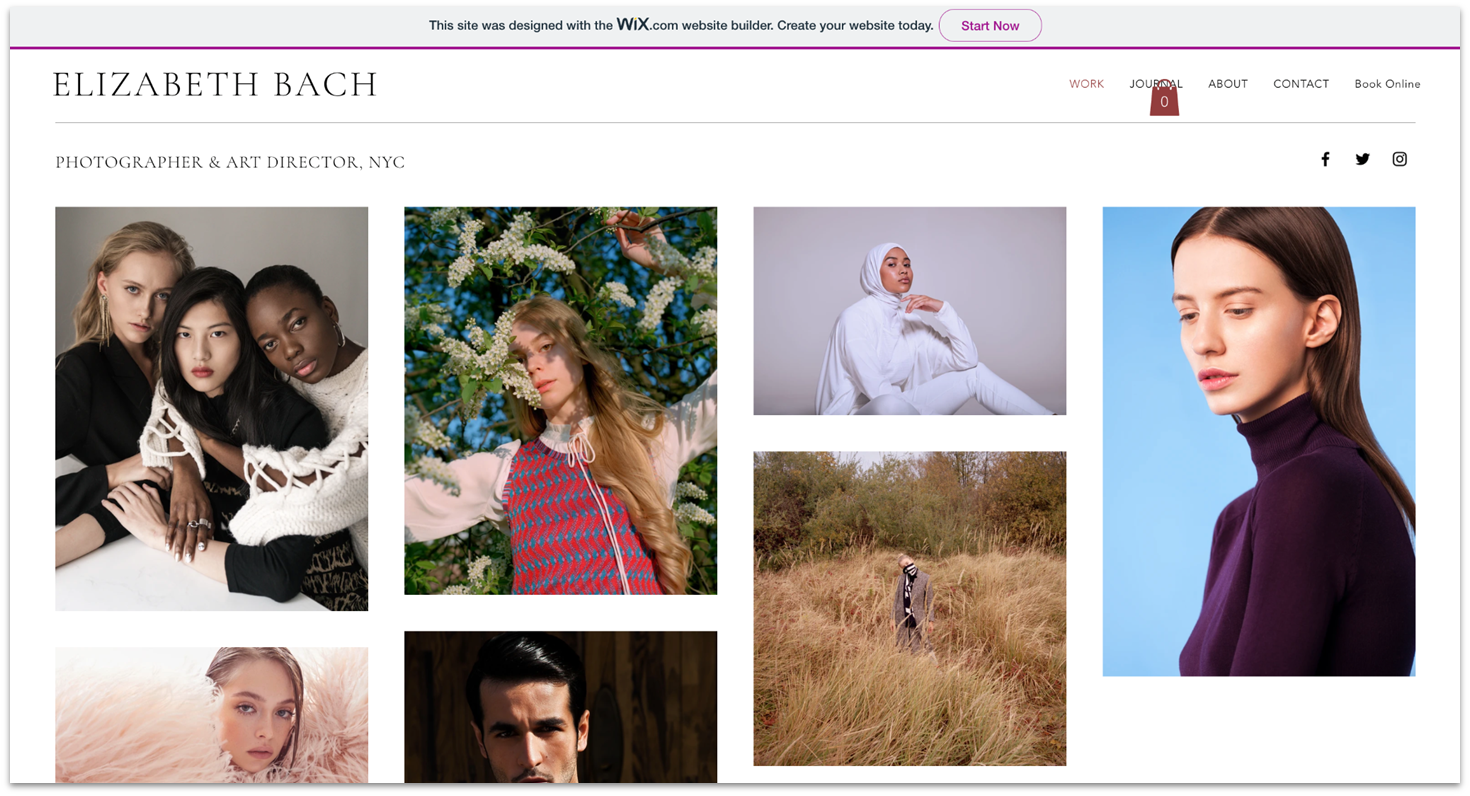
Wix is one of the best free plans around. It grants you access to almost every feature for free, with a few exceptions, like e-commerce tools. And with its highly flexible and intuitive drag-and-drop editor, you can easily adjust text, add media, and tweak the overall layout of these designs however you like. There’s truly no reason you couldn’t use Wix’s free plan forever (so long as you don’t mind having Wix branding and aren’t planning to sell anything on your site).
Wix does come with one small downside. With its creative freedom and extensive site options, I found that building a site with Wix is slightly more complex than with some of the other platforms. That said, it’s completely manageable, and you can definitely create a great site from scratch in a couple of hours.
Wix Free Plan: The Honest Pros & Cons
Pros
- Access to 2500+ fully customizable templates. These templates cover a wide range of categories, including business websites, portfolios, blogs, and online stores.
- A flexible drag-and-drop editor. Wix’s editor stands out for its true drag-and-drop functionality, allowing you to place elements almost anywhere on the page. Unlike builders that rely on rigid content blocks or strict grid layouts, Wix gives you precise control over spacing, positioning, and layout.
- Free hosting. Wix gives you up to 500 MB of free storage and up to 1 GB bandwidth on all plans to get you started.
- Advanced blogging tools. In addition to blogging templates, Wix includes a free Blog app that allows you to create, publish, and manage posts directly from your dashboard.
- Built-in SEO and marketing tools. These tools include email marketing capabilities for creating and sending campaigns, a built-in social media post designer for branded content, and the SEO Setup Checklist, which provides step-by-step guidance to help optimize your site for search engines.
- GEO integration. Wix gives you a dashboard to track site visibility in ChatGPT and Gemini.
- Free website builder apps. Wix’s App Market offers over 800+ apps to extend your site’s functionality and integrate it with third-party services. While not all apps are available on the free plan, there are more than 20 free apps that let you add features such as social media integrations, advanced contact forms, event calendars, and marketing tools.
Cons
- Learning curve. The sheer number of buttons can feel overwhelming for a 10-minute project.
- The “No-Switch” rule. Once you publish, you cannot change your template without losing content.
- Storage and bandwidth are limited to 500 MB storage and 1 GB bandwidth.
- No e-commerce functionality. You can’t accept online payments or sell products on the free plan.
- Wix branding is displayed on all pages of your site.
- You can’t connect a custom domain. Your site will use a Wix subdomain (e.g., yoursite.wixsite.com).
- Limited advanced features, such as custom analytics integrations and some marketing tools.

Save up to 50 % on your Wix plan!
Sign up for an annual plan and enjoy the savings.
Plus get a free custom domain for 1 year!
Who should use Wix (and who should skip it)?
| Best for | Not for |
|---|---|
|
|
Expert Tip: The “Mobile Check” Rule.
Because Wix gives you total freedom on desktop, it’s easy to accidentally “break” your mobile layout. I’d recommend always using the Wix Mobile Editor to reorganize your mobile view immediately after adding new elements to your desktop page.
If you want to know a lot more about what Wix can do, check out our full Wix review.

SITE123 is an excellent free choice for beginners or those who want a simple, hassle-free website-building experience. Its straightforward interface allows you to create a functional and aesthetically pleasing site quickly. While SITE123 doesn’t offer complete drag-and-drop freedom like Wix, I found it’s still easy to do the basics, like add a new image or edit text. From the content bar, you’ll also be able to change font colors, create new pages, and add content blocks like FAQs and galleries to these pages.
SITE123’s free plan is designed for users who want to launch a website quickly with minimal setup. The platform focuses on simplicity, making it easy to build a clean, functional website without design or technical experience.
SITE123 Free Plan: The Honest Pros & Cons
Pros
- Access to 180+ mobile-responsive templates. SITE123 offers professionally designed layouts suitable for blogs, portfolios, business sites, and more.
- A guided, beginner-friendly editor. Its structured interface simplifies website creation.
- AI website builder. You can generate a personalized site draft in minutes.
- Fast and simple setup. Go from account creation to live site in 14-15 minutes.
- Basic blogging functionality. You can add tags, featured images, post scheduling, and a simple text editor.
- Contact and donation forms. SITE123 allows you to add basic forms at no additional cost.
- Free hosting. Its free plan gives you website hosting included as standard.
- 24/7 live chat. Professional technicians are on hand to assist free users in real-time.
- Small business tools. Includes event pages, appointment booking, and other practical features.
- Built-in translation. I liked that you can create versions of your site in multiple languages.
Cons
- Rigid layouts. You can’t drag and drop; you are restricted to pre-set content blocks.
- Limited app marketplace. Only 79 apps in their market – far fewer than Wix’s 800+.
- Platform branding and ads. A visible SITE123 banner (“floating tag”) appears on all free websites which is fairly standard on free plans.
- A SITE123 subdomain (e.g., yoursite.site123.me). I’d consider upgrading to remove this if you’re a small business.
- Limited storage and bandwidth. The free plan includes 250 MB of storage and 250 MB of bandwidth.
- Restricted customization options. Advanced design controls are reserved for paid plans but you can still create something professional on the free plan.
- No full e-commerce functionality. Online payments and advanced store features require an upgrade.
Get 40 % OFF SITE123
Save 40 % when you sign up for SITE123's annual plan
Who should use SITE123 (and who should skip it)?
| Best for | Not for |
|---|---|
|
|
Expert Tip: The “Section Swap” Hack.
Since you can’t move individual elements, use the “Change Layout” button on any section. This allows you to cycle through 10+ different ways to display the same content (e.g., changing a team list from a grid to a slider) without re-typing your text.
Read our in-depth SITE123 review for more details.
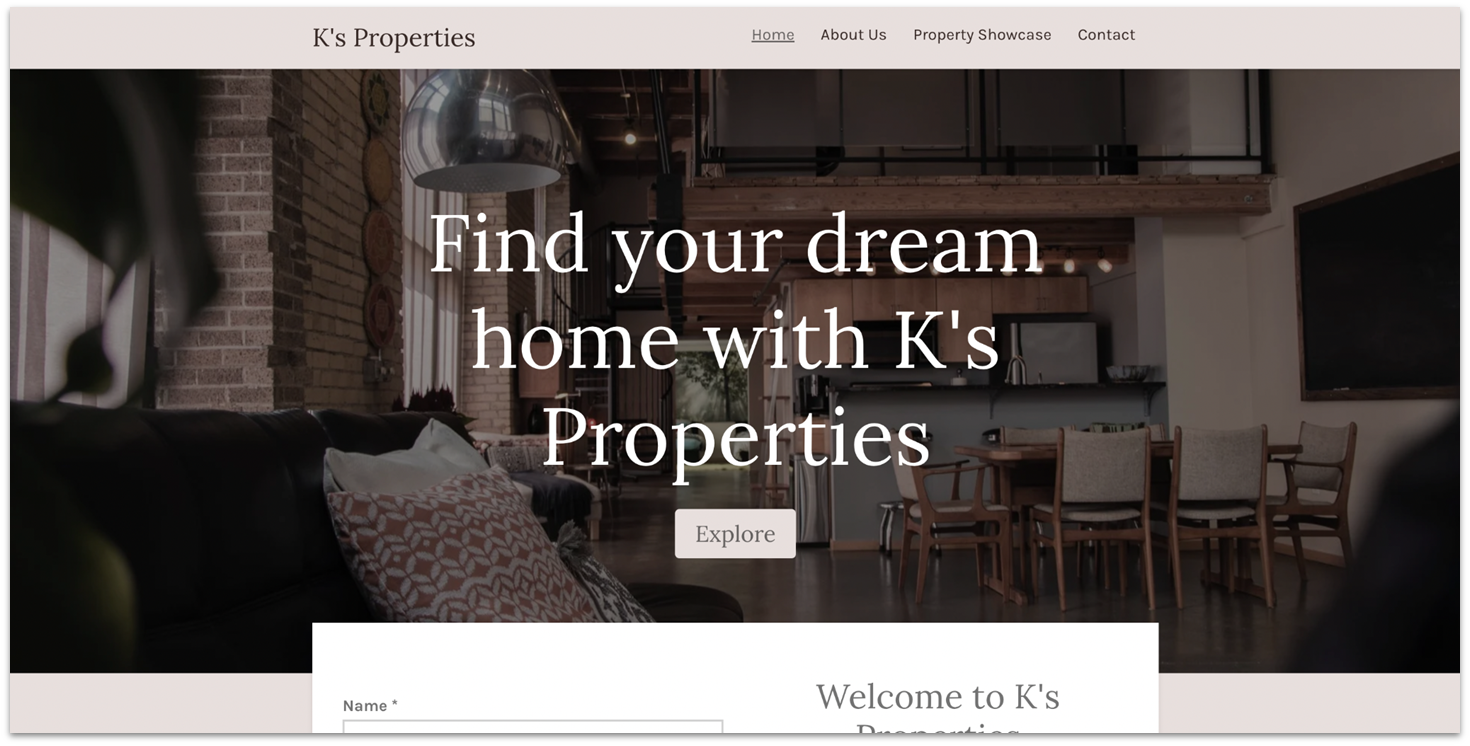
If you’re looking for a free website builder that gets you online fast, Webador is a strong option. When you sign up, Webador’s AI guides you through a short, simple questionnaire and generates a fully functional website in minutes based on your answers. You can then use Webador’s minimalist, beginner-friendly editor to customize the layout, text, images, and branding.
Webador excels in creating simple, but striking, one-page websites. If you’re after something more complex or need really in-depth web design features, this might not be your top pick. But if a streamlined, one-page site is your goal, Webador can certainly deliver.
What makes Webador’s free plan unique?
In a market where free builders like Wix or SITE123 cap your storage at 250MB-500MB, Webador is the outlier. In 2026, it remains the only “really free” builder that offers unlimited storage on its base tier which is really impressive. You can add as many pages and high-resolution files as you like without being forced into a monthly subscription.
Webador: The Honest Pros & Cons
Pros
- Unlimited storage. The only free plan that won’t charge you for “space” or “pages”.
- Eco-friendly hosting. All Webador sites run on 100% renewable energy servers.
- AI onboarding. Conversational AI can build your first draft in 60 seconds which is an amazing way to get you started.
- 0% commission. Keep all your profit (minus payment gateway fees).
- Unique widgets for media sharing. Includes rating features, social media icons, an image slideshow display, smart map integrations, and more.
- Easy-to-use SEO. Webador provides an incredibly easy-to-use set of tools to tinker with your site’s SEO. There’s also an option to enable the index in Google search.
- Standard blog management. Webador’s blogging capability lets you add posts, edit previous entries, and rearrange or re-categorize posts in a couple of clicks.
- Plenty of web design information. If you’re new to web building, Webador provides a comprehensive knowledge base with valuable information about web design fundamentals. There are tutorials and guides on how to create a website, set up an online store, start a blog, and so much more.
Cons
- Prominent branding. A large “Made with Webador” banner remains in your footer.
- Branding. Your site will use a Webador subdomain (e.g., yourname.webador.com).
- No app market. Unlike Wix, you cannot add third-party plugins; you are limited to built-in widgets.
- Fixed design. You cannot change font sizes or specific CSS on the free plan.
- Offline payments. Credit card checkouts (Stripe/PayPal) require an upgrade.
- Ad presence. The banner ad on free sites is larger than those on Wix or SITE123. However, it is conveniently placed at the bottom of the page.
- Editing order. You must let the AI generate your site first before you can manually select or change a template in the editor.
Who should use Webador (and who should skip it)?
| Best for | Not for |
|---|---|
|
|
Read our expert Webador review for more details.
Risk-Free And Affordable Website Builders
The following website builders don’t offer permanent free plans, but they do give you a low-risk way to test premium features. Instead of a free plan, you’ll get either a generous free trial or a money-back guarantee – ideal if you want more advanced tools, e-commerce functionality, or design flexibility without committing upfront.

Squarespace is one of the most famous builders out there, particularly known for its elegant, minimalistic designs. It combines professionally designed templates with a structured grid editor that offers creative flexibility while keeping layouts clean and cohesive. Features like the “Site Styles” editor make it easy to maintain consistent fonts, colors, and branding across your entire site.
Squarespace doesn’t offer a permanent free plan, but it does come with a 14-day free trial and a 14-day money-back guarantee. This allows you to test all premium features without financial risk.
While it’s not fully free, it’s a strong option if you want advanced design tools and built-in functionality from the start.
How does the Squarespace free trial work?
The Squarespace trial is a “sandbox” period where nearly all premium features are unlocked. It is designed to let you reach a “ready to launch” state before you spend a cent.
What You Get on Squarespace Free Trial:
- Duration: 14 days (Extendable by 7 days if you need more time).
- Credit card required? No. Sign up with just an email address.
- AI tools: Full access to Blueprint AI, which generates custom site structures and professional copy in seconds.
- E-commerce: You can set up a full store and add products, but you cannot “go live” or accept payments until you upgrade.
If you upgrade to one of Squarespace’s paid plans, the Basic plan includes:
- A free custom domain for one year
- Unlimited bandwidth
- Built-in website analytics
- Third-party app integrations
It also supports full e-commerce functionality, even at the entry level. You can sell physical products, services, memberships, and subscriptions without upgrading to a higher-tier plan.


Save up to 36 % on your Squarespace plan today!
Plus get a free domain for one year!
Squarespace Free Trial: The Honest Pros & Cons
Pros
- Intuitive grid editor. Squarespace’s grid editor is beginner-friendly and easy to navigate, while still letting you have precise control over layouts and spacing. It helps you create clean, professional designs without breaking the overall site structure.
- 180+ professionally designed templates. Choose from 180+ templates across 20 categories, including blogs, portfolios, online stores and wedding sites.
- Built-in marketing tools. Squarespace includes integrated SEO features, social media integrations, email campaign tools, and analytics to help you promote and grow your website.
- AI tools. You’ll get full access to Blueprint AI, which generates custom site structures and professional copy in seconds.
- Credit card required? No. You can sign up with just an email address.
Cons
- No free tier. Your site goes offline the moment your trial expires unless you pay.
- Manual effort. Because mobile is independent, you essentially have to design the site twice.
- Higher entry price. Plans start at ~$16/mo (billed annually), which is higher than Hostinger or IONOS.
- Limited apps. While they have “Extensions,” the library is smaller than Wix’s 800+ apps.
Who should use Squarespace (and who should skip it)?
| Best for | Not for |
|---|---|
|
|
You can read our in-depth Squarespace review for more details.

What sets Hostinger Website Builder apart is its suite of AI tools that simplify the design process. Its AI suite includes a text generator, a logo maker, and a heatmap tool that predicts where visitors are most likely to focus on your site – helping you improve layout and engagement. The drag-and-drop editor is intuitive and beginner-friendly, and while it offers more flexibility than ultra-simple builders like SITE123, it remains easy to learn, even if you’ve never built a website before.
There’s no free plan, but Hostinger offers a 14-day free trial and a 30-day money-back guarantee on all plans, which allows you to test all features risk-free.
Pricing starts at just $2.99/month, making it one of the most affordable AI-powered website builders for personal sites and small businesses.
Hostinger: The Honest Pros & Cons
Pros
- 180 Professionally designed templates. Choose from a wide selection of templates across categories like Portfolio, Blog, Entertainment, and more.
- Affordable pricing. Plans start at ~$2.49/mo, making it one of the more budget-friendly website builders.
- AI assistant (Kodee). Kodee is Hostinger’s built-in AI assistant that answers questions about your website, guides you through features, and helps manage technical settings directly from the dashboard.
- Built-In SEO and marketing tools. All Hostinger Website Builder plans include SEO settings, analytics, and marketing features designed to help improve search visibility and promote your site.
- Fast loading performance. Built on LiteSpeed servers for industry-leading page speeds.
- Live chat integration. You can link Facebook Messenger and WhatsApp to your website, making it simple to communicate with visitors using the messaging platforms they already prefer.
- 0% transaction fees (Business Plan). Sell up to 500 products without additional platform commission fees.
- 14-day free trial. Full access to the website builder and AI tools with no credit card required.
- 30-day money-back guarantee. If you pay to publish but aren’t satisfied, you get a full refund within 30 days.
Cons
- No permanent free plan. Hostinger does not offer an ongoing free tier; you must upgrade after the trial period.
- Template rigidity. Once you pick a style or AI draft, you are locked in so make your template choice carefully.
- Must pay to publish. Unlike Wix, you cannot have a live site on a free subdomain indefinitely.
- Limited app store. Lacks a massive marketplace for third-party plugins (unlike WordPress or Wix).
- Lacks advanced blogging features. The free plan doesn’t allow for reader comments or complex post tables.
Who should use Hostinger (and who should skip it)?
| Best for | Not for |
|---|---|
|
|
You can read our full Hostinger Website Builder review for a more in-depth look.
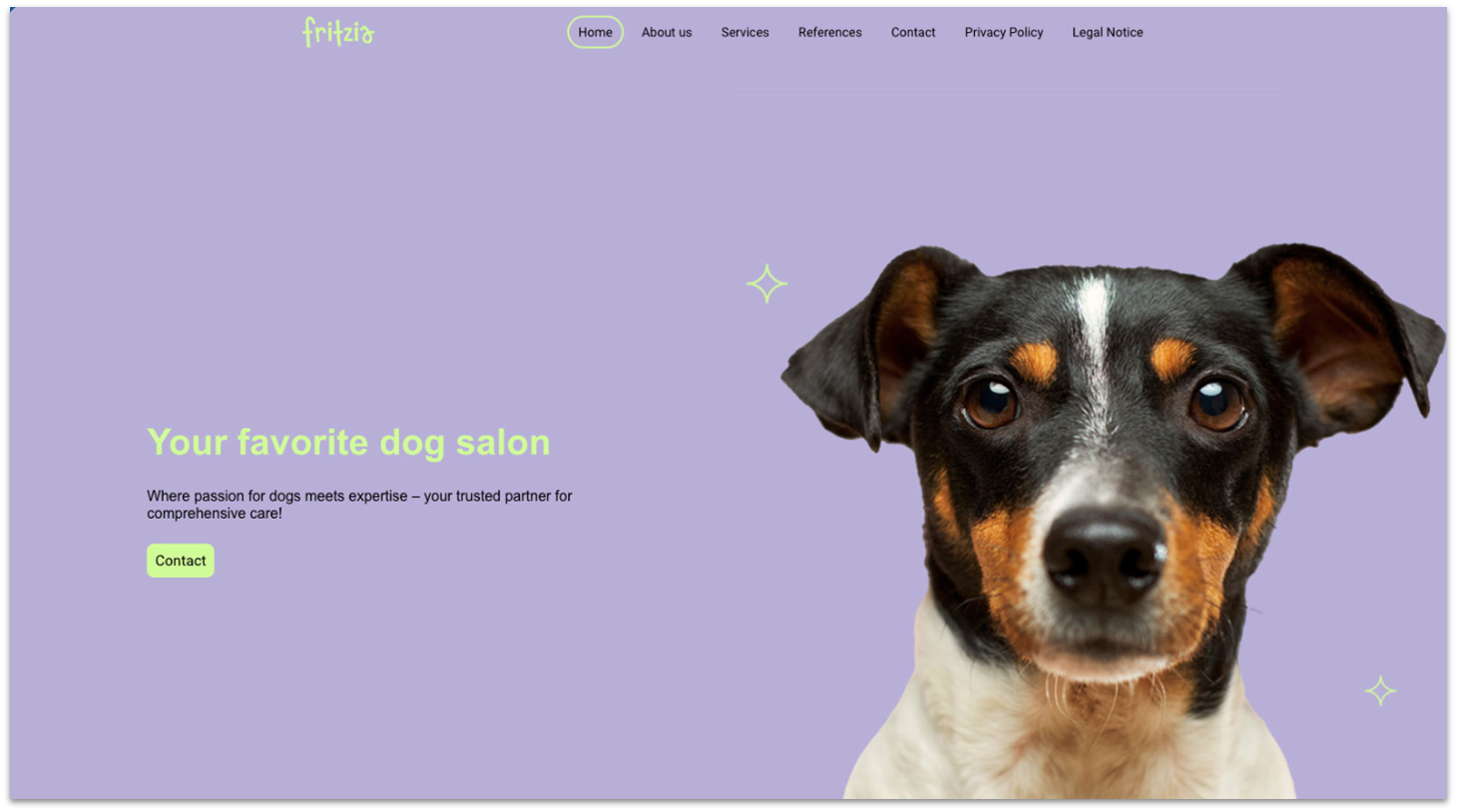
IONOS combines professional design with practical business functionality at an affordable price. While it offers fewer templates than some competitors, its designs are modern, clean, and fully responsive – meaning your site automatically adapts to desktop, tablet, and mobile devices. Despite its polished look, IONOS remains beginner-friendly. The drag-and-drop editor makes it easy to customize fonts, colors, layouts, and page sections without technical experience.
IONOS doesn’t offer a permanent free plan. However, with budget-friendly plans and a 30-day money-back guarantee, it provides a low-risk way to launch a professional business website without overspending.
IONOS Trial & Risk-Free Specifications
- Introductory price: $1/mo for the first 12 months (Plus Plan).
- Money-Back guarantee: 30 days (Full refund if not satisfied).
- Free domain: Included for the first year (e.g., .com, .net, .org).
- Professional email: Included for free with a 2 GB-12 GB inbox.
- AI access: Includes the AI Website Generator, AI Text Improver, and AI SEO Generator.
IONOS: The Honest Pros & Cons
Pros
- Quick block editing. Instead of modifying each block by manually tinkering with its widgets, IONOS gives you a selection of different block configurations and control over your fonts and colors. This can make the editing process a lot more streamlined, but you lose some creative freedom in the process.
- Free professional email with all plans. Every IONOS plan includes at least one custom email address (for example, [email protected]) with inbox storage ranging from 2 GB to 12 GB, depending on the plan.
- Dedicated support representative. I like that every customer is assigned a personal support advisor for tailored assistance.
- RankingCoach SEO integration. IONOS includes built-in RankingCoach tools to help improve search visibility, track keyword performance, and optimize your site for search engines.
- Free domain. Included for the first year (e.g., .com, .net, .org).
- AI website tools. Includes AI-powered features such as the AI Website Generator, AI Text Improver, and AI SEO Generator.
- Built-in multilingual support. IONOS allows you to create multilingual versions of your website, supporting up to 62 languages.
Cons
- No permanent free plan. A paid subscription is required to keep your website live long term.
- Renewal jump. After the first year, the price increases to the standard rate (~$14-$20/mo).
- Limited third-party integrations. IONOS does not offer a large external app marketplace; so functionality relies primarily on built-in tools.
- Structured design system. The editor prioritizes fixed layouts, which can limit advanced design customization and animation options.
Who should use IONOS (and who should skip it)?
| Best for | Not for |
|---|---|
|
|
Read our expert IONOS review for more details.
Other Notable Free Website Builders
These builders also offer free plans. While they didn’t rank among the top overall picks, they may be a better fit depending on your specific needs. For example, if you need advanced blogging features or stronger e-commerce tools, these builders might be a better match.
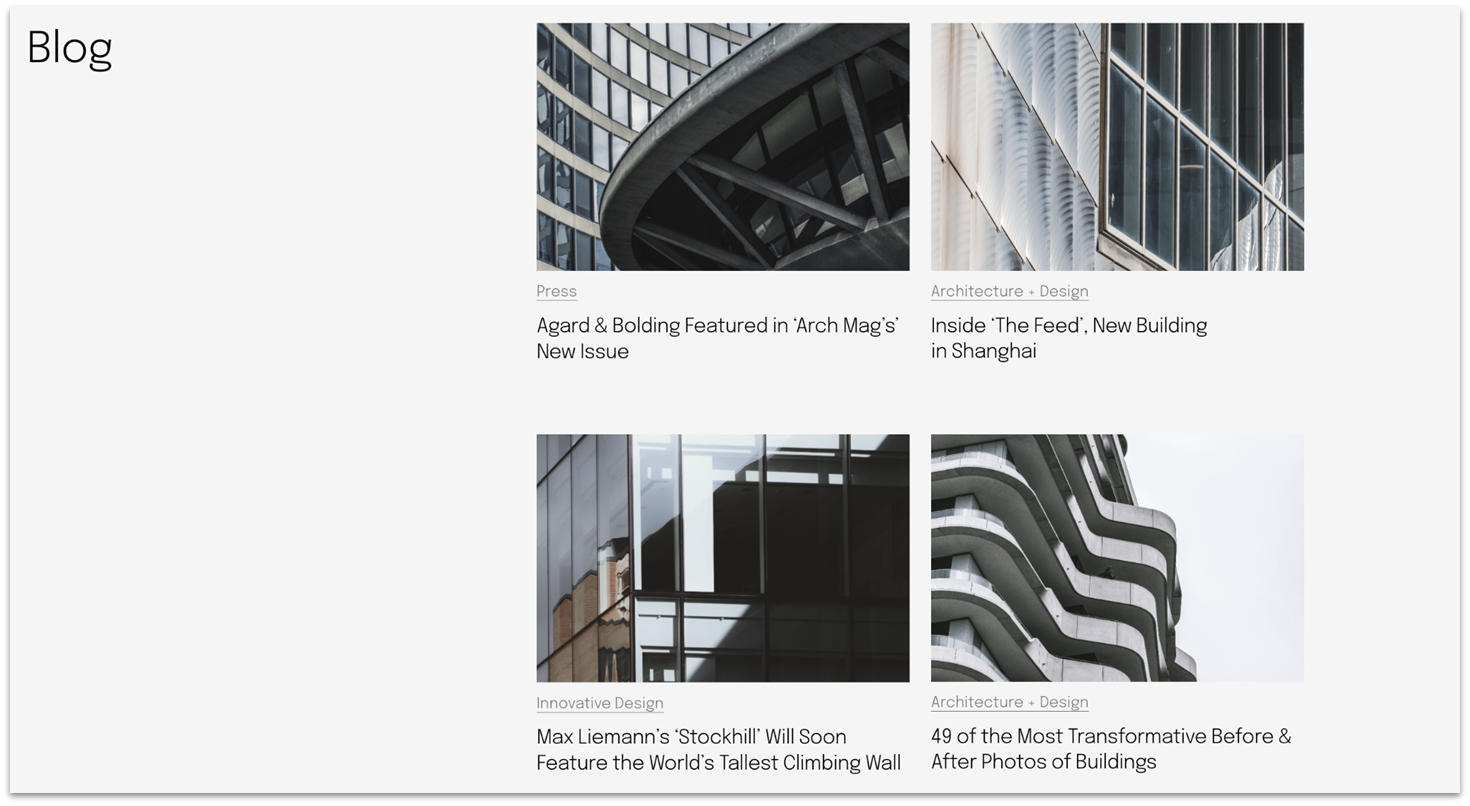
WordPress.com is one of the best free website builders for blogging and content-focused sites. Its free plan includes mobile-responsive themes, a built-in block editor, post scheduling, and basic analytics, making it well-suited for writers who want to focus on publishing rather than design.
However, the free plan includes WordPress.com branding, requires a wordpress.com subdomain, and displays ads. You also can’t install third-party plugins or access advanced customization and monetization features without upgrading to a paid plan.
To unlock plugin access, advanced design controls, and monetization options, you’ll need to upgrade to a paid plan. But I’d recommend getting set up and used to WordPress on the free plan first, so you can decide if it’s right for you before making the commitment.
Who should use WordPress.com (and who should skip it)?
| Best for | Not for |
|---|---|
|
|
Read my full WordPress.com review to learn more.
8. Strikingly: Excellent One-Page Websites

Strikingly is the ideal free solution for entrepreneurs and creators who want a stunning, mobile-optimized landing page right now and value a fast, “hands-off” design process above all else. It’s actually what I used when I built my first website to capture everything in one page.
Strikingly’s strong suit is creating one-page websites. However, that’s also its only suit if you’re on the free plan, as you can’t add more pages to your website without upgrading. Okay, if you add a blog or a store, you technically get more pages, but I feel like that doesn’t count.
However, the free tier is limited to one scrolling page, includes platform branding, requires a Strikingly subdomain, and restricts storage and bandwidth. E-commerce is limited to selling one product, and more advanced features – including multi-page sites and custom domains – require upgrading to a paid plan.
If you’re going to pay, the Limited plan is a good starting point. It comes with a free custom domain for a year, free SSL, 5% transaction fee, 50 GB bandwidth, and it lets you sell a single product. Upgrading to the Pro plan gives you a 2% transaction fee, unlimited bandwidth, and ability to sell 300 products.
Who should use Strikingly (and who should skip it)?
| Best for | Not for |
|---|---|
|
|
Want to know more? Read our in-depth Strikingly review.
[/VendorExternalUrl]
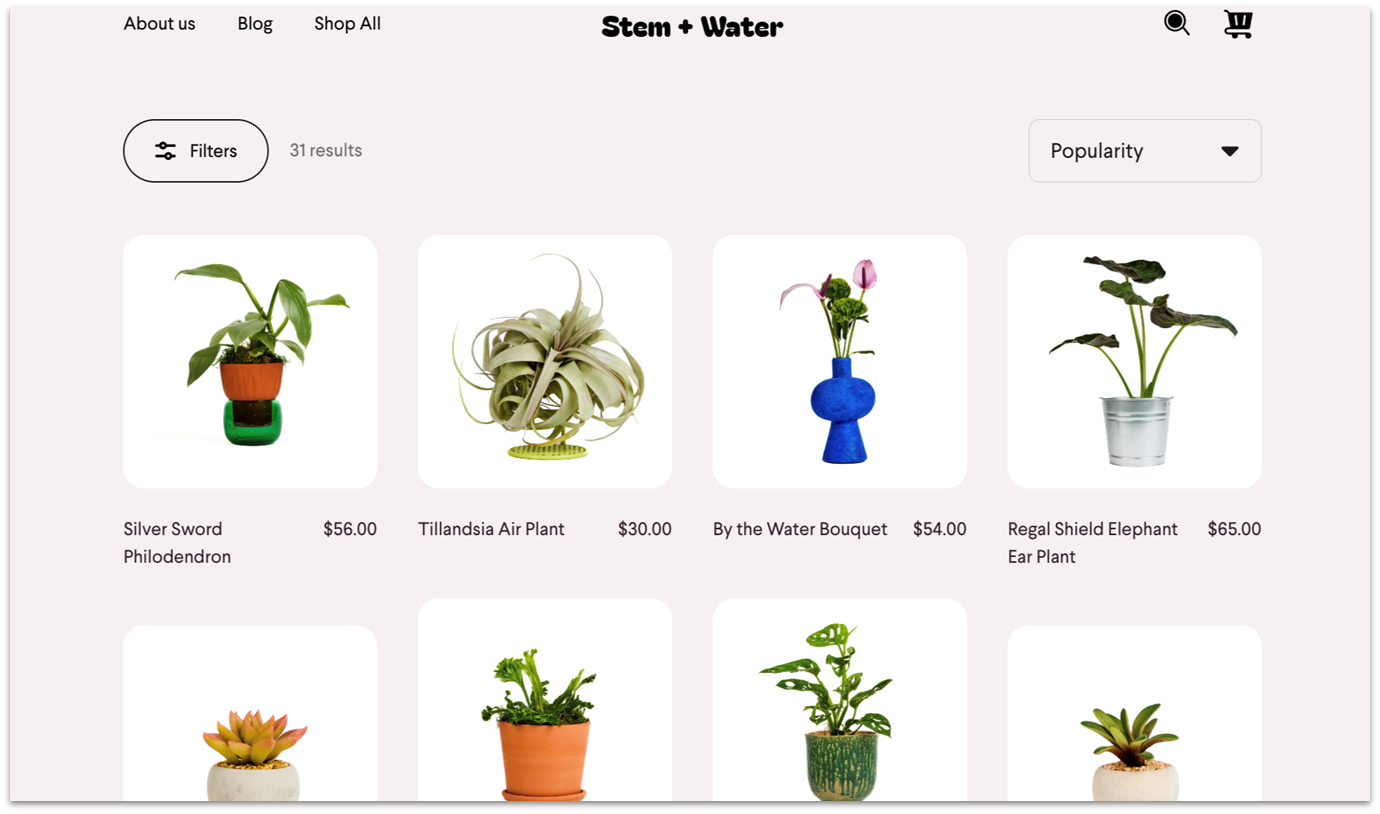
Square Online is one of the best options for small retailers and restaurants that want to sell products online without paying a monthly fee. You can list unlimited products and accept payments on the free plan, paying only transaction fees. It’s especially useful for businesses that already use Square POS and want synced online and in-person sales.
However, the free plan includes Square branding, requires a square.site subdomain, and has limited design customization (a pattern you’ll have noticed across all the free builders on this list). Advanced selling features, a custom domain, and lower processing fees require upgrading to a paid plan.
To remove branding, connect a custom domain, reduce processing fees, and unlock additional selling features, you’ll need to upgrade to a paid plan. When upgrading from a free plan, I’d go straight to the Plus plan. It may not have the fancy shipping features and slightly lower payment processing rate of the Premium plan, but it gives you good value for the price. It has some of the most important features, like customer accounts, custom widgets, a custom domain, and subscription selling.
Who should use Square Online (and who should skip it)?
| Best for | Not for |
|---|---|
|
|
Check out our full Square Online review to see what else is on offer.
When Should I Upgrade to a Paid Plan?
You should consider upgrading to a paid plan if:
- You want to connect a custom domain (e.g., yoursite.com)
- You need to remove platform ads or branding
- You plan to sell products or accept online payments
- You require more storage or bandwidth
- You need advanced SEO, analytics, or marketing tools
- You want greater design flexibility and customization
In short, it’s time to upgrade when your free plan starts limiting your growth, branding, or revenue potential. It’s definitely worth using a free builder to get your website off the ground, but it’s almost always worth upgrading to make your website look more professional and functional. If you’re not sure where to start, follow our step-by-step guide to building a website.
Which Free Site Builder Is the Best for You?
The best free builder always depends on your specific needs. In my opinion, Wix is the best overall free website builder due to its design flexibility and features. SITE123 is ideal for small businesses, and Webador works best for simple sites. All builders listed offer permanent free plans but include branding and limitations.
If you’re unsure which direction to take, start by identifying your primary goal – whether it’s creative control, simplicity, or speed – and choose the builder that aligns with that priority.
| Templates | Storage capacity | Bandwidth | Ads on free plan | Domain name | E-commerce on free plan | SSL on Free Plan | Pages / Site Limit | Support on Free Plan | |
|---|---|---|---|---|---|---|---|---|---|
| Wix | 2500+ | 500 MB storage | 1 GB | Wix branding displayed | yoursite.wixsite.com | ✘ Not supported | ✔ Free SSL | Unlimited pages | Help Center, community, limited support |
| SITE123 | 180+ | 250 MB storage | 250 MB | SITE123 banner displayed | yoursite.site123.me | ✘ No online payments | ✔ Free SSL | Unlimited pages | 24/7 live chat |
| Webador | 50+ | Unlimited | Unlimited | “Made with Webador” banner | yoursite.webadorsite.com | ✘ Online payments require upgrade | ✔ Free SSL | Unlimited pages | Email support, help center |
| Squarespace | 180+ | Unlimited | Unlimited | No free plan | ✘ No free subdomain (trial only) | ✘ No free plan | No free plan | N/A | Trial support only |
| Hostinger Website Builder | 150+ | 100 GB (paid plans) | 100 GB (paid plans) | No free plan | ✘ No free subdomain (trial only) | ✘ No free plan | No free plan | N/A | Trial support only |
| IONOS Website Builder | 30+ | 10 GB+ (paid plans) | Unlimited (paid plans) | No free plan | ✘ No free subdomain (trial only) | ✘ No free plan | No free plan | N/A | Trial support only |
| WordPress.com | 50+ free themes | 1 GB | Unmetered (fair use) | WordPress.com ads | yoursite.wordpress.com | ✘ No payments (upgrade required) | ✔ Free SSL | Unlimited pages/posts | Community forums, documentation |
| Strikingly | 90+ | 500 MB | 5 GB | Strikingly branding | yoursite.mystrikingly.com | ✘ Limited (1 product, no full payments) | ✔ Free SSL | Unlimited | 24/7 support |
| Square Online | 3 | Unlimited | Unlimited | Square branding | yoursite.square.site | ✔ Yes (transaction fees apply) | ✔ Free SSL | Unlimited pages/products | Community forum, knowledge base, support |