 Website Planet



Sagenext Infotech was established in November 2008. It specializes in the hosting of accounting and tax web applications such as Sage, QuickBooks, UltraTax, and TaxWise for accounting professionals and small businesses. This Augusta, Georgia-based company has partnered with some of the leading datacenters in Dallas, New York, and Phoenix, and it has won several awards in its field.
Sagenext Infotech’s website is in English.
Features and Ease of Use
Sagenext Infotech has positioned itself as a leading tax and accounting software hosting provider in the U.K. and North America. However, in the “Store” section of this host’s client portal, you can also find three shared hosting plans, one semi-dedicated cloud server plan, and five dedicated server plans.
The shared hosting plans provide you with:
- 5 GB per user to 10 GB per user storage
- Free backups and data migration
- Free set-up
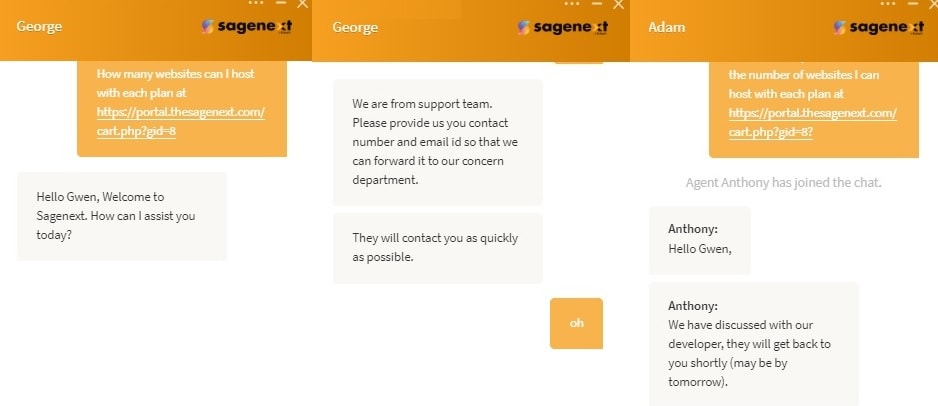
While there is no information about bandwidth or the number of websites you can host (and I couldn’t clarify with support staff), I can tell you that you can add more users and extra disk space.
Hosting sits on super-fast SSD storage, which is also more reliable than traditional HDD storage. The redundant network, 24-hour network monitoring, and 256-bit encryption should allow you to enjoy high availability and top-notch security. Automatic nightly backups safeguard your data and are retained for 30 days.
Sagenext’s dedicated hosting plans allow admin access for complete control.
Pricing and Support
Sagenext’s cloud-based shared hosting plans are extremely pricey at almost eleven times the average industry rates, but this host is predominantly aiming its services at a particular set of accounting and tax professionals.
We offer hosting payment options in seven different currencies, allowing you to pay via PayPal, credit/debit card, or BluePay eCheck, on monthly, half-yearly, or annual terms. However, before signing up, we encourage you to take a test drive with our 15-day free trial.
You can summon 24/7 customer support via a toll-free telephone number, support ticket (if logged in), email, or live chat. Remote support is also available via Zoho Assist and TeamViewer. Although I engaged successfully via live chat, I was disappointed that this didn’t answer my questions:
Self-support resources are available in the form of a knowledge base, blog, and F.A.Q. section.