
Running an online store takes more than great products – it demands a website that looks professional, loads quickly, and makes shopping easy for your customers.
The challenge is that not all website builders are built for e-commerce. Some fall short on payment options, others lack basics like inventory tracking or abandoned cart recovery, and many limit how much you can customize the buying experience.
After testing dozens of platforms, I’ve identified the 9 best e-commerce website builders. My top pick is Shopify, thanks to its 100+ payment gateway integrations, AI marketing tools, 650+ dropshipping apps, and 900+ mobile-responsive store designs.
You can start with Shopify, or keep reading to see the full list and find the builder that matches your store’s goals.
Short on Time? These Are the Best E-Commerce Website Builders in 2026
- Shopify – Best overall e-commerce platform with 8,000+ apps and integrations for product-focused online stores.
- Wix – 330+ e-commerce templates and an intuitive drag-and-drop editor for less technical small business owners.
- BigCommerce – Multilingual and multi-storefront features for large or international e-commerce stores.
What We Look For in the Best E-Commerce Website Builders
Your website should be able to grow and evolve with your business, so flexibility is key when choosing a website builder. Here’s what I focused on when compiling my list:
- Modern, responsive e-commerce templates. All builders on my list have modern online store templates that you can easily customize to match your style. You can create a website that reflects your brand quickly and easily.
- Mobile-optimized shopping experience. Since so many people shop on their phones, I prioritized builders that deliver fast, mobile-friendly stores to keep visitors engaged.
- Easy product and sales management. Managing products, variant creation, tracking inventory, and fulfilling orders should be simple. I focused on platforms that streamline these tasks and improve the shopping experience with customer accounts and one-click checkout.
- Secure, flexible payment options. I only included e-commerce website builders that let you accept payments safely and in multiple ways, giving your customers confidence and convenience at checkout. Some of my recommendations also include tools like automatic tax calculation and invoice generation.
- Marketing and SEO tools. The builders on my list offer tools for email campaigns, discount codes, social media integrations, and keyword optimization to help you drive traffic and boost sales directly from your site.

Shopify is best for creating a dedicated online store focused entirely on selling products. It has customer segmentation for targeting the right customers, one-click checkout for reducing friction during the buying process, and discount shipping options that appeal to customers.
Beyond its core features, the Shopify App Store has 8,000+ integrations you can plug into your site to add new features. Whether you need better SEO, discount tools, custom checkout tweaks, product reviews, or marketing tools, you can find an app for it.
It also has AI tools like Shopify Magic for creating product descriptions and enhancing images – and Sidekick, an AI assistant for automating tasks and answering questions.
With a variety of pricing plans and features, Shopify supports everything from small marketplace shops to multinational B2B operations. Its intuitive editor and 900+ high-quality, mobile-responsive themes make it easy to build a store that fits your vision. Plus, Shopify lets you list and test as many items as you want no matter the plan you choose.


Save up to 25 % on your Shopify plan!
Limited-time offer - Don't miss it!
Features
- Multimedia product displays. Shopify supports high-resolution images, product videos, 3D photos, slideshows, and image zoom effects, giving your customers a more interactive shopping experience.
- Shopify Payments. In addition to integrating with over 100 payment processors, Shopify has its own payment solution, Shopify Payments, which eliminates third-party transaction fees for most payments. There’s a 1.5% currency conversion fee.
- One-click multi-channel marketing. You can launch one-click multichannel marketing campaigns to showcase products on Facebook, Instagram, TikTok, eBay, and Walmart Marketplace.
- Email automations. Set up automated emails to send messages at key points, such as welcoming new subscribers or sending discount codes to loyal customers. You can send up to 10,000 emails per month for free.
Read our in-depth Shopify review to see more features.
| E-commerce templates | 900+ |
|---|---|
| Payment provider integrations | 100+ including Shopify Payments, PayPal, Stripe, and Afterpay |
| Extra transaction fees |
|
| Starting price for e-commerce plan | $29.00 |

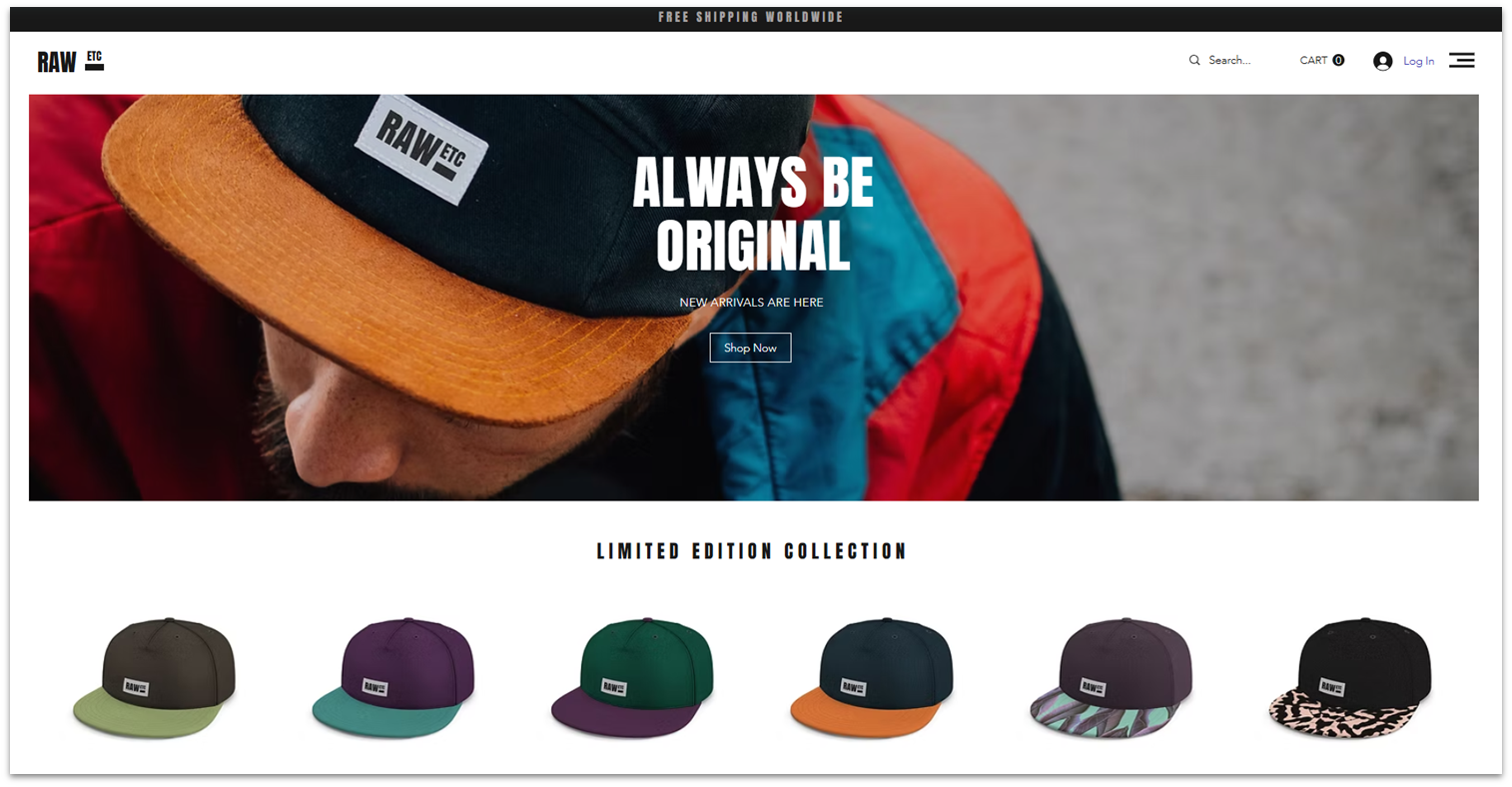
Wix’s 330+ mobile-friendly store templates and intuitive yet flexible drag-and-drop editor make it easy to build and customize an e-commerce store, even if you have no prior experience. Alternatively, Wix’s AI can generate a unique e-commerce website for you within minutes, complete with product descriptions, blog content, and branding recommendations.
Every online store template includes Wix Stores, a dedicated e-commerce platform. You can customize product pages, track inventory, print shipping labels, sell on social platforms and marketplaces, and create product subscriptions, all from your Wix dashboard.
If you find Wix Stores lacking in any way, you can explore the Wix App Market for more tools. From inventory trackers and shipping calculators to customer reviews and loyalty programs, you can pick and choose apps that fit your needs and budget – some of them are free.

Save up to 50 % on your Wix plan!
Sign up for an annual plan and enjoy the savings.
Plus get a free custom domain for 1 year!
Features
- Wix SEO Checklist. This extensive SEO guide walks you through the process of optimizing your site step-by-step so that potential customers can find you easily.
- Ads management. You can create and track ad campaigns on Google and Facebook directly from your Wix dashboard, saving time and keeping marketing organized in one place.
- Deferred payment options. With payment schemes like Afterpay, Clearpay, and Laybuy, you can let your customers buy now and pay later, which can help boost sales.
- AI Marketing Agent. This smart assistant suggests ways to attract and keep customers. It can recommend marketing strategies, automate email campaigns, and improve ad targeting. It’s a good substitute for a dedicated marketing team.
Want to learn more? Read our expert Wix review.
| E-commerce templates | 330+ |
|---|---|
| Payment provider integrations | 100+ including Wix Payments, PayPal, Stripe, Square, and Afterpay |
| Extra transaction fees | 0% with Wix Payments and third-party processors |
| Starting price for e-commerce plan | $29.00 |
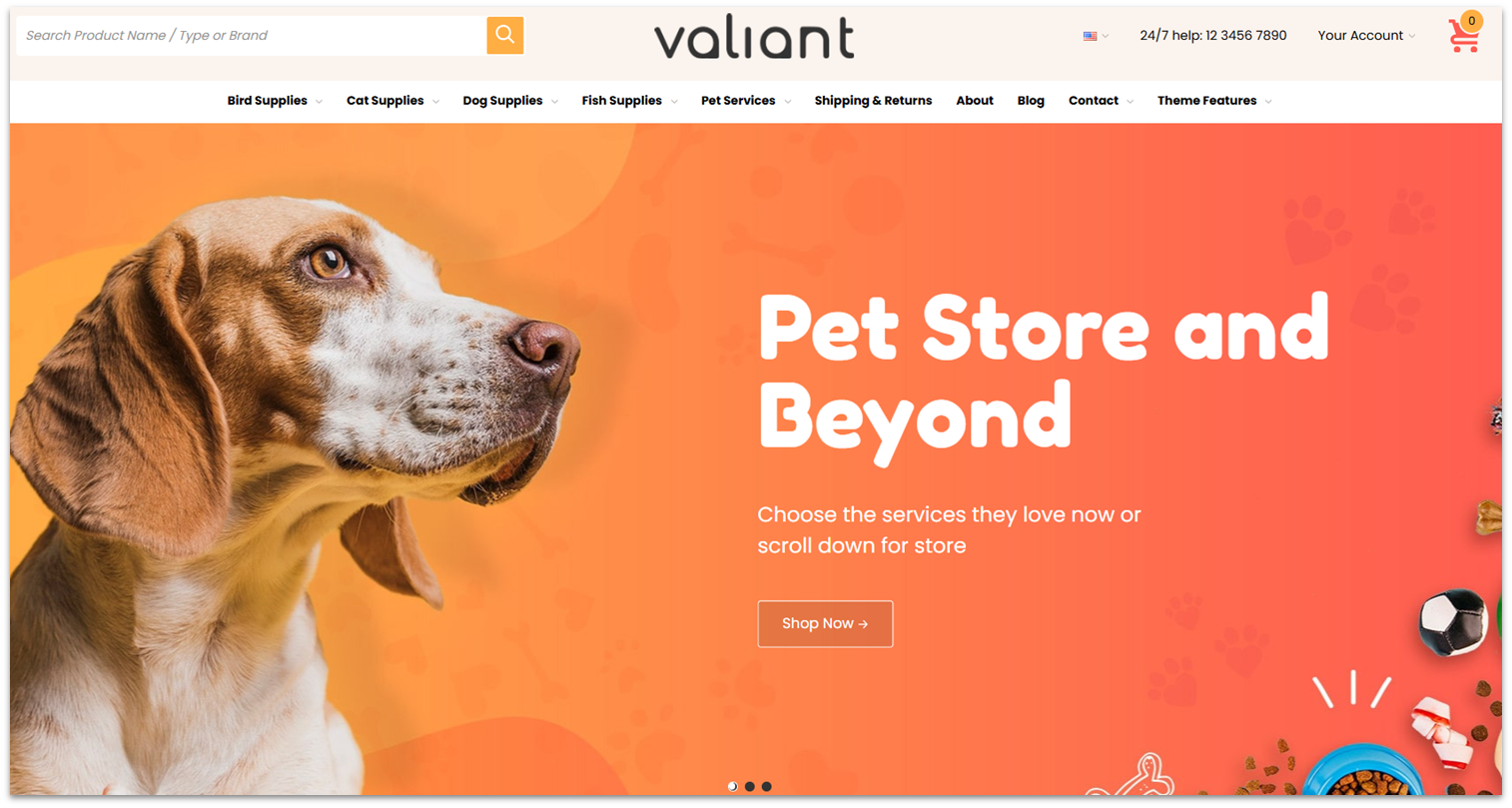
BigCommerce supports multilingual online stores and separate site versions and catalogs for different regions, making it a great option for international e-commerce websites.
To help you get started, BigCommerce has 200+ modern-looking store themes (12 are free). It’s easy to categorize products by brand, edit products in bulk, personalize prices based on customer segments, and add product filters for easy browsing.
All plans let you create unlimited staff accounts and sell unlimited products across 3 different storefronts – with no additional transaction fees. If you have physical locations, you can integrate with Square and Clover POS systems to sync your offline and online operations.


Save up to 25 % on your BigCommerce plan!
Limited-time offer - Don't miss it!
Features
- Robust app store. BigCommerce has over 1200 free and paid apps covering everything from shipping options and order management to social media, email, and CMS tools.
- Persistent cart. You can improve your customers’ experience by saving their shopping cart to their account. If they switch devices, the items in their cart are still there.
- Customer segmentation. This feature allows you to sort customers into groups (i.e. for pricing, promotions, or product access) to create differentiated experiences on your site.
- Multi-currency selling. With BigCommerce, you can integrate payment gateways such as Apple Pay and Google Pay, enabling you to accept payments in over 100 currencies.
Our expert BigCommerce review has more on features and pricing.
| E-commerce templates | 200+ |
|---|---|
| Payment provider integrations | 165+ including PayPal, Apple Pay, Stripe, Venmo, and Afterpay |
| Extra transaction fees | None |
| Starting price for e-commerce plan | $29.00 |

Squarespace lets you create and sell online courses directly from your website. You can upload videos, add lesson materials, and organize your content into a clear structure that’s easy for your audience to follow. You manage everything in one place – host content, track student progress, send emails, analyze performance, and collect payments.
You can also set up a members-only zone on your Squarespace site to sell premium content, including exclusive video series, newsletters, podcasts, or virtual events. You set whether access is free, one-time, or recurring, and can use its Email Campaigns tool to update your member lists.
Squarespace applies a minimum of 7% transaction fee on digital product sales – higher plans have lower rates. While that may seem steep, Squarespace doesn’t charge extra subscription costs for its Courses and Member Areas tools, making the fee a worthwhile trade-off.
Features
- Attractive gallery layouts. Thanks to its eye-catching gallery layouts and the use of full-screen images, Squarespace is great for displaying and selling creative work.
- Blogging platform. You can use Squarespace’s beginner-friendly blog editor to post product-related news and tips, which your customers can easily share on social media.
- Free logo maker. Squarespace’s completely free logo making tool can help increase your brand’s familiarity.
- Scheduling tool. If you sell services, you can use Squarespace’s scheduling tool to take appointments, manage your bookings, send automatic reminders to clients, and more.
Curious to learn more? Read our expert Squarespace review.
| E-commerce templates | 45+ |
|---|---|
| Payment provider integrations | 5+ including Squarespace Payments, Stripe, PayPal, Square, and Afterpay |
| Extra transaction fees |
|
| Starting price for e-commerce plan | $16.00 |
5. HubSpot: Best for B2B E-Commerce Businesses
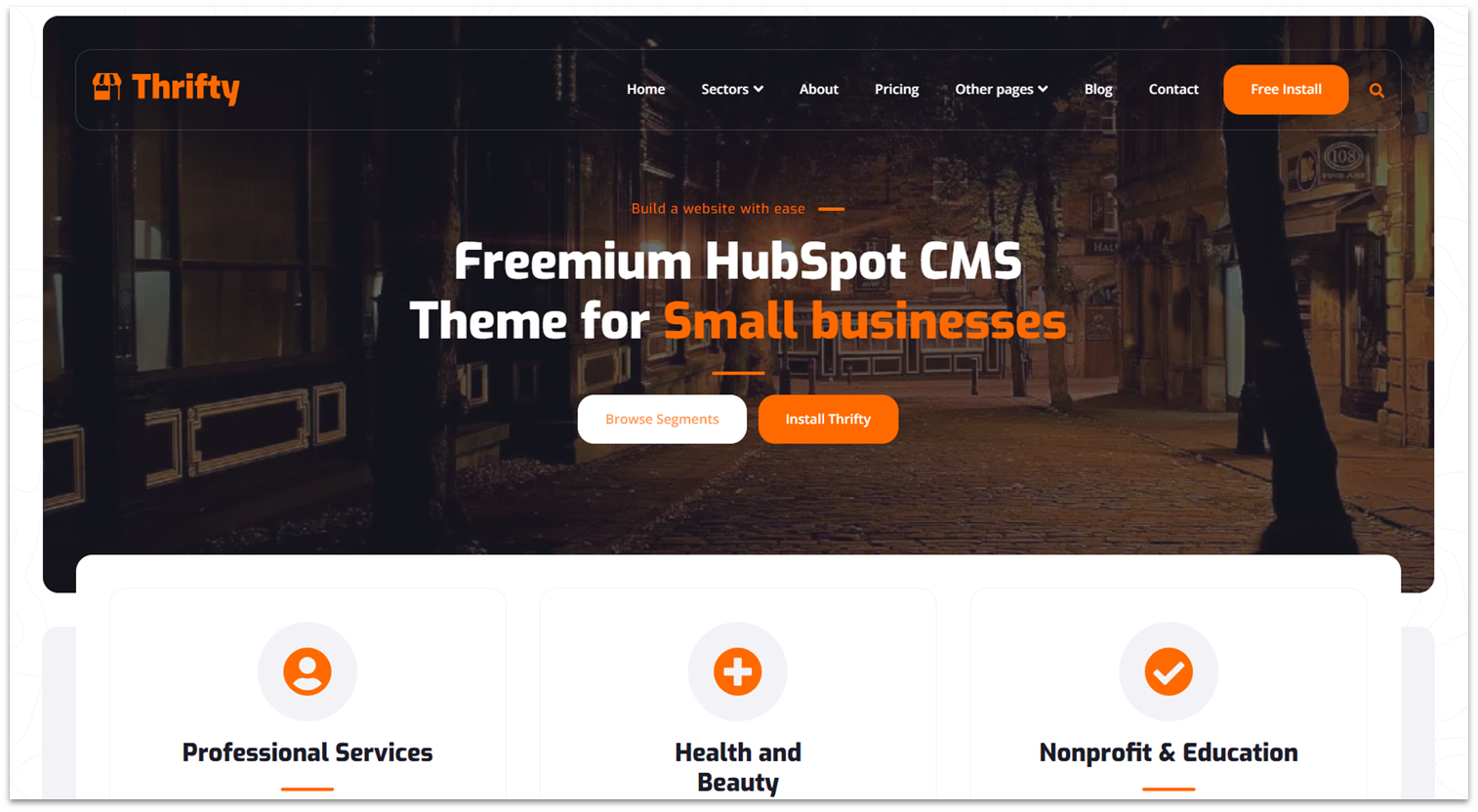
HubSpot’s website builder is just one part of its robust ecosystem. Its AI CPQ (Configure, Price and Quote) tool helps your sales team generate branded quotes quickly using product and pricing details from deal records. With HubSpot’s e-signatures tool, buyers can sign digitally right on the quote, and a “Closing Agent” AI bot can answer their questions instantly for faster order completion.
With approval workflows and quote tracking, HubSpot lets you see when clients view or engage with quotes. Your team can maintain control with clear checkpoints and follow up at the exact right moment to close more deals.
The Starter Customer Platform bundle gives you entry-level access to every HubSpot hub. It lets you create an e-commerce site, nurture leads, build sales pipelines, create custom quotes, manage customer relationships, and analyze customer data. It’s a bit more expensive than the entry-level of competitors, but it has good value-for-money for B2B businesses.
Features
- Included analytic features. HubSpot’s commerce, sales, and marketing hubs include useful analytic features to help you make informed decisions based on your customer’s behavior.
- AI-powered content tools. If you need to make yourself known, HubSpot offers AI-powered tools for blogging, marketing, and more.
- Commerce automations. Automate everyday tasks like recurring billings or stock orders.
- Ecosystem-wide integration. If you’re already a HubSpot user, most of its hubs offer seamless connection between one another to improve efficiency.
Read our expert HubSpot review for more details.
| E-commerce templates | 20+ |
|---|---|
| Payment provider integrations | 8+ including HubSpot Payments and Stripe |
| Extra transaction fees |
|
| Starting price for e-commerce plan | $20.00 |
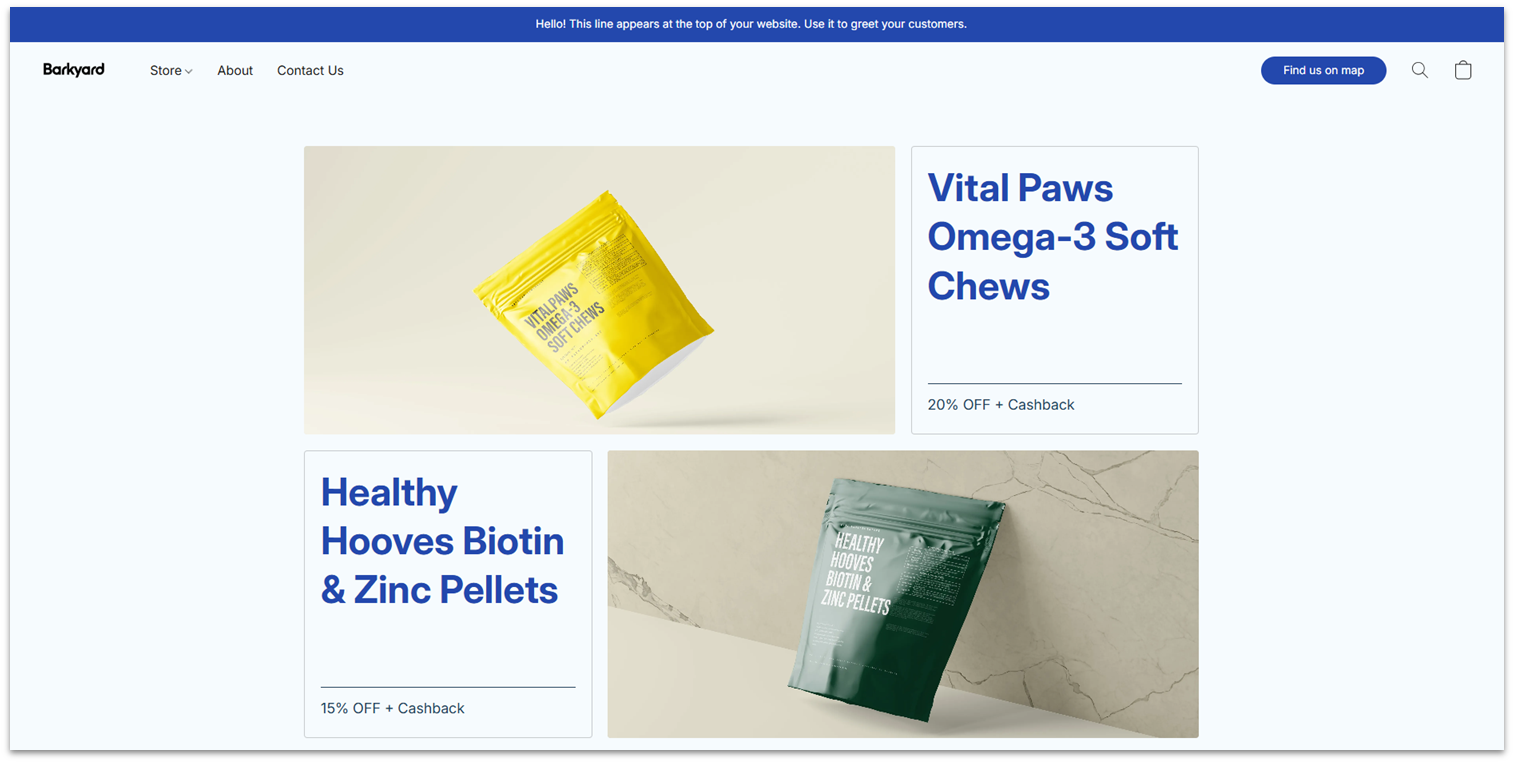
Starting at just $5.00/month, Ecwid’s Starter plan lets you list up to five products, making it a budget-friendly choice for small or one-person shops. You get 70+ website templates to help you get started, and there are no extra transaction fees to cut in on your profits.
On the marketing side, Ecwid supports ad management for Google, Pinterest, and Snapchat (but not Meta). You can generate tax invoices, schedule order pickups and deliveries, and manage customer orders from your dashboard.
For more advanced features, Ecwid’s Venture plan ($25.00/month) allows custom domain connections, inventory tracking, Meta advertising, and social media selling. The Business plan ($45.00/month) supports wholesale pricing, staff accounts, and selling on marketplaces. However, Shopify’s plans offer better value for money at this price point.
Features
- Automatic mobile optimization. As you build your desktop site, Ecwid automatically creates a mobile-friendly version for you.
- Link-in-bio e-commerce page. You get a customizable landing page that consolidates all your important links, including social media profiles and product listings, making it easy to direct followers to your products.
- Mobile management. You can use Ecwid’s iOS or Android app to manage your store’s operations wherever you go.
- One-tap checkout. Ecwid lets your customers complete purchases with Apple Pay or Google Pay, eliminating the need to manually enter payment details. This process reduces cart abandonment and improves conversion rates.
Read our expert Ecwid review for more details.
| E-commerce templates | 70+ |
|---|---|
| Payment provider integrations | 70+ including PayPal, Stripe, Lightspeed Payments, and Afterpay |
| Extra transaction fees | None |
| Starting price for e-commerce plan | $5.00 |
Other Notable Website Builders for E-commerce
7. Hostinger Website Builder
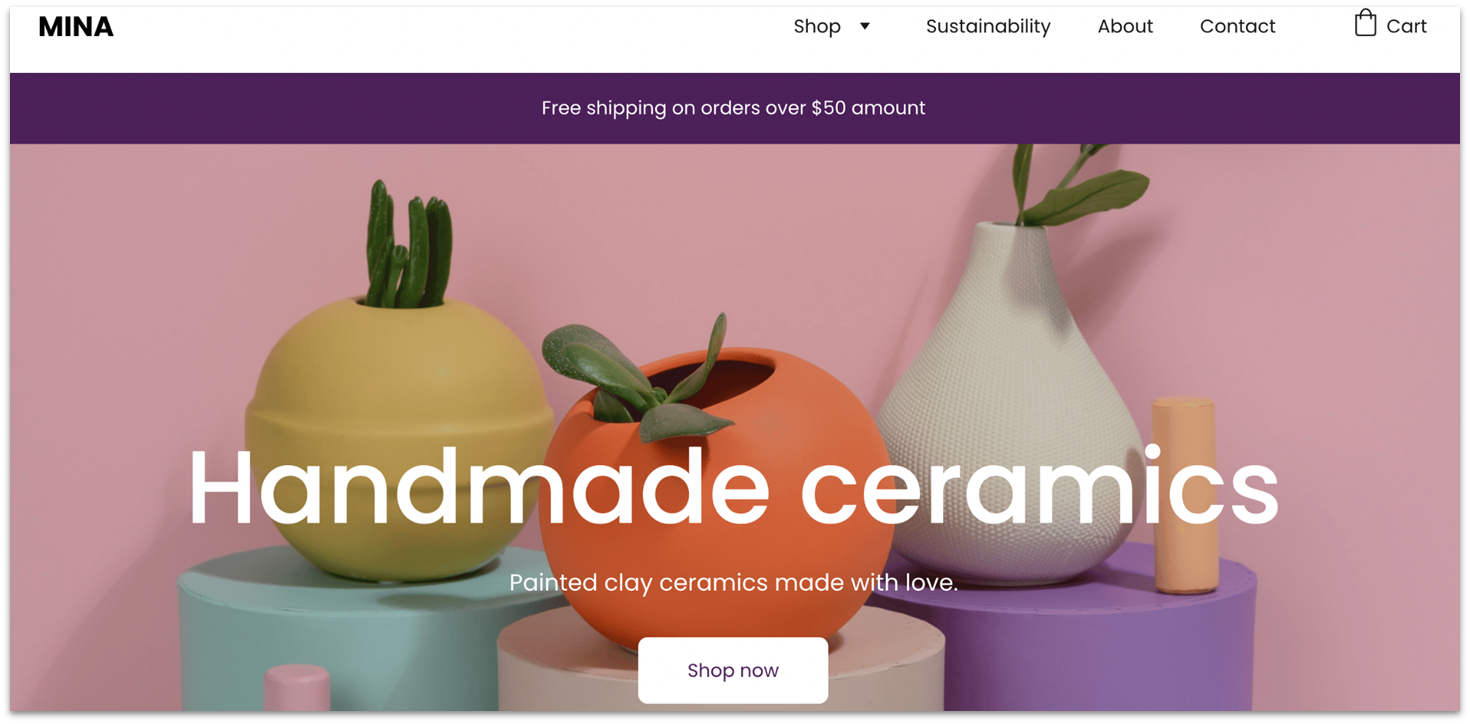
Hostinger Website Builder makes it easy to design a store using its drag-and-drop editor, with 25+ mobile-friendly e-commerce templates. It also has AI tools to help with the website creation process, including an AI product generator, AI writer, AI email marketing agent, AI blog post generator, and AI SEO assistant.
The platform doesn’t offer advanced features like abandoned cart recovery and e-commerce automations, so I don’t recommend it for medium to large online stores. While there’s no free plan, you can try Hostinger’s e-commerce features risk-free with a 30-day money-back guarantee.
8. SITE123

SITE123 is a beginner-friendly platform that allows you to quickly create an e-commerce website. You’ll find 35+ suitable templates in the online store and business categories. While customization is more limited than with Wix and the templates are less varied, they’re all fully responsive and feature clickable phone numbers and emails for easy mobile shopping.
SITE123 doesn’t skimp on essential e-commerce features, making it easy to manage orders, process payments, and customize shipping and tax settings. Plus, you can build your site for free, but you’ll have to upgrade to a paid SITE123 plan to unlock e-commerce functionalities like booking and payment tools, crucial for a thriving online store.
9. Webador

Webador is one of the easiest and fastest website builders. Its intuitive interface lets anyone design an online store with minimal effort in a few hours.
The builder has widgets you can drag and drop on your store’s pages: product galleries, testimonials, social buttons, and custom forms. There’s also a widget that lets you add downloadable PDF manuals for electronic products or appliances. Just note that Webador’s speed and simplicity come at the cost of limited customization and advanced features.
Best Website Builders for Different Selling Needs
Not every e-commerce business has the same priorities. Here are the top builders matched to key selling scenarios:
Big Online Shops
- Shopify – 8,000+ apps, unlimited products, multi-channel selling, marketing automation tools
- BigCommerce – Support for 100+ currencies, multi-storefront management, unlimited staff accounts, no extra transaction fees
Small Online Shops
- Wix – Drag-and-drop editor, AI tools, easy to launch
- Squarespace – Clean design templates, simple e-commerce features
Dropshipping Stores
- Shopify – 650+ dropshipping integrations (Printful, Spocket), automated product/order sync
- Wix – 60+ dropshipping apps, built-in marketing tools
Multilingual Stores
- BigCommerce – Multi-currency and multi-storefront support
- Wix – Simple language-specific store setup
Service-Based Businesses
- Squarespace – Scheduling/booking tools for consultants and creatives
- HubSpot – Website + CRM + marketing automation
Digital Product Sellers
- Squarespace – Tools for courses, subscriptions, member-only content
Brick & Mortar Stores
- Ecwid – Easy to embed in existing site or sell via social channels
- Shopify – POS system to sync in-store and online sales
Choose the Best E-Commerce Website Builder to Increase Your Sales
Every website builder on this list helps you create an attractive, user-friendly online store with powerful product management tools to drive sales. However, the right choice depends on your business needs.
If you’re primarily focused on selling products, Shopify’s built-in tools and 8,000+ apps will fit your business. With advanced marketing tools, multi-channel selling, and e-commerce automations, Shopify will help you scale quickly.
On the other hand, if you’re a small business looking for a simple way to get online, Wix’s AI can build an online store for you. You also get 330+ website templates, a beginner-friendly drag-and-drop editor, and 800+ apps to streamline business operations.
For large and international e-commerce businesses, I recommend BigCommerce’s multilingual and multi-storefront tools. You can tailor site variations for different geographic areas, accept 100+ currencies, upload products in bulk, and create unlimited staff accounts for your team.
| Free Plan | Best Feature | Best For | Cheapest E-Com Plan | ||
|---|---|---|---|---|---|
| Shopify | ✘ | 8,000+ e-commerce apps | Product-focused online stores | $29.00 | |
| Wix | ✔ | 330+ online store templates | Small businesses | $29.00 | |
| BigCommerce | ✘ | Multilingual and multi-storefront tools | Global e-commerce stores | $29.00 | |
| Squarespace | ✘ | Courses and memberships creations | Digital product sales | $16.00 | |
| HubSpot | ✔ | AI CPQ tool for generating quotes | B2B e-commerce businesses | $20.00 | |
| Ecwid | ✘ | Low-cost e-commerce plan | Tight budgets | $5.00 |