
GoDaddy is well-known for offering cheap domain names, alongside providing a wide array of web hosting services, but is it spreading itself too thin? Google Domains is run by the king of search engines, but does that make it a good fit for domain registration? What happens if you want more than just a domain name?
We compared these two giants on features, pricing, performance, and more. To cut a long story short, GoDaddy may be the better of the two overall, but neither are particularly great options. There are much better options available for both domain registration and web hosting.
For example, Hostinger offers cheap and easy-to-manage domain name registration that can be automatically connected with its top-quality shared hosting. It offers superior service and pricing to both GoDaddy and Google Domains — but if you’d still like to learn more about how these two providers compare, keep reading.
Pricing
GoDaddy Has Great Initial Pricing But Raises Your Domain Fee
GoDaddy offers initially low prices on domain names. Many popular domain name extensions, such as .com, benefit from a huge discount for your first year. However, you can only take advantage of this deal if you purchase a 2-year plan or longer.
Once your first few years are up, you’ll lose this discount – and GoDaddy will renew your domain name for a significantly higher price.
Google Domains doesn’t offer any form of discount on your first few years, but prices are still reasonable. A major advantage of Google Domains is that you’ll pay the same price to renew as you did to register.
So, in short: GoDaddy is cheaper in the short term, whereas Google Domains offers better value in the long term. However, it’s worth noting that Hostinger offers a free domain name for a year with its affordable Premium Shared Hosting plan.
Google Domains Offers Free Email Aliases, but GoDaddy Has Cheaper Premium Options
One advantage of having your own domain name is the ability to set up a professional email address. Both Google Domains and GoDaddy can empower you with a professional email presence, but how each works is starkly different.
With your Google Domains domain name, you can create up to 100 email aliases that will forward to an email address of your choosing. This option costs you nothing (provided your chosen email addresses are free Gmail accounts or something similar) and from the sender’s perspective, your email aliases will look entirely like professional email addresses.
GoDaddy doesn’t natively support email aliases – if you want to use a professional email address, you have to purchase one of its email hosting plans. There are three to choose from, with the smallest offering 10GB of email storage along with the ability to sync email, contacts, and calendars across all your devices.
Google Domains also offers premium options, allowing you to purchase a Google Workspace account that includes email hosting for your domain. As with GoDaddy, there are three plans to choose from. Even the most basic comes with some nice freebies, such as 30 GB of cloud storage for each user.
While Google Domains technically allows you to have a professional email presence for free using aliases, it’s significantly more expensive than GoDaddy if you’re looking for a premium solution. That said, Hostinger offers free domain-based email hosting with every shared hosting plan. This gets you web and email hosting for the same price as GoDaddy’s cheapest email plan.
Website Hosting
GoDaddy Offers Website Hosting – Google Domains Gives Referrals
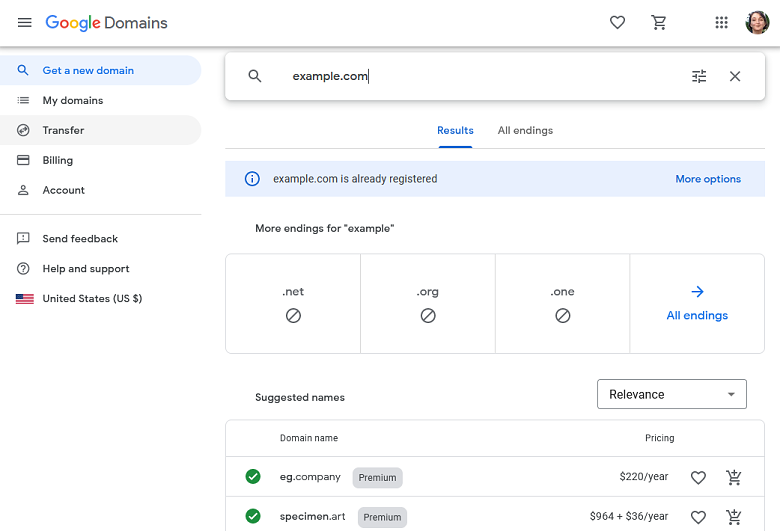
Google Domains offers a simple control panel allowing you to manage your domain and related services. You can control your DNS, website nameservers, email settings, and other general settings from one location.
However, Google Domains doesn’t offer website hosting. They’ve partnered with several website builders you can use to create your website, but that requires that you manually configure your hosting with Google Domains. There is Google Sites, but this is only really suitable for very basic websites – and configuring your domain to work with Google Sites is more complicated than it should be!
For those new to website building and domain management, GoDaddy makes things easier. During the signup process, you can opt-in for a free trial to GoDaddy’s site builder. Then, if you choose, you can sign up for a plan and use GoDaddy as your hosting provider.
If you do so, your domain is automatically added to and configured for your hosting plan – no technical tasks are required on your part.
Before the Squarespace acquisition, Google Domains partnered with our top recommended website builder, Wix. Squarespace, of course, is a website builder on its own, but we still recommend using Wix to build your site as it scored higher in our website builder testing and review. Wix’s extensive customization options and large app market make it a superior choice for building a website that meets your specific needs.
If you prefer not to use a website builder, then you could sign up for one of GoDaddy’s WordPress hosting plans. If you pay for a year or more up front, you get a domain name free for the initial term of your hosting. The domain name will be automatically connected and configured for you.
However, GoDaddy’s WordPress plans are relatively expensive – if you’re looking for WordPress plans, you can easily get a better deal elsewhere. Check out our top-rated hosts for WordPress to learn more.
Support
Google Domains Offers Quality Support – GoDaddy Just Looks to Upsell
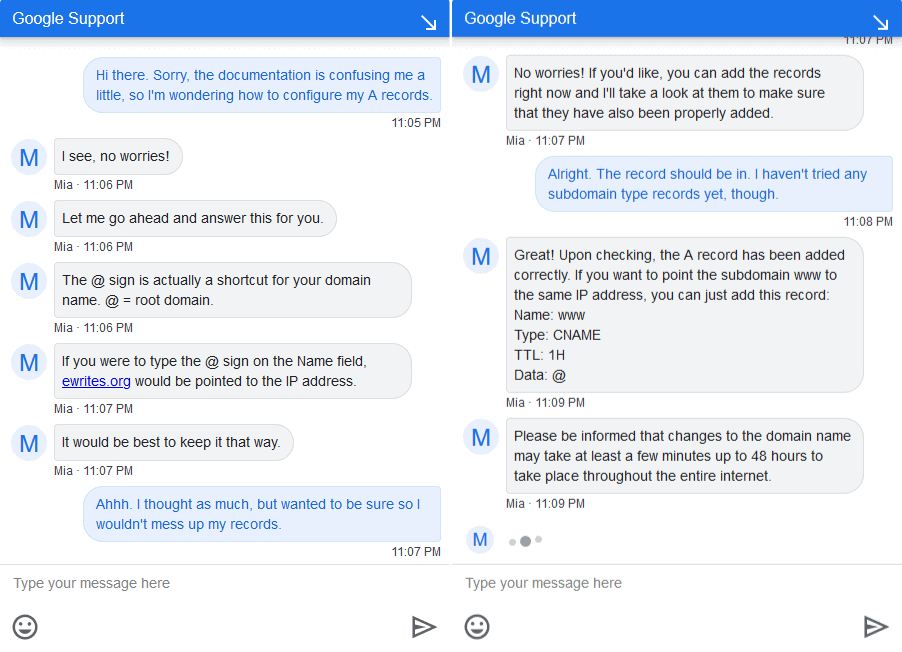
Google Domains outshines GoDaddy with regards to support. If you need help with an issue, you have multiple options – first, there are extensive help articles that cover most questions about Google Domains. And if you need additional help, you can contact a support agent 24/7 by live chat or email. You can even request to have a technician call you back.
We decided to test the Google Domains support team to see how they fared with some basic domain-related questions. Google Domains’ live chat support answered our query quickly and definitively in a polite and friendly tone. We were left very happy with the level of service.
GoDaddy also offers you multiple 24/7 support options. You can search their help documentation for answers, contact them via live chat, or you can give them a call. They have support lines in over 50 countries.
Similar to our approach with Google Domains, we opted to test their live chat support for inquiries regarding their web hosting. Regrettably, our encounter was not a positive one.
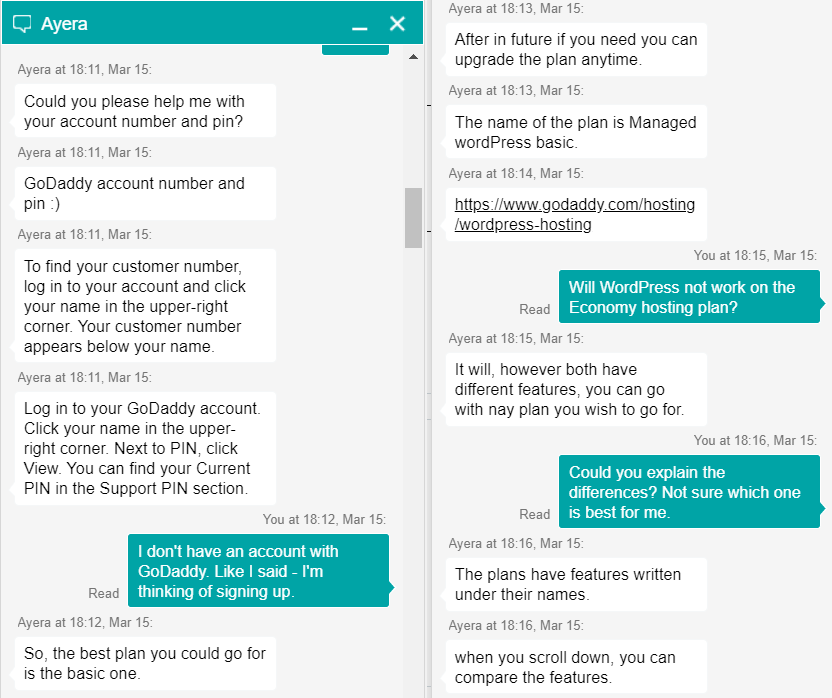
It didn’t seem like the GoDaddy support agent even read our initial question, repeatedly asking for an account number and pin that we didn’t have. Once we explained this, the support agent immediately started upselling us to expensive hosting plans with no regard to what we wanted or actually needed.
When we asked what the differences between this expensive plan and the cheaper ones were, we were told to compare the features ourselves. Our questions remained completely unanswered. There’s no comparing the support teams of these two providers – Google Domains’ support is just better in every way.
Google Domains Is Great for Domain Name Registration – GoDaddy Is Better for Beginners
The decision of whether to go with Google Domains or GoDaddy boils down to your general needs and experience levels.
If you’re seeking the simplest setup for your domain name and hosting plan, consider GoDaddy as a potential choice. GoDaddy’s web hosting services are automatically configured for your convenience. Feel free to test out the site builder for free and determine whether it meets your requirements.
That said, Google Domains will save you the most money on your domain in the long-term, but as it does not offer web hosting, you will need to manually configure your domain for a third-party host.
However, Hostinger offers the best of both worlds: the best-performing budget web hosting we’ve ever tested, available with free domain registration for a year.
That’s why Hostinger is our top recommendation. Many of the hosts on our list of the best web hosting services in 2026 also offer better domain and web hosting services at affordable prices.
If you still want to stay with Google Domains or GoDaddy, look below for a fast comparison side by side:
| Google Domains | GoDaddy | |
| Pricing | Reasonable pricing and no price hikes at renewal | Cheap .com domains, but significant price hike at renewal |
| 100 free email aliases, premium email hosting available through Google Workspace | No free email aliases, but premium email hosting is slightly more affordable | |
| Website Hosting | Does not offer website hosting | Provides a range of hosting services, with a free trial for GoDaddy Website Builder at registration |
| Support | 24/7 live chat, email, or callback with knowledgeable and helpful support agents | 24/7 live chat and phone support, but agents are generally unhelpful and like to upsell |
Here at Website Planet, our testing and review has shown that Wix is the superior choice to both Squarespace, Google Domains’ new owner, and GoDaddy. It has more features and offers more opportunities to customize your new site, so you get just the site you need and want.