
It’s hard enough to get clients to even look at your portfolio. There’s a lot of hard work involved in making connections, and even then, that’s just half the battle. Without an effective portfolio that conveys your range, competency, and professionalism, all that work could go out the window in a moment.
Some design savoir-faire might take you a long way, but not every talented videographer, actor, and creative is also a professional web designer, which is where choosing the right website builder comes into play. Besides the creative aspects, you’ll also need a builder that offers things like high-quality video playback, lots of storage space at an affordable price, and additional contact tools for potential clients to reach out.
Not every website builder meets the criteria, which is why I tested the top-rated website builders to find which ones have the tools to build a client-winning online video portfolio. Though I found a lot of high-quality options, my top choice is Wix for its unique degree of design freedom, quality tools, and ease of use.
So get started with Wix today, or keep reading to discover the perfect builder for you.
Short on Time? These Are the Best Website Builders for Online Video Portfolios in 2026
- Wix – Ideal blend of customization and ease of use for a perfect video portfolio.
- Squarespace – Stylish design and advanced marketing tools for professional video portfolios.
- Hostinger Website Builder – AI-powered design tools to help you create a professional online video portfolio.
What We Look For in the Best Website Builders for Video Portfolios
Besides being all-around high-quality builders, I made sure that the options on this list offered the niche tools necessary to create a high-quality video portfolio site. I also made sure that the builders I selected met these criteria:
- Storage space and hosting options. You don’t need me to tell you that HD and Ultra HD video use a ton of storage space, and you’re going to want to include several examples of your work. Sure, these builders offer the choice to host videos from external platforms such as YouTube or Vimeo, but self-hosted videos give you greater flexibility to personalize the viewing experience to your brand.
- Smooth playback experience. I only included builders that offer quick loading speeds and video players with high-quality playback options. That also means that the builders on this list offer the necessary bandwidth to stream HD videos.
- Ease of use. You don’t need any previous web design experience to create a site that’s up to your standards. Though some might be easier to use, every builder on my list could be mastered by anyone with a little practice.
- High customization. All video work is carefully planned to fit a certain aesthetic, so it’s only reasonable that you’ll want an online portfolio that also fits that aesthetic. While the level of customization varies throughout my list, all these builders offer enough options to let you create a portfolio that’s truly yours.
- High-quality templates. A good template is a great way to get a head start to your dream portfolio. These builders all offer quality templates with a varied list of styles. Double points if they offer video portfolio templates.
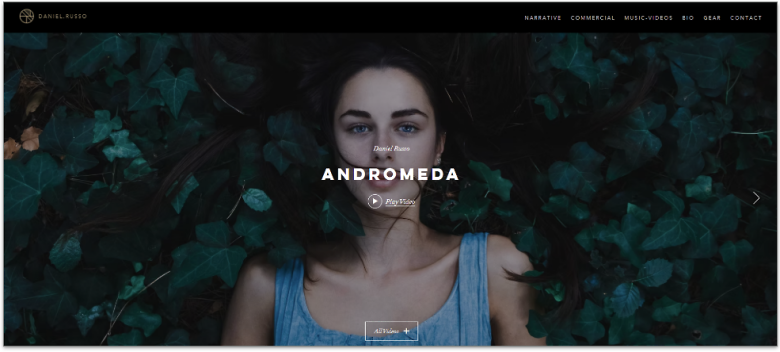
If you take pride in your unique creative voice, your portfolio should also capture that voice, exactly how you like it, down to the detail. Thanks to its intuitive drag-and-drop editor, Wix gives you the creative freedom to design your site exactly how you want. This customization doesn’t come at the cost of ease of use, either. Even if you’ve never used Wix before, it takes almost no time to learn.
Wix offers many creative display features. You get tools like video carousels, transparent and masked videos, and dynamic video boxes. You can also embed videos from a variety of platforms like YouTube and Vimeo.
Though you could create a quality portfolio with any plan, I recommend the Core plan. It comes with 50 GB of storage space, streaming and marketing features, and useful tools like visitor analytics and an SEO booster. You also get a free domain for the first year, which is crucial in adding credibility to your brand.

Save up to 50 % on your Wix plan!
Sign up for an annual plan and enjoy the savings.
Plus get a free custom domain for 1 year!
Features
- Inspired video portfolio templates. Wix offers an astounding number of templates that cover a variety of niches and industries, including 40 high-quality templates specially designed for video portfolios.
- App market. Besides its massive selection of features, Wix offers hundreds of third-party and proprietary apps that range from advanced image editing to professional-looking customer testimonials.
- Built-in site analytics. From the Core plan up, you get access to site traffic, revenue, and visitor behavior reports, which can help you make changes to the structure of your portfolio for maximum effectiveness
- Mobile editing. With Wix, you can edit the mobile and desktop versions of your site separately. Though that means a little extra work, it also gives you full control over your portfolio’s look – regardless of where it’s seen.
Read our expert Wix review for more details.
| Free plan | ✔ |
|---|---|
| Available templates | 2500+ |
| Supported video links | YouTube, Vimeo, Facebook, Dailymotion, Twitch |
| Starting price | $17.00 |

2. Squarespace: Best Builder for Striking Video Portfolios

Squarespace is well known as the go-to builder for inspired visual design. Between its selection of high-quality templates, simple editor, and design cohesiveness, Squarespace makes it easy for anyone to create a design-forward site with ease. It’s not quite as customizable as Wix, and most of its templates tend to be minimalistic, but that’s a good thing when it comes to video portfolios.
To edit your site in Squarespace, you can add, remove, and rearrange “sections” on your site. Each section is a large, single-purpose part of your website, which you can then edit with custom content blocks (like video, button, or text). Blocks are designed to make multimedia content “pop” while giving your site a cohesive structure.
Using Google PageSpeed Insights, I tested several video-heavy portfolios built with Squarespace, and they all scored over 70 (out of 100) on desktop. This makes the builder ideal for creating fast-loading video portfolio sites. I recommend Squarespace’s Core plan for video creators to get up to 5 hours of high-quality video hosting.


Pay only 90 % on your first purchase
Pay less for your Squarespace plan today!
Features
- Stunning templates. Though it doesn’t have any video-specific templates, Squarespace offers over 25 visual portfolio templates. If you’re in the market for something unique, Squarespace allows you to install thousands of third-party templates from all over the web.
- Video gallery tools. Even if you don’t choose a template specifically designed for portfolios, Squarespace allows you to easily add responsive galleries to present your videos in impressive and creative ways.
- Marketing and SEO tools. Squarespace includes advanced SEO tools to help you rank higher in search engine results. You can also install hundreds of different free and paid extensions that allow you to create email campaigns, integrate to social media, and more.
- Advanced e-commerce tools. If you have a self-backed project or brand-specific merch, Squarespace provides an intuitive e-commerce interface that allows you to easily sell products directly from your site.
Read our expert Squarespace review for more.
| Free plan | ✘ |
|---|---|
| Available templates | 180+ |
| Supported video links | YouTube, Vimeo |
| Starting price | $16.00 |
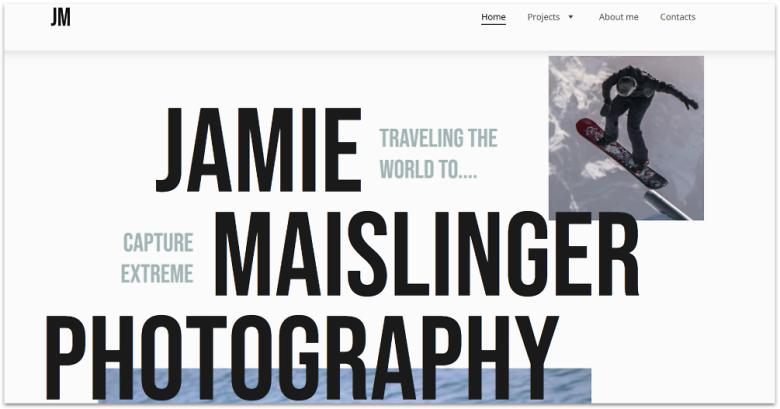
Thanks to its limited but well-curated selection of tools and an intuitive drag-and-drop editor, Hostinger Website Builder offers a great middle point between ease of use and customization. It’s best for creatives who need a personal touch to their pages but don’t want to spend hours fine-tuning every aspect of their site.
You can also let Hostinger Website Builder’s AI design your site by filling out a simple form with your brand name and project details. Then, just click the “Create a website” button to generate a pre-made site canvas that you can easily edit to match your vision.
Hostinger might not offer a free plan like Wix, but its Premium and Business Website Builder plans are affordable and offer great value. For just $3.99 per month, you get access to every one of Hostinger’s AI, site design, and e-commerce tools.


Hostinger Website Builder now has a 30 money-back guarantee!
Get a discounted annual plan without taking any risks.
Features
- AI heatmap. Want to know which parts of your site are more effective? Or which examples of your work are drawing more attention? Hostinger provides a powerful AI-powered heatmap that lets you know which parts of your site are capturing your visitors’ attention.
- Strong blogging tools. Hostinger provides user-friendly tools for crafting and managing a blog, empowering you to establish a more personal rapport with potential clients and keep them up-to-date about your upcoming projects. Through Hostinger, you have the option to leverage an AI text generator for crafting a foundation for your posts, further enhancing the convenience of the process.
- Unlimited web traffic. Regardless of which plan you choose, Hostinger offers unlimited web traffic. That means your online video portfolio remains fast even if it suddenly gets more visitors than usual.
- Social media integrations. Hostinger allows you to directly connect your site to instant messaging platforms like WhatsApp and Messenger. This makes it all the easier for potential clients to get in touch with you in real time.
Learn more with our expert Hostinger Website Builder review.
| Free plan | ✘ |
|---|---|
| Available templates | 180 |
| Supported video links | YouTube, Vimeo |
| Starting price | $2.99 |
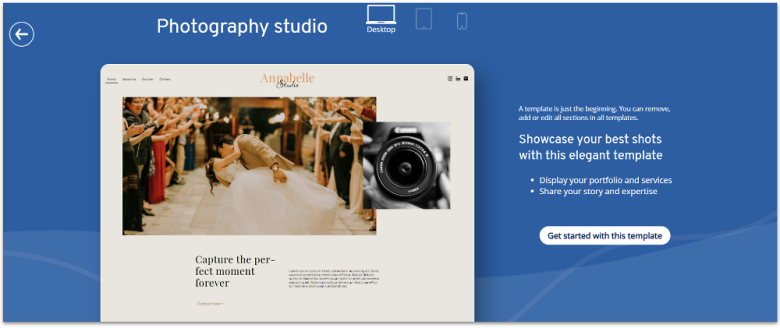
IONOS MyWebsite Now is a great builder for single-page portfolios with modern layouts. On the Starter plan, customization is limited, as it only lets you edit each section with a few premade options. However, on the Plus plan, you get a more flexible editor to rearrange sections and add more content elements, such as image sliders and animations.
IONOS Website Builder delivers a quick and easy building experience at a great price. In fact, it’s one of the best choices if you’re on a budget – you can build a video portfolio with a custom domain for as little as $1.00 per month. Also, if you’re in a hurry, IONOS’ AI tools can lend you a hand. All you need to do is answer a few questions about your business, and IONOS will create a fully customizable website with text and images.
Its price isn’t the only thing that makes this builder a good choice, either. IONOS Website Builder offers advanced marketing and SEO tools to help you reach (and impress) as many clients as possible. While its templates are relatively simple, the pay-off is that they’re highly optimized for fast loading speeds.
Features
- Quick load speeds. After conducting tests on a random sample of 20 websites created with IONOS, I discovered that each website consistently achieved a score above 75 on Google’s PageSpeed Insights, indicating fast loading times. However, it’s important to note that load times can vary significantly between different websites and their desktop and mobile versions.
- Website performance checker. IONOS offers a proprietary tool to help you analyze your website’s speed, security, SEO ranking, and more.
- Optimized SEO. IONOS offers integration with RankingCoach, which is specialized software designed to help you rank higher on search engines and direct more traffic to your site.
- Additional IONOS features. Although not included with the website builder, websites made with IONOS can be seamlessly integrated with other IONOS services such as its domain registry and business email hosting.
Read our IONOS Website Builder review for pricing details.
| Free plan | ✘ |
|---|---|
| Available templates | 40+ |
| Supported video links | YouTube |
| Starting price | $1.00 |
5. SITE123: Fastest Way to Get Your Video Portfolio Online

With 80+ simple but well-designed templates and an editor that provides simple tools to customize the overall structure of your site (including font and color schemes), SITE123 can have your website up and running as quickly as possible. It might not be as customizable as Wix, but it’s ideal if you need to get a simple portfolio online ASAP.
That doesn’t mean that it can’t support a high-quality portfolio, though. SITE123 offers an excellent video player, and it’s incredibly easy to integrate a customized contact form into your site.
You can use the free plan to take SITE123 out for a trial run and plan the overview of your site, but you won’t get most of SITE123’s coolest features. If you decide that it’s the right choice for your portfolio, then the Advanced plan is the way to go, as it removes all of SITE123’s branding, allows you to connect to a custom domain, and gives you a hefty 10 GB of storage.
Features
- Multilingual features. SITE123 offers fantastic multilingual integration features that can help you connect with potential clients from all over the world.
- Marketing tools. SITE123 offers plenty of tools to help you market and grow your site, including Hotjar analytics integration and newsletter tools.
- 24/7 support. As easy as SITE123 is to use, you might still need help from time to time. Thankfully, you’ll have access to 24/7 live chat support to help you resolve any issues.
- Free image gallery. SITE123 offers thousands of royalty-free images you can use to customize your site.
See our full SITE123 review for more features.
| Free plan | ✔ |
|---|---|
| Available templates | 80+ |
| Supported video links | YouTube, Vimeo |
| Starting price | $12.80 |
6. Webador: Excellent Visitor Interaction Features
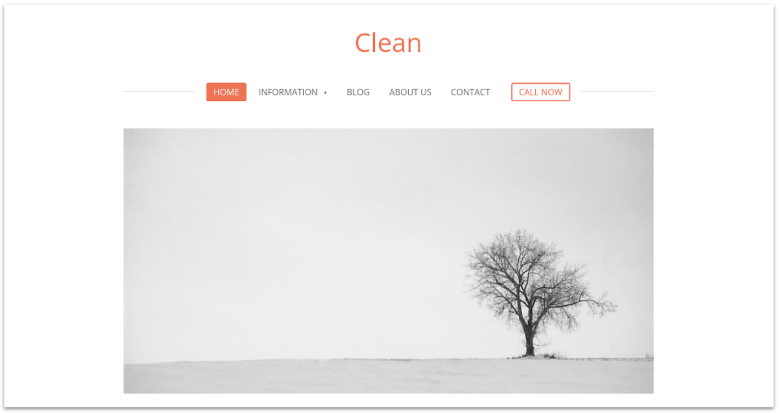
Webador’s interface is easy to navigate even if you’re a newbie. You get a decent selection of customization widgets, such as slideshows and photo albums, and every element you place onto your page automatically snaps to a grid, ensuring your layout stays clean and attractive. The only downside to this interface is that it lacks the editing flexibility of some other builders on this list.
What I really like about Webador is how it makes direct communication easy with an effective set of tools to boost visitor engagement. In addition to widgets like social buttons and digital maps, you can add a five-star rating system and a comment box anywhere on your site to encourage discussions between your current or prospective clients.
Webador’s free plan includes unlimited storage for images, access to all templates, and blogging tools. That said, you’ll be stuck with Webador’s subdomain and ads. I recommend trying out the Business plan, as it offers better value with a forever ad-free site, 5 GB dedicated storage for hi-res videos, customizable forms, and more.
Features
- Built-in audio and video players. Webador includes its own video player, designed to integrate seamlessly with your website and provide a high-quality playback experience on desktop and mobile devices. Also, if you’re a musician, you’ll appreciate Webador’s audio player that lets you upload your own MP3 files.
- Blogging platform. Webador’s flexible blog editor lets you easily craft and manage a blog, empowering you to establish a more personal rapport with potential clients and keep them up-to-date about your upcoming projects. You can categorize your posts, allow readers to leave comments, adjust your blog’s SEO features, and more.
- Custom forms. Webador allows you to collect client information by creating custom forms. You can modify the field type (e.g. checkbox or multiple choice), add uploads, customize the confirmation message, and more.
- Detailed statistics. Webador’s reports provide information on your visitors’ geographic location, device used, and most visited pages, helping you identify what to focus on to attract more clients.
Read our in-depth Webador review to learn more.
| Free plan | ✔ |
|---|---|
| Available templates | 50+ |
| Supported video links | YouTube, Vimeo, Twitch, Dailymotion |
| Starting price | $5.00 |
Other Notable Website Builders for Online Video Portfolios
7. Shopify
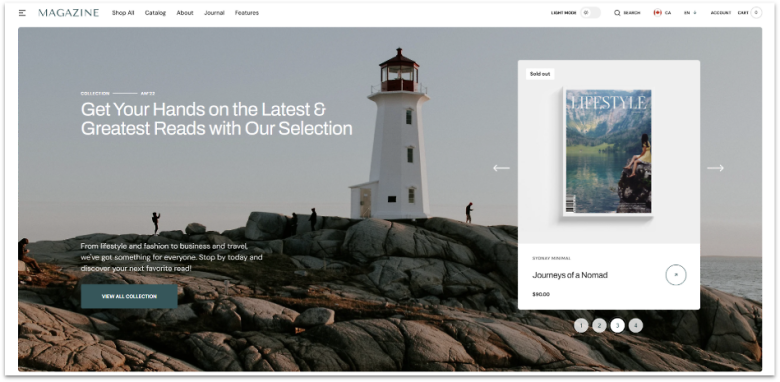
If you plan to sell physical products or digital art, Shopify is an excellent choice for integrating online store tools into your portfolio. You get top-notch templates with built-in features such as slideshows and image zoom to put your products in the spotlight.
Shopify doesn’t offer advanced editing options, but it provides a simple, beginner-friendly interface that lets you easily customize your store’s look, add products, and set up payment methods. You even get in-app guidance with steps for completing your online store setup.
One of Shopify’s biggest strengths is its huge app store that counts over 8,000 free and paid integrations you can use to extend your portfolio’s functionality. For instance, the free Promo Video Maker offers customizable templates and music integration to help you create compelling videos you can upload directly to your social media.
Features
- Multi-channel selling. In addition to selling from your portfolio website, Shopify allows you to sell from other channels, such as Amazon, Instagram, and TikTok. You can manage all channels from your Shopify dashboard, which helps streamline your operations and saves you time.
- In-house email marketing. With Shopify’s built-in email marketing tool, you can sell up to 10,000 monthly emails for free to keep your customers informed on your latest projects. You can use prebuilt email templates that automatically pull your store logo and colors, maintaining brand consistency.
- Variety of payment methods. Shopify gives you access to over 100 third-party payment gateways you can integrate to your portfolio to receive online payments. Also, depending on where your business is located, you may be able to use Shopify Payments, the company’s proprietary payment solution, which eliminates transaction fees.
- Accessible features. Shopify makes most of its features available even on the cheapest plan, such as unlimited products, multi-channel selling, and discount codes. Though Shopify doesn’t have a free plan, you can use its free trial to see if it’s right for you.
Find out more about Shopify in our comprehensive review.
| Free plan | ✘ |
|---|---|
| Available templates | 900+ |
| Supported video links | YouTube, Vimeo |
| Starting price | $29.00 |
8. WordPress.com

WordPress.com is known for its flexible web-building capabilities. The reason it’s so low on this list, however, is that unless you have some prior experience with website building, you might find that this platform comes with a steep learning curve.
Without external plugins, it can also be a little bit annoying to use WordPress.com for anything visual. But it’s a great choice if you want to include a blog in your portfolio, as it offers an easy-to-use content management system with built-in SEO tools.
Features
- Thousands of third-party plugins. There are thousands of third-party WordPress plugins that can integrate high-quality video playback, customizable YouTube and Vimeo galleries, powerful viewership analytics, and just about any other functionality that you can imagine into your site.
- VideoPress media player. WordPress includes its own proprietary video player called VideoPress. VideoPress is designed to integrate seamlessly with your website and provides a high-quality playback experience.
- Video portfolio themes. Not only does WordPress offer hundreds of free and premium high-quality themes, but you can find hundreds of themes made specifically for video portfolios on sites like ThemeForest.
- Custom code editing. WordPress allows you to add your own custom code to any theme. This means that you can have full control over virtually every aspect of your site with a little know-how.
Read our detailed WordPress.com review for more.
| Free plan | ✔ |
|---|---|
| Available templates | 300+ |
| Supported video links | YouTube, Vimeo, Flickr, Instagram, Loom, Wistia, Dailymotion, and more |
| Starting price | $4.00 |
How Do I Make a Video Portfolio Website?
Before creating your online video portfolio website, you have to be very clear about what the purpose of your portfolio is. This might seem trivial, but you’d be shocked at how many people build one just because “you’re supposed to have it.”
For most, the main purpose of a video portfolio will be to get more work in the future. With that in mind, here are some ways you can get started on your site:
1. Pick a Video Portfolio Website Builder
Choose a website builder that fits your needs, whether you’re looking for an affordable option, one packed with design tools, or a simple platform to quickly launch your site. You can check out our top recommendations specifically for video portfolios.
If you’re considering using Wix or Squarespace, you can consult our Wix Starter Guide and Squarespace Starter Guide. These guides will walk you through the process of creating your video portfolio website step by step.
2. Set Up the Essential Pages
Your video portfolio website is not Google, so don’t have a million different pages competing for attention. Only include what’s necessary to get your point across. In particular, your site should have the following pages:
- Homepage. Here’s where you’ll show off your videos and maybe include a little personal information. This is the very first thing that your visitors will see, so it will decide whether visitors keep looking or not. Visitors shouldn’t have to click anything after this point for you to get your main point across.
- Contact page. Include a way for visitors to contact you directly. If someone does want to work with you, you should make the process as easy as possible.
- Works page. You should include samples of your work directly on your homepage, but if you have a more extensive catalog, it doesn’t hurt to have a separate page where you can go more into detail about each project.
- About page. Even this one is optional, but you’re a person after all. Besides your work, here’s where you can include a little information to help you establish a personal connection. Just don’t write a biography either.
That’s it! You can add other pages if you really feel like they will help strengthen your portfolio, but I recommend keeping your site as lean as possible.
3. Show Your Best Works
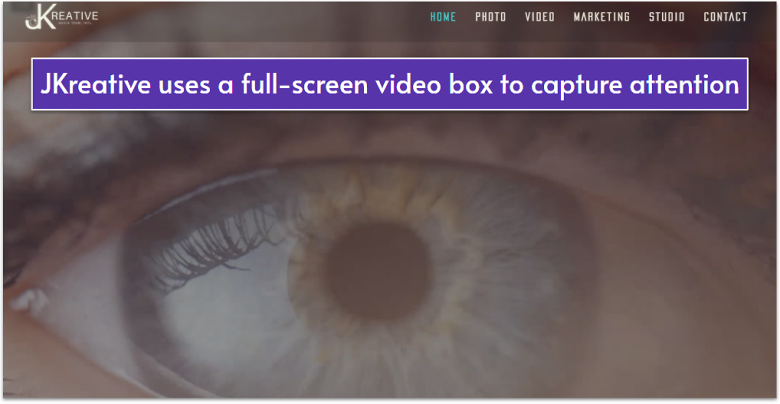
When you’re just starting out, you will probably feel the need to plaster everything you’ve ever done on your site. “Look at me,” you’ll want to say, “I’m a hard worker, and versatile too.” Believe me, I get the impulse, but the truth is that not all your work is your best work, and if you just throw stuff at your visitors you’re more likely to come across as unfocused and undiscerning.
Instead, try to select only your very best work to show off, even if that’s just one or two videos. After all, people think of Peter Jackson as a great director because of Lord of the Rings, not Braindead. Consider featuring your best and most recent work on your homepage and saving the rest for a dedicated Works page.
But restraint goes beyond just your work selection – it should also show in your design. Video is visual in itself, so try to ensure that the visual elements of your website don’t steal attention from the work you’re displaying.
4. Make It Easy for People to Connect With You
You should include easy ways for potential clients or collaborators to contact you directly in your portfolio. While a dedicated contact page is good, don’t add any more effort for your visitors than necessary (yes, in this case clicking a link is considered “effort”). Make sure there’s a contact form and contact information directly on your homepage.
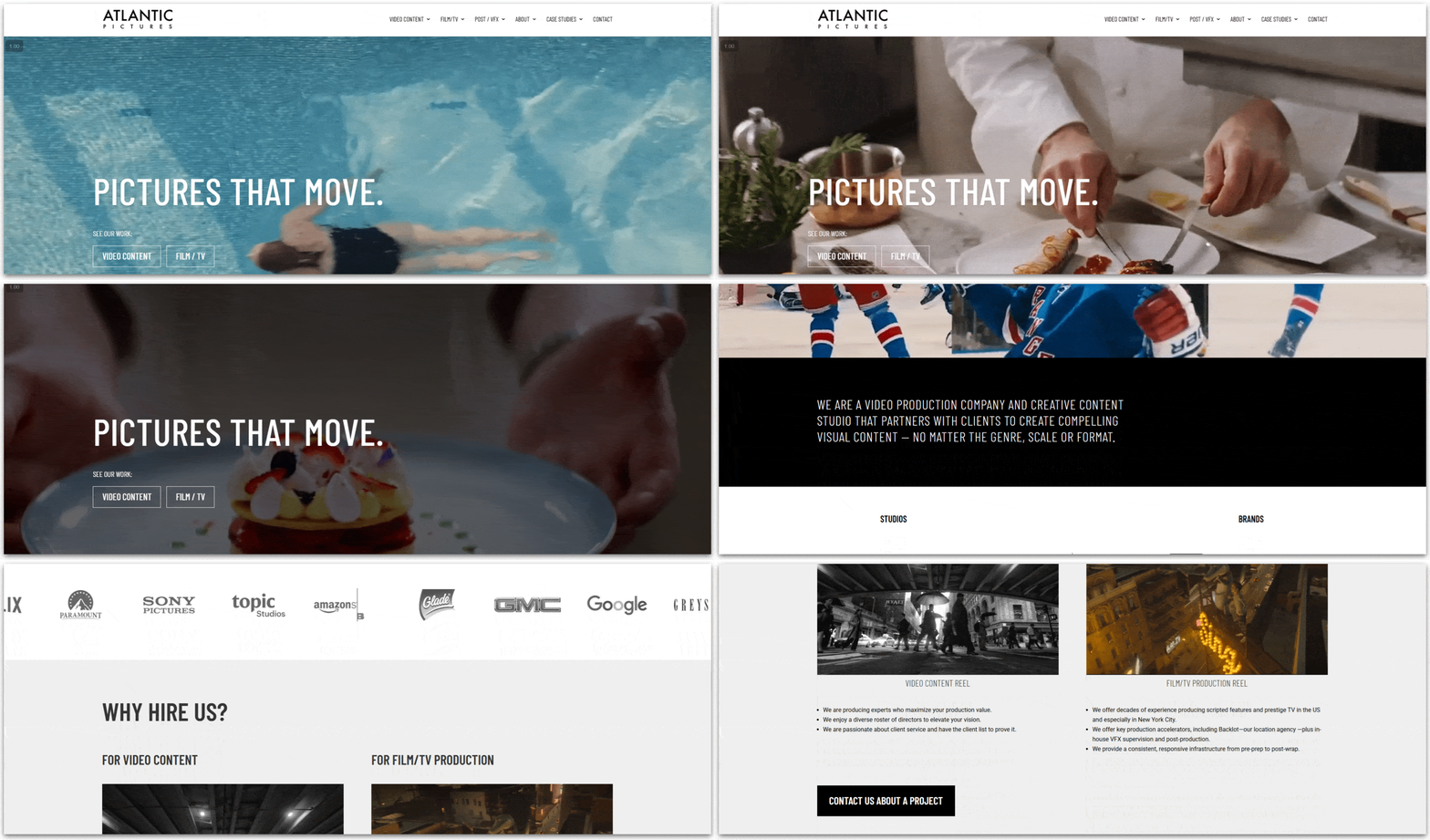
Also, remember that we live in an age when social media is king, so don’t forget to add icons to your socials. If you don’t have socials… get on that. I personally don’t like them either, but in 2026, a strong social media presence is paramount for any independent professional. If you need a little help managing that, check out our list of the best social media tools in 2026.
5. Optimize Your Site for Mobile
Again, all of our top picks either automatically optimize your site for mobile viewing, or allow you to customize the mobile aspect of your site separately, so you shouldn’t have to worry too much about that.
Still, it’s important to remember that about half your traffic will come from the mobile version of your portfolio, so don’t forget to double-check to ensure that everything about the mobile experience works.
6. Keep Your Video Portfolio Site Updated
I actually enjoy working on websites in my spare time, but I know that not everyone is like that. You might sigh a sigh of relief once you’re done working on your portfolio site and hope you don’t ever have to touch it again.
Unfortunately, everything from search engine optimization to human psychology prefers when things are “new,” so your portfolio will suffer a lot if you don’t update it regularly with your newest projects, developments, or simply give it another pass every once in a while. The good part is that all the builders in this list should make this a quick and painless process.
Choose the Best Website Builder for Online Video Portfolios to Capture Your Talent
A quality video portfolio website has the potential to showcase your talent globally and discover new, exciting opportunities. Selecting the appropriate builder is all it takes to craft a site as distinctive as your work.
If you want full creative control over your website, Wix is my top choice. Its drag-and-drop editor gives you tons of control without ever becoming intimidating or hard to use.
To create a visually stunning site that lets your work do all the talking, Squarespace is the way to go. Its designer templates and block editor help you create visually striking sites that are bound to impress potential clients.
If you prefer not to tinker with your site as much, Hostinger Website Builder provides AI assistance. Not only does it offer simple customization tools without taking control from you, but it also comes with powerful AI features to help you out with design.
| Free Plan | Best Feature | Best For | Starting Price | ||
|---|---|---|---|---|---|
| Wix | ✔ | Incredibly customizable | Full creative control over your portfolio | $17.00 | |
| Squarespace | ✘ | Hundreds of stunning templates | Elegant and minimalist portfolios | $16.00 | |
| Hostinger Website Builder | ✘ | Intuitive website builder with powerful AI tools | Maximizing your engagement | $2.99 | |
| IONOS Website Builder | ✘ | Fast loading speeds and a reasonable price | Creating a professional-looking website on a budget | $1.00 | |
| SITE123 | ✔ | Fastest setup experience | Getting your portfolio online quickly | $12.80 | |
| Webador | ✔ | Built-in media streaming tools | Boosting visitor engagement | $5.00 |