There are plenty of free website builders out there, but only a few have the right tools for a travel blog.
You don’t want to sign up for a “free” builder only to find out that more advanced blogging features are locked behind expensive plans. Many platforms also claim to be free, but lack sufficient built-in functionality. This means that even once you’ve committed to a free builder, the costs can pile up significantly depending on how many third-party apps you’ll have to add to suit your travel website needs.
To help ensure you don’t waste your time or money, I tested every popular website builder and selected the best of the best. These builders have everything your travel blog needs: advanced blogging features, templates for travel blogs, beautiful image galleries, monetization tools, and intuitive editors you can use on the go. Many offer free plans or trial periods, so you can explore their features before committing.
Among them, Wix stands out for its fantastic free plan that includes diverse travel blog templates, AI blogging tools, and mobile functionality. Check out Wix now, or keep reading to learn more about my other top picks.
Short on Time? These Are the Best (FREE) Website Builders for Travel Bloggers in 2026
- Wix – A feature-rich builder with 100+ travel blog templates, full creative control, and advanced blogging and, SEO tools for free.
- SITE123 – A free, beginner-friendly builder that gets your blog online quickly with easy editing and great gallery features.
- Webador – Excellent free plan with unlimited storage and robust community engagement tools.
What We Look for in the Best (FREE) Website Builders for Travel Bloggers
When testing the best travel blog platforms, in addition to advanced blogging toolsI focused on these features:
- Good value (and free options). I only included builders that offer free plans or trials, so you can start blogging without financial risk. Plus, their paid plans (if you choose to upgrade) provide features such as a custom domain and monetization, offering great value.
- Intuitive interface and high-quality templates. These builders offer stunning, mobile-responsive templates that show off your travel photos on any device. Plus, you can easily customize any design with a simple editor.
- Features to drive traffic. In addition to powerful built-in SEO tools that help your travel blog website rank higher in search engine results, these builders offer additional social media and marketing features to boost visibility and grow your audience.
- Monetization potential. I chose platforms that make it easy to eventually earn from your blog (through ads, affiliate links, or selling content) once your audience grows.
- Mobile-friendly experience. I prioritized builders that offer mobile-friendly blogging, so you can post and manage comments while traveling.
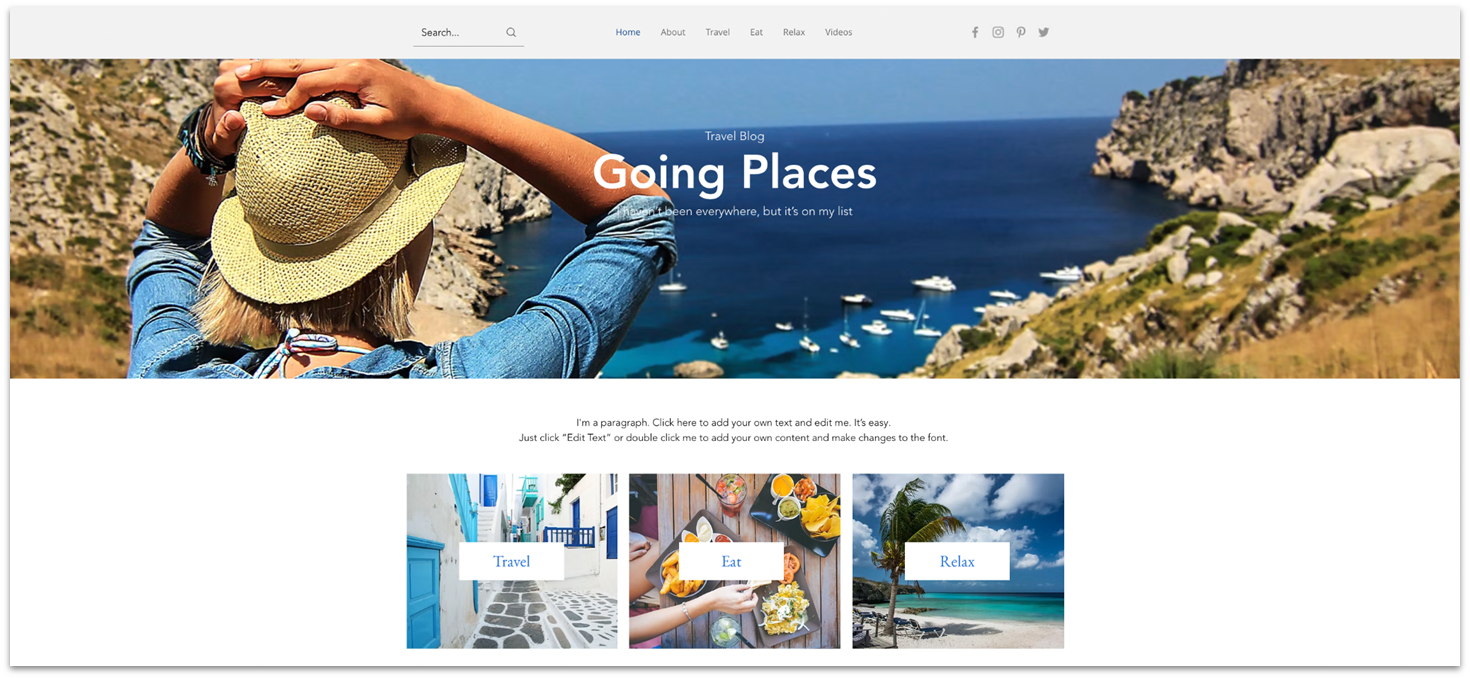
Wix took first place on my list because its drag-and-drop editor is super easy to use, and it offers the most features of any builder out there. You can choose from 100+ stunning, fully customizable blog templates. Even if you’ve never built a website before, designing an eye-catching travel blog with Wix is fast and stress-free.
When it comes to blogging, Wix gives you all the essentials and more. I found I could add an RSS feed, create category and archive menus, and even add a recent posts element to any page of my travel blog website. Other features allow readers to like, comment, share, and even create their own profiles, which builds brand loyalty and encourages them to return.
Wix offers a generous free plan that includes all its templates, design, and blogging features. It’s a great option when you’re starting out and not sure how serious you are about blogging. Fortunately, Wix also has well-priced paid plans, so you can upgrade at any time if you want to remove Wix branding and start earning money with your blog.

Save up to 50 % on your Wix plan!
Sign up for an annual plan and enjoy the savings.
Plus get a free custom domain for 1 year!
Features
- AI-powered blogging tools. Wix’s AI tools can help you create SEO-optimized blog posts, generate engaging headlines, and even suggest relevant topics based on your travel niche.
- Manage your travel blog on the go. You can use the Wix Owner app (or log into your blog on your mobile) to write and edit posts and add videos, images, or GIFs from wherever your travels take you.
- Interactive maps. Enhance your travel blog website by embedding interactive maps that showcase your itineraries and favorite travel destinations. This feature helps readers follow your adventures and plan their own trips.
- Blog performance reports. Wix Analytics gives you in-depth insight into your blog’s activity. You can view metrics on how visitors interact with your blog posts (views, shares, likes, comments), learn which are the most popular posts, and see activity for specific timeframes and time of day.
Read our expert Wix review for more details.
| Number of Blog Templates | 100+, including travel-specific designs |
|---|---|
| Notable Blogging Features | Reader interaction, interactive maps, AI tools, mobile blogging, recent post feed, in-post hashtags, RSS button, multimedia content |
| Free Plan | Yes |
| Starting Price | $17.00 |

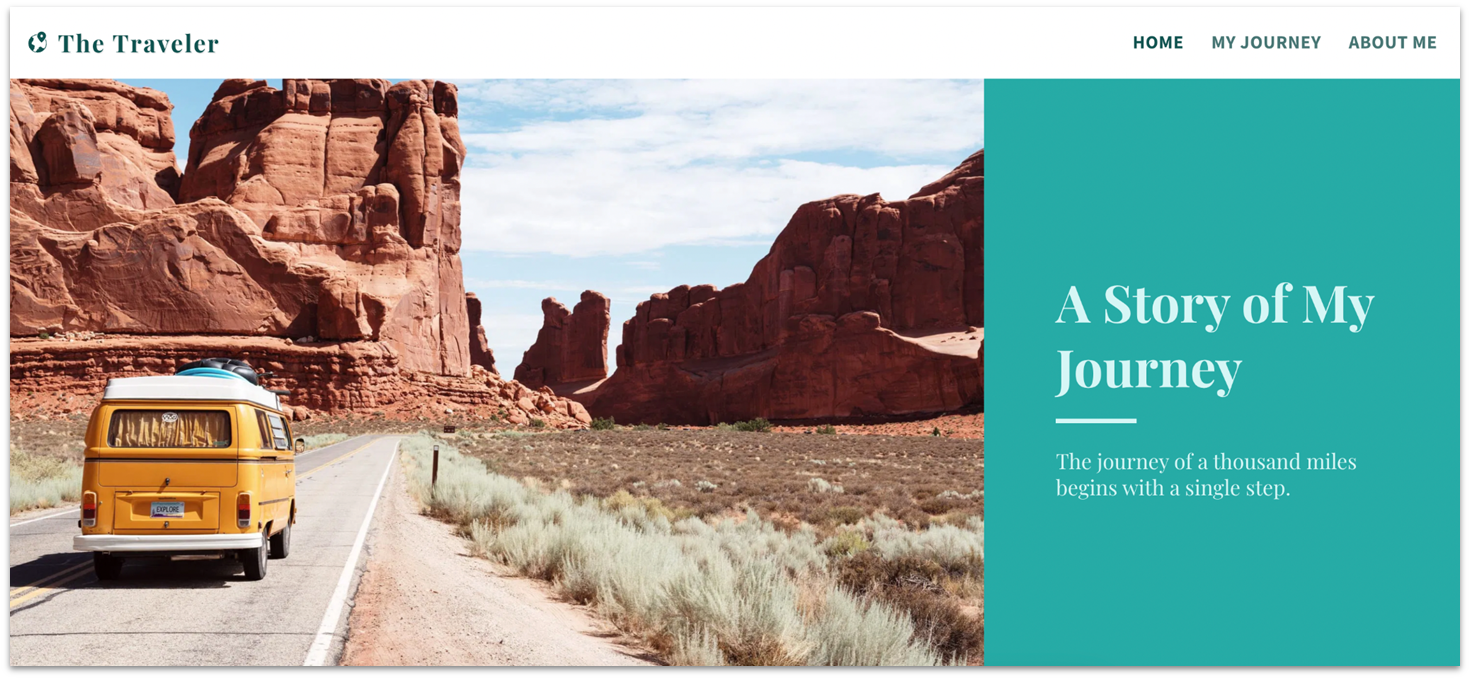
SITE123 offers 7 blog templates, including one designed specifically for travel blogs. Its beginner-friendly point-and-click editor makes customization quick and easy, and you can start with any blog or photography template depending on your content focus. Each template is fully responsive, so your site will look great on desktops, tablets, and phones.
To enhance my own travel blog website and immediately draw visitors in, I used SITE123’s media tools to add a background video to my homepage (you can also add slideshows). SITE123 also offers 10+ gallery layout designs and allows you to add both images and videos to individual posts to create more engaging content.
The SITE123 free plan offers essential blog features, including post scheduling, a built-in RSS link, and comment management. As good as the free plan is, you may want to upgrade to a paid plan to access additional features that allow you to make money with your blog by selling products or services.


Get 40 % OFF SITE123
Save 40 % when you sign up for SITE123's annual plan
Features
- Royalty-free image library. SITE123 gives you access to hundreds of free images and videos you can use to add visual interest to your blog posts.
- Automatic site translation. When you upgrade to a paid plan, SITE123 will automatically translate your blog content into multiple languages, making it easier to connect with international travelers.
- Exceptional support. Helpful live chat support is available 24 hours a day, seven days a week.
- Affiliate marketing. As your audience grows, you may want to consider affiliate marketing with SITE123 to make money with your travel blog.
Learn more in our in-depth SITE123 review.
| Number of Blog Templates | 7, but blog pages can be easily added to any template |
|---|---|
| Notable Blogging Features | Post scheduling, RSS link, multiple bloggers, commenting on Facebook and Disqus |
| Free Plan | Yes |
| Starting Price | $12.80 |
3. Webador: Best Free Community Engagement Features
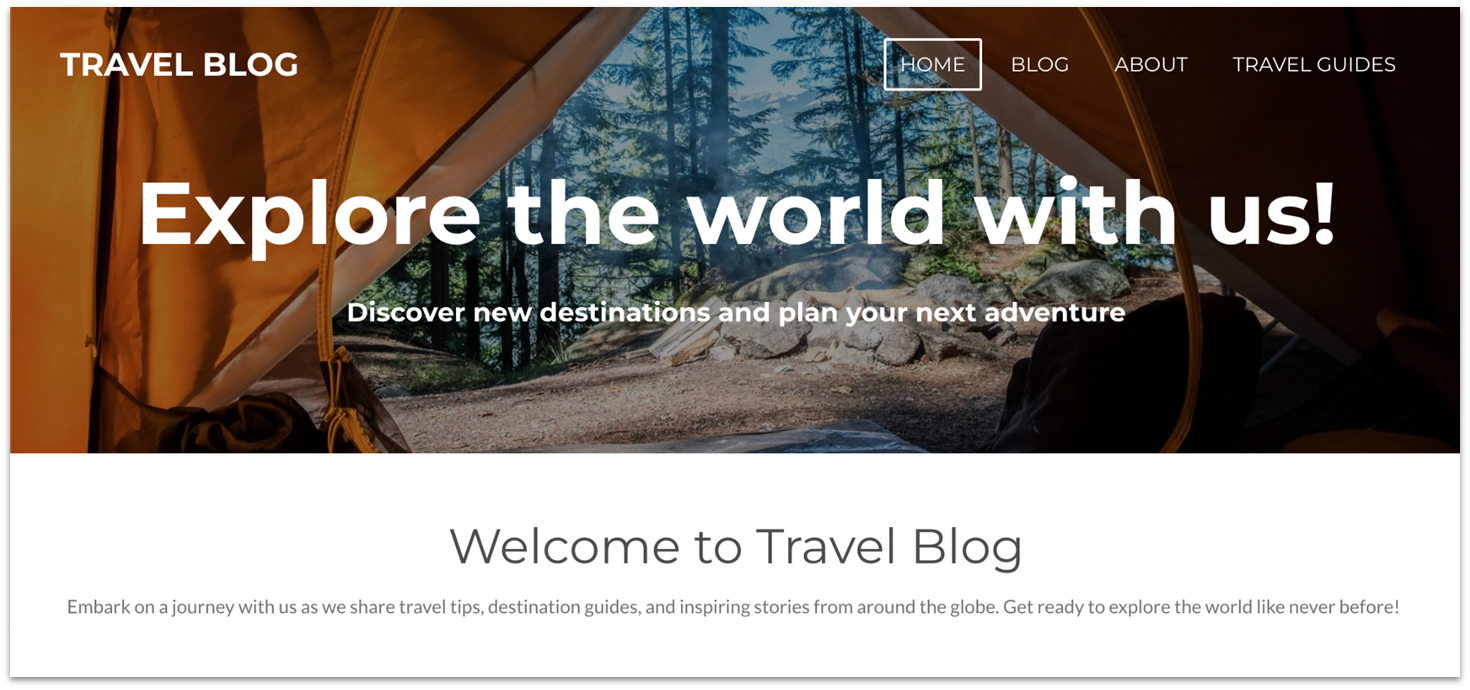
Webador’s free blogging platform lets you add custom elements to your blog posts. Adding video and audio content (MP3) allows visitors to read, watch, or listen, which can make your blog that much more appealing. Also, with a five-star rating system feature, readers can rate posts, destinations, or travel tips, keeping your community engaged.
Even if you lack technical knowledge, Webador’s user-friendly SEO settings can help you improve your blog’s visibility on search engines. You can easily add meta titles, descriptions, and keywords to attract more organic traffic. Webador includes unlimited traffic on all plans, so there’s no limit on how many people can visit your site.
Webador keeps things simple by skipping some advanced features like tagging and a built-in RSS feed, but it still covers all the essentials. Also, the free plan gives you access to unlimited storage, stock photos, and AI design tools, offering good value. As your blog grows, you might consider upgrading to be able to connect a custom domain and upload unlimited photo albums.


Webador now has a free FOREVER plan!
Catch this limited offer while it's still available.
Features
- Stock photos. Choose from over 100,000 free and royalty-free images you can add to your blog, including high-resolution photos. Search by pre-set categories, enter a subject in the search bar, or filter by resolution.
- Unlimited blog pages. You can organize posts by trip or topic on individual pages and nest these sub-pages in a drop-down menu, making it easy for visitors to find exactly what they’re looking for. There’s no limit on the number of pages you can add.
- Code-free embeds. Expand your blog’s appeal by linking to other website content, such as a hotel you recommend, a specific attraction you’ve visited, or another highlight of your journey.
- Multilingual travel blog. You can make your blog available in more than one language when you upgrade to a paid plan. There’s a small fee for each language you add.
Read our expert Webador review for more features.
| Number of Blogging Templates | 10+, including travel themes |
|---|---|
| Notable Blogging Features | Schedule posts, save drafts, enable comments and social sharing |
| Free Plan | Yes |
| Starting Price | $5.00 |
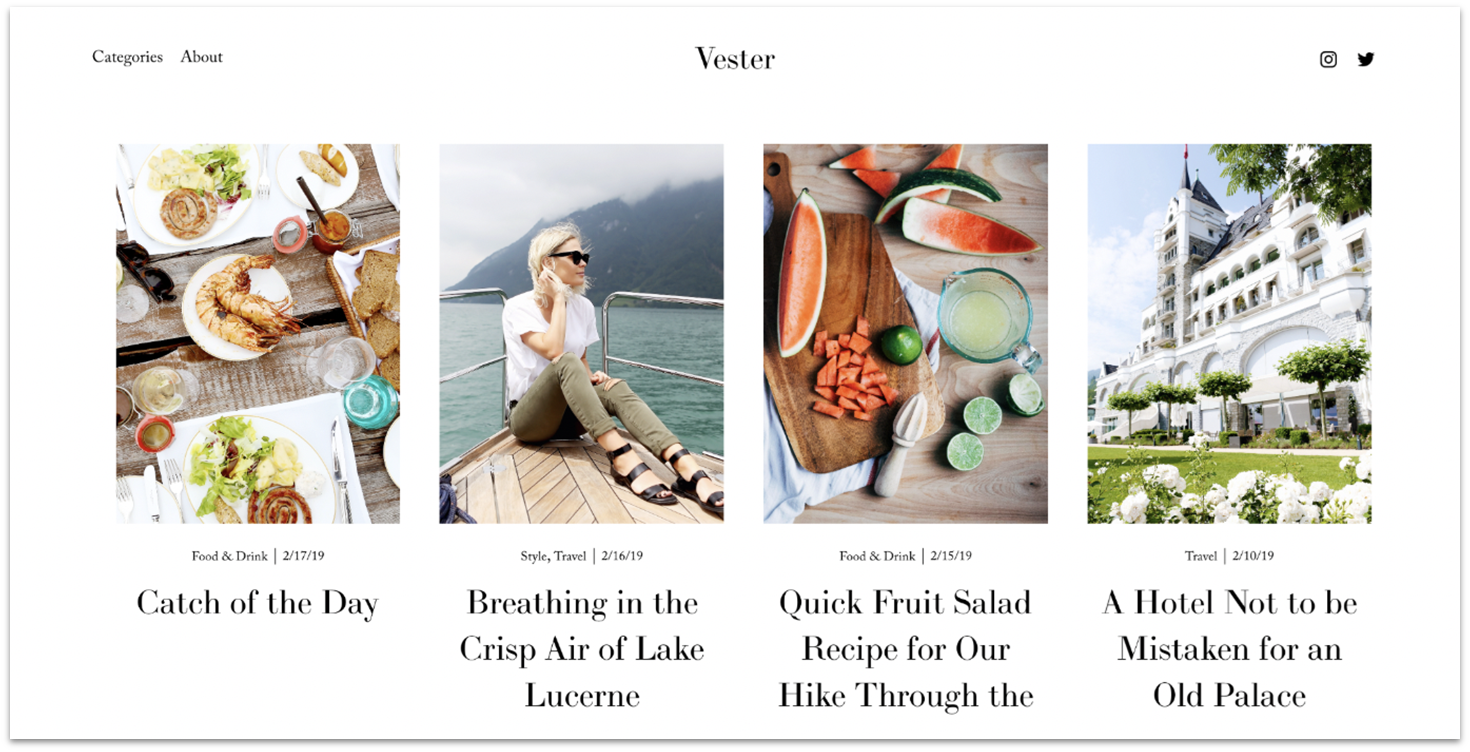
You can create a stunning travel blog website with any of Squarespace’s 50+ designer-made blog templates. They’re all mobile-responsive and they offer plenty of space for large, high-resolution images, so you can let your photos speak for themselves.
Squarespace’s powerful blogging tools let you tag and categorize posts so readers can easily navigate your travel blog. I loved that I could schedule a date and time for blog posts to go live. You also get in-blog editing features to label a post as a draft or mark it as “needs review.” Adding an RSS feed, allowing reader comments and social sharing, is done with a few clicks.
Squarespace doesn’t have a free plan, but even its entry-level plan lets you collect unlimited email subscribers and sell content and memberships. You can take advantage of Squarespace’s 14-day free trial and test all features before you commit.
Features
- Flexible blog layouts. Enhance your blog’s pages with attractive gallery layouts, including masonry, simple grid, single column, side by side, and alternating side by side. To add visual effects, simply toggle options like fade in, slide in, or glide in, and then set the speed.
- Make money blogging. Turn your travel blog into a profit center with paid newsletters, podcasts, travel videos, and exclusive content.
- Social tools and integrations. Easily create stylish social content to boost your blog’s visibility with the Unfold app to gain more loyal readers. Other features allow you to automatically sync content on your travel blog website and social media platforms.
- Useful analytics. Visual reports provide insight into your website’s traffic and visitors’ behavior. You’ll also learn which posts draw the most interest and reader interaction.
Our comprehensive Squarespace review has more info.
| Number of Blog Templates | 51, including travel-specific designs |
|---|---|
| Notable Blogging Features | In-blog editing, RSS feeds, reader commenting and social sharing, mobile management |
| Free Plan | No, but there’s a 14-day free trial – no credit card required |
| Starting Price | $16.00 |
5. Hostinger Website Builder: Smart (and Cheap) AI Tools for Your Travel Blog
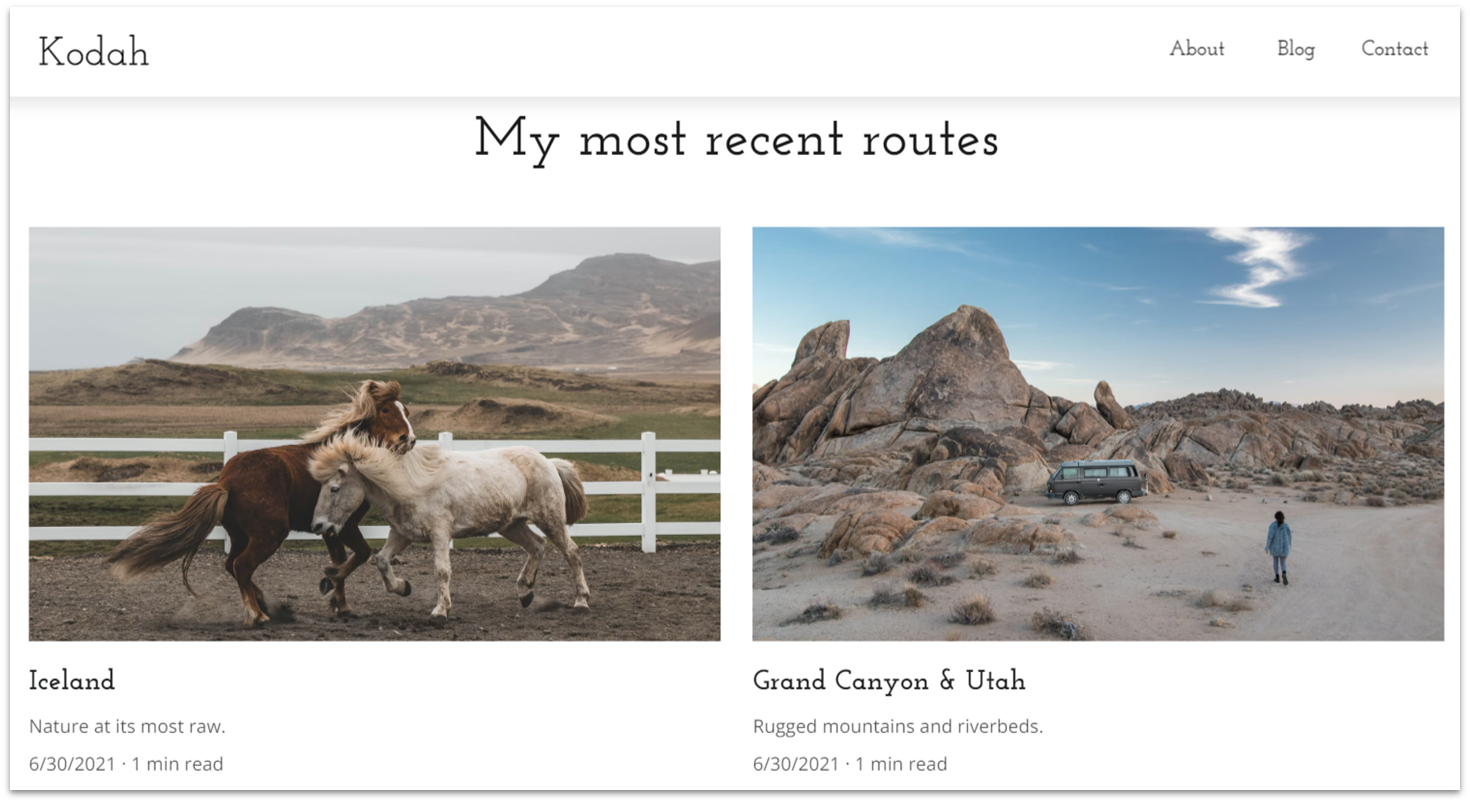
Hostinger offers one of the most budget-friendly options on the market. For just $2.99 per month, you get key features like SEO tools, a free domain for one year, and robust AI capabilities. Tools like the AI website builder, AI writer and AI logo maker help you set up a personalized travel site quickly, saving you time and effort.
There are 150 templates to choose from, including several designed specifically for travel content. The platform comes with built-in Google Analytics tracking and CDN access on all plans, helping you monitor reader engagement and ensure fast loading times worldwide.
That said, Hostinger’s feature set is slightly more limited than those of other builders on this list. You won’t find options for animations or interactive elements, which may be a drawback if you want a more dynamic blog. Still, for beginners on a tight budget, it’s a smart starting point. You can test every plan risk-free with a 30-day money-back guarantee.
Features
- AI-driven optimization. Hostinger’s AI Writer and AI Heatmaps help generate text and analyze user behavior, making it easier to optimize your travel blog.
- Image compression. Images are automatically optimized to improve site speed, which is essential for photo-heavy travel blogs.
- Multilingual support. Hostinger makes it easy to create content in multiple languages to reach a global audience. The editor allows you to switch versions and optimize for different languages with one click.
- Mobile editing. Hostinger offers a fully featured mobile editor, so you can create and update your blog on the go.
Read our expert Hostinger Website Builder review for more details.
| Number of Blog Templates | 9 |
|---|---|
| Notable Blogging Features | AI-driven optimization, image compression, multilingual support, mobile editing |
| Free Plan | No |
| Starting Price | $2.99 |
6. IONOS Website Builder: Simple Interface and Built-in Booking for Offering Tours
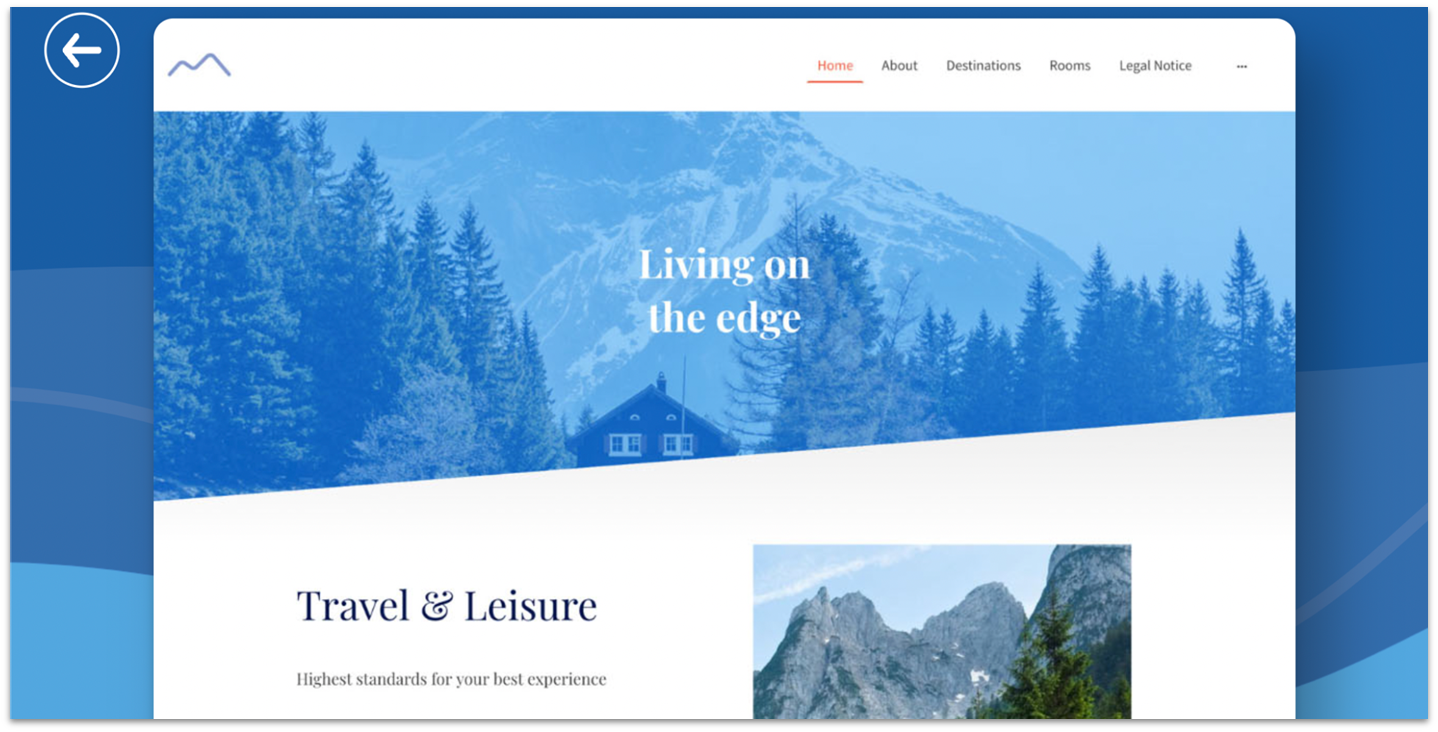
IONOS doesn’t offer many templates, but it makes customizing your site surprisingly easy with pre-built layouts, adjustable color schemes, and straightforward tools. You can add one or more photo galleries in minutes to organize and display your travel posts.
The blogging features cover the basics – you can categorize posts, add tags, and enable comments. That said, if you offer guided tours, travel writing workshops, or host meetups, you can use IONOS’s built-in booking tool to let your followers book events directly on your site.
The IONOS Starter plan is a good option for new travel bloggers on a budget – you can add up to 10 pages and set up a professional email address. As your blog grows, you can upgrade to the Plus plan to get access to more storage, a wider set of AI features, and the booking tool. You can test all IONOS plans risk-free with a 30-day money-back guarantee.
Features
- Automated ad campaigns. When you’re ready to start selling, IONOS will help you design Google AdWords marketing campaigns to promote your blog. There’s a small monthly fee.
- Tools to master SEO. When you sign up for rankingCoach, you will receive text and video tutorials that will guide you through the process of optimizing your blog’s SEO. The IONOS rankingCoach tool will also provide you with personalized tips on how to enhance your site’s search engine ranking.
- Free favicon and logo. IONOS’s handy AI tools let you design a favicon or a personalized logo for your travel blog. Put them on your blog and social profiles to boost your brand’s awareness.
- Personal support consultant. If you have a design question or need help with your website, simply contact your dedicated customer service agent for personalized support.
See our expert IONOS review to learn more.
| Number of Blog Templates | None, but all can be quickly equipped with blog pages, 40+ niche-specific templates, a few suitable for travel blogs |
|---|---|
| Notable Blogging Features | Mobile blogging, manage comments, set different time zones |
| Free Plan | No, but there’s a 30-day money-back guarantee |
| Starting Price | $1.00 |
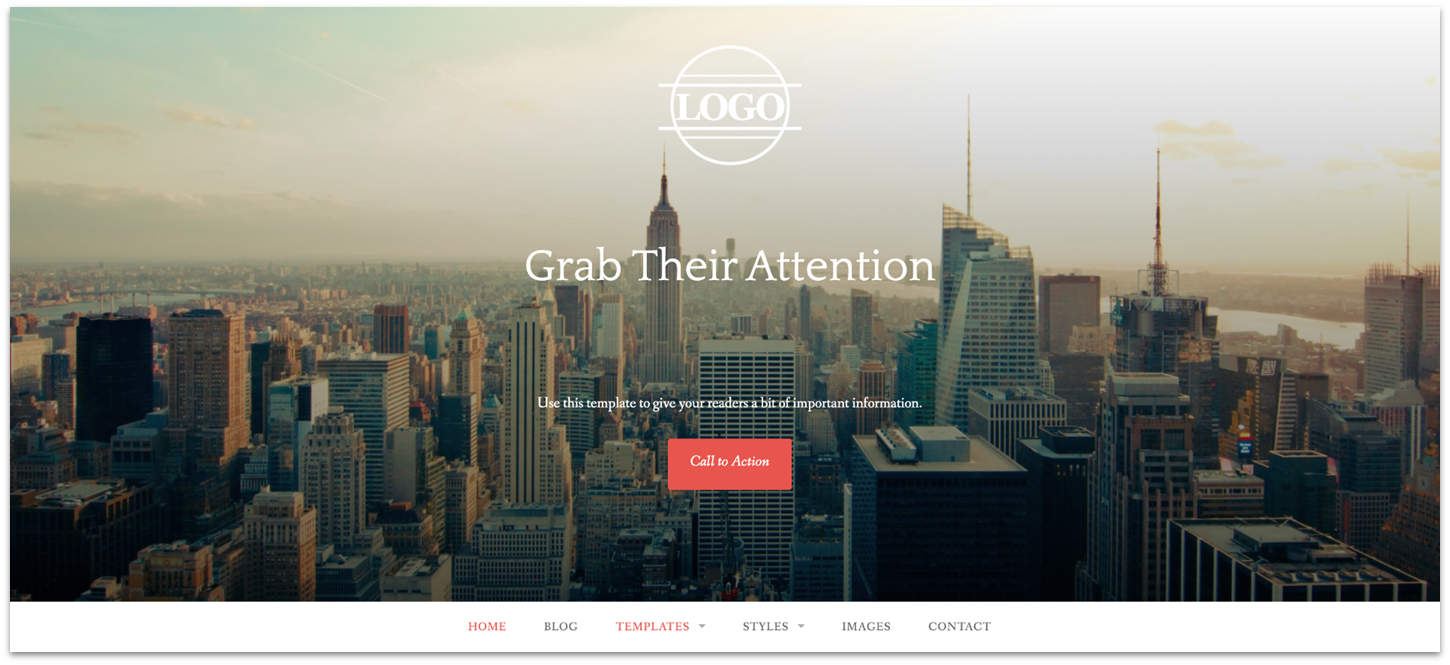
WordPress.com is a flexible and content-oriented builder for ambitious travel bloggers. You can extensively customize your site’s features with various page blocks, but your ability to edit your site’s design depends on which of the 210+ blog themes you choose. Even if theme editing is sometimes limited, the powerful page customization options are great for bloggers.
The free WordPress.com plan includes a robust set of blogging tools, such as post scheduling, category management, reader comments, and an RSS feed. I appreciated how easy it was to feature recent or popular posts using blocks, and organize my content with archive and category lists – perfect for blogs with a lot of content.
However, WordPress.com comes with a steeper learning curve than most builders on this list. Customization depends heavily on your chosen theme, and the editor can feel unintuitive at times, especially for beginners. It’s powerful once you learn the ropes, but getting there can be frustrating if you’re just starting out.
Features
- Shortcode blocks. Shortcode blocks let you paste a simple line of code to embed widgets on your page, which is especially helpful for integrating third-party tools. For example, your email marketing platform can give you a shortcode that creates a sign-up form on your blog.
- Social sharing features. WordPress will automatically send new posts to your social platforms (Facebook, Twitter, LinkedIn, and Tumblr) when you set up social updates. You can also allow your readers to share your content on their own social media accounts to further boost your blog’s visibility.
- Mobile app. With the Jetpack mobile app for IOS and Android, you can create posts, upload images, and add pages to your site from wherever your travels take you.
- Content ownership and portability. With WordPress, your blog’s content is yours, so you can easily export your site to another platform if you decide to switch.
Read our expert WordPress review to learn more.
| Number of Blogging Templates | 213, including travel themes |
|---|---|
| Notable Blogging Features | RSS feed, mobile blogging, featured posts, scheduling, archive and category lists |
| Free Plan | Yes |
| Starting Price | $4.00 |
Other Notable Website Builders for Travel Bloggers
8. Shopify
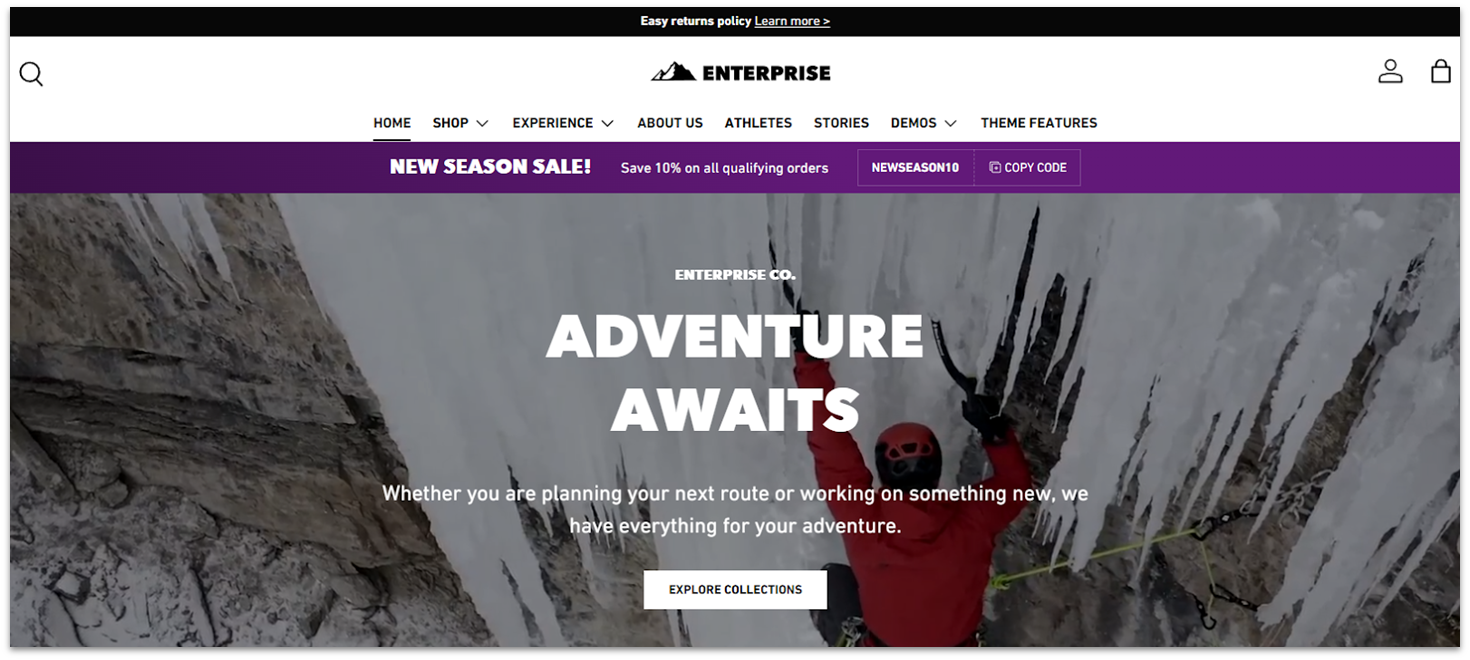
Shopify offers one of the best e-commerce solutions, so it’s great if you plan to sell merchandise, travel gear, or digital products related to your trips. Shopify seamlessly integrates store and blog features so you can engage your audience with captivating travel stories and sell your products from the same platform. Shopify also has nearly 40 travel-related store templates, though most of them cost extra.
However, Shopify is not the best fit if your primary focus isn’t selling. It’s a bit pricey, and while the cost is justified because of the advanced business tools, it may not be worth it if your main goals are content creation and audience engagement. If you want to sell some products but it isn’t a priority, check out the builders on my list.
9. Web.com
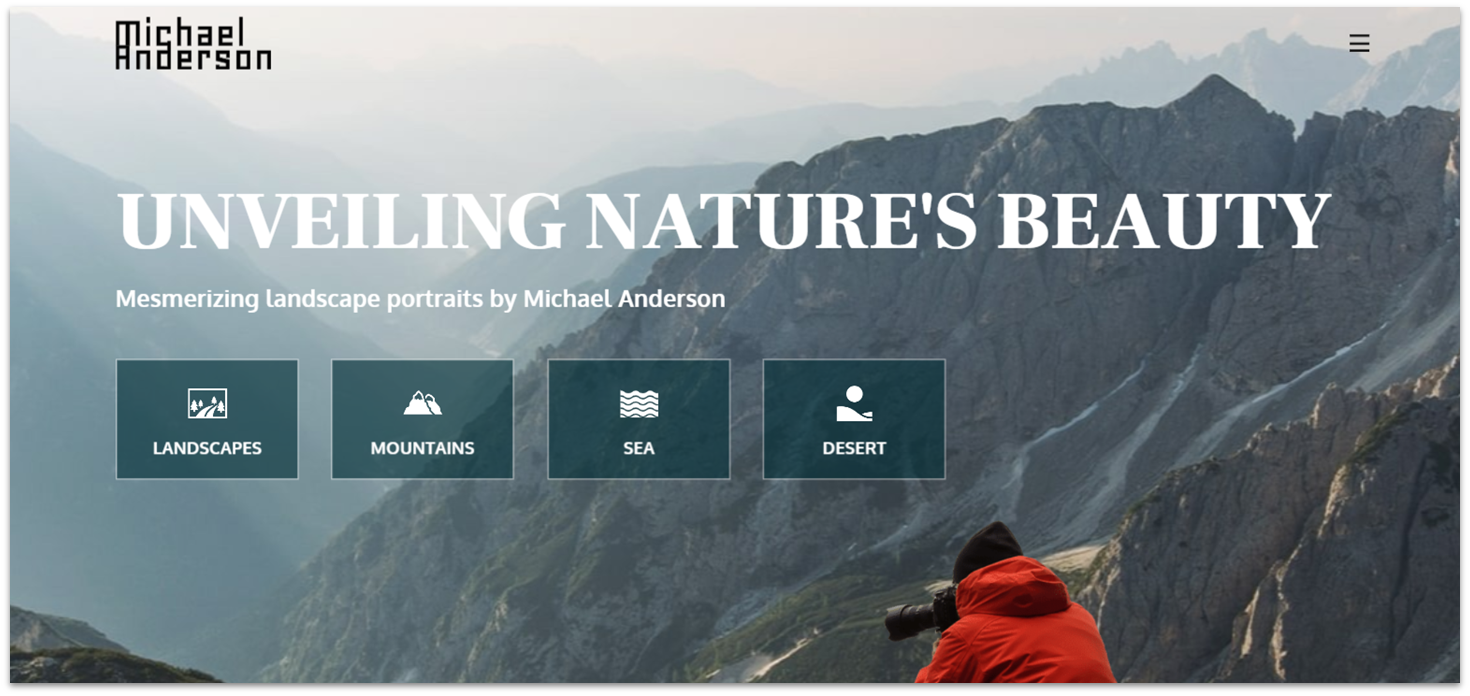
Web.com stands out for having a wide range of customization settings. The platform also has several templates just for travel sites. Aside from that, thanks to the flexible site editor, you can convert most of Web.com’s 150+ templates to fit your travel blog website.
On the other hand, I found Web.com’s user interface less intuitive than those of other builders on my list. The site editor can feel clunky, and the level of design flexibility involves a steeper learning curve. For that reason, I think Web.com is best if you’ve got some experience with website builders – you don’t need to be an expert, but you probably shouldn’t be a novice.
10. Duda
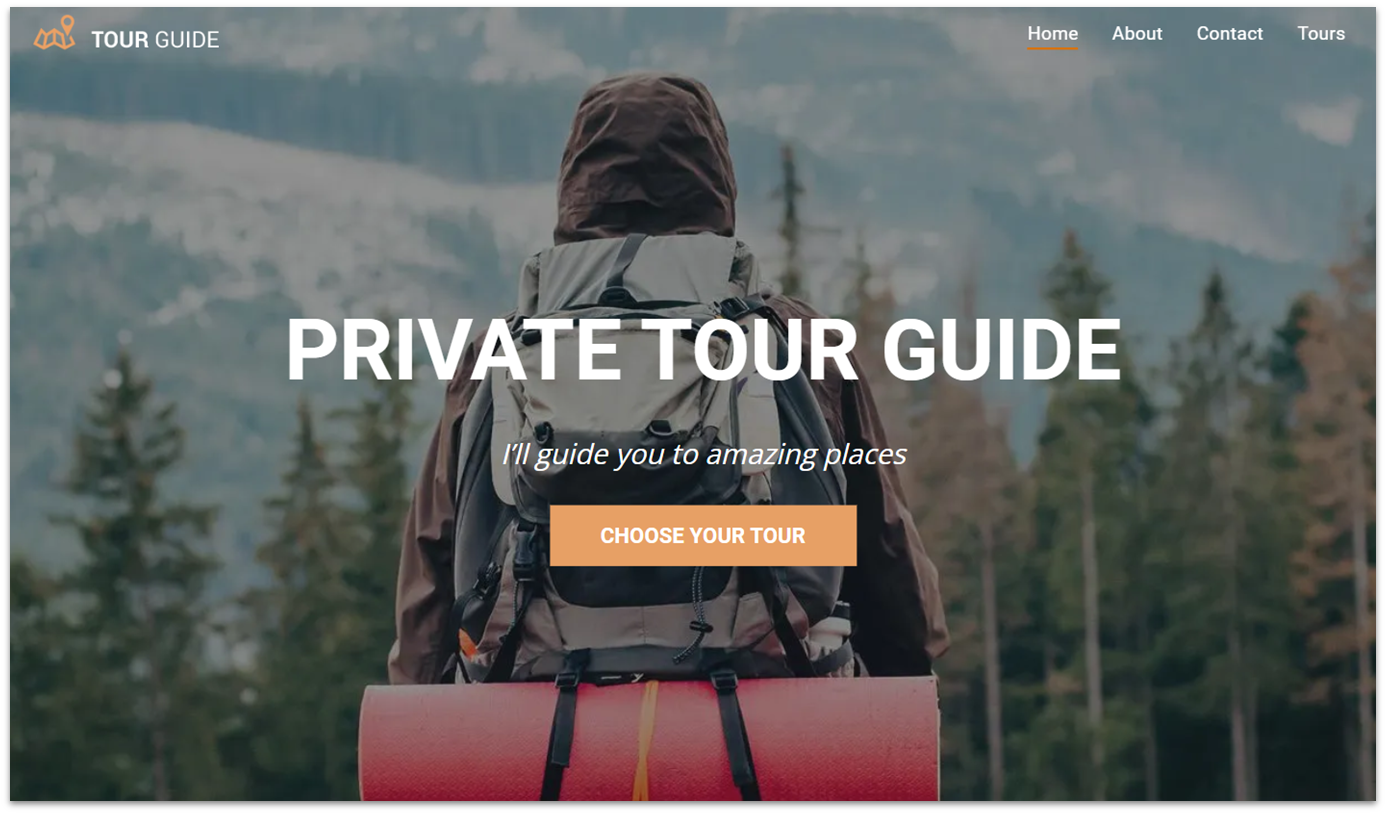
Duda is great if you want complete design control over your travel site and have some web design experience. You can change certain stylistic elements, like text and color themes, across your entire website – which is useful for unique and consistent branding. With the right know-how, Duda can build visually striking and highly functional travel blogs.
On the flip side, while Duda offers powerful customization, it is not the most user-friendly option. The section-based approach on the editor is manageable, but those with little experience might find Duda frustrating. This could be a challenge for beginner travel bloggers who prefer a more intuitive and easy-to-navigate builder.
Choose the Best Free Website Builder for Your Travel Blog
Each builder on my list can create an excellent travel blog website. However, when selecting the perfect builder for your specific requirements, consider your technical expertise and vision.
If you want a truly unique-looking travel blog website, Wix’s all-in-one set of tools is my top choice. Its free plan offers the largest template selection, full customization, and all the blogging, SEO, and marketing features you could ask for.
If you’re pressed for time and want a super-easy builder, SITE123’s simple editor has what you need. It gives you everything you need to get an attractive, mobile-friendly travel blog online fast.
On the other hand, if you value ease of use and a flexible blogging engine, Webador might be the ideal choice. Its drag-and-drop editor, responsive templates, and ability to incorporate video and audio content make it a great option for showcasing your travel experiences.
Here’s my final piece of advice: think about your future goals for your blog. Will it always be a hobby, or do you want to earn money blogging? You may want to review each builder’s paid plans to see which offers the best value in case you want to turn your travel blog into a profitable side gig or full-time occupation.
| Free Plan | Best Feature | Best For | Starting Price | ||
|---|---|---|---|---|---|
| Wix | ✔ | Widest range of blog features & travel-specific templates | People who want to create a beautiful and functional travel blog website with ease | $17.00 | |
| SITE123 | ✔ | Beginner-friendly editor that doesn’t skimp on blogging tools | Getting an attractive blog site online quickly | $12.80 | |
| Webador | ✔ | Free community engagement tools | Travel bloggers who want to improve reader interaction | $5.00 | |
| Squarespace | ✘ | Visually stunning templates and premium blogging features | Travel bloggers who want to build an image-heavy site | $16.00 | |
| Hostinger Website Builder | ✘ | AI-driven optimization for content creation and performance monitoring | Budget-conscious bloggers seeking easy-to-use AI tools | $2.99 | |
| IONOS | ✘ | Built-in booking tool | Travel bloggers who organize tours, events, or workshops | $1.00 |