

There are no two ways about it, if you’re a photographer in 2026 you need a professional website. But going with the wrong website builder can mean a waste of valuable money and even more valuable time. You need a builder that can display your works beautifully, make it easy for customers to reach you, and convey your photography style to the world.
I’ve tested dozens of the most popular website builders, and after plenty of searching, I’ve found the 10 best options for photographers. Better yet, I made sure that all the options on this list offer either a free-plan or very affordable entry-level plans, so you won’t have to spend that money you were saving for a new lens on your website.
My top option is Wix, since it gives you complete creative control even on the free plan. It’s also packed with features to help display your work and reach out to potential customers, and it comes with tons of high-quality templates specifically for photographers – I even included some of my favorite ones below!
Wix isn’t the only quality option out there though, I found plenty. You can sign up with Wix below, or keep reading to discover other builders that could be right for you.
Short on Time? Here Are the Best Photography Website Builders in 2026:
What We Look For in the Best Website Builders for Photographers
Out of all the builders I tested, only ten made the list, and for good reason. Besides overall quality, I focused on the following criteria:
- Clean, professional, and attractive design. A clean and professional layout will let your images speak for themselves. I prioritized builders with attractive, minimalist templates.
- Personalization. Because your website should be a reflection of you and your business, all the builders on my list let you customize templates, layouts, colors, and fonts for 100% creative freedom.
- Bulk image uploader. Uploading large portfolios one photo at a time can be tedious. That’s why I selected builders that allow you to upload multiple images at once, saving time and effort.
- Ease of use. Drag-and-drop tools and pre-designed themes make these builders accessible, even if you have no technical experience. You can focus on creating your portfolio instead of learning to code.
- Mobile responsiveness. Most online traffic these days happens on smartphones. The builders in this list ensure that your mobile site works as intended and displays your images beautifully whatever screen size they’re viewed on.
Quick Look At Our Best Free Website Builders for Photographers

- 2500+ photography-specific templates
- Drag-and-drop editor with advanced design features
- Hundreds of apps on offer, including photo editors
- Thousands of copyright-free images for startup photographers
- Multimedia galleries and password protection for clients
- Built-in Wix Booking app helps manage appointments and clients
- 500 MB of storage on its free forever plan
- You'll have to upgrade your plan if you want to switch templates

- 80+ mobile-responsive photography templates
- Simple, intuitive setup with helpful tutorials
- Engage with your clients via social media buttons
- 8 gallery options to showcase your photography portfolio
- Upload your entire portfolio in one go with bulk uploading
- Advanced organization tools help you categorize your portfolio
- Quick store setup with any paid plan
- Storage and bandwidth capped on lower-tier plans

- 2 photography templates and 50+ customizable designs
- Offers one of the easiest and most intuitive builders
- Add slideshows and photo albums easily
- Simplified SEO tools to help you enhance visibility
- Easy drag-and-drop editor ideal for beginners
- Social media integration and client interaction widgets
- Ads remain on your site unless you upgrade
- E-commerce features not available on cheapest plan




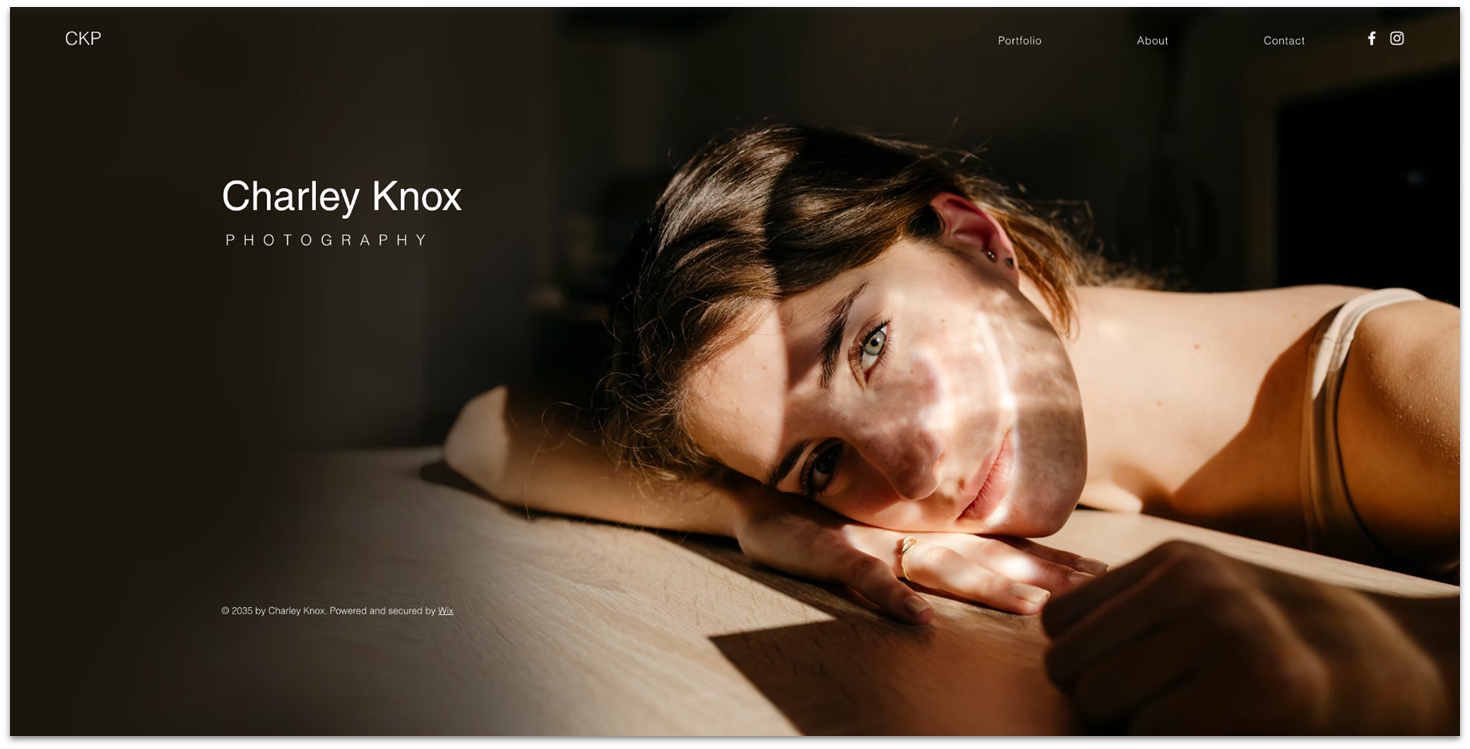
There are plenty of reasons why Wix makes the top of this list, but the main one is that Wix gives you unparalleled creative control over your site. And that’s all thanks to its drag-and-drop editor, widget variety, and advanced editing options. All of its design features are available directly from the free plan, too, so you can experiment as much as you like without any risk.
Wix also comes with over 35 stunning photography website templates. There’s something for all styles in that line up, but they’re each carefully designed to place all the focus directly on your images.
If you shoot video as well as images, Wix also offers plenty of options for displaying multimedia content. You can create password-protected client galleries, which allows your clients to retrieve their photos directly from your site without compromising their privacy, ideal for wedding albums or family photoshoots.
If you need to expand your site’s functionality, Wix comes with over 800 proprietary and third-party apps (many free) that can assist you with everything from SEO and marketing to online photo editing and more.
The only caveat is that the 500 MBs of storage on the free plan can dry up quickly if you work with video and high-definition photographs, but when you’re ready to upgrade, paid plans start as cheap as $17.00 per month.
Save up to 50 % on your Wix plan!
Sign up for an annual plan and enjoy the savings.
Plus get a free custom domain for 1 year!
Features
- Beautiful, full-screen gallery pages. The most effective way to showcase your best work, grab visitors’ attention, and keep them scrolling is with well-designed gallery pages. Wix gives you full creative control over gallery layouts and effects.
- Excellent image optimization. Unlike some other platforms, Wix can compress your images without losing visual quality, which ensures your images always look stunning, while improving your load times. There’s no point having a website full of your photos, if your website can’t load them.
- Eye-catching visual effects. Add advanced design features to your website like scroll effects, animations, and video backgrounds to give it a premium look and feel.
- Built-in contact and booking pages. Most templates come with these pages and the Wix Bookings app already built in. This makes it easy to manage your appointments, calendar, and clients, and just as easy for visitors to contact you about your photography services.
Read our expert Wix review for more details.
| Free forever? | ✔ (with limitations) |
|---|---|
| Photography templates | 35+ |
| Mobile-responsive? | No, but mobile-friendly |
| Price of cheapest paid plan | $17.00 |
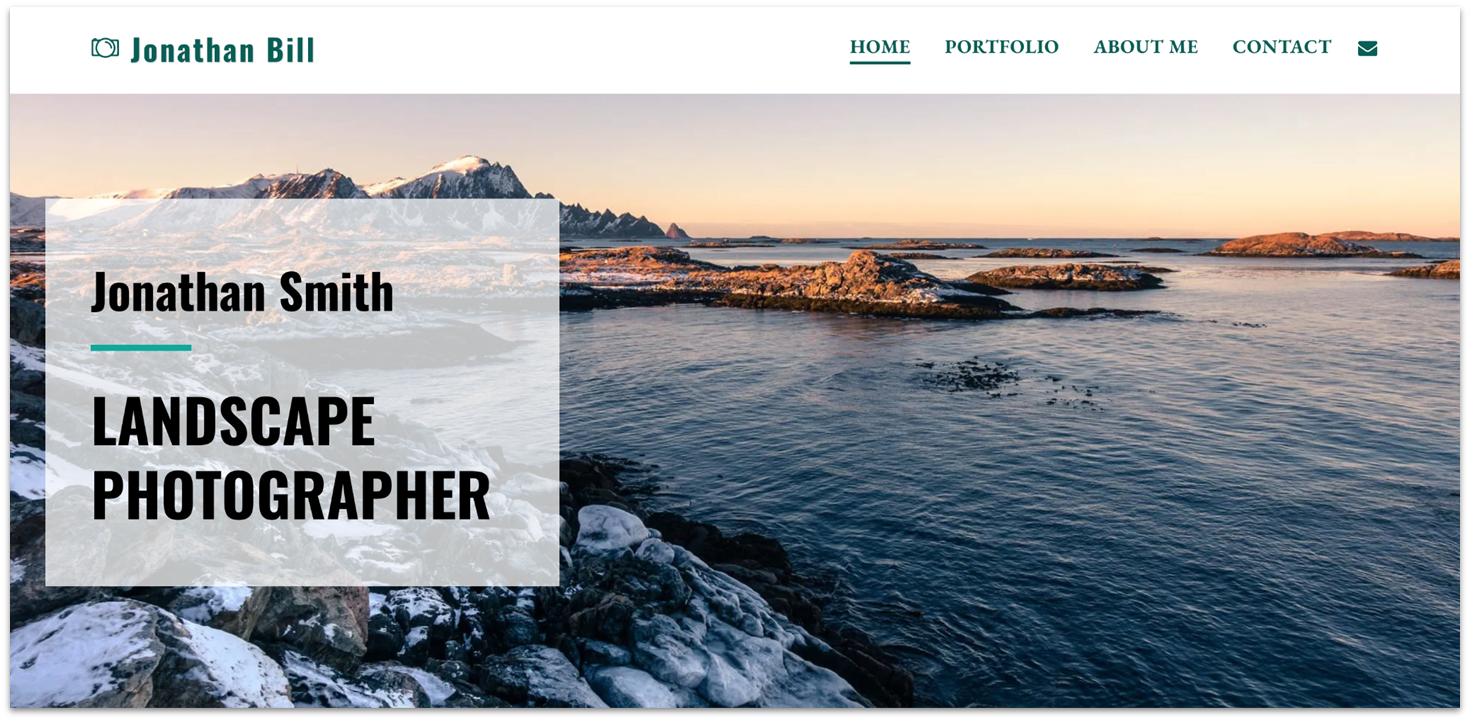
SITE123 makes creating your photography website a hassle-free process – in fact, you can have your website online in a matter of minutes. If you’re a beginner, you’ll really appreciate SITE123’s tutorials that walk you through the process of building your website. And if you get stuck, the customer support team is available 24/7 to help get everything running smoothly again.
There are 10+ free photography website templates to choose from – all of them mobile-responsive. You can use these templates to build a single-page layout (all the content displayed on one page) or multi-page website and switch between the two – even after you publish.
SITE123 supports e-commerce features, so if you want to sell your photos rather than just display them, you can add an online store to your website by upgrading to a paid plan. If you choose to sell your images as digital files, you can upload the files and have these automatically sent to your customers’ email addresses when they complete checkout.


Get 40 % OFF SITE123
Save 40 % when you sign up for SITE123's annual plan
Features
- Several gallery layout options. SITE123 includes eight different gallery styles for showcasing your photos. One standout is the rounded grid, which offers a more unique look compared to the standard square layouts used by most builders.
- Full-screen image viewing. When visitors click on a photo, it opens in full-screen mode (except in the carousel layout). This lets them see more detail and appreciate the quality of your work. It’s especially useful for high-resolution images.
- Bulk upload support. You can upload multiple images at once, making it easier to get your portfolio online quickly. After uploading, you can organize your photos and add titles or descriptions as needed.
- Custom categories for images. It’s easy to divide images into custom categories, which helps keep your work organized and makes it easier for visitors to browse by theme or subject.
Check out our full SITE123 review for more.
| Free forever? | ✔ (with limitations) |
|---|---|
| Photography templates | 13 |
| Mobile-responsive? | ✔ |
| Price of cheapest paid plan | $12.80 |
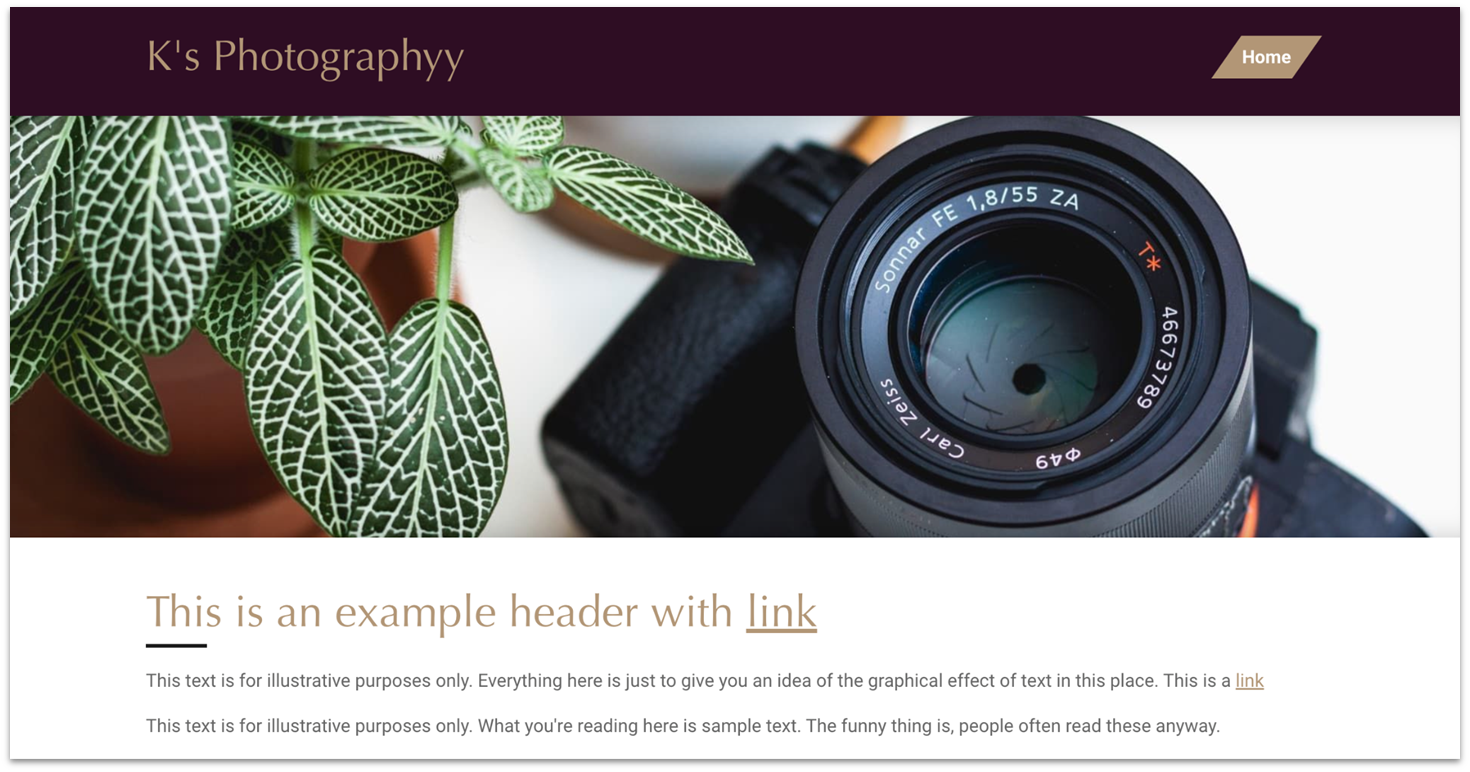
Webador is perfect if you want a clean and straightforward aesthetic. While it only offers two photography-specific templates, its 50+ mobile-friendly designs are versatile enough to customize for your brand. I found it refreshingly simple to tweak fonts, sizes, and colors to create a site that matches my style. Although it’s not as intricate as other builders like Wix, sometimes less is more, especially when you want your photos to take center stage.
When I tested Webador, I was surprised by how intuitive it was to add elements like photo albums and galleries. Webador also comes with plenty of options to upload video, text files, and social media integrations to your site, and better yet, Webador offers unlimited storage on the free plan, so you can upload as many images as you want right from the get-go. That’s a pretty rare feature for a free plan, trust me.
That said, the free plan does limit you to a Webador subdomain, and your site will display Webador ads, which can make your site seem unprofessional. E-commerce features are also limited to the paid plans so it’s worth looking at the next plan once you’re up and running.
Thankfully, the second-tier plan is surprisingly affordable and free for the first six months – enough time to determine if Webador fits your business.


Get 6 Months FREE with Webador's Business Plan!
Limited-time offer - Don't miss it!
Features
- Simplified SEO for visibility. Webador’s SEO tools make it easy to add titles, descriptions, and images for every page or blog post. There’s also an option to enable indexing in Google search, which helps people find your work.
- Blogging for connection. If you’re a photographer who likes to share stories behind your shoots, Webador’s blog feature is handy. It lets you add and edit posts or reorganize them in a snap.
- Client interaction widgets. Webador offers widgets that let users interact with your site’s content, like star-ratings and comment sections. Not only are these great ways to get client feedback, they also have positive effects on your search engine rankings.
- Custom forms. The form builder is solid even on the free plan. You can customize the confirmation message, add Captcha to avoid spam, and give your clients the option to receive a copy of their submission.
Read our in-depth Webador review to learn more about the platform.
| Free forever? | ✔ (with limitations) |
|---|---|
| Photography templates | 2 |
| Mobile-responsive? | ✔ |
| Price of cheapest paid plan | $3.00 |
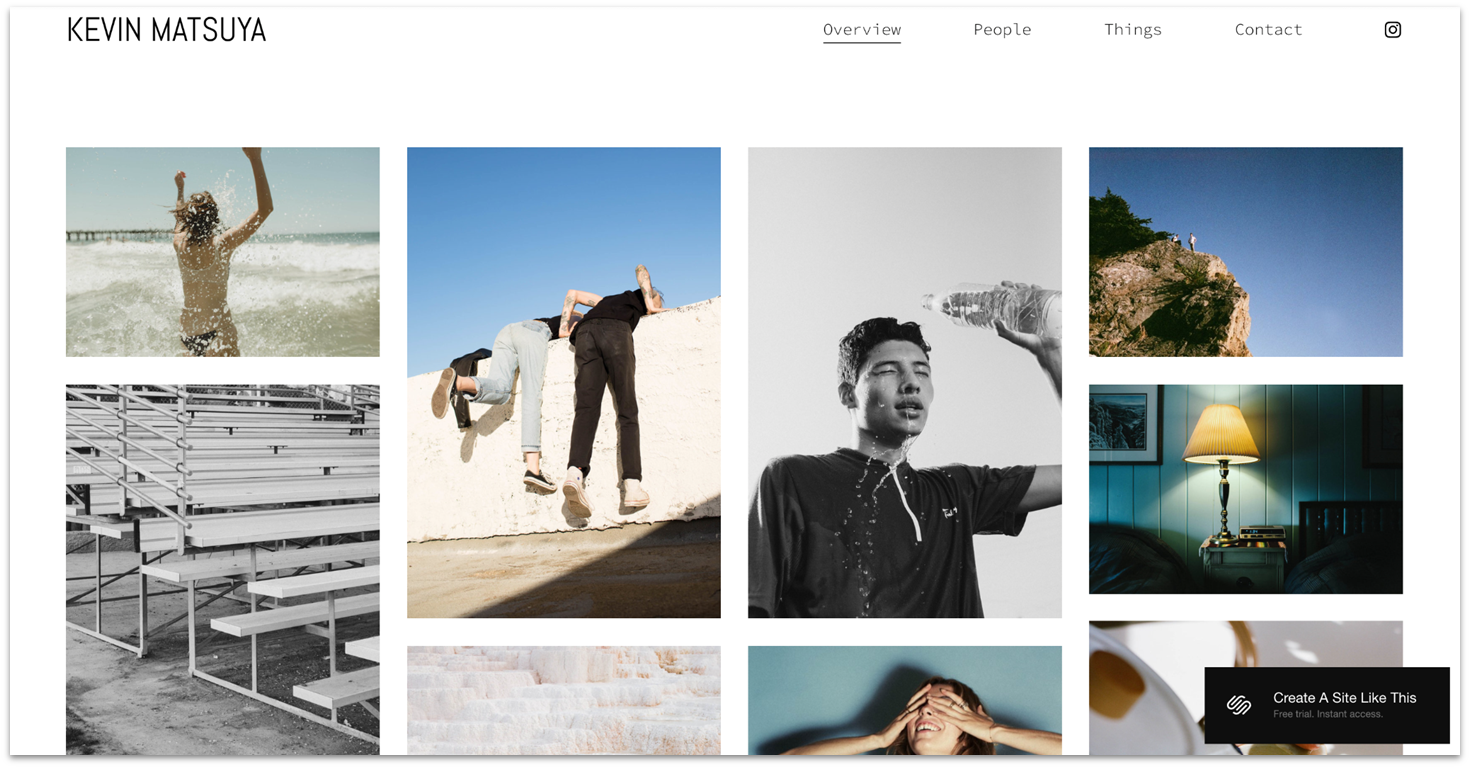
Squarespace is a great choice for a high-end look and feel. Thanks to its professionally-designed templates and eye-catching features for image displays, Squarespace is ideal for creatives that want to present themselves as professional and reliable.
Its photography templates come with multiple gallery options, animated image transitions, and tools for structuring your site around your visuals. These templates also come with built-in pages and sections that are essential for photography sites, letting you share your work, your story, and post client testimonials.
Squarespace isn’t free though. Actually, I’d say it’s on the pricier side, but you do get a 14-day free-trial for you to explore the platform and decide if it’s right for you. And it really does give you that high quality, professional website that’s worth paying for.
Features
- Pre-designed starter layouts. Make your job quicker and easier by choosing one of the beautiful page layout options. These include About, Portfolio, Contact, and other important pages ready for your content.
- Eye-catching image presentation. Squarespace offers multiple gallery effects and photo editing tools that let you add color filters and optimize images by adjusting aspect ratio, brightness, saturation, sharpness, and contrast.
- Unlimited bandwidth and storage. Squarespace doesn’t put a cap on your bandwidth or storage, so you can upload and display as many images as you want without slowing down your site.
- Appointment management. With Squarespace Scheduling, clients can check your availability and book photography appointments online. You can automate confirmations, reminders, and follow-ups, and sync appointments to your Google, iCloud, or Office 365 calendar.
Learn more in our in-depth Squarespace review.
| Free forever? | ✘ (14-day free trial) |
|---|---|
| Photography templates | 25+ |
| Mobile-responsive? | ✔ |
| Price of cheapest paid plan | $16.00 |
When I first tried Hostinger Website Builder, I was impressed by how its AI tools simplified the building process. You describe your ideal website – its type, style, and colors – and the AI instantly generates something that feels custom-made. As a photographer, time is precious, and this tool is a lifesaver when you need a professional-looking site without diving into the technical weeds.
Hostinger’s suite of AI tools makes refining and optimizing your site easy. These tools include an AI Blog Generator for easily sharing your expertise through blog posts and the AI Heatmaps feature, which identifies the most attention-grabbing areas of your site. There’s also an AI Writer, Image Generator, and SEO Assistant to help optimize your site for search engines, which is crucial for drawing potential clients.
Hostinger isn’t entirely free, but its 7-day free trial and 30-day money-back guarantee are excellent for trying it risk-free. Bear in mind that Hostinger isn’t the best option for photographers looking to scale up since it lacks advanced e-commerce features and only has a few third-party integrations.
Features
- Wide range of templates. If you prefer starting with a template rather than letting AI take the reins, Hostinger has you covered. Its 150+ templates include 16 specifically tailored for photographers, complete with key pages like galleries, portfolios, and contact forms.
- Powerful mobile editor. Hostinger’s mobile editor gives you full control, whether you’re tweaking designs, updating your blog, or checking analytics. You can even switch between your phone and computer without losing progress.
- WordPress staging tool. You can test changes on a duplicate before applying them on your Hostinger site. This can be set up directly from the hPanel and is a smart way to experiment with new designs or updates without worrying about breaking things.
- Free automatic website migration. If you already have a photography website on WordPress or another open-source platform, migrating it to Hostinger is straightforward. All you have to do is request this service, and Hostinger’s team takes care of everything.
Read our Hostinger Website Builder review for more info.
| Free forever? | ✘ (7-day free trial) |
|---|---|
| Photography templates | 16 |
| Mobile-responsive? | ✔ |
| Price of cheapest paid plan | $2.99 |
While searching for free website builders for photographers, IONOS caught my attention with its budget-friendly pricing. Although it’s not free, its entry-level and second-tier plans cost just $1.00 per month for the first year – almost free. Plus, there’s a 30-day, risk-free money-back guarantee to test the waters without any financial commitment.
One of my favorite features of IONOS is its automatic image optimization. As a photographer, ensuring your images look great on all devices is crucial. IONOS resizes and optimizes images for PCs, tablets, and smartphones, saving you the hassle of manual adjustments and ensuring a consistent viewing experience for your audience.
Though the template selection is rather limited at only 35 options (with just one specifically for photography), IONOS does offer AI tools to generate a unique template for your site. You can then customize your site as much as you want.
I will say, however, that IONOS’ price does increase by a significant margin after the first year, so just keep in mind that those low entry-level prices won’t last forever.
Features
- Free professional email. IONOS offers a free professional email with every plan. Having an email address that matches your domain, like [email protected], adds a layer of professionalism to your communications and helps build your brand identity.
- Online booking tool. The online booking tool allows clients to schedule appointments directly through your website anytime. This feature streamlines the booking process, making it convenient for clients and helping you manage your schedule more efficiently.
- Social media integration. IONOS’s web apps facilitate seamless connections between your website and various social media platforms like Facebook, X, Instagram, and LinkedIn. This integration enables you to showcase your photography work across multiple channels, broadening your reach and engaging with a wider audience.
- RankingCoach SEO tool. IONOS integrates with RankingCoach, offering automated SEO tools that help potential clients find your photography website. If you don’t have the time to manage SEO marketing yourself or the budget to hire an expert, this tool is invaluable in improving your site’s visibility.
Learn more in our comprehensive review of IONOS.
| Free forever? | ✘ (30-day free trial) |
|---|---|
| Photography templates | 1 |
| Mobile-responsive? | ✔ |
| Price of cheapest paid plan | $1.00 |
Best Free Photography Website Templates
I promised I’d share my favorite Wix templates with you, so here they are. There are many more great templates available on Wix (even under different categories that you can tweak and adapt to suit your portfolio site), but these 5 stand out:
Wedding Photographer Template
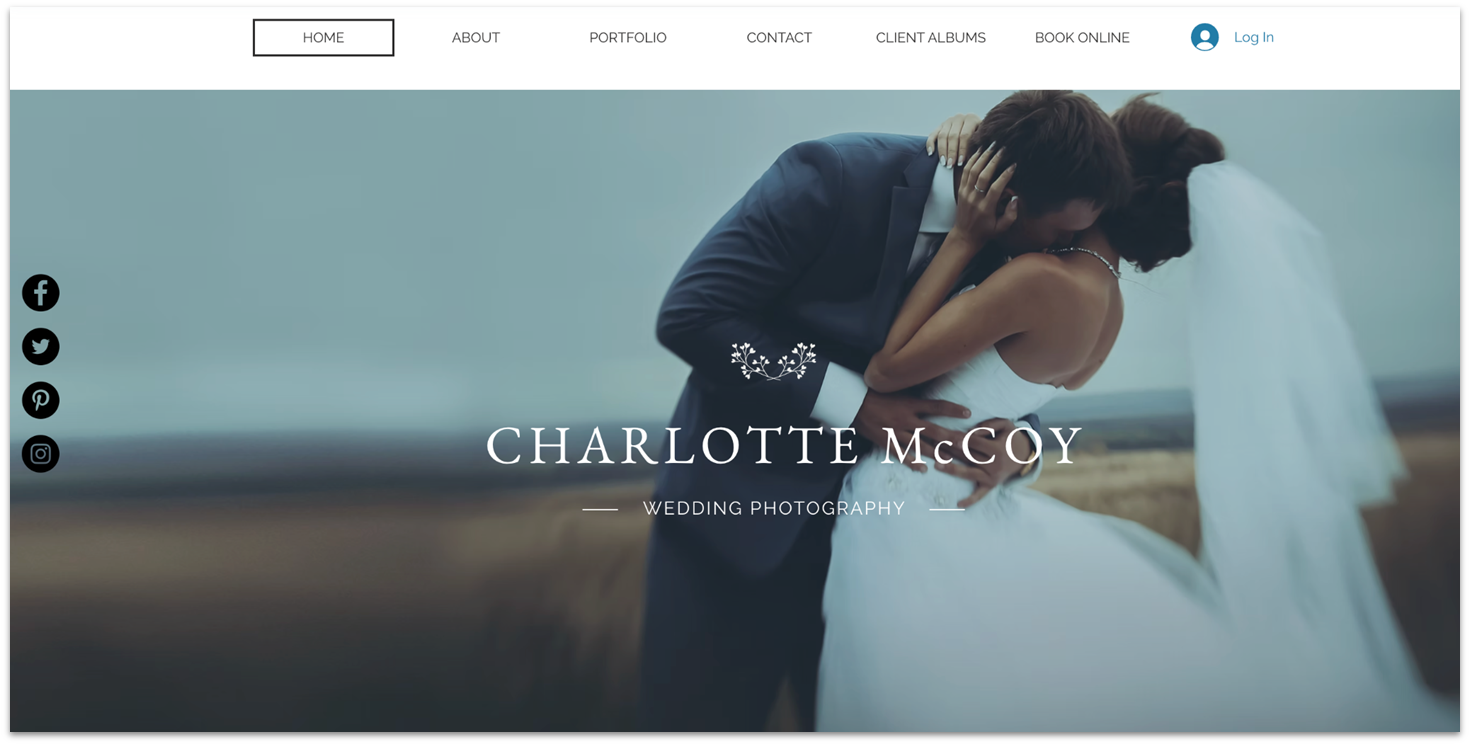
This template’s homepage features prominent social media buttons for Instagram, Facebook, and Pinterest, making it easy for potential clients to explore your portfolio across platforms. If you’re more active elsewhere, Wix’s editor makes it simple to switch out these links to match where you actually engage with your audience.
The Client Albums page is both visually polished and incredibly easy to update. Whether you’re sharing full wedding galleries or highlighting favorite moments, the layout adapts beautifully to your content.
Family Photographer Template
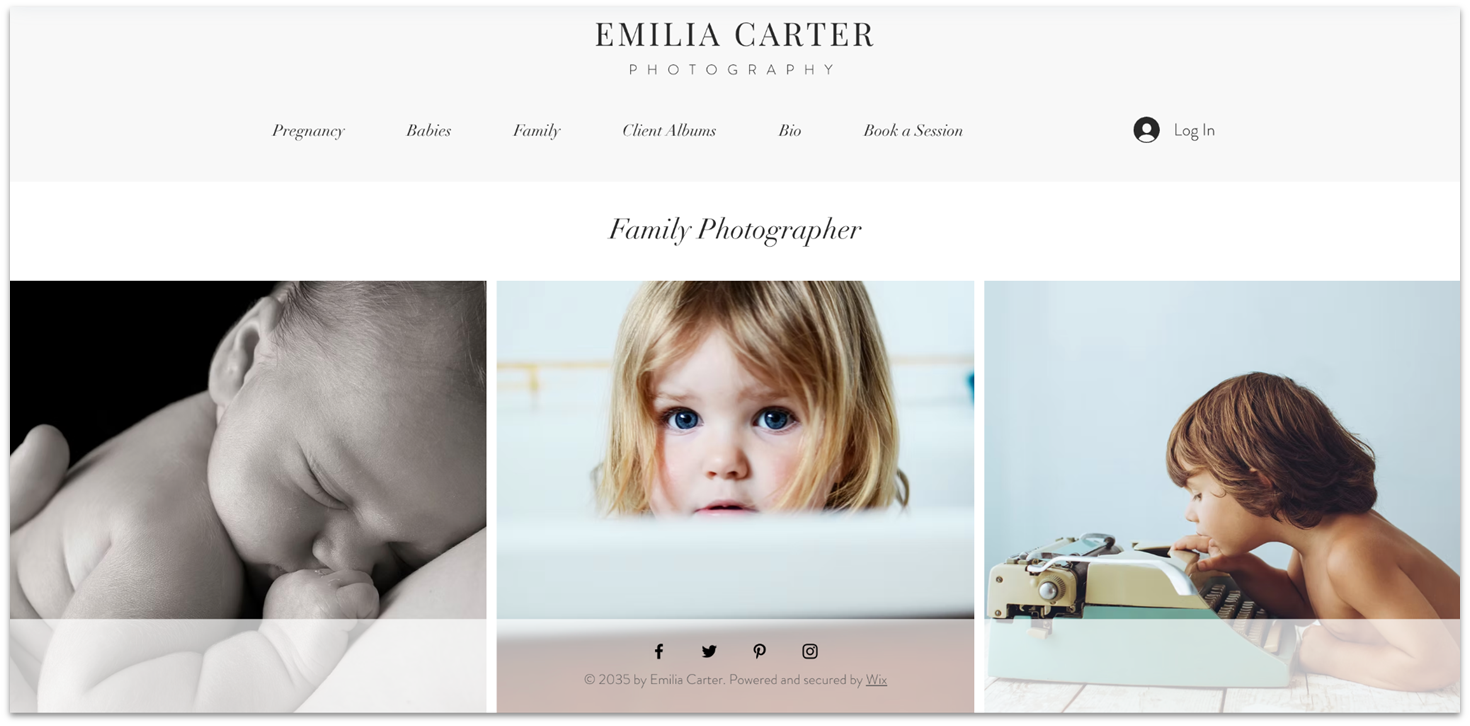
Wix’s Family Photographer template includes dedicated pages for various photography sessions like maternity, newborn, and full-family shoots, so that visitors can explore your portfolio by category. Each gallery is fully customizable, allowing you to drag and drop images, rearrange layouts, and add personalized descriptions that bring sessions to life.
This template also integrates Wix Bookings on its Book a Session page. The booking options are organized by photography type, so visitors can quickly find the service they’re interested in and schedule a session without confusion.
Sports Photographer Template

Wix’s Sports Photographer template opens with high-impact visuals right from the start. Its homepage features an immersive, interactive gallery powered by Wix Pro Gallery, letting you showcase high-impact action shots and portraits.
Beyond the homepage, the template includes thoughtfully designed pages for athlete profiles, event coverage, and custom photo albums. The About page is another fine touch, giving you customizable sections for a short bio, gear list, client roster, and accolades, so you can build credibility and connect with potential clients.
Wildlife Photographer Template
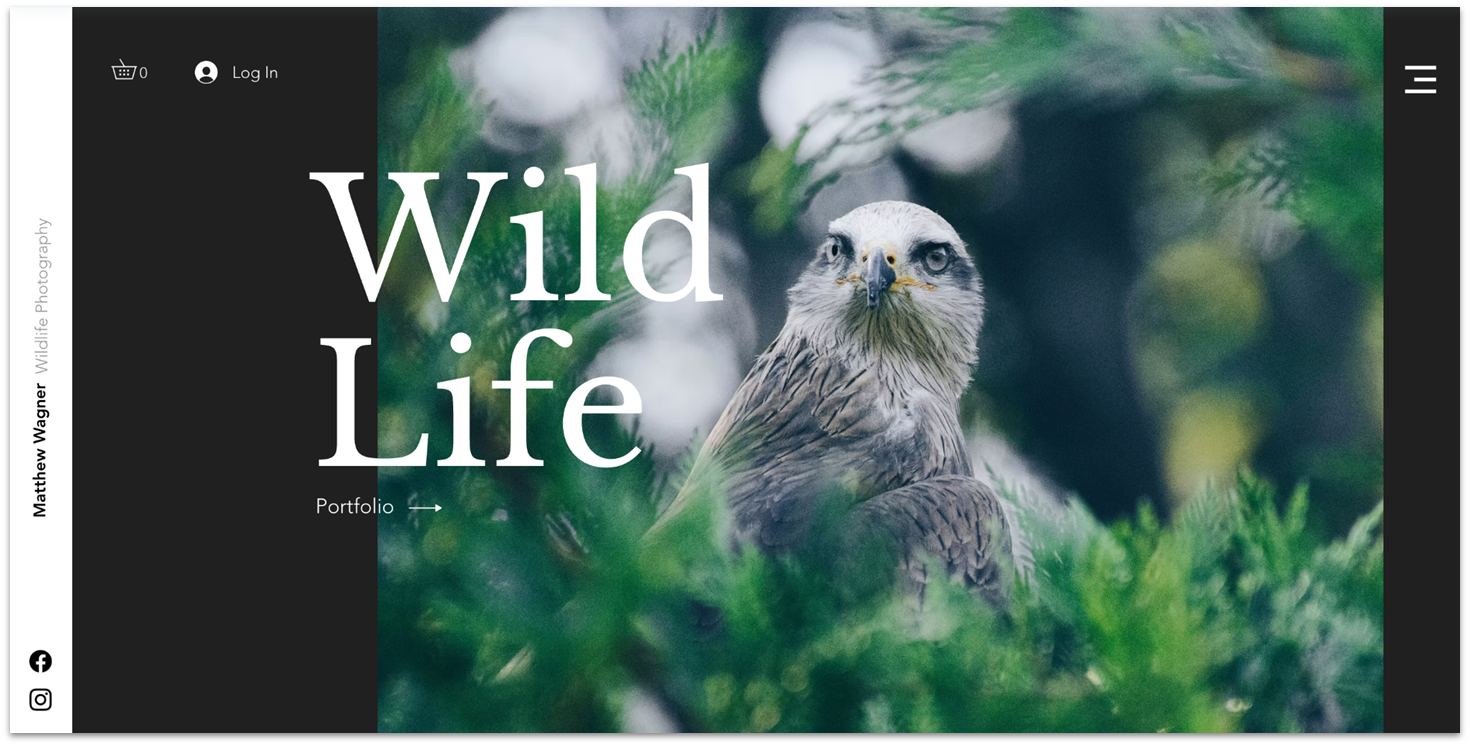
The Wildlife Photographer template includes a full-screen image slideshow on its homepage – perfect for showcasing dramatic animal shots in high resolution. Preloaded images of animals can set the tone for a visually captivating portfolio, while the slideshow doubles as a gateway to an expanded gallery.
Another standout feature is the prominent Log In button positioned in the top-left corner. It’s ideal for offering exclusive content or premium downloads. Powered by the Wix Member Area app, it’s a great way to monetize your work or build a community of wildlife photography enthusiasts.
Events Photography Company Template

Wix’s Events Photography Company template features a thoughtfully designed About Us page, which helps humanize your brand by introducing team members and clearly outlining your services. The clean layout, combined with easily customizable text and image sections, makes it simple to tailor the site to your own company’s voice and visual style using the Wix editor.
The Portfolio page is another great inclusion. It organizes past projects by event type, such as team-building sessions, product launches, and award nights, making it easier for potential clients to find relevant examples. A contact form sits right on the homepage, encouraging visitors to reach out without needing to dig for details.
Other Notable Free Website Builders for Photographers
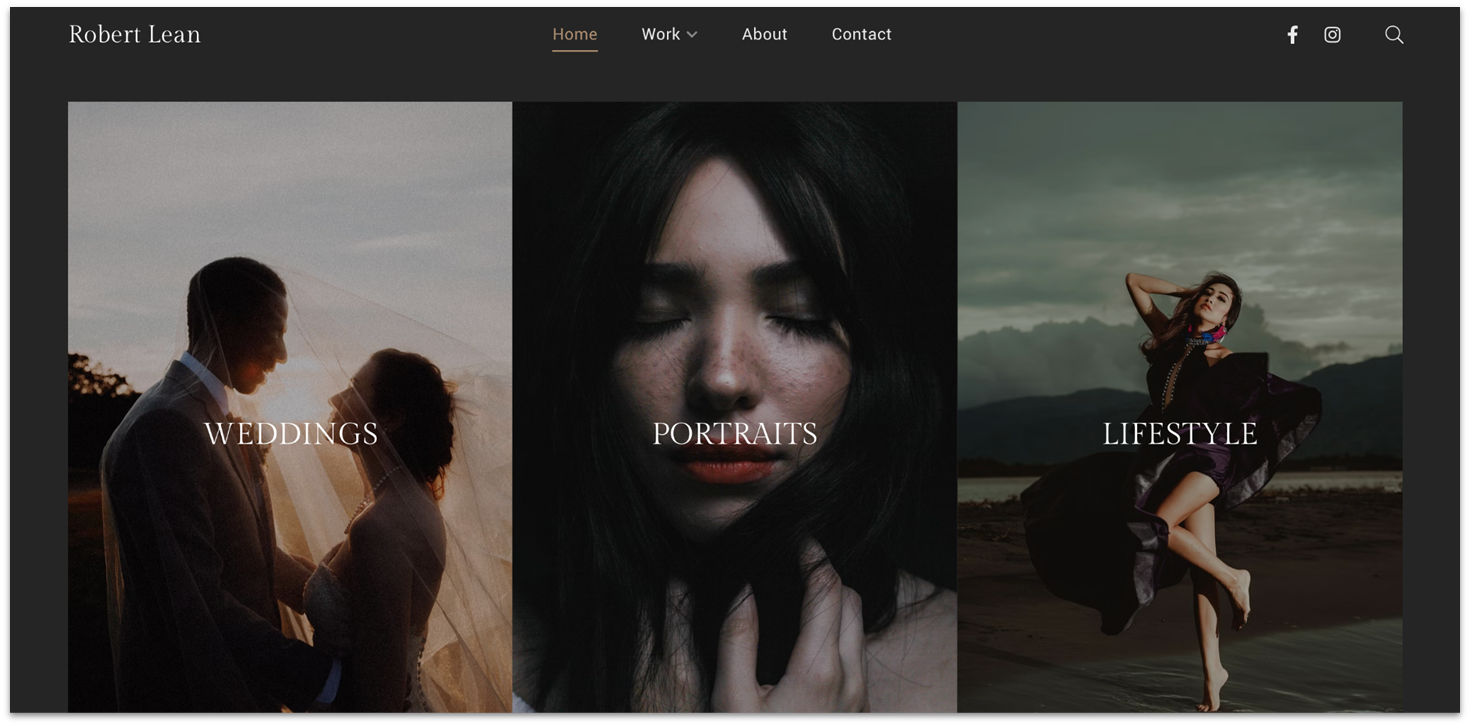
Pixpa is specifically designed with photographers in mind. That means that you get tools like gallery layouts, mobile gallery apps, and over 180 customizable templates. It also has some great client-oriented tools, like a robust proofing and feedback system.
Pixpa doesn’t have a free plan, but its pricing plans are affordable, especially when you commit to a two-year plan. That said, the editor doesn’t give you much room for site customization, and you do lose some of the best tools of other website builders like robust marketing or SEO options. So it definitely depends on whether you want a space purely for displaying your portfolio, or you’re looking for more.
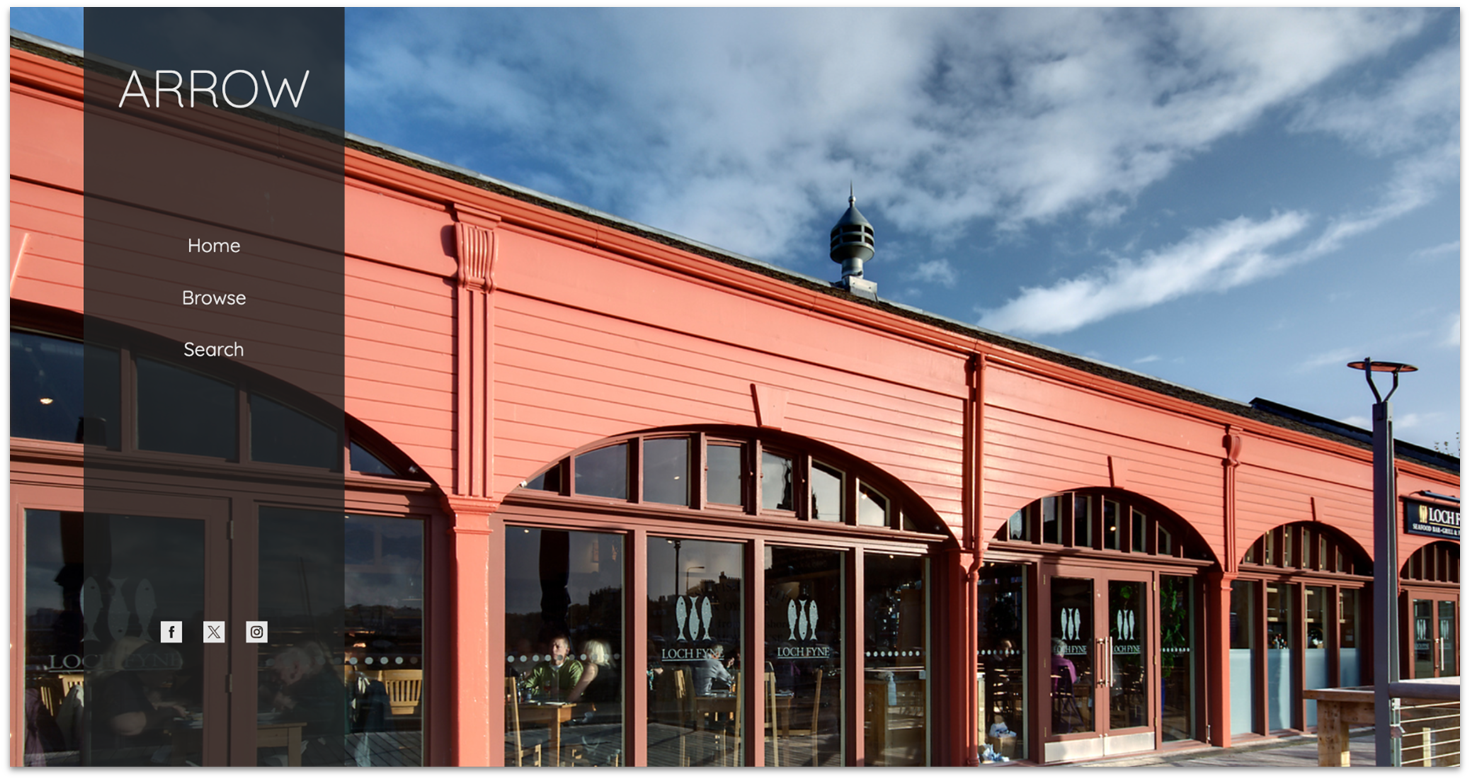
SmugMug is another website builder designed specifically for photographers. It offers 25 stylish templates and unlimited storage across all plans. The platform includes robust tools for organizing and selling photos and a dedicated plan for RAW file storage. Its Organizer feature lets you manage photos in searchable folders and galleries, and you can implement privacy settings like password-protected galleries to secure client images.
For monetization, SmugMug provides tools for selling prints and digital downloads, with functionalities such as discount codes, custom pricing, and bundle options. However, some advanced features require the highest-tier plan. Despite its strengths, I found SmugMug’s editor and user interface challenging to navigate.
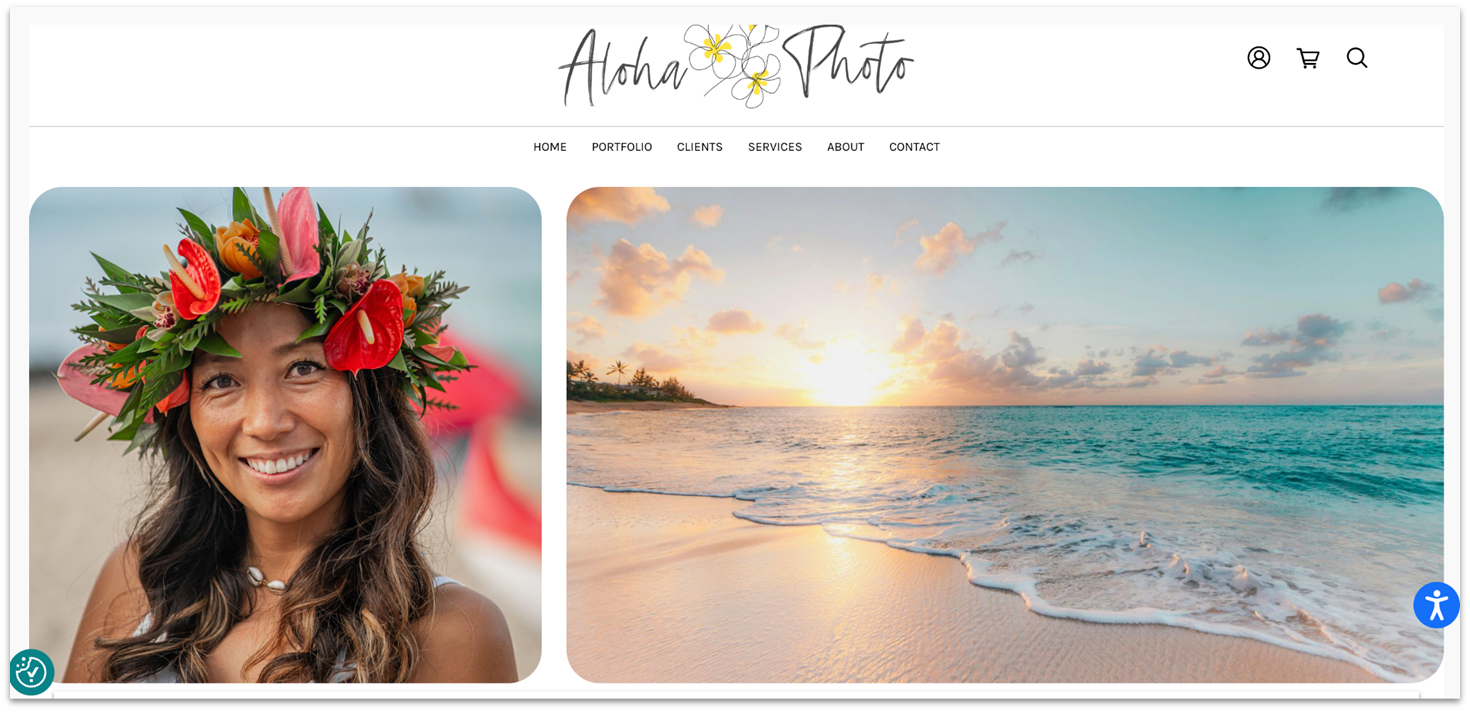
Zenfolio’s block editor is designed to be as simple as possible. You start by choosing from 14 templates and uploading a gallery of photos. After that, you can easily edit your website colors, fonts, and button styles. You add content using “blocks,” which allow for easy adjustments to settings like image size, alignment, focal point, and scroll effects. Blocks can also be reordered for better design flow.
I’d have liked it if Zenfolio didn’t limit storage on its entry-level plan and if offerings like a free domain and blogging capabilities didn’t require an upgrade. Also, while you can switch templates in Zenfolio if you want, doing so erases all of your text and SEO settings. Basically, you’ll be starting your site from scratch, so make sure to back up any important content before switching.
10. WordPress.com
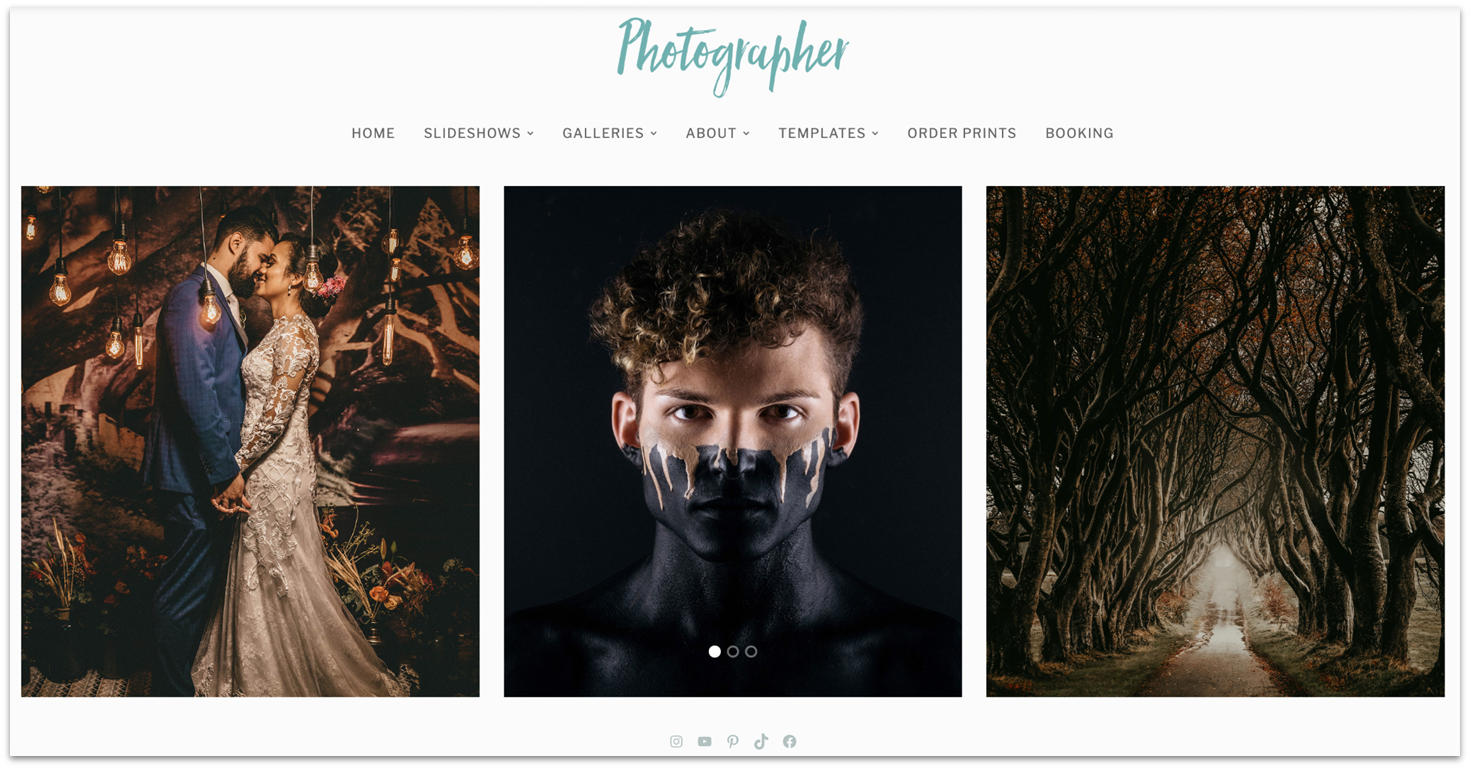
WordPress.com offers 35+ striking themes for photography websites, most of which are free. While it’s less beginner-friendly than builders like Zenfolio and SITE123, it stands out for its flexibility. It even allows complete control over source code, a rarity among website builders.
What sets WordPress apart is the level of customization it offers, which can seem overwhelming at first. Once you get used to navigating around the dashboard and using the block editor, tweaking and managing your site is pretty easy. WordPress is free to set up and use, but you’ll have limited access to themes and no plugins unless you pay. However, it’s entirely possible to create a simple yet beautiful photography website with the free option alone.
Which Free Website Builder for Photographers is Right for You?
Feel free to utilize any of the builders listed below to craft a free website for your photography portfolio. Each builder possesses its unique strengths, and determining the most suitable option for you hinges on your specific requirements.
I recommend Wix for photographers who want the freedom to create their website exactly how they like it. With its endless customization options, you’ll be able to create the best website for your brand.
If you’re looking for the easiest way to get a portfolio online fast, go for SITE123. Granted, you won’t get as much creative freedom as Wix. But you will get enough customization, gallery, and e-store features to create a unique and appealing site for showcasing and monetizing your work.
If you don’t mind minimal flexibility and just want a simple website, you may prefer Webador. Its drag-and-drop editor is pleasantly easy to use and provides all the basics to create a minimalistic yet professional photography site.
| Free Plan | Best Feature | Best For | Starting Price | ||
|---|---|---|---|---|---|
| Wix | ✔ | User-friendly builder with the best template selection | Full creative control for photography portfolios | $17.00 | |
| SITE123 | ✔ | Easiest builder for photography portfolios | Getting an appealing website online quickly | $12.80 | |
| Webador | ✔ | Intuitive drag-and-drop editor with handy widgets | Photographers that want a simple yet professional site | $3.00 | |
| Squarespace | ✘ | Stunning templates and gallery layouts plus business tools | Commercial and fine art photographers | $16.00 | |
| Hostinger Web Builder | ✘ | Powerful AI design tools | A more hands-off approach to website creation | $2.99 | |
| IONOS | ✘ | Access to all features for a near-zero price | Photographers on a tight budget | $1.00 |