Wix is fine for some people, but it often gets in the way when you want more freedom. You can’t swap templates without redoing your site, store tools feel cramped once sales grow, and the “free” plan piles on costs once you start adding apps. These limits can leave you paying more for less control.
Plenty of services promise to fix this, but many builders are harder to use than Wix or come with the same hidden fees. I signed up for the most popular platforms and tested them myself to see which ones give you a smoother setup, better pricing, and tools that actually work.
I built a site on each free or cheapest plan and compared things that matter most – setup speed, templates, e-commerce, SEO, and customer support. You’ll see which builders truly give you better value without new frustrations.
My favorite choice is SITE123. It has a guided editor that cuts setup time and a free plan that helps you start without extra costs. The other builders on this list each stand out in their own way, so you can find the one that fits your needs best.
Short on Time? These Are the Best Alternatives to Wix in 2026
- SITE123 – Free guided editor that builds websites faster than Wix, with integrated live chat support.
- Webador – Free plan with no storage or traffic caps, and 6 months of free use on premium tiers.
- Hostinger Website Builder – Hosting up to 50 sites with built-in AI tools, all at a fraction of Wix’s price.
What We Look For in the Best Wix Alternatives
The builders I tested had to do more than copy Wix’s features. Each one needed to solve a key Wix weakness or offer better value without piling on hidden costs.
- Value for money. Wix charges extra for basics like custom domains and online payments. I focused on builders with clearer pricing and stronger entry-level plans.
- Built-in features. Wix relies heavily on apps, but some alternatives include tools like analytics, SEO, or marketing by default, saving you setup time.
- Mobile-responsive templates. Wix requires editing a separate mobile view. The best alternatives provide templates that adjust automatically on all devices.
- Template switching and design freedom. Wix locks you into your template once published. I picked builders that let you refresh your design without starting over.
- SEO tools. Wix covers the basics, but other platforms offer stronger controls like redirects, custom meta tags, and AI-assisted setup.

SITE123 gets you online much faster than Wix. I just put in my website’s type, niche, name, and description and got a basic site ready for me. It had all the sections pre-built, like the About Us page, testimonial area, and contact form. Though it seems counterintuitive for a builder not to let you choose a template, this approach saves you from analysis paralysis.
SITE123 also beats Wix when it comes to support. You can open a live chat window right from the editor. I got replies within a minute. With Wix, you’re often funneled through help articles before you can reach a human. If you’re new to building sites, having instant access to real support makes SITE123 much less stressful to use.
I also preferred SITE123’s SEO Adviser over Wix’s SEO Assistant, which may seem stronger on paper but demands more knowledge and can be overwhelming. In contrast, SITE123 has a simple SEO checklist that flags things like missing meta titles. It may only provide access to the basics, but take note that even Wix’s advanced SEO tools alone aren’t enough to guarantee a high ranking on Google’s search results.


Get 40 % OFF SITE123
Save 40 % when you sign up for SITE123's annual plan
Features
- Mid-build template switching. SITE123 lets you change your template when you’re halfway through building your site. Wix locks the template in, and the only way to change it is to build another site from scratch.
- Built-in features library. SITE123 packs in tools like multilingual support, bookings, blog scheduling, form builder, galleries, and email marketing all under one roof. With Wix, you’ll have to rely on plugins that can increase setup time and costs.
- Instant mobile app homepage setup. You can edit how your site appears on mobile, preview live, and save – all inside the builder. Your site can also be installed as a mobile app. Wix doesn’t offer this app-first control without extra steps.
- Flexible site structure. The Design tab makes it easy to adjust headers, menus, and footers without digging through layers of settings. In Wix, achieving the same layout changes often means manual edits across multiple pages.
Read our expert SITE123 review for more details.
| Free Plan | ✔ |
|---|---|
| Number of templates | 80+ |
| E-commerce features | From Professional plan onwards |
| Starting price | $12.80 |
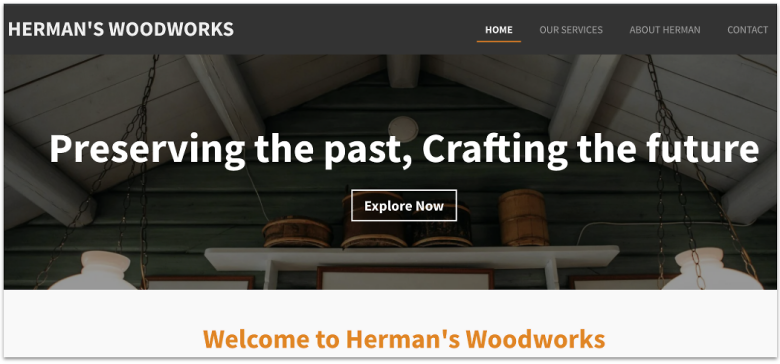
Webador’s free plan gives you unlimited storage and traffic (under a fair use policy), which means you can build even a media-heavy site without hitting a wall. Meanwhile, Wix’s free plan caps you at 500 MB of storage and 1 GB bandwidth. If you want a free site that won’t choke the moment you grow, Webador is a safer start.
On top of that, Webador’s Pro and Business plans include free business email. With Wix, you’d have to buy a business email from a third party like Google Workspace. That can add costs to the already pricey Wix plans. And not to forget that Webador stays completely free for the first 6 months, which is unheard of in this industry.
If you want to build an online store, you’ll have to get Webador’s Business plan (the highest tier) because Pro only lets you list 10 products at most. That said, Webador’s Business plan costs almost the same as Wix’s Light plan, which doesn’t even support e-commerce functionality.


Get 6 Months FREE with Webador's Business Plan!
Limited-time offer - Don't miss it!
Features
- Drag-and-drop builder with preset sections. You have a set of pre-built content blocks that snap neatly into place. With Wix, design freedom often means messy layouts unless you spend more time fine-tuning.
- Automatic SSL on all sites. Like Wix, Webador offers SSL for your site even on the free plan. SSL keeps visitor data safe and shows the padlock icon in browsers, and also helps your site rank better in Google search results.
- Built-in blogging tools. Webador includes a clean blog editor with categories, tags, and scheduling built in. Wix has blogging tools too, but its editor isn’t integrated with the main site editor, which makes it less seamless for content-heavy sites.
- Media-streaming tools. Webador has built-in audio and video players and a document-sharing system, which works great for content-rich websites.
Find more details in our in-depth Webador review.
| Free Plan | ✔ |
|---|---|
| Number of templates | 50+ |
| E-commerce features | Pro plan (10 products) and Business plan (unlimited products) |
| Starting price | $3.00 |

Hostinger Website Builder gives you far more for your money than Wix if you’re running more than one site. Hostinger’s entry-level Premium Website Builder plan lets you build up to 25 websites, while Wix forces you to buy a new plan for each site. The best part is that Hostinger Website Builder costs a fraction of Wix, and you can lock in its intro price for 4 years to get the most savings.
The AI website heatmap tool lets you see which parts of your page grab attention before you even publish. Wix doesn’t have anything like this built in, so you’d need a third-party tool. Plus, Hostinger has an AI site builder, SEO assistant, text and image generators, and AI for blog posts and email. Wix has these too, but at a much higher price tag.
A small drawback is that Hostinger Website Builder caps you at 600 products per store – much less than Wix’s 50,000. But for most small shops, I’d say 600 is plenty, and the 14-day free trial and 30-day money-back guarantee give you ample time to test Hostinger out without risk. For affordable e-commerce and managing multiple sites, Hostinger Website Builder beats Wix hands down.


Save up to 75 % on your Hostinger Website Builder plan today!
Limited-time offer - Don't miss it!
Features
- Multiple mailboxes. Depending on your plan, you get 2 or 5 mailboxes per site free for a year. Each mailbox comes with 1 GB of storage. Meanwhile, you don’t get built-in email accounts with Wix.
- Print-on-demand (POD) integration. Sell merch with built-in Printful integration, available on the Business Website Builder plan, giving you 400+ customizable products. Wix supports POD too, but only through the Printful app, which is available for free on the Wix App Market.
- 100+ payment options. Accept payments through a wide range of gateways, from Stripe and PayPal to regional providers. Wix supports roughly the same number of payment options too.
- Built-in multilingual editor. Create a site in multiple languages from the same dashboard. Wix offers this too, but you need to add the Wix Multilingual app.
See everything we found in our expert Hostinger review.
| Free Plan | ✘ |
|---|---|
| Number of templates | 180 |
| E-commerce features | Business plan (built-in tools for order and inventory management, client appointments, and consultations) |
| Starting price | $2.99 |
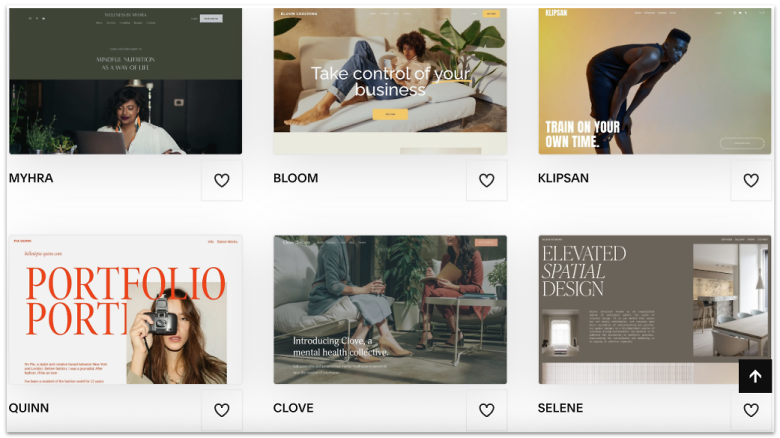
Squarespace’s biggest win over Wix is its template system. All version 7.0 designs share similar features and style options, so you can switch looks without losing content or functions – unlike Wix, which locks you in a template. I felt that Squarespace templates were more aesthetic, which is useful for creative portfolios and service sites.
I also found Squarespace’s editor a bit easier to use than Wix. For instance, I liked that the Fluid Engine snapped blocks to a grid with even gutters. In Wix, I had to set margins and padding for each strip to align sections. Then, Blueprint AI built me a full layout with matching fonts and colors, while Wix’s AI left me tweaking a few things like themes after setup.
All that polish comes at a cost – Squarespace has no free plan, and its paid tiers sit close to Wix. That makes it tough to call it the cheaper pick. The upside is a 14-day free trial (extendable by 7 days) to test it out. Unlike Wix’s starter plan which caps you at 2 GB, Squarespace has unlimited storage, which makes it better for large portfolios or content-heavy sites.


Save up to 36 % on your Squarespace plan today!
Plus get a free domain for one year!
Features
- Built-in email campaigns. Design and send branded marketing emails inside the platform, using the same fonts and colors as your site. Every Squarespace plan includes a free Email Campaigns trial that lets you send up to three blast campaigns. To send more, you’ll have to upgrade to a paid plan.
- AI SEO report. Run a scan for missing meta tags and alt text, showing all issues in one screen so you can fix them quickly.
- Integrated scheduling. Acuity Scheduling is Squarespace’s first-party booking system for services, classes, and consultations. Wix Bookings exists, but Acuity’s intake forms, time-zone tools, and automation options give Squarespace more depth.
- Native analytics tracker. Squarespace has its own analytics dashboard built in, with insights on traffic, sales, and engagement. Wix Analytics often requires connecting to Google Analytics for deeper reporting.
Check our full Squarespace review for extra context.
| Free Plan | ✘ |
|---|---|
| Number of templates | 180+ |
| E-commerce features | Business plan (3% transaction fee on online store transactions) |
| Starting price | $16.00 |
5. IONOS Website Builder: Better for Beginners Than Wix for Dedicated Support
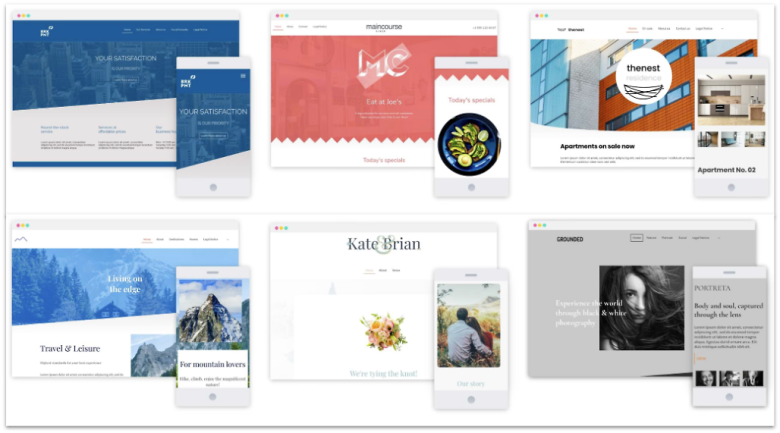
IONOS is the only builder on this list that gives you a personal consultant – a real person, not a chatbot. From day one, you get their direct line for setup tips, design help, or even SEO questions. Wix offers 24/7 support, but you won’t get a named expert you can call or email anytime. I found this support model faster and less stressful than bouncing between reps.
Every plan includes a domain and business email, with inbox sizes from 2 GB up to 50 GB, depending on the tier. Even the Starter plan gives you 10 GB of webspace, which already beats Wix’s 2 GB cap on its entry plan. Move up to Plus, and you unlock SiteAnalytics, which shows visitor counts, page views, and how people reach your site.
The catch is that while IONOS gives you the AI site builder on the Starter plan, the real AI suite only unlocks with Plus. That’s where you get the text generator and improver, image and color palette tools, and the SEO text builder. The upside is the Plus plan has an incredibly low intro rate for the first year, so you can test all of these features without stretching your budget.


IONOS Website Builder is now only $1.00 per month!
Sign up for an annual plan and enjoy the savings.
Features
- Generous page limits. Even the mid-tier Plus plan supports 200 pages, and Pro gives you unlimited. Wix caps static pages at 100, which is still decent.
- Integrated booking tool. The Plus and Pro plans include BookingPress, a built-in booking system for services or classes. Wix offers bookings too, but you’ll need to upgrade to the Core plan or higher to use it.
- Competitor monitoring tool. The Website + Online Store plans include marketingRadar, a tool that monitors your competitors’ ads and visibility across Google and social channels. Wix doesn’t have a comparable first-party feature, so you’d need third-party apps.
- RankingCoach integration. The Pro and Expert plans have RankingCoach to give you guided SEO tasks and progress tracking. Wix has a built-in SEO Setup Checklist, but the list of tasks involved could be overwhelming for beginners.
Get the full breakdown in our IONOS Website Builder review.
| Free Plan | ✘ |
|---|---|
| Number of templates | 40+ |
| E-commerce features | Website + Online Store plans only (up to unlimited items, sell directly on social media, advertise on TikTok, Google Ads) |
| Starting price | $1.00 |
6. Wix Studio: Best Wix Alternative for Stronger Team Collaboration Tools
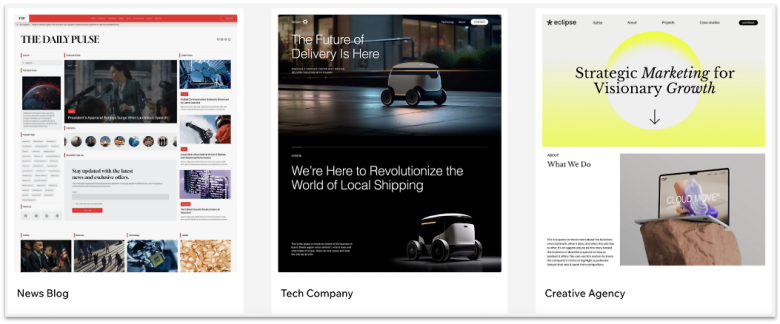
If you need a stronger editor, Wix Studio is built for pros. It starts with 3 free seats, and the Enterprise plan gives you unlimited. Classic Wix allows only 2 seats, maxing at 100 on its priciest tier. With Wix Studio, your designer, writer, SEO, and client can all log in together, cutting bottlenecks and handoffs.
Wix Studio gives you sharper tools to build fast. For instance, its Responsive AI resizes layouts for desktop, tablet, and mobile – classic Wix only supports desktop and mobile, though the mobile editor requires you to adjust elements by hand. Wix Studio also lets you add up to 3 extra breakpoints for wide screens and import full designs from Figma.
The trade-off is a steeper curve. Clients can’t copy a Wix Studio site unless they also use the platform, while Wix sites can be cloned more easily. But Studio’s handover flow, role-based billing, and saved views keep client work simple once you learn the ropes. And like Wix, you can build for free and upgrade later.
Features
- AI sitemap and wireframes. Wix Studio can auto-build a visual sitemap that shows how your pages connect, plus wireframes that sketch page layouts. This makes it easier to plan site flow before you start designing. Classic Wix doesn’t have a native tool for this.
- Workspace management. Manage multiple client sites with saved views, shared workspaces, and role-based billing access. Classic Wix only offers basic site-level roles.
- Advanced inspector controls. Fine-tune docking, margins, and padding per breakpoint from a central panel. In classic Wix, these layout settings are less precise and tied to each strip.
- AI code assistant (Velo). Generate or fix code right inside Wix Studio’s code panel with the Wix AI Assistant, then insert the snippet with one click – handy for custom logic without context-switching.
Get the bigger picture in our Wix Studio review.
| Free Plan | ✔ |
|---|---|
| Number of templates | 360+ |
| E-commerce features | Website + Online Store plans only (up to unlimited items, sell directly on social media, advertise on TikTok, Google Ads) |
| Starting price | $1.00 |
Other Notable Free and Cheap Wix Alternatives
7. Shopify

Shopify is the website builder for online stores, and its checkout is its biggest win over Wix. With Shop Pay, buyers save details once and can check out in seconds at any store that uses it. Wix has a solid checkout too, but it doesn’t have the same reach or speed as Shopify’s system. You also get more ways to sell, as Shopify links with Facebook, TikTok, Amazon, and more.
Wix’s POS gear only works in the US, Canada, and the UK, while Shopify POS offers broader coverage across 12 countries in Europe, along with Singapore, Australia, and New Zealand. However, expect higher fees if you don’t use it with Shopify Payments. Still, it’s worth it since Wix e-commerce starts at the pricier Core plan, while Shopify’s Basic plan costs less.
8. BigCommerce
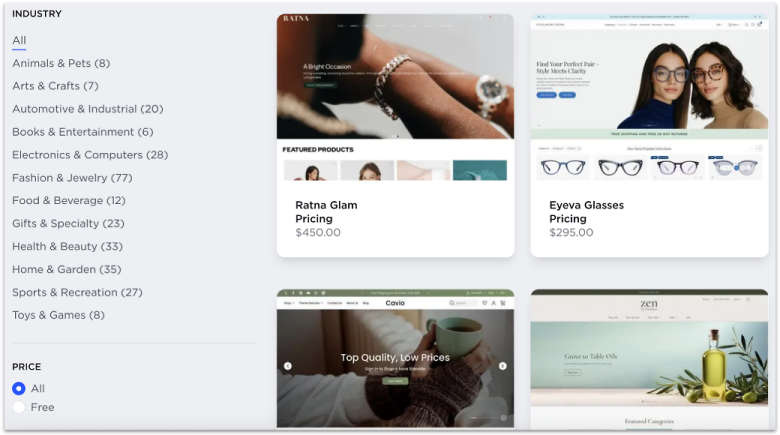
If you ever plan to run more than one store, BigCommerce’s multi-storefront tool lets you control several shops from a single dashboard. You can share products across them or set unique catalogs, all while tracking sales in one place. Wix forces you to treat each site as a separate project, which means more time wasted on duplicate work.
BigCommerce also helps you sell smarter. It has faceted search, so buyers can sort items by size, brand, or color with just a few clicks. In contrast, Wix only has three default filters – category, price, and product options. The one thing to watch is BigCommerce’s sales limits, which push you to a higher plan once you pass a certain revenue threshold. That said, there’s no transaction fee, and you can use its free 15-day trial to check if the tools fit your growth.
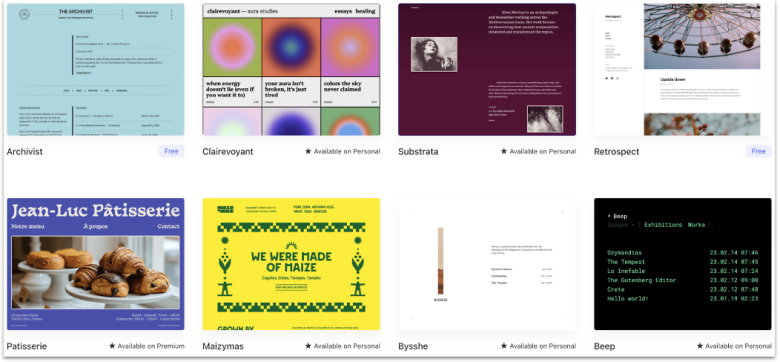
WordPress is a great option if you don’t want to be boxed into one type of site. It can start as a simple blog and grow into a full online store, membership platform, or even a community hub. Its 60,000+ free plugins let you take your WordPress website in any direction.
The Business plan also has tools like staging, real-time backups, and dev access, like SFTP and WP-CLI. Wix has no staging area and no server or database access, so you’re stuck in its closed system. The catch is that plugins only unlock on the Business plan, priced close to Wix’s Core plan, but you gain far more flexibility and safety features for the money.
10. Network Solutions Website Builder
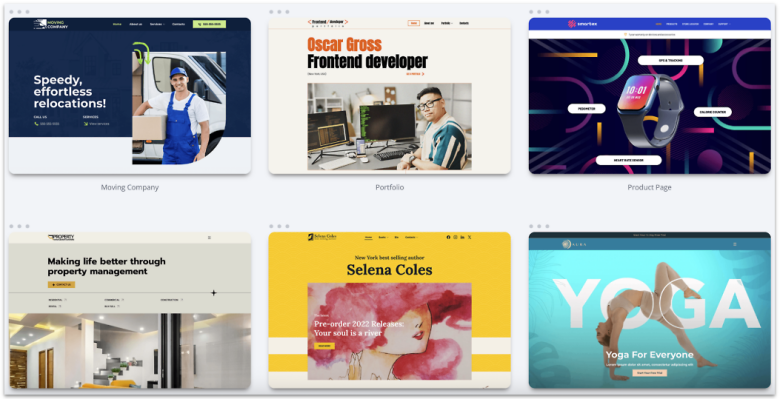
Network Solutions (formerly Web.com) gives you a free 1-hour design session. A real designer walks you through setup, which is great if you’re a beginner. You also get a free domain with privacy for a year, plus three months of business email to test. I’d have liked to see the business email feature free for the first year, but at least it’s something, as Wix doesn’t offer it at all.
The Website + Marketing plan has Google My Business integration that helps boost your business’s local visibility. One drawback of Network Solutions is that it just gives one month of free SSL. With Wix, you don’t have to worry about that at all. However, it has one of the lowest intro rates that makes it worthwhile even if you add up SSL costs.
Find the Best Wix Alternative for Your Needs
Wix is a solid builder, but if you’re on a budget or need features Wix doesn’t include, you have better options. After testing them all, here are my top recommendations for different needs.
If you’re looking for a free plan that makes setup quick and painless, SITE123 is my top recommendation. It gives you a guided editor and instant live chat support, which is perfect if you’re new and don’t want to feel stuck while building.
If having more space and bundled extras matters, consider Webador instead. Its free plan comes with unlimited storage and traffic, and its paid plans include business email, making it great for growing sites without hidden costs.
Or, if you’d rather run multiple sites and tap into built-in AI tools, go with Hostinger Website Builder. It lets you build up to 50 websites on its Business plan and gives you pro-level AI tools, so it’s ideal if you’re serious about scaling on a budget.
| Free Plan | Best Feature | Best For | Starting Price | ||
|---|---|---|---|---|---|
| SITE123 | ✔ | Guided editor with instant chat support | Beginners who want speed and help | $12.80 | |
| Webador | ✔ | Unlimited storage & traffic (fair use) | Users who want a stronger free plan | $3.00 | |
| Hostinger Website Builder | ✘ | 25 to 50 websites on one plan and AI heatmap tool | Affordable multi-site building with AI | $2.99 | |
| Squarespace | ✘ | Polished templates with mid-build switching | Creative sites and large portfolios | $16.00 | |
| IONOS Website Builder | ✘ | Dedicated personal consultant | Beginners who want 1:1 guidance | $1.00 | |
| Wix Studio | ✔ | 3 free seats & advanced responsive editor | Teams and agencies needing pro tools | $19.00 |