Webflow is well-known for its complex web design customization options, so I had my doubts that Wix could match up. But after testing both platforms for weeks, I can say that Wix’s creative power goes far beyond experimenting with colors and layouts.
Wix’s drag-and-drop editor lets you customize every element down to a pixel to help you create unique designs. It’s not just about customization either – Wix has a stronger set of built-in tools and integrations to manage and scale your business.
Nonetheless, Webflow offers impressive design flexibility and client tools, making it an excellent option for individual designers and agencies. However, the sheer number of features can be challenging for beginners, whereas Wix does a much better job balancing creative freedom and ease of use.
You can try Wix for free, or read on to find out more about why it emerged on top in my comparison.
Templates
Webflow Has More Template Designs, but Wix’s Are More Versatile
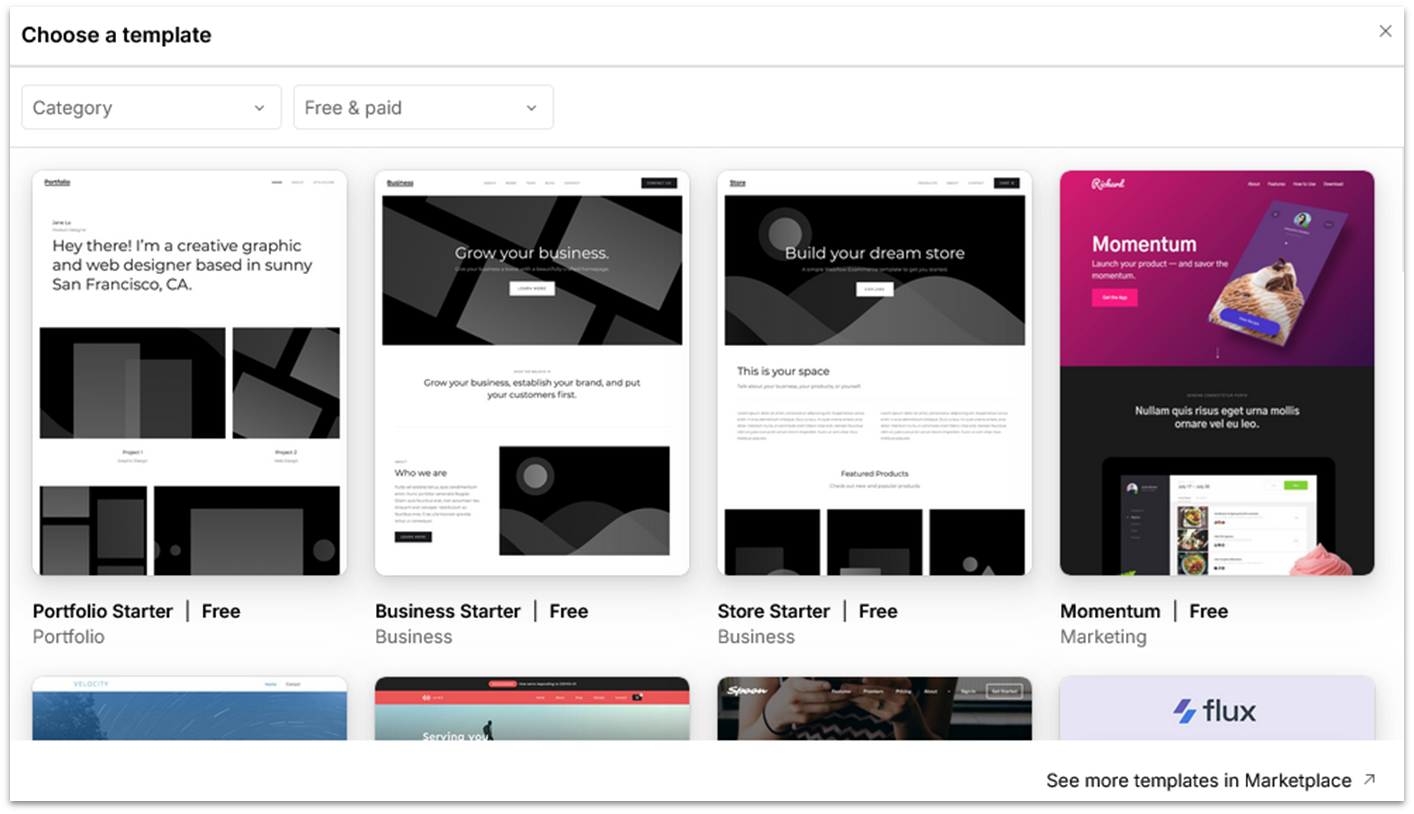
Webflow has a large template library with 1,500+ designs divided across categories, such as business, entertainment, and medical. The templates look clean and professional, but the most eye-catching designs tend to fall on the pricier side. Webflow lays the groundwork for you but assumes that you’ll be customizing your chosen template a lot, so the initial setup may not seem so impressive.
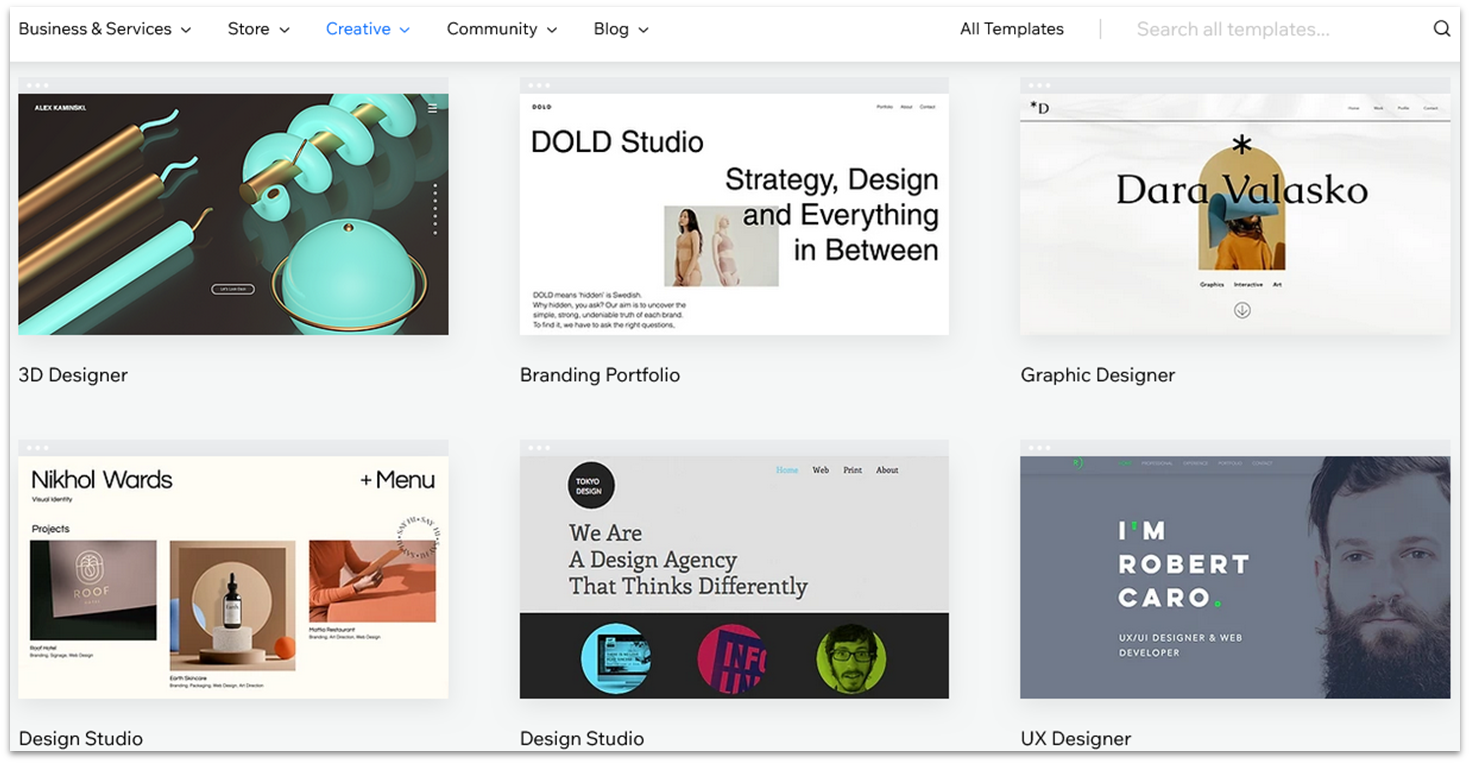
Meanwhile, Wix gives you free access to over 800 high-quality and visually attractive templates. There are also more categories to choose from, especially for creatives, such as photographers or illustrators. Overall, Wix’s designs are more versatile from the get-go to suit different styles and to make it easier for beginners to get started.
When it comes to customization, both platforms have a lot to offer. Webflow allows you to modify every element of your template and create custom breakpoints for different screen sizes, offering more flexibility in responsive design. You also get advanced CSS control, such as flexbox layouts, padding, and custom margins, which is particularly useful for designers.
Similarly, Wix lets you edit colors, fonts, and layouts, including your template’s header, footer, and navigation bar. Though it doesn’t offer the same level of CSS customization as Webflow (no flexbox layouts), you can still use its grid and alignment tools to achieve similar results. For instance, you can distribute elements evenly or layer them using z-index-like controls.
Wix also allows you to edit the mobile version of your site separately. Though you can’t create custom breakpoints in its standard editor, for an additional fee, you can try out Wix Studio to get access to more advanced designer features.
Features and Ease of Use
Webflow Provides Advanced Design Control, but Wix Is Easier to Use
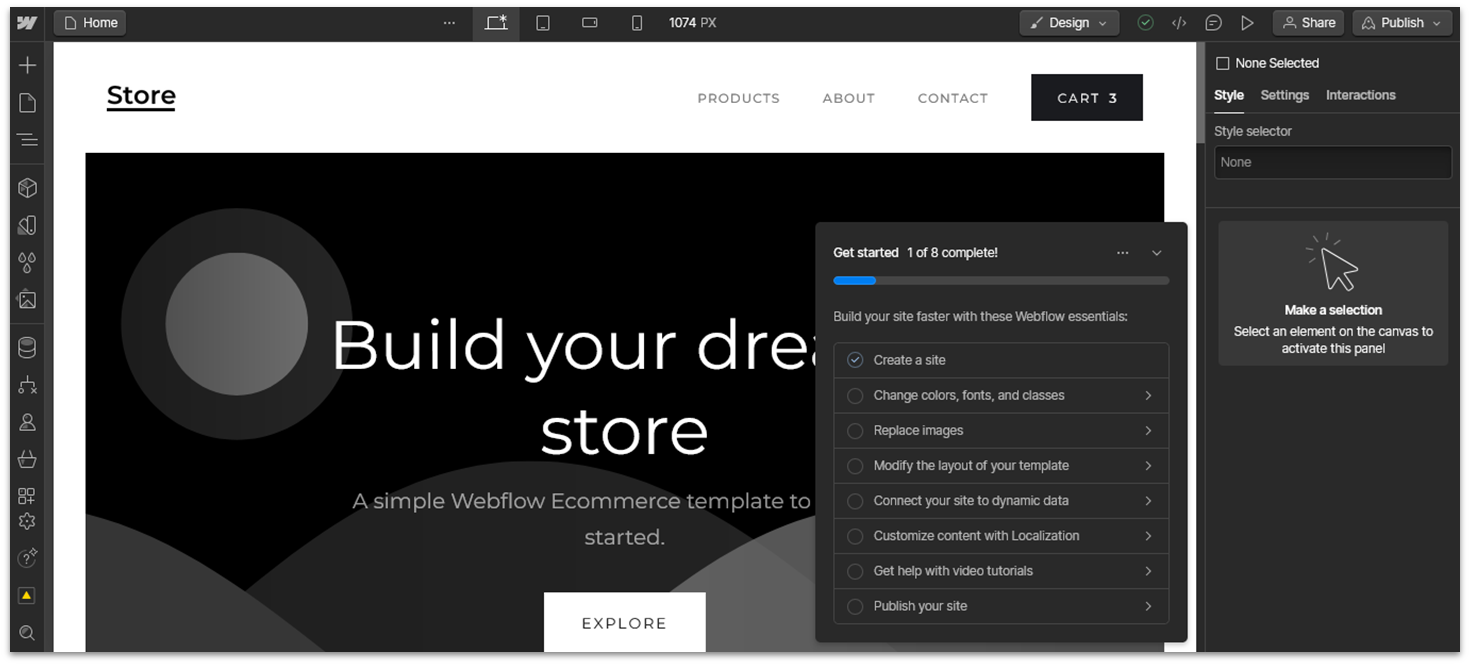
Webflow offers a powerful visual editor that lets you create complex layouts and interactions, similar to tools like Figma and Adobe XD. Interactions are one of Webflow’s strongest suits, which include scroll-based animations, hover effects, and page load transitions. You can also add Lottie animations directly into your site, even on the free plan. It might take some time to explore its feature-packed interface, but there are checklists and AI learning tools to guide you along the way.
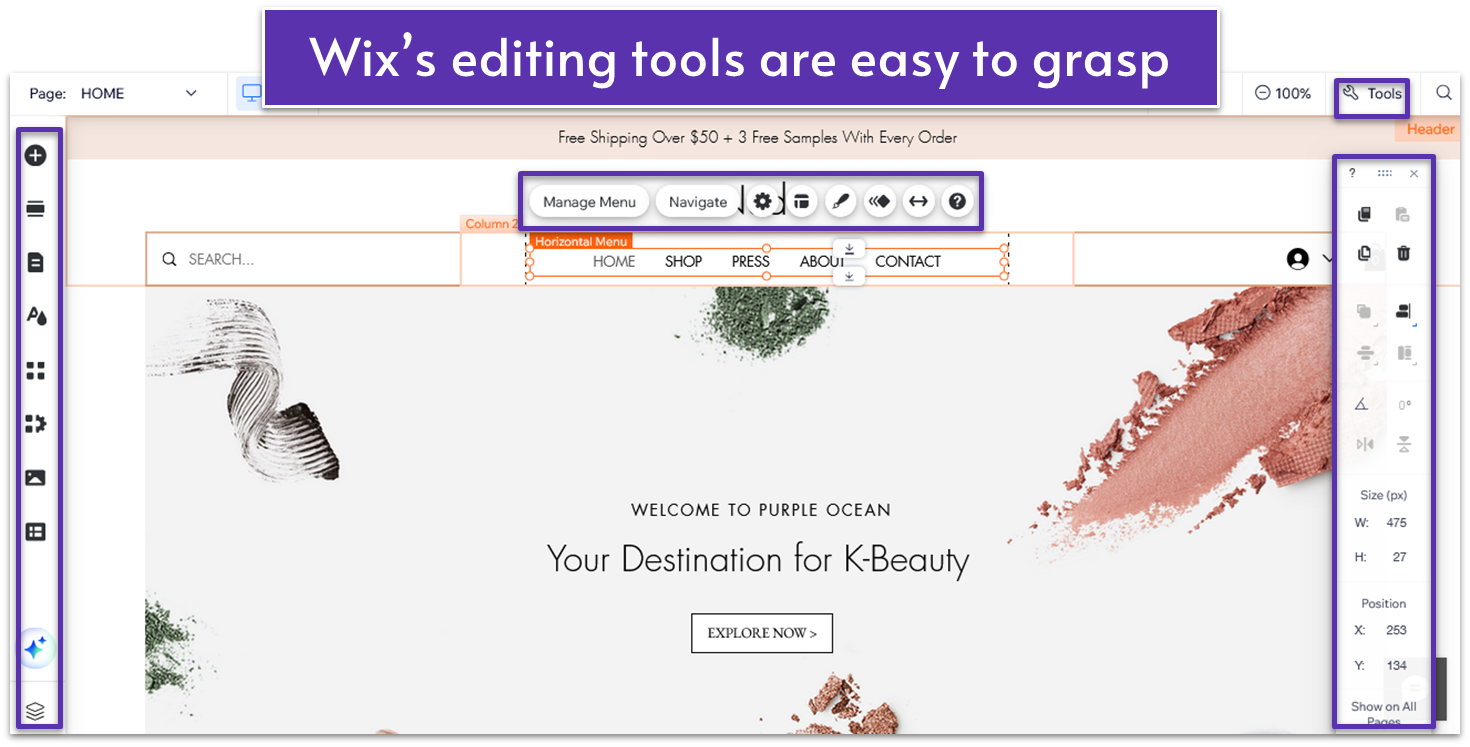
On the other hand, Wix is customizable but still beginner-friendly. You can use its drag-and-drop editor to place any element anywhere on the page. The left-hand sidebar allows you to add sections, pages, and apps, and enhance your site with the help of AI tools. Every element has its own customization menu, where you can change its layout and style, and add animations like fade-ins and parallax scrolling.
Both platforms allow you to collaborate with clients and team members through shared access and feedback tools. Clients can leave comments directly on the site drafts, making it easy to collect feedback. That said, unlike Wix, Webflow offers built-in white-label features that allow you to remove the platform’s logo from clients’ websites.
However, Wix has a couple more aces up its sleeve that make it suitable for a broader audience (including designers). With Wix, you get a broader set of AI tools to improve your site’s content, such as a text generator for copywriting assistance. Also, unlike Webflow, Wix lets you create multilingual websites without adding external apps, so you can make your site more appealing to international clients with less effort.
Apps
Wix Has More Integrations and an Easier-to-Navigate App Market
Webflow and Wix provide easy access to integrations to help you extend your site’s functionality. That said, Wix has a larger selection of apps (800+ compared to Webflow’s 200+). It also offers a wider choice of native apps, such as Wix Blog, Wix Chat, and Wix Forms & Payments, all of which are free to install.
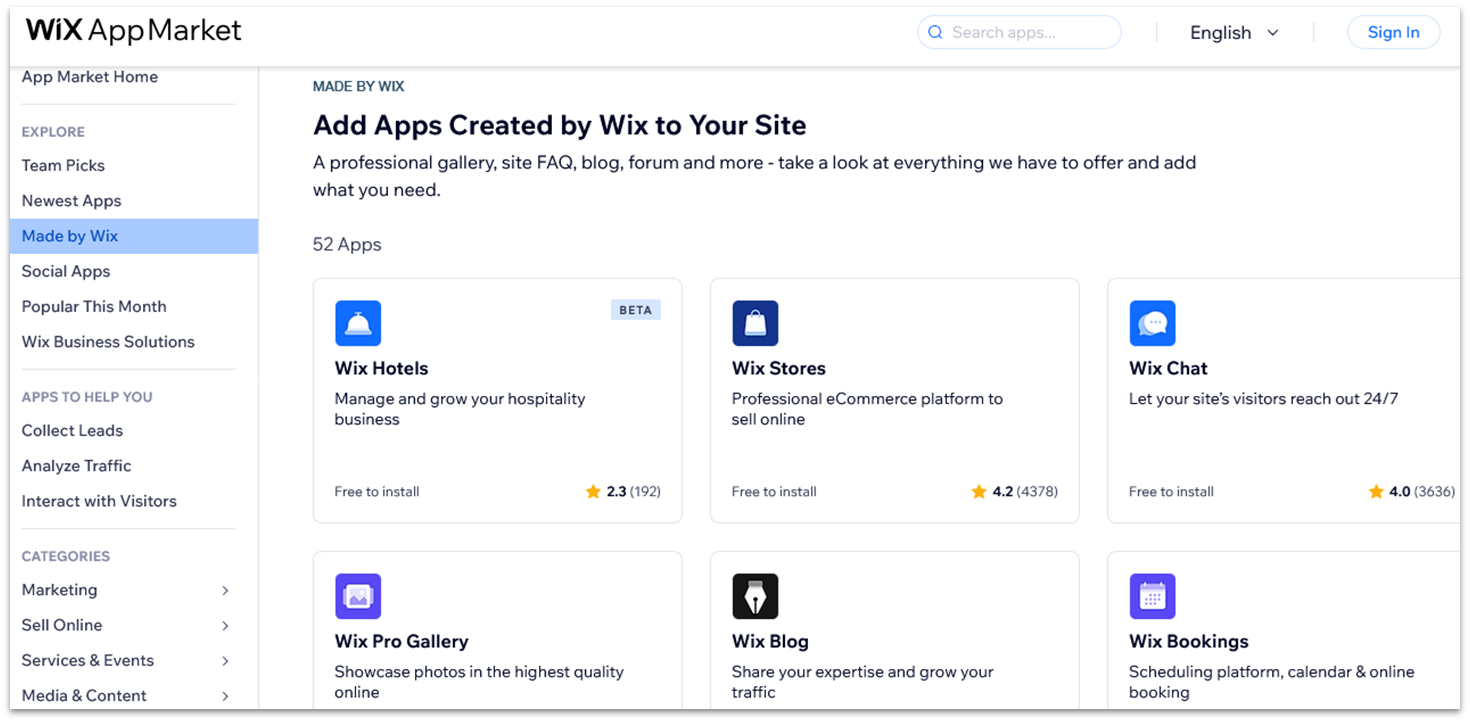
Wix also makes it easier to find the apps you’re looking for. While Webflow only lets you filter through categories and free/paid options, Wix also allows you to filter integrations by goal, such as Collect Leads or Analyze Traffic.

E-Commerce
Wix Is Better for Larger Online Stores
Wix Stores is one of the easiest e-commerce tools out there, and it’s freely available, provided you sign up for at least the Core plan to be able to accept online payments. That said, if you only want to showcase an online catalog of products in your brick-and-mortar store, Wix lets you do that too, which other builders, including Webflow, don’t.
Webflow, on the other hand, has a separate set of e-commerce plans with solid online store features, such as email customization and automatic tax calculation. Like Wix, it lets you customize your product pages, shopping cart, and online checkout to align with your brand.
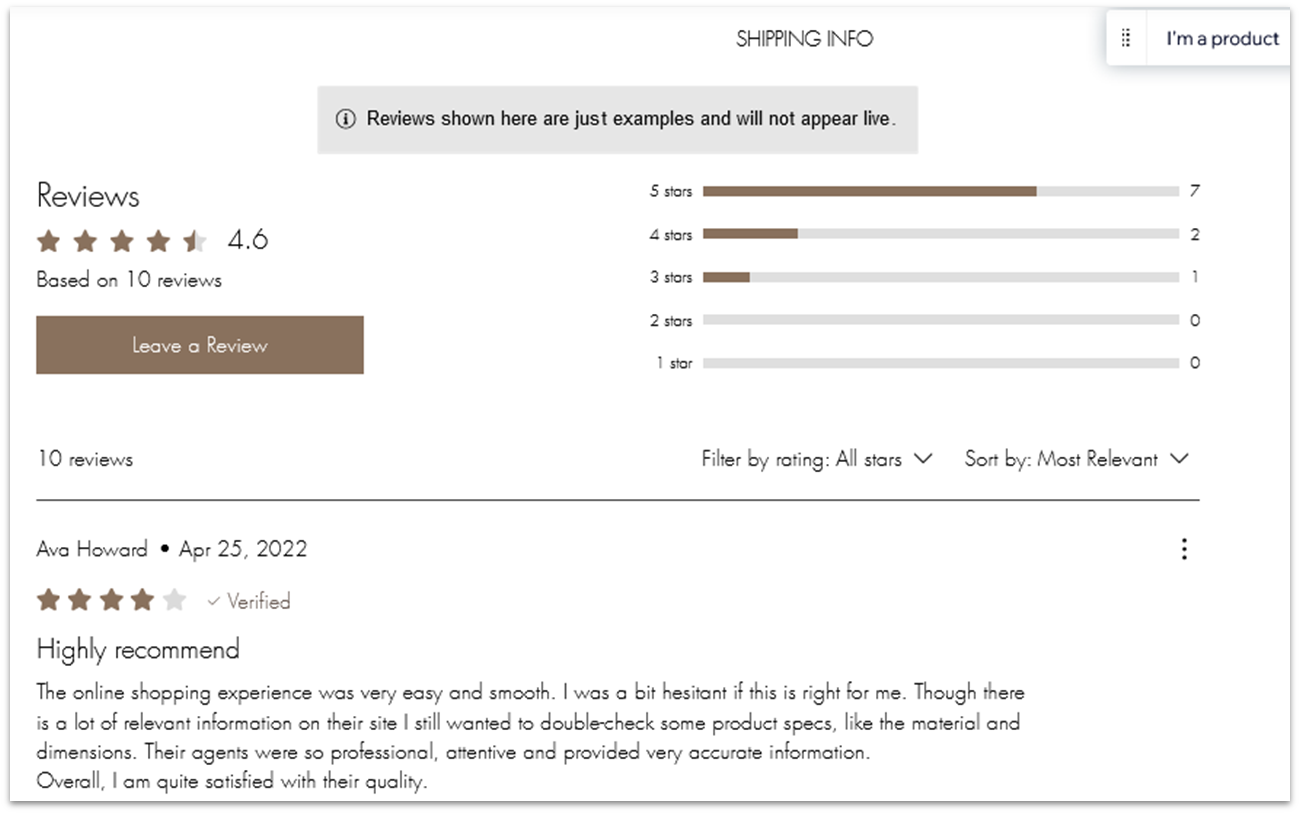
However, Wix offers additional features that make it better suited for larger online stores. For instance, it lets you add up to 50,000 products, compared to Webflow’s 15,000. Also, Wix offers more sales channels and payment gateways than Webflow, as well as a built-in product review tool to help you build credibility for your products.
Marketing
Wix Has a Wider Set of Built-in Marketing Tools
Webflow’s marketing features include Mailchimp, Facebook, and Instagram integrations to help you run marketing campaigns via email and social media. You can also integrate Google Shopping to list your products on Google and boost sales. This is a fairly limited set, but bear in mind that Webflow lets you add pretty much any third-party service you want using custom code.
Meanwhile, Wix has a larger set of built-in marketing tools to help you get started right away. You have free access to built-in design tools and templates for your social media images and videos. On all paid plans, you can automatically send email and chat messages to site visitors and offer branded e-gift cards to improve your sales.
Pricing
Wix Has a Simpler Pricing Structure and It’s Cheaper Overall
Webflow’s pricing structure is quite elaborate, with separate plans for individuals (Site plans) and teams (Workspace plans). Site plans include different options for general and e-commerce websites, while Workspace plans cater to in-house teams, freelancers, and agencies that stage websites for clients. In contrast, Wix has much more straightforward pricing, with four paid plans and a plan with custom pricing for large enterprises.
Both platforms have free versions, but Webflow provides limited tools for free, while Wix has a generous free plan that gives you access to nearly every feature. That said, neither of the builders’ free plans lets you connect a custom domain.
Here’s What You Get for Free
Webflow and Wix give you access to all customization options for free. However, Webflow’s free plan only lets you have 2 pages, whereas Wix lets you add an unlimited number of pages to your site. Still, on both platforms, you’ll have limited storage and be stuck with the vendors’ subdomain and branding, which doesn’t look professional, especially if you’re a designer.
With both builders, if you’re serious about your business, it’s well worth considering signing up for a paid plan to connect a custom domain and make use of advanced marketing and e-commerce features. If you’d rather explore other affordable and feature-rich options, our list of the best cheap website builders in 2026 can help you make up your mind.
Here’s What You Get If You Pay
If you have a content-driven website like a blog or a news site, Webflow’s CMS plan under Site plans will likely cover all your needs. You get 50 GB of bandwidth and 2,000 CMS items (such as blog posts), and you can add up to 3 collaborators. If your website also has a small to medium online store, it’s a good idea to subscribe to the Standard plan under E-Commerce plans, as it comes with all CMS features plus the ability to add up to 500 products to your store.
On the other hand, if you’re a freelance web designer or run a small agency, the Freelancer plan under Workspace plans is worth considering. It includes full CMS functionality and code export (for advanced customization outside Webflow) and lets you add up to 3 team members and invite up to 2 guest collaborators (individuals or agencies). As your team grows, you can upgrade to the Agency plan to add more users and remove Webflow branding from client websites.
Wix’s pricing structure is simpler – the Core and Business plans provide plenty of features like site analytics, customer accounts, and up to 100 GB of storage space. I’d still recommend Wix’s Business plan for additional e-commerce perks, such as loyalty and referral programs to drive more traffic to your site and reward returning customers.
Though Webflow has affordable pricing, Wix is cheaper overall while offering more ready-made features. Here’s a comparison of Webflow’s and Wix’s Business plans which are similarly priced:
| Webflow | Wix | |
| Starting price | $39 | $39.00 |
| Free domain for 1 year | ✘ | ✔ |
| Collaborators | 10 | 10 |
| CMS items | 20,000 | 10,000 |
| SEO tools | ✔ | ✔ |
| Custom code | ✔ | ✔ |
| 24/7 support | ✘ | ✔ |
Support
Wix Is Slightly More Helpful and Responsive
Webflow and Wix offer community forums and extensive knowledge bases, with support articles and tutorials on all aspects of website building. But when it comes to direct support, both can be a little frustrating.
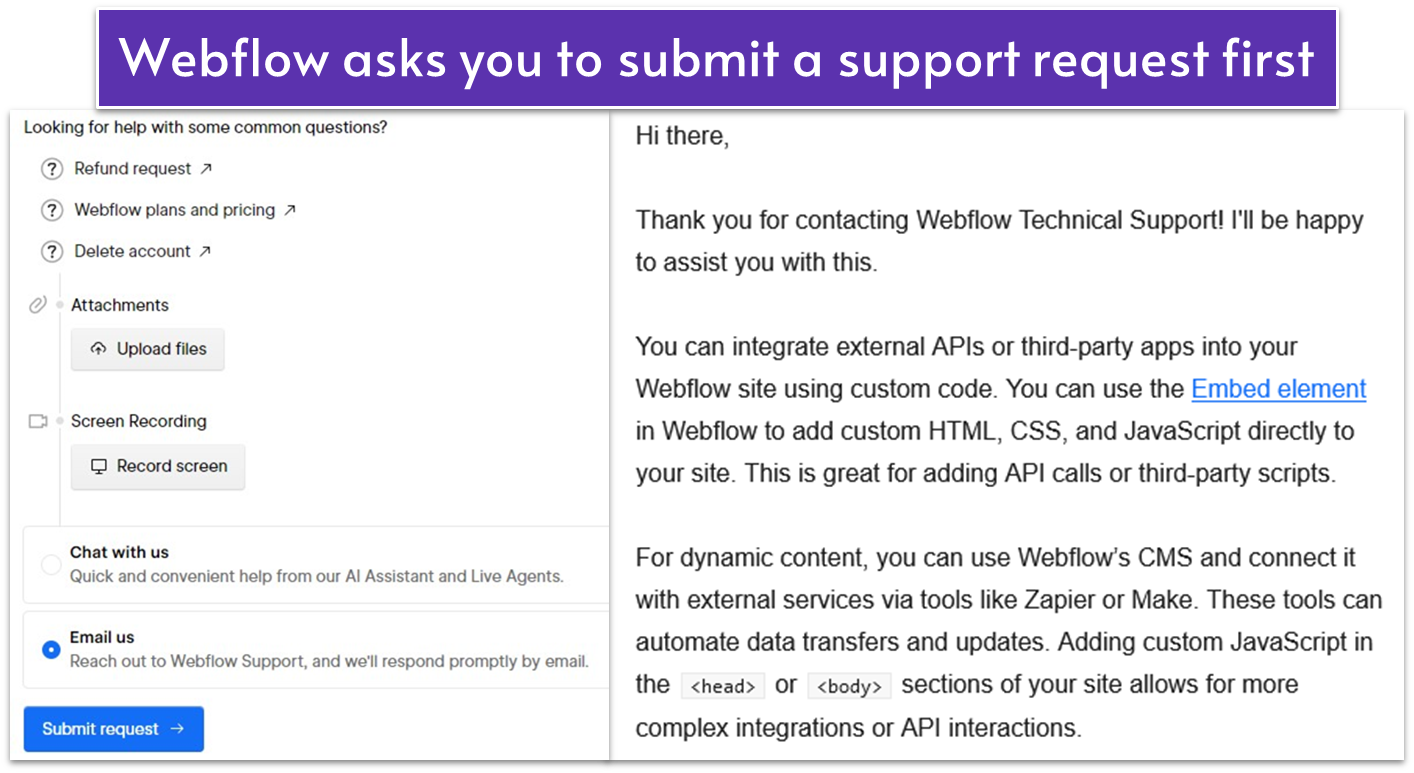
Webflow claims to provide live chat, email, and phone support (for Enterprise customers only) during standard business hours, but I couldn’t reach them via live chat at any time. I sent an email inquiring about integrating third-party apps and got a reply a few hours later. The support agent thoroughly answered my question, so I was pleased with the outcome after the initial hiccups.

Wix offers live chat support in English and at different working hours depending on your chosen support language. However, I struggled to actually reach a customer representative because the Wix chatbot kept returning me to the knowledge base. Once I got through to the rep, they were very friendly and helpful in answering my question. In addition to the live chat, you can also send an email or request a callback.
In the end, I got a satisfying reply from both platforms, but I’ll give a slight advantage to Wix for responding faster and in more detail.
Webflow Works Great for Designers, but Wix Is More Versatile and Easier to Use
Webflow is an incredibly flexible platform if you’re a professional designer spending a lot of time customizing your own or your clients’ websites. However, it has a learning curve for beginners, and for much of the external functionality, you’ll have to rely on using custom code.
In contrast, Wix has an intuitive interface suitable for beginners, but it also offers a high degree of creative control for advanced users. It has a wider set of native and easily accessible third-party apps, which makes it more versatile and suitable for a broader audience (web designers included).
- Knowledge base
- Forum
- Live chat
- Phone support (for Enterprise customers only)
- Knowledge base
- Forum
- Live chat
- Callback (24/7)