

Starting a website on your Mac is easier than you think. Most modern builders run in your browser, work on all Apple devices, and don’t require any technical skills. A few Mac-only options (like RapidWeaver) still rely on offline software but have a steeper learning curve and often come with hidden costs.
To help you find the best fit, I tested dozens of platforms and narrowed them down to the ones that make building a site as simple as possible. I focused on builders that offer free plans, trials, or money-back guarantees – so you can try them without pressure.
Through my research, Wix stood out thanks to its vast collection of professional and pretty-looking templates, beginner-friendly interface, and feature-rich free plan. Whether you want to start a blog or open an online store, Wix can help you create a Mac website with minimal effort.
Short on Time? These Are the Best Website Builders for Mac in 2026
- Wix – A top website builder for Mac offering 2500+ free templates for any type of project.
- Squarespace – Minimalistic designer-made templates for Mac and integrated marketing tools.
- Hostinger Website Builder – Easy-to-use Mac builder for simple websites that look just as good on your iPhone.
What We Look For in the Best Website Builders for Mac
During my in-depth testing of different website builders, I focused on specific features that would help you enjoy a simple and hassle-free experience as a Mac user. Here are the key features I prioritized:
- Intuitive Interface. A top-tier website builder should be straightforward to navigate and use. A clear, intuitive interface ensures you won’t waste time fumbling around. I’ve chosen options that provide this level of simplicity so you can focus on crafting your site.
- Mac Compatibility. Your website builder should work seamlessly on a Mac. I’ve ensured every recommendation works well on iOS, allowing you to work without interruptions. I especially like it when the iOS app gives you complete customization on the go, but I’ve still considered builders with simpler apps.
- Customization. A website builder should offer rich customization options. Every service I suggest provides you with various design and function choices. For example, you can add your company branding or design your own logo to create a visually appealing website that resonates with your vision.
- Responsive Customer Support. It’s crucial to have a responsive customer support team when you’re using a new digital tool. The platforms I’ve spotlighted prioritize your experience, offering quick and efficient assistance.
- Mobile App. The best website builders should have dedicated apps for iPhones and iPads. This feature ensures you can edit, update, or check on your site wherever you are, right from your Apple device.
Important!
Whichever builder you choose, make sure you periodically preview your site on Safari in a separate window. Users have noted issues with spacing and element loading specifically when viewing their website on Safari as opposed to Google Chrome or other browsers.

Wix’s seamless, minimalist interface will feel like home for Mac users. Thanks to its intuitive drag-and-drop editor and massive library of 2500+ templates, Wix gives you the most creative freedom out of any builder on this list. Its user-friendly interface also makes it ideal if you don’t have much web design experience.
If you need some extra help when building your site, Wix offers a useful AI builder too. Instead of going through endless design choices one-by-one, you can simply answer questions about your style and functionality preferences, and let Wix’s AI get you most of the way there.
Wix offers a generous free plan that gives you access to every single one of its design features, though you will only be able to publish your site under a Wix subdomain and with Wix branding. I recommend using the free plan to test out Wix and decide if it’s right for you, and then going for one of the premium plans if you decide to move forward.
I should also mention that Wix’s iOS app delivers amazing customizability, giving you access to a mobile editor, the full template library, and options for checking how your site is performing like visitor analytics and SEO settings.

Wix is now only $17.00 per month!
Don't miss out on this great deal!
Features
- Multilingual accessibility. When building your website, working in a language you’re comfortable with is essential. You can set up your account in over 20 languages, like English, Turkish, and Japanese. Your website can be displayed in 180 languages, catering to audiences from Hebrew to Hungarian speakers.
- SEO tools. Wix’s basic paid plan offers a thorough “SEO Setup Checklist” for optimization called Wix SEO Wiz. It helps ensure your site is visually appealing and easy to find on search engines like Google. Higher-tier plans add features like advanced SEO tools and ad removal, while choosing the top plan gets you a personal SEO evaluation by the Wix team.
- Password-protected pages. You can easily lock certain pages with a password if you want more privacy on your site. This way, you decide who sees what on your Wix website.
- Wix app market. With a large app selection, you can easily add tools like appointment booking, live chat, email marketing, and social media integration. It’s a simple way to add more functions to your website without knowing any HTML.
| Free plan or trial | Free plan |
|---|---|
| iOS mobile app | ✔ |
| Number of free templates | 2500+ |
| Starting price on the paid plan | $17.00 |


When it comes to top-tier website templates, Squarespace stands out among Mac users, not just because of its visuals. Its clean, minimalist design philosophy closely aligns with Apple’s UI/UX standards, making it feel especially intuitive and familiar on a Mac. Squarespace offers designer-made templates that are visually striking and are easy to navigate.
Squarespace also offers inline editing, so you can edit directly on the page, for a more responsive, intuitive experience. It also allows you to edit universal site styles like fonts and colors at once, ensuring that your site never looks visually disjointed. If you need high-quality media, thanks to a partnership with Unsplash, you get access to thousands of free professional, royalty-free images.
If you run an e-commerce business, Squarespace offers a business-specific iOS app on top of its regular app for site editing. On the Squarespace: Run your business app, you can track orders, check sales information, and create custom invoices directly from your iOS device, meaning that you can always keep on top of business, even if you’re on the go.


Save up to 36 % on your Squarespace plan today!
Plus get a free domain for one year!
Features
- Customizable templates. With Squarespace’s intuitive drag-and-drop builder, you can easily customize content layouts. The grid arrangement guides you to ensure it all looks evenly spaced. This way, you can design pages that align with your vision and look consistent without needing to delve into code.
- Great knowledge center. Whether you’re troubleshooting an issue or seeking creative inspiration, Squarespace’s knowledge hub is a valuable resource. Filled with in-depth articles, video tutorials, and step-by-step guides, it’s your go-to resource for all things web design.
- Integrated marketing tools. With Squarespace, you can extend your reach beyond just a stunning website using a suite of email and social marketing tools. You can craft compelling newsletters, engage with followers, and amplify your brand’s online visibility. There’s even a logo maker you can use directly on Squarespace.
- Advanced e-commerce capabilities. With its integrated e-commerce tools, you can effortlessly set up an online store, manage inventory, and process payments, making it a one-stop shop for selling products or services online. It integrates with Apple Pay for e-commerce, meaning you’ll also benefit from Apple Pay support.
Read our expert Squarespace review for more details.
| Free plan or trial | Free 14-day trial |
|---|---|
| iOS mobile app | ✔ (plus dedicated iPad app) |
| Number of free templates | 180+ |
| Starting price on the paid plan | $16.00 |
3. Hostinger Website Builder: Best for Quick, No-Code Mac Sites

Hostinger Website Builder is a lightweight, beginner-friendly platform that makes it incredibly easy to build a website from your Mac. It requires no coding, no clutter, and no steep learning curve. Its drag-and-drop editor is clean and responsive and works seamlessly with Safari and Chrome. Since everything runs in your browser, there’s nothing to install, and you can get a professional-looking site online in an hour or less.
Hostinger stands out for its emphasis on speed and simplicity. It’s ideal if you want a functional, modern website without dealing with complex design tools or settings. The templates are minimal yet stylish, matching Apple’s aesthetic. Even without design experience, your site won’t look generic or dated.
This platform is best suited for freelancers, small business owners, or anyone needing a clean, fast-loading site with just the basics: text, images, a contact form, and maybe a simple online store. If you’re looking to move quickly and don’t want to get lost in customization, Hostinger offers an efficient, Mac-friendly starting point.


Save up to 75 % on your Hostinger Website Builder plan!
Website Planet readers get an additional 10% off!
Features
- Good hosting, great loading speeds. Hostinger’s hosting infrastructure is known for its excellent loading speeds, which means your site will perform smoothly on any browser.
- AI tools for fast setup. Built-in AI features, like a content generator and logo maker, make launching your website quick and efficient.
- Built-in e-commerce functionality. Easily set up an online store with inventory management, digital product support, and multiple payment options – no third-party apps needed.
- Free domain and hosting included. Unlike many builders that charge extra, Hostinger bundles hosting and a free domain (on paid plans), making it a cost-effective all-in-one solution.
Read our expert Hostinger Website Builder review for more details.
| Free plan or trial | 30-day money-back guarantee |
|---|---|
| iOS mobile app | Browser only |
| Number of free templates | 180 |
| Starting price on the paid plan | $2.99 |

If you’re a Mac user drawn to the platform for its simplicity, you might find the IONOS website builder resonating with what you cherish in Apple’s design. It provides a clean interface, intuitive features, and no-nonsense functionality. With its drag-and-drop editor, you’ll find building a website on IONOS as straightforward as navigating your MacBook or iMac. Plus, it offers dedicated phone support if you have any trouble.
But what might truly grab your attention about IONOS? The price point. It hands you tools and features that rival premium services, but at a price that’s friendlier on the pocket. You’ll appreciate the advanced email hosting solution, easy domain management, integration capabilities, and security certificates. IONOS doesn’t offer a free plan, but you can fully explore its services thanks to a 30-day money-back guarantee.
However, if you want advanced customization, IONOS might come up a bit short. While a local bakery might find it quick to set up a basic storefront using IONOS templates, a digital artist aiming for a cutting-edge portfolio site with interactive features might find the platform restrictive. In that case, Squarespace’s designer-made templates might be a better choice.
Features
- Condensed template selection. IONOS offers a few templates, with only around 40+ designs available (one per industry, from restaurant to fashion). However, these templates are attractive, modern, and mobile-friendly, ensuring your website looks professional.
- Speedy website creation. IONOS allows you to make a Mac website quickly but has style customization limitations. While you can assemble pages using pre-designed content blocks, there’s no full drag-and-drop functionality. This option suits basic website needs with a need for speed.
- Free domain and email. IONOS offers a free domain for one year with all plans, ensuring your website has a professional web address. Plus, you get a free email account that works seamlessly with your domain, whether purchased through IONOS or elsewhere, for a complete online presence solution.
- Basic but valuable e-commerce tools. IONOS offers an affordable Online Store Starter plan packed with e-commerce essentials such as inventory management, tax settings, and even the ability to sell on major platforms like Facebook and Amazon.
| Free plan or trial | 30-day money-back guarantee |
|---|---|
| iOS mobile app | ✔ |
| Number of free templates | 40+ |
| Starting price on the paid plan | $1.00 |

As a Mac user, you’re already accustomed to user-friendly platforms and smooth experiences. SITE123 ensures you get just that, especially if you’re on a budget. If you want something quick and easy, SITE123 offers a great free plan. With three effortless steps – select, design, and publish – your website can go live in under an hour.
The free plan covers all the basics quite well: you can set up contact forms, display image galleries, start a blog, and even manage appointment bookings, which are often locked behind a paywall on other platforms. That said, you’ll need to stick with the platform’s branding and a basic domain unless you upgrade. A paid plan also unlocks more advanced design options, like access to a broader range of fonts and deeper customization tools to better reflect your style.
Websites created with SITE123 are fully responsive, ensuring a seamless appearance and functionality on all Apple devices. Unlike some sites that may appear disorganized or improperly sized on a smaller screen, SITE123 websites automatically adjust to fit the screen of any device, whether it’s a MacBook, iPad, or iPhone.
Features
- 24/7 assistance and guided tour. From the moment you start on SITE123, a “guided tour” introduces you to the editing tools, complemented by helpful videos and tutorials. If you have any questions, the non-stop live chat is available in English and 16 other languages and has very short response times.
- Intuitive editor. Even though it lacks Wix’s drag-and-drop functionality, SITE123 offers a straightforward editing bar. This allows you to easily manage site pages, upload media, adjust design elements, and even add e-commerce blocks.
- Top-notch security for all. Safety and security shouldn’t be a premium feature. SITE123 ensures that even websites on its free plan are SSL encrypted. This instills trust in your visitors and ensures that their data is transmitted securely – a must-have in today’s digital age.
- No extra fees for e-commerce. If you’re diving into the e-commerce world, SITE123 ensures you get the full value from your sales. Unlike some platforms that deduct a commission, SITE123 lets you retain your earnings, only subtracting the usual transaction fees set by payment providers.
| Free plan or trial | Free plan |
|---|---|
| iOS mobile app | Only in browser |
| Number of free templates | 80+ |
| Starting price on the paid plan | $12.80 |

Webador is a top pick if you’re looking for an easy-to-use Mac website builder. The platform is intuitive, allowing you to create and publish a site in just 10 minutes. Its user-friendly interface is paired with a responsive drag-and-drop editor, so you can see changes as you make them, ensuring your site looks exactly how you want it to.
With Webador, simplicity doesn’t come at the expense of functionality. Beyond the standard tools, it effortlessly provides essentials like headings and images. What truly distinguishes it are its unique features: you can place a comments box anywhere on your site, integrate a digital map, and engage visitors with a rating system. What’s more, Webador allows you to easily optimize SEO settings, ensuring better visibility on Google searches.
If you’re just starting out and aren’t ready to invest financially, Webador’s free plan offers unlimited storage, pages, and access to all 50+ templates. While this might seem limited next to Wix’s 2500+ free templates, it’s still a valuable starting point. However, if you’re aiming for your own domain name, a personal mailbox, or e-commerce capabilities, you’ll need to upgrade to a paid plan.
Features
- Detailed help center. Webador’s support center goes beyond just technical platform support. It provides guidance on website-building basics, including topics like design best practices and SEO optimization. To help you understand better, it also has images and video tutorials.
- Communication and sharing. Webador incorporates features that help you connect with your audience. This includes built-in social media icons, various sharing tools, and functionalities such as audio and video players. There’s also a document-sharing system, and the platform’s file download system accommodates files up to 42 MB.
- Comprehensive e-commerce tools. Webador presents a suite of e-commerce tools that assist you in altering product details, tracking orders, setting up discounts, and managing tax information. A great advantage is the lack of transaction fees, so Webador is a cost-friendly environment if you’re selling a limited product range. However, to take advantage of all the e-commerce tools, you must be on the top-tier paid plan.
- Blogging capabilities. With Webador, you gain access to a what-you-see-is-what-you-get blog editor, allowing for a flexible blogging experience. The accompanying blog widget helps you streamline post management, make SEO tweaks, and adjust post visibility settings.
| Free plan or trial | Free plan, free 6-month trial for paid plans |
|---|---|
| iOS mobile app | Only in browser |
| Number of free templates | 50+ |
| Starting price on the paid plan | $5.00 |
7. Shopify: Great Mac Website Builder for E-Commerce
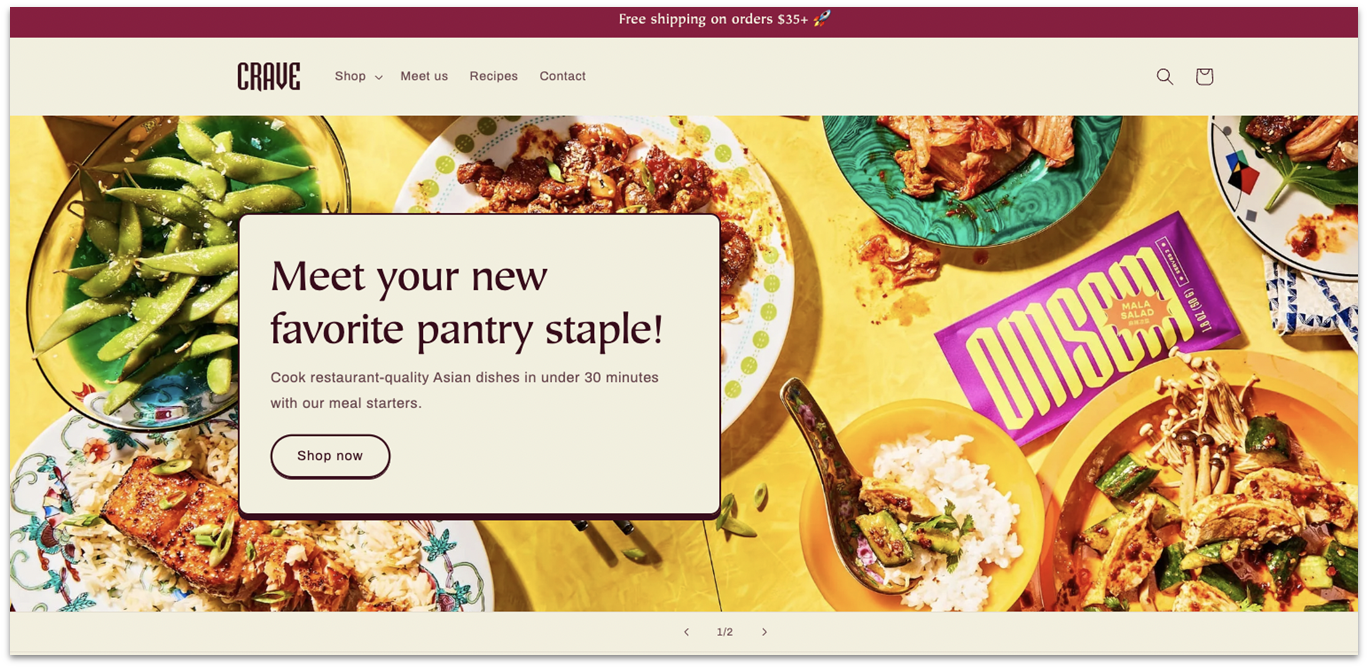
If you’re all about e-commerce, you’re probably familiar with Shopify, the most popular e-commerce platform in the world. Shopify offers intuitive store creation, plenty of shipping and storage options, and integrations with some of the most popular payment processors worldwide.
It isn’t as easy to customize as some other builders on this list, but it makes up for that with its stunning theme marketplace. Shopify’s themes are all made with a specific kind of store in mind, so each theme has built-in features like discounts, product recommendations, and customer accounts.
Shopify also gives you plenty of options to integrate your branding and marketing with other platforms like Instagram, Facebook, and major marketplaces like Amazon and eBay. And, if you want to create a stronger bond with your customer base, Shopify also offers plenty of tools for email newsletters, advertising, and loyalty rewards.
It’s a good builder if you run a brick-and-mortar business too, as Shopify offers a native app for iOS point-of-sale devices. If you have both an online store and a physical store, this is a gamechanger, as it allows you to track your sales and overall movements across both fronts. Keep in mind, though, that a lot of Shopify’s features come at an additional price and its payment processing fees are rather steep even on the lower-priced plans.
Features
- Excellent for future migrations. Shopify doesn’t keep you locked in, so it’s a great choice if you want to keep your options open for your online store. Shopify has solid export tools for products, orders, and customers, and most e-commerce platforms support importing from it.
- Staff & customer accounts. Shopify allows you to create multiple staff accounts with varying levels of access and permissions. This helps you delegate tasks and manage your online store more efficiently. Your customers can also create accounts to shop on your website.
- Dropshipping tools. Shopify has built-in features and integrations for dropshipping, making it a great choice if your business relies on third-party suppliers. You can also automate order fulfillment and inventory management through Shopify.
- Product Management. With Shopify, you can easily add product images (with automatic resizing and optimization), craft detailed descriptions (including weight, size, and color), manage inventory with the integrated editor and order tracker, and either add products individually or bulk-import from sources like Excel or eBay.
| Free plan or trial | 3-day free trial |
|---|---|
| iOS mobile app | ✔ |
| Number of free templates | 10+ (180+ premium) |
| Starting price on the paid plan | $29.00 |
The Best Mac-Exclusive Website Builders
While the builders that follow often offer sleek interfaces and solid design features, they have trade-offs, like missing hosting, fewer integrations, or extra costs for essential features.
In the past, native applications almost always offered more power than cloud ones, but these days that’s simply not the case anymore. You should also consider that macOS-specific builders won’t allow you to edit on the cloud (meaning you can only work from your device). Still, if you prefer working offline or want something that will benefit from the power of your local system, these are worth checking out:
8. RapidWeaver
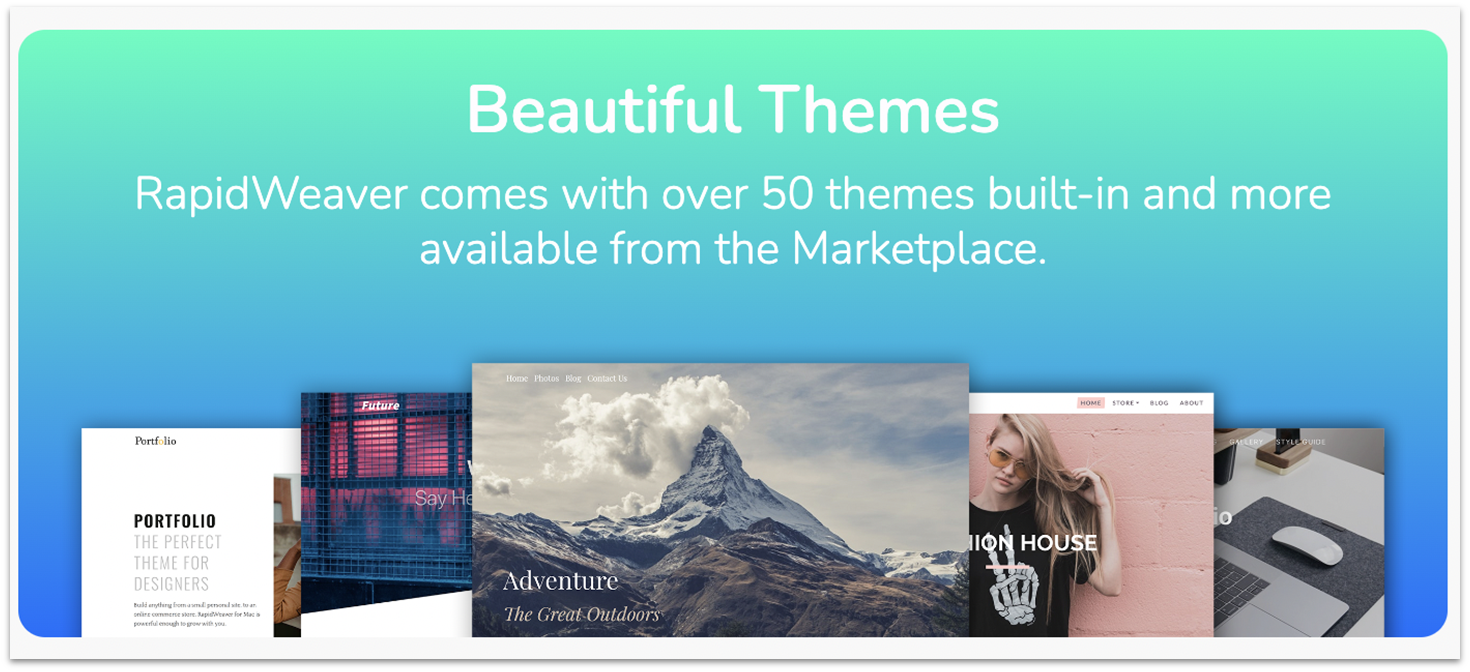
RapidWeaver really shines for Mac users. Unlike the previous options on this list, it’s a desktop tool built just for macOS, so it feels right at home with its user-friendly interface. You can drag and drop your way through site setup, making use of handy widgets and a variety of third-party apps. It also leverages macOS features like Retina display optimization and seamless file management, making it a complex tool for crafting high-performance websites on a Mac.
To get started, you’ll need to download RapidWeaver onto your Mac. Choose between a personal plan or a multi-Mac plan that supports up to five devices. The main downside to RapidWeaver is that it’s a bit pricey relative to the features offered compared to the other web-based options on this list.
9. Blocs
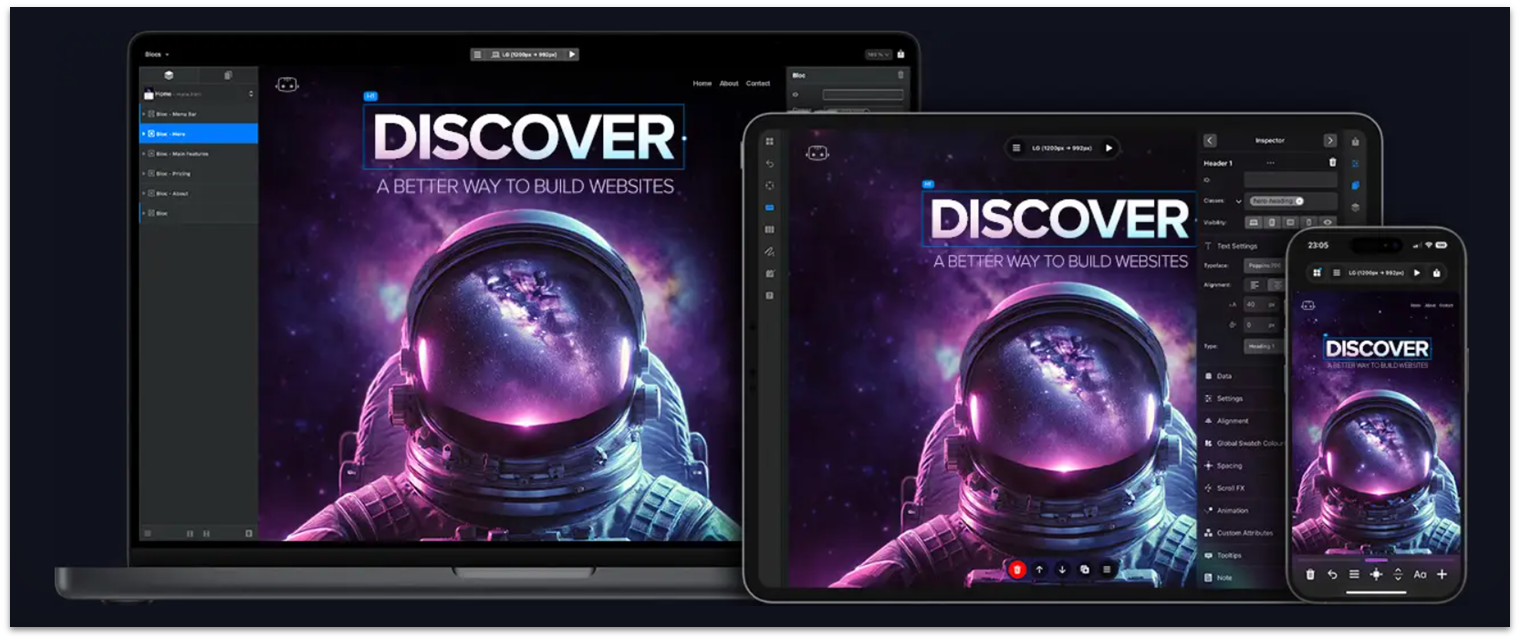
Blocs is a visual web design tool built exclusively for macOS. It’s ideal for designers seeking pixel-perfect control without writing a single line of code. With native macOS performance and Touch Bar support, Blocs can help you build responsive, professional websites that match your exact vision. Since it’s an offline tool, you can edit at ease when you don’t have internet access, such as during travel.
While Blocs is a powerful builder, there are some hidden costs. Advanced features like premium templates are sold separately. You’ll also need to handle hosting and CMS integration on your own, which requires additional setup and expense. Paid upgrades for major versions can also add to the overall cost over time.
10. Sitely (formerly Sparkle)
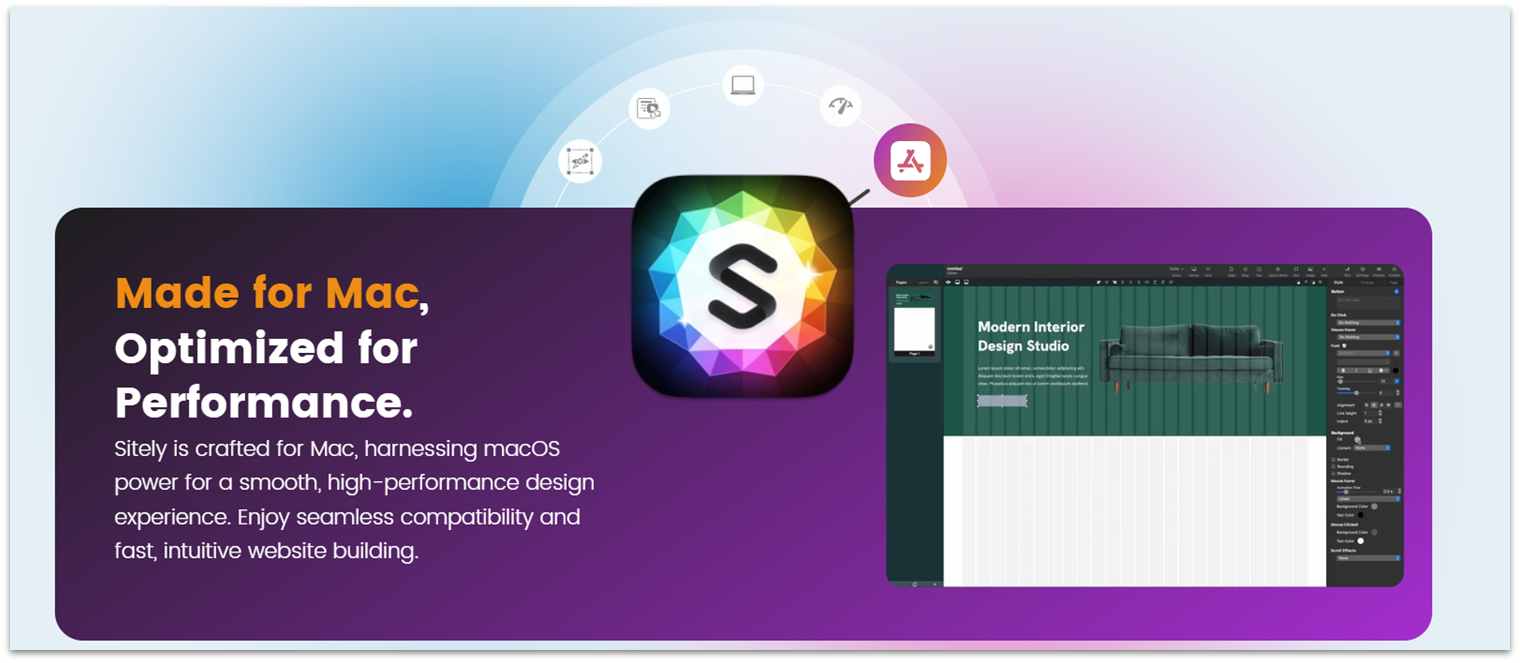
Sitely is a Mac-only website builder with a strong focus on visual design and simplicity, perfect for creatives and small business owners. It features a what-you-see-is-what-you-get editor that takes full advantage of macOS graphics capabilities, including Retina rendering and high-resolution layout previews. Sitely is especially appealing if you want full design freedom with native Mac performance and smooth iCloud-based project management.
While Sitely excels in visual design and ease of use, it lacks built-in support for dynamic content like blogs or CMS features. This makes it less suitable if you need regularly updated content or more complex site functionality.
These Are the Best Website Builders for Mac
When navigating the world of website builders, it’s important to identify platforms that offer both compatibility and functionality to suit your specific needs. Here’s a concise breakdown based on my findings:
If your primary focus is a wide variety of design options, Wix stands out with a massive selection of over 2500+ free templates. You can easily find a design that aligns closely with your vision. With its customized design suggestions and user-friendly interface, the AI-powered website builder helps you get started without hassle.
Alternatively, Squarespace’s beautiful templates and direct editing capabilities are ideal for Mac users. With its connection to Unsplash, which provides beautiful royalty-free images, perfect for showcasing your work in immaculate style.
Hostinger Website Builder is another great choice for getting online fast. AI-driven setup, mobile-optimized templates, and strong performance make it a smart all-in-one solution. Plus, with built-in hosting and e-commerce features, it works well for personal sites, portfolios, or small business pages.
| Free Plan or Trial | Best Feature | Best For | Starting Price | ||
|---|---|---|---|---|---|
| Wix | ✔ | Huge collection of free templates | Mac users who are new to web design | $17.00 | |
| Squarespace | ✔ | Beautiful designer-made free templates | Mac users who value design | $16.00 | |
| Hostinger Website Builder | ✔ | Quick results and unlimited bandwidth | Mac users who want a no-code solution | $2.99 | |
| IONOS | ✔ | Affordable plans | Mac users on a budget | $1.00 | |
| SITE123 | ✔ | Websites optimized for mobile viewing | Mac users who want quick results | $12.80 | |
| Webador | ✔ | Wide variety of quality widgets | Mac users who value simplicity | $5.00 |