
You can’t run a proper PHP MySQL website without a host that’s built to handle it. Whether you’re working on WordPress, Laravel, or a custom web app, you need a server that runs the right stack, stays fast under pressure, and gives you full database access without hidden limits.
Most hosts either skimp on performance or make you jump through hoops just to use PHP and MySQL the way you need. Some use outdated PHP versions, while others don’t optimize their servers for MySQL performance or restrict access to important tools like phpMyAdmin. You might even hit file, CPU, or connection limits that break your app entirely.
I tested the top PHP MySQL hosting services to find the ones that work best. A few options stood out with fast response times, advanced PHP support, 1-click MySQL setup, and dev-friendly tools like SSH, cron jobs, and Git. Hostinger is my top choice with LiteSpeed caching and the lowest long-term costs, but feel free to check out other options.
Short on Time? These Are the Best Web Hosts for PHP Mysql In 2026:
- Hostinger – Huge discounts on long-term PHP MySQL hosting plans running on LiteSpeed web servers.
- IONOS – Best secured hosting for legacy apps that need older PHP versions.
- SiteGround – Managed PHP MySQL hosting with built-in caching tools for fast sites.
What We Look For in the Best PHP MySQL Hosting Services
When I tested providers for PHP and MySQL, I focused on the features that actually affect how your site runs. These are the essentials that separate basic support from a hosting platform you can rely on long term.
- Latest PHP versions with version switching. A good host should support PHP 8.3 and 8.4, not just old versions. Version switching is key, so you can run older apps safely while still testing newer builds.
- Reliable MySQL (or MariaDB) databases. One database is enough for a single WordPress install, but developers often need multiple databases for staging sites, e-commerce apps, or multiple projects. I looked for hosts with flexible database limits.
- Strong performance and scalability. PHP and MySQL apps depend on fast queries and caching. I prioritized hosts with LiteSpeed or NGINX, SSD/NVMe storage, and easy upgrade paths for RAM, CPU, and bandwidth.
- Developer access and tools. Beyond basic FTP, you need SSH, Git integration, cron jobs, and tools like WP-CLI or Composer. These make it easier to deploy and manage PHP/MySQL apps.
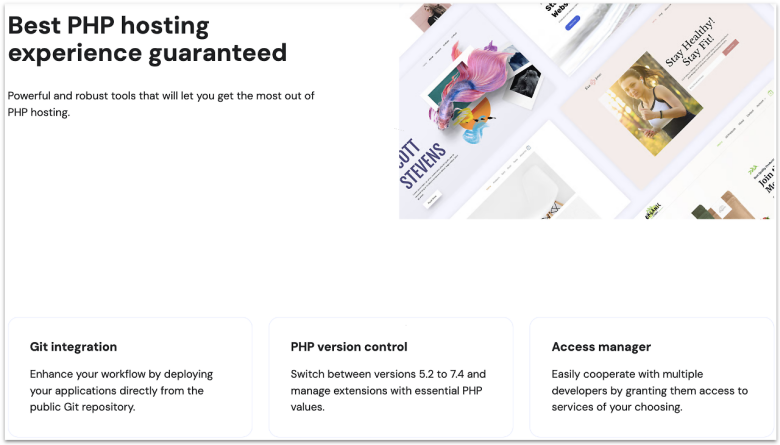
Hostinger offers the best overall long-term value for PHP MySQL hosting. You can lock in its heavily discounted intro price for up to 4 years to get maximum savings. Even at this budget, you get PHP 7.3 to 8.3 with per-site switching, unlimited FTP accounts, phpMyAdmin, and a host of dev tools like SSH access, Git, cron jobs, and WP-CLI.
As for performance, Hostinger runs on LiteSpeed web servers paired with NVMe SSD storage, which makes PHP queries and MySQL calls load super fast. You can also enable the built-in LSCache plugin for WordPress, Laravel, and other PHP frameworks, so your apps can handle traffic spikes easily. Depending on your plan, your resources scale by plan tier. For instance, MySQL user connections range from 25 on Single to 100 on Cloud Startup.
The only real limitation is that each MySQL database on shared plans is capped at 3 GB. In practice, this is more than enough – most WordPress or WooCommerce sites rarely go past a few hundred MB, even after years of use. With 300 to 800 databases allowed per account, depending on your plan, you’ll have plenty of room to run multiple projects without worry.
Features
- One-click phpMyAdmin access. Manage tables, indexes, and user permissions straight from Hostinger’s proprietary control panel (hPanel) without needing extra setup. It’s a quick way to import or export databases when migrating projects.
- Custom PHP extensions manager. Enable or disable modules like cURL, GD, and ionCube Loader in just a few clicks. This flexibility makes it easy to match app requirements without digging into config files.
- Integrated DNS and domain tools. The hPanel includes a simple DNS Zone Editor and domain management, so you can set up records, subdomains, or redirects without leaving the dashboard.
- Built-in WordPress staging tool. The Business and Cloud Startup plans include a staging environment, so you can close your site, test changes, or upgrade PHP safely before pushing live.
Read our expert Hostinger review for more details.
| PHP versions supported | 7.3 to 8.3 |
|---|---|
| Free SSL | ✔ (unlimited Let’s Encrypt SSL certificates) |
| Data center locations | 14 (the US, the UK, the Netherlands, France, Germany, Lithuania, India, Indonesia, Singapore, Malaysia, Brazil) |
| Starting price | $2.49 |
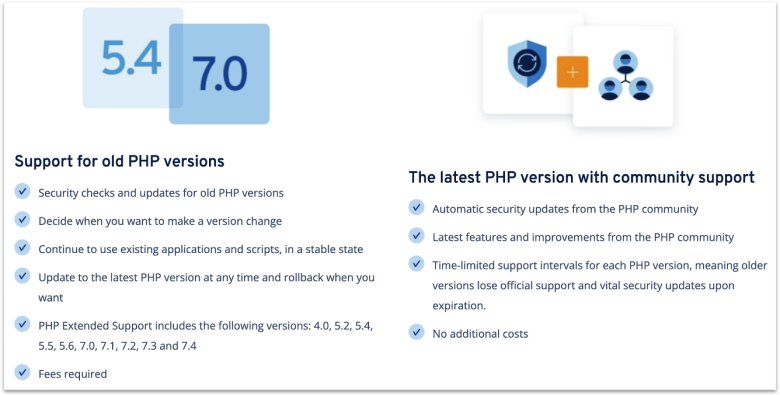
IONOS PHP Extended Support is a real lifesaver if you’re running a legacy app that still needs PHP 4.0, 5.2, 7.0, or any other outdated version. If you’re stuck with a custom app that can’t move to PHP 8 yet, this feature keeps it safe while you plan a rewrite. At the same time, you can switch to modern builds like PHP 8.3 or 8.4 when you’re ready, all from the hosting dashboard – just note that this is a paid add-on.
You can choose MySQL 8 or MariaDB 10 for each new database you set up, with phpMyAdmin installed by default. Standard hosting plans cap each database at 2 GB, but you can upgrade to “performance databases” for 5 GB for more concurrent connections if your project grows. SSH is also included, so you can use the command line for migrations or dev workflows without friction.
There is one catch – remote MySQL access is blocked on shared plans. You can’t plug in desktop tools like MySQL Workbench straight from your laptop. Instead, you’ll manage databases through phpMyAdmin or by logging in with SSH and using the MySQL CLI. And if you need external access for heavier apps, IONOS VPS and cloud hosting remove this limit while keeping the same PHP and database options.
Features
- PHP settings control. You can switch PHP versions in the control panel and adjust performance levels. For finer tuning, it supports custom php.ini or user.ini files, letting you change values like memory_limit and max_execution_time without needing root.
- Geo-redundant infrastructure. Your site and databases are mirrored across two separate data centers. If one goes offline, traffic is automatically routed to the other, giving PHP/MySQL projects a built-in layer of fault tolerance.
- Free Wildcard SSL. Every plan comes with a free Wildcard SSL certificate, so your main domain and all subdomains are protected by default. That’s especially useful if you’re running multiple PHP/MySQL apps under one domain.
- Dedicated support line. Each customer gets a personal consultant and direct support line. For devs managing critical PHP/MySQL projects, having one go-to contact speeds up issue resolution.
Read our expert IONOS review for more details.
| PHP versions supported | 8.1, 8.2, 8.3, 8.4 (PHP Extended Support costs extra and covers 4.0 to 7.4) |
|---|---|
| Free SSL | ✔ (Wildcard SSL) |
| Data center locations | 10 (the US, the UK, Germany, France, and Spain) |
| Starting price | $1.00 |
3. SiteGround: Ultrafast PHP for Super Quick Load Times
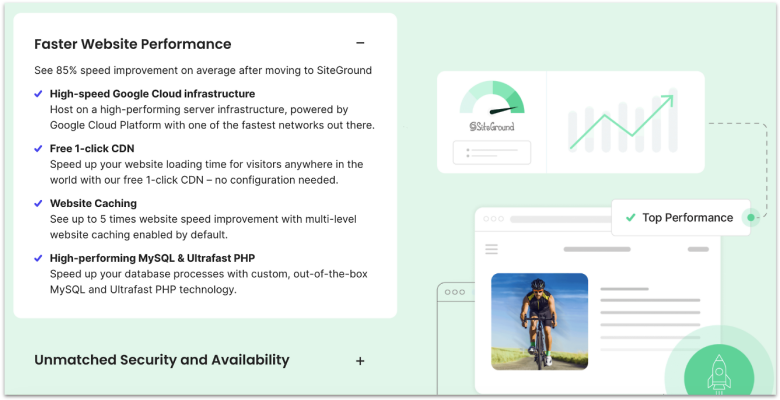
SiteGround’s biggest edge is its Ultrafast PHP setup, a custom handler that cuts page load times by up to 30%. Unlike standard PHP environments, this runtime is tuned for quicker request handling, so PHP scripts execute faster before MySQL is even queried. On top of that, its managed PHP service keeps your sites running on the latest stable version, with per-site version switching when you need it.
You can add unlimited MySQL databases on all shared plans, each capped at 1 GB. That’s plenty for most sites, since you can create a new database for every project or staging environment. Add unlimited FTP accounts plus free SSH and SFTP access, and you get full control over how you manage and move data.
Just note that SiteGround’s entry-level plan only allows one website and has 10 GB of web space, which may feel restrictive as your projects grow. The good news is that upgrading to GrowBig or GoGeek unlocks unlimited websites, more storage, on-demand backups, and staging – though pre-installed Git is only available on GoGeek.
Features
- Powered by Google Cloud. SiteGround hosts all accounts on Google Cloud infrastructure. You get the reliability of Google’s global network and distributed SSD storage, which helps your PHP apps and databases run on a rock-solid backbone.
- SuperCacher with three layers. Static, dynamic, and Memcached caching all come bundled in. This not only speeds up PHP execution but also lightens the load on your MySQL databases, keeping your site stable during traffic spikes.
- Brotli compression by default. Every SiteGround site uses Brotli, a modern compression method that shrinks files more than Gzip. That means faster transfers and snappier performance for PHP apps and MySQL-heavy sites.
- On-demand backups. Daily backups are automatic, but you can also create your own restore point before updating PHP versions or changing your MySQL schema.
Read our expert SiteGround review for more details.
| PHP versions supported | 7.4, 8.0, 8.1, 8.3 (Managed PHP version 8.2) |
|---|---|
| Free SSL | ✔ (Let’s Encrypt) |
| Data center locations | 11 (the US, the UK, the Netherlands, Spain, France, Germany, Singapore, and Australia) |
| Starting price | $2.99 |
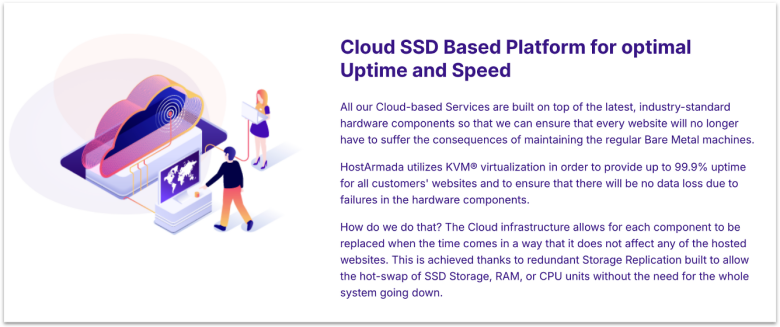
HostArmada runs its shared hosting on a cloud SSD/NVMe platform, which gives you better stability than old single-server setups. Instead of spreading workloads across nodes, it uses CloudLinux isolation and keeps client density low to avoid noisy-neighbor slowdowns. That makes PHP scripts and MySQL queries more consistent, even during traffic spikes.
Devs get serious control here. You can run unlimited MySQL databases, though per-database storage quotas vary by plan (1 GB on Speed Reaper, less on lower tiers). Also, phpMyAdmin comes preloaded, and you also have SSH with the MySQL client if you want to run queries directly. Remote MySQL is supported via cPanel allow-listing, which makes it easy to connect local tools or cross-server apps.
The Version Selector and Module Selector let you toggle builds and extensions with a click. MultiPHP Manager allows per-domain or subdomain versioning, while per-directory tweaks can be done via .htaccess handlers. The only drawback is dynamic caching, which is reserved for the premium Speed Reaper tier. You still get static caching, SSD storage, and Cloudflare CDN compatibility, but apps needing full object cache may want that upgrade.
Features
- MySQL command-line access. Developers get the MySQL binary over SSH, so you can run queries or imports straight from the terminal without relying only on phpMyAdmin.
- NGINX web servers. The Start Dock and Web Warp plans use an NGINX reverse-proxy with Apache for faster static delivery and easy cache control. The Speed Reaper plan instead runs LiteSpeed for advanced caching and performance.
- Daily offsite backups. All shared plans come with automated daily backups stored offsite. This is especially useful if you’re testing PHP modules or making database schema changes and need a fast rollback point.
- Malware scan and removal. Every plan includes Imunify360 security, which auto-scans for malware in PHP files or SQL injections and removes threats for you at no extra charge.
Read our expert HostArmada review for more details.
| PHP versions supported | 5.6, 7.0–7.4, 8.1–8.3 |
|---|---|
| Free SSL | ✔ (Sectigo, cPanel AutoSSL, Cloudflare) |
| Data center locations | 23 (US, Canada, UK, Germany, Italy, India, Singapore, Japan, Australia) |
| Starting price | $1.49 |
5. InterServer: Unlimited Resources at a Low Monthly Price
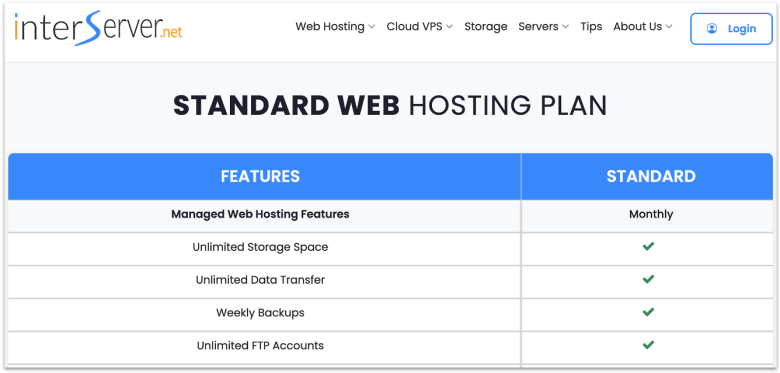
InterServer gives you unlimited MySQL databases, email accounts, and SSD storage with shared hosting. Most hosts restrict these resources, but here you get freedom to grow apps without worrying about caps, though a fair use policy still applies. You also get full PHP version control, so you can run legacy code or stay current with the latest builds.
To keep sites stable, InterServer runs shared servers at only 50% capacity. That extra breathing room cuts down on slow queries and timeouts when traffic spikes. Remote MySQL is simple: add your IP in cPanel, then connect with phpMyAdmin or your favorite GUI. For more control, you can request SSH access and run imports or tweaks right from the terminal.
Backups are handled weekly through JetBackup, and you can take manual snapshots before rolling out changes. LiteSpeed Cache is built right into the server, so your PHP sites load quickly without any extra setup. The one drawback is reach – its data centers are US-only, which can add latency for global traffic. But you can offset that with its free Cloudflare CDN.
Features
- Flexible database tools. Beyond phpMyAdmin, InterServer also includes Adminer and MyWebSQL. This gives you more ways to manage and tune MySQL databases depending on how you like to work.
- Softaculous app installer. With over 450 scripts, you can launch WordPress, Joomla, Magento, or even Laravel in minutes. It makes testing PHP frameworks or spinning up a fresh project quick and painless.
- SSD caching servers. All shared plans run on SSD caching, which helps PHP and MySQL workloads stay fast even when traffic spikes.
- InterShield Security. In-house firewall blocks known exploits and malware before they ever reach your code. Its global attack database updates daily, so your apps get smarter protection over time.
Read our expert InterServer review for more details.
| PHP versions supported | 5.5, 5.6, 7, 8 |
|---|---|
| Free SSL | ✔ (Let’s Encrypt) |
| Data center locations | 8 (Texas, New York, California, and New Jersey) |
| Starting price | $2.50 |
6. GreenGeeks: Eco-Friendly Hosting With Redis Support on Premium Plan
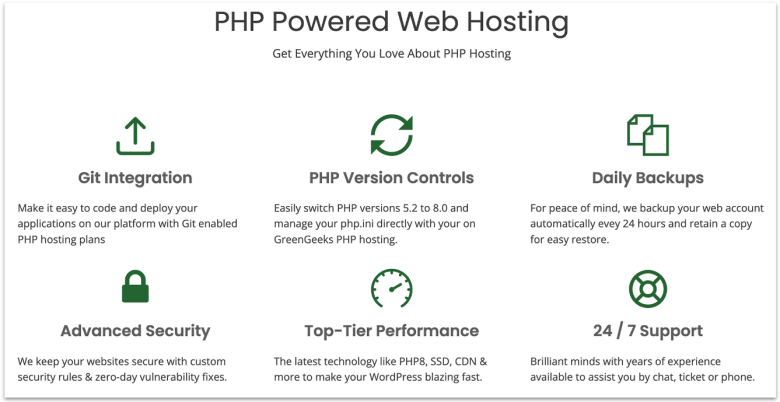
If you’re on GreenGeeks’ Premium plan, you get Redis caching included. It stores database queries and PHP objects in memory, which can make WordPress and other database-heavy apps run much faster under load. It uses LiteSpeed servers, HTTP/3 support, and built-in LSCache for solid performance. Plus, every plan matches 300% of its energy use with renewables, so you host without adding carbon weight.
GreenGeeks runs MariaDB, which is fully MySQL-compatible, managed via phpMyAdmin in cPanel – you manage everything with phpMyAdmin in cPanel. The “Select PHP Version” tool lets you switch PHP versions, so you can keep old projects running while using the newest builds for modern apps. Every account also supports unlimited MySQL databases and free SSH/SFTP access.
The only drawback is that PHP version changes apply account-wide by default, which can limit flexibility if you want different builds on the same account. That said, GreenGeeks offers an easy fix – just use .htaccess overrides for per-folder PHP or keep separate sites on sub-accounts.
Features
- Unlimited email accounts with IMAP/SMTP. Every hosting plan supports unlimited mailboxes, so you can pair your PHP-based apps with branded email without extra cost. Mail can be managed with popular clients like Outlook or Thunderbird.
- One-click app installer (Softaculous). GreenGeeks integrates Softaculous in cPanel, letting you install 400+ PHP-based apps like WordPress, Joomla, or Drupal in seconds.
- On-demand backups. If you’re on Pro or Premium, you can trigger on-demand backups before risky code changes or schema updates, then roll back from the dashboard if needed.
- WordPress Repair Tool. This tool can fix database errors, reset plugins or themes, and reinstall WordPress core without deleting content. It’s available on the Pro and Premium.
Read our expert GreenGeeks review for more details.
| PHP versions supported | 5.2–5.6, 7.0–7.4, 8.0–8.4 |
|---|---|
| Free SSL | ✔ |
| Data center locations | 4 (the US, the Netherlands, Canada, and Singapore) |
| Starting price | $1.95 |
Other Notable Web Hosts for PHP MySQL
7. Liquid Web (Nexcess Product Suite)
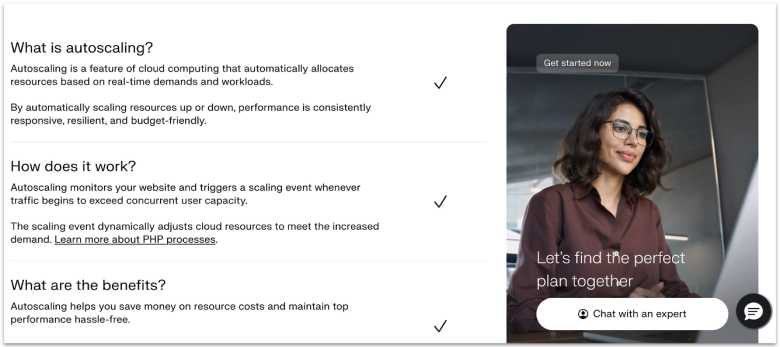
Liquid Web’s Nexcess Product Suite uses autoscaling PHP workers to keep your apps running smoothly during traffic spikes. Each worker can only process one PHP request at a time, and more workers are auto-added when your site gets busy during peak demand. You get 24 free hours of autoscaling per site each month, and after that, extra workers are billed per minute – so you only pay for what you actually use.
It also includes MariaDB with phpMyAdmin for database management, and a Cloudflare Enterprise-powered edge CDN that adds HTTP/3 support, image optimization, and built-in DDoS protection. Just note that remote MySQL connections are blocked by default, so you’ll need to whitelist your IP or use an SSH tunnel. Since the Nexcess Product Suite is a fully managed cloud hosting platform, it’s best suited for devs who want scalable performance.
8. InMotion Hosting
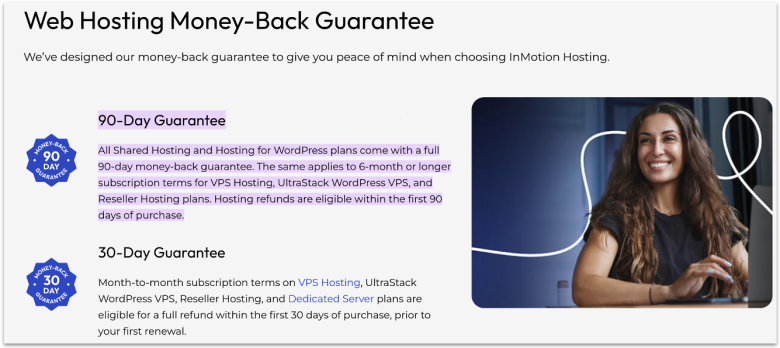
InMotion Hosting offers one of the longest test windows with its 90-day refund guarantee on shared hosting (annual or longer) plans. That’s plenty of time to push a PHP project live, stress test MySQL queries, and see if its stack can handle real traffic. You also get NVMe SSD storage (from the Launch plan and up), PHP 7.4 through 8.4, and its custom UltraStack setup with NGINX, Apache, and PHP-FPM for faster execution.
Unfortunately, backups aren’t bundled with its shared hosting plans. Though you can use the paid Backup Manager add-on for scheduled or one-click restores, it doesn’t sit well with me that you have to shell out extra just for backups. However, you get SSH access and can enable remote MySQL via the cPanel.
9. hosting.com
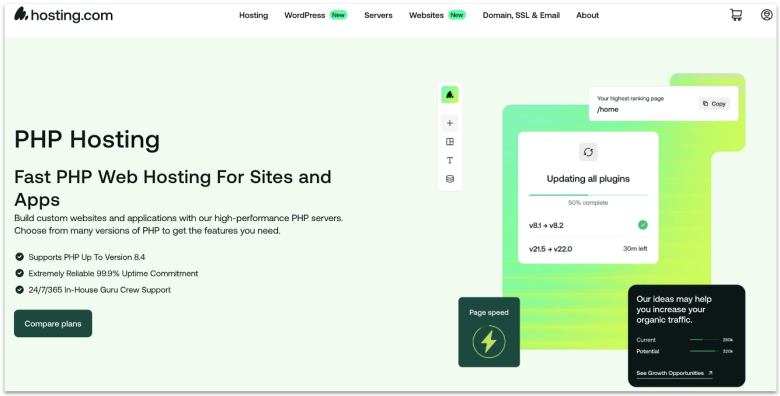
Hosting.com lets you flip between PHP 5.6 all the way to 8.4, apply versions per domain or folder using MultiPHP, and even push custom settings with a .user.ini in that directory. That means you can keep a legacy app alive in one directory while testing a modern Laravel or WordPress stack in another. All shared plans include unlimited MariaDB (MySQL-compatible) with phpMyAdmin and support for PostgreSQL if you need it.
One thing to keep in mind – remote MySQL access isn’t enabled by default. You’ll need to create a support ticket to open port 3306 and whitelist the client IP. For most developers, it’s faster and safer to skip that and use an SSH tunnel instead. This keeps database traffic encrypted and avoids firewall reconfiguration.
10. Kinsta
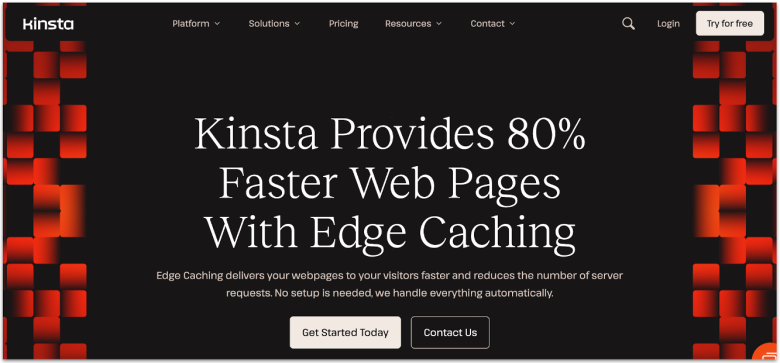
Kinsta integrates Cloudflare Enterprise edge caching directly into its platform, so cached HTML pages are delivered from 300+ global PoPs. This dramatically reduces the number of origin requests, meaning PHP workers and databases aren’t stressed on every visit. Behind the scenes, a self-healing PHP system auto-restarts processes if they fail, cutting out manual intervention.
In addition, Kinsta runs a separate database hosting service that supports MySQL, MariaDB, PostgreSQL, and Redis. When apps and databases are deployed in the same data center, they can communicate over a private internal network for better speed and security. The catch is price. Kinsta is a premium managed cloud service rather than shared hosting, so the price makes sense for high performance and enterprise-grade reliability.
Choose a Reliable Host for Your PHP MySQL Website
When looking for a PHP MySQL hosting provider, consider starting by identifying what matters more for your site. It might be strong security despite using an outdated PHP version, or the simplicity of a managed solution that fits your budget.
For an affordable option that still offers plenty of PHP and MySQL tools and resources, you can go for Hostinger. Its four-year plans start at $2.49 and include a 30-day money-back guarantee, so you can test it out before committing.
If you’re hosting a project that relies on older PHP versions, IONOS is your best option. It offers a paid PHP Extended Support add-on that comes with fixes for security vulnerabilities in outdated PHP versions.
For fast-loading PHP MySQL sites, I highly recommend SiteGround. It uses high-performance server infrastructure from Google Cloud, built-in CDN and caching tools, and an optimized PHP setup for better site performance.
| Standout feature | Free domain for 1 year | Money-back guarantee | Starting price | ||
|---|---|---|---|---|---|
| Hostinger | Affordable long-term plan rates | ✔ | 30 days | $2.49 | |
| IONOS | Support for outdated PHP versions | ✔ | 30 days | $1.00 | |
| SiteGround | Built-in caching tools and optimized PHP setup | ✔ | 30 days | $2.99 | |
| HostArmada | Shared cloud hosting with off-site backups | ✔ | 45 days | $1.49 | |
| InterServer | Budget-friendly monthly price for short-term projects | ✘ | 30 days | $2.50 | |
| GreenGeeks | Redis caching for faster database performance | ✔ | 30 days | $1.95 |