

Let’s be honest: when you think of professional web templates, Google Sites is far from the first platform that comes to mind. The truth is that you’ll find a little over a dozen layouts on Google Sites’ template gallery, and even then, some options are much weaker than others.
It’s not just about the looks either. It’s hard to tell by first sight which templates include the features you would need for a portfolio, event page, or small-business site. To save you the trouble, I selected the strongest options Google provides, and threw in some high-quality third-party designs that are easy to install and use. These options are well-structured, grab attention, and allow you to customize your site in seconds.
Though it has its advantages – like free hosting, drag-and-drop editing, and integrations with the rest of Google’s ecosystem – Google Sites will quickly become limiting if you’re looking to customize your site further or add advanced functionality. If you need features like online bookings, e-commerce, or simply more advanced customization, I recommend going for a builder like Wix.
But first, take a look at the best Google Sites templates right now, and decide if it’s the right option for you.
Is Google Sites the Best Platform for My Website?
I don’t mean to come across too negatively towards Google Sites. The truth is that if you’re looking to create a simple website, Google Sites is free and easy to use.
Other pros include:
- Seamless integration with all Google apps, including Maps, Slides, Docs, and Drawings.
- Google Analytics data provides key insights into how visitors interact with your site, making it easy to track and improve its performance.
- Link popular social media platforms and upload YouTube videos.
That said, if you run a small business or team, using Google Sites with a Google Workspace account gives you powerful tools for collaboration and control. You can manage who can access and edit your sites, and multiple people can work on the same site simultaneously with real-time updates.
You will also receive a custom domain, branded email, extra storage, and advanced collaboration tools, all without the hassle of switching platforms. Simply connect your Google site to a Google Workspace account to add these upgrades while staying in the same familiar dashboard.

Get 15 % off your Google Workspace undefined plan for the first Months*
Get this exclusive discount with our code at checkout - limited time only!
For all its pros, however, Google Sites is simply not a very scalable platform. If you’re looking to attract a large audience, add advanced functionality to your site, or handle things like e-commerce, you will be better off with a more advanced platform.
I recommend trying Wix for free. You can use a free Wix plan for as long as you want, and it offers a larger selection of templates, advanced customization, and integrations with over 800+ proprietary and third-party apps. Since Wix offers scalable plans, you can make sure your site grows with you.
1. Photo Portfolio: A Virtual Gallery, Best for Photographers
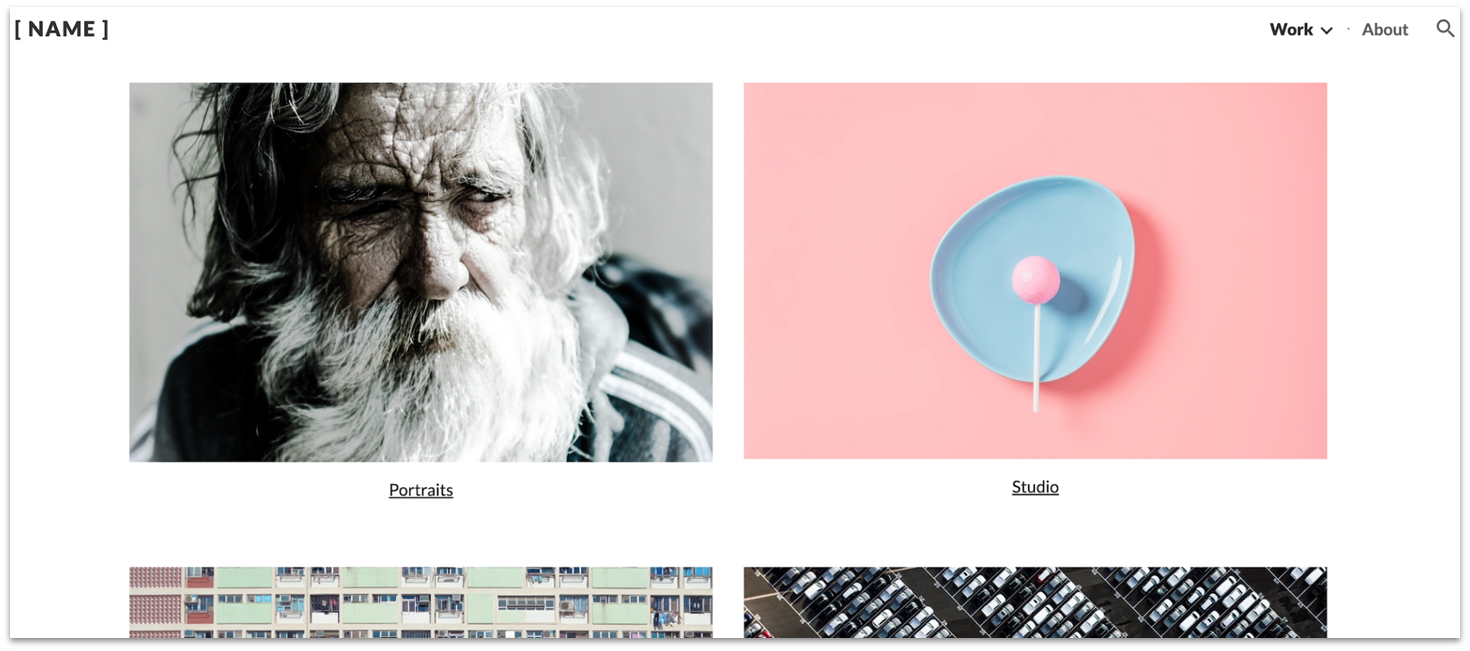
Photo Portfolio’s minimal style keeps visitors’ eyes squarely focused on what’s most important – your work. The homepage and project galleries are clean and attractive. Ample white space gives each photograph room to breathe.
Navigating your site is also extremely simple. The minimalist menu only takes up a corner of your page, which doesn’t distract from your images. Visitors can click on the dropdown “Work” menu to view individual projects, like image categories or curated collections. If they click on an image, you can display a full gallery of related photos.
Since Google Sites doesn’t offer e-commerce, you can’t add a shop for prints. That said, you can invite visitors to join a newsletter or access your contact information. You can also link your Facebook and Instagram accounts through custom code.
2. Restaurant: Adaptable Design for Restaurants and Cafes (Dine-In Only)
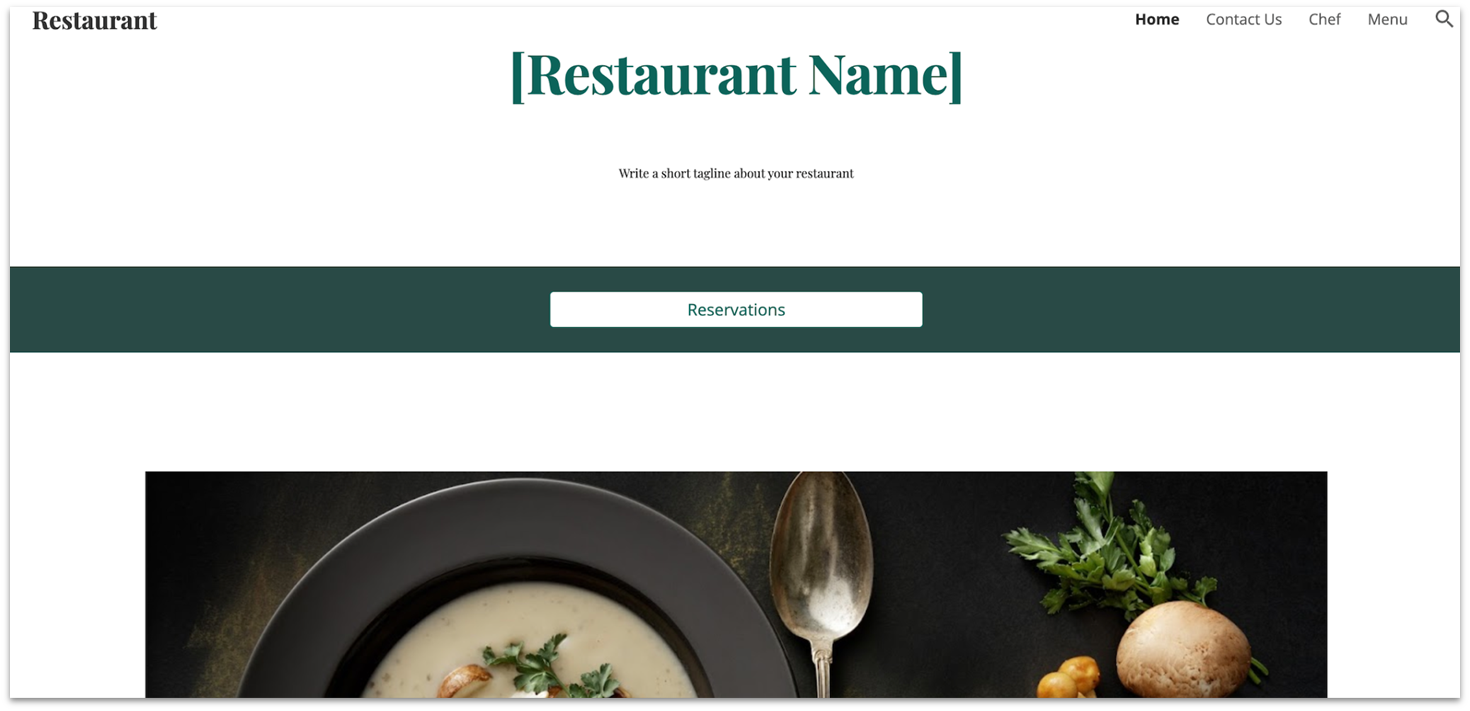
Restaurant may not have the functionality or visual appeal of other builders’ templates, but it does check a lot of boxes: plenty of photos, chef and menu pages, and well-placed buttons to encourage diners to reserve a table.
It’s easy to change the layout, colors, and fonts to capture the personality of your restaurant. You can add videos and image carousels to give customers a visual taste of your food and ambience. And with Google Slides, it’s easy to resize, adjust color and brightness, and add filters to your photos.
I’d suggest you embed the OpenTable or Resy app if you want to let customers reserve online. Embedding a Yelp widget will let visitors browse your happy diners’ reviews.

3. Salon: Modern Style, Best for Beauty and Wellness Brands
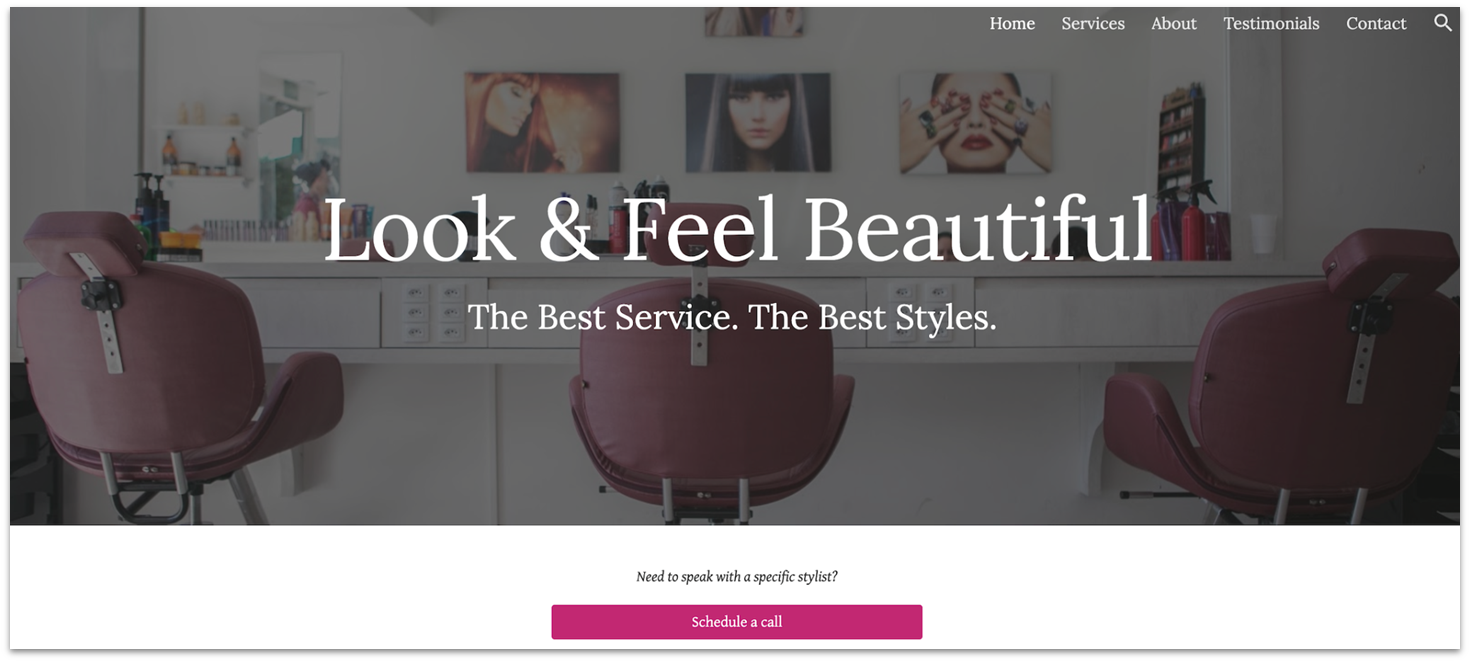
Salon uses its side-wide cover image and bold typeface for a contemporary, elegant feel. There are dedicated pages and sections for your services, team, and customer testimonials. If you want to pique the attention of visitors, you can add an announcement bar to the homepage to promote your latest deals. You can also add eye-catching buttons to prompt clients to call and book an appointment.
All the essential information potential clients need is on the Contact page: your business days and hours, location, telephone number, and email. They can even use the built-in Google map to get directions.
Get 15 % off your Google Workspace undefined plan for the first Months*
Get this exclusive discount with our code at checkout - limited time only!
4. Class: Tailor-Made for Teachers and Schools Alike
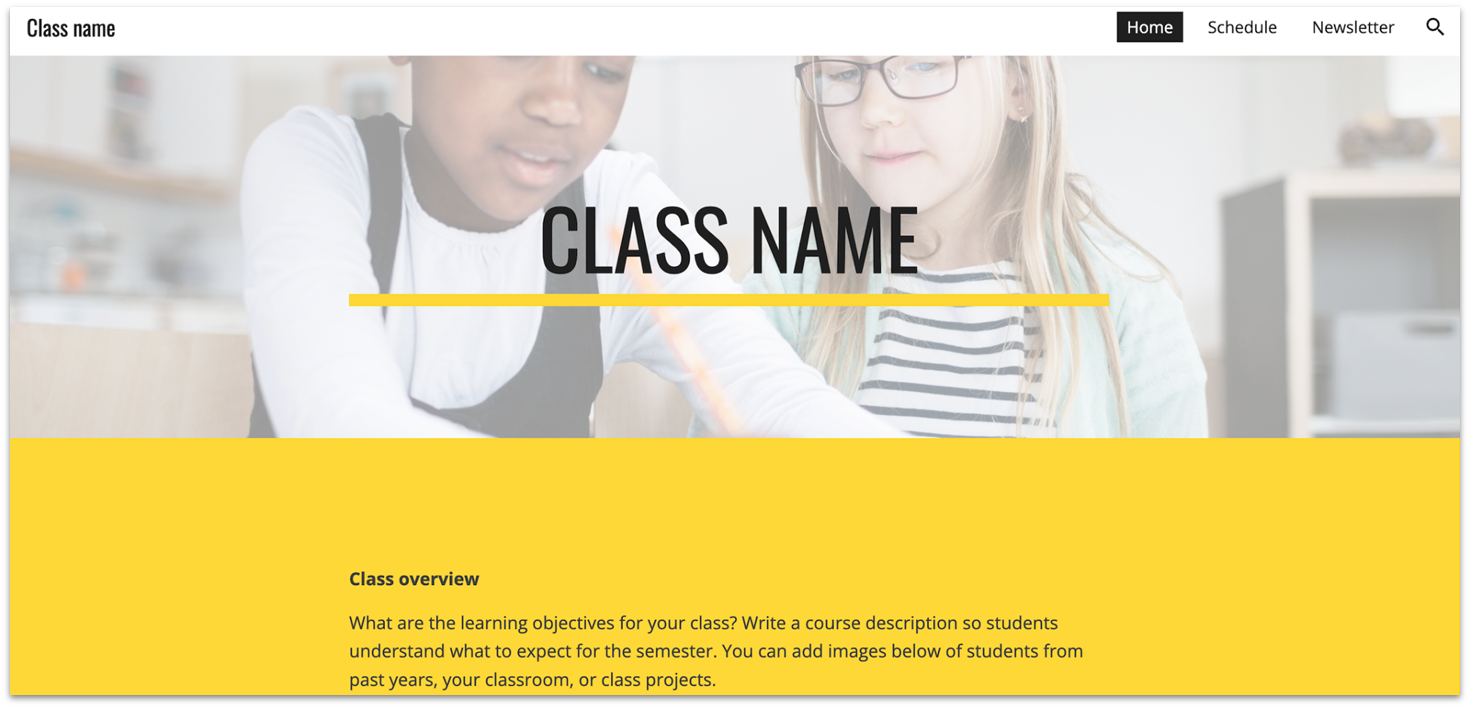
Class has all the collaborative features teachers need to keep students, parents, and faculty informed about curricular goals, assignments, and special activities. It’s also ideal for a project-specific learning site because settings let you restrict access to a select group.
Full integration with Google’s suite of free tools lets you upload all your class materials: files, videos, presentations, and tutorials. Your students can log in, review information, and share their completed assignments.
You have the option to incorporate a Google Calendar for sharing your office hours and sending reminders about assignment due dates.
5. Portfolio: Simple Framework for a Professional Portfolio/CV
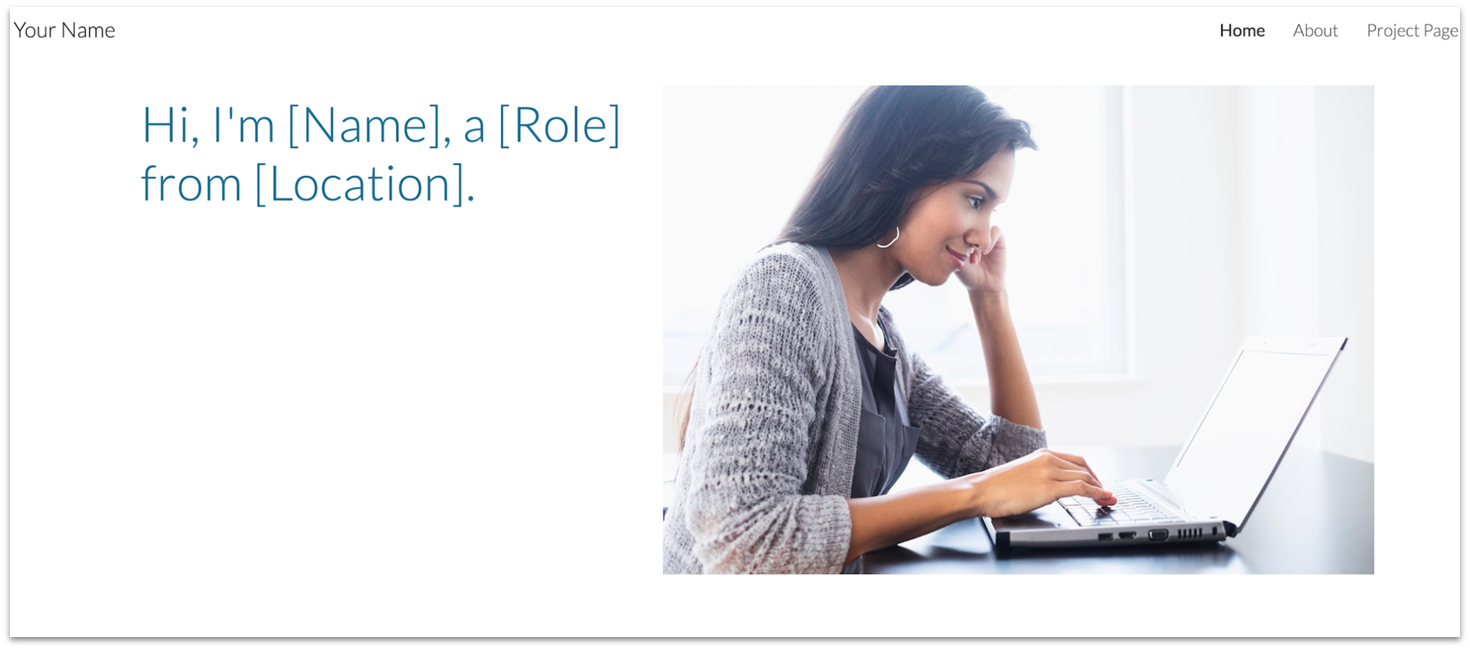
Portfolio is a minimalist template for professionals who want to quickly create an online presence, share their expertise, and capture the interest of clients and recruiters.
The homepage gets right to the point, with a crisp introductory header that sums up your skillset and presents a selection of your best work. Visitors who want a deeper look can go straight to the Project page to browse detailed presentations that use text, image, and video to showcase your skills.
You can create an About page to showcase your relevant work experience. To finalize your site, make sure to upload a downloadable PDF of your resume and embed a link to your LinkedIn profile.
6. Event: Classic Design for Business Events and Gatherings
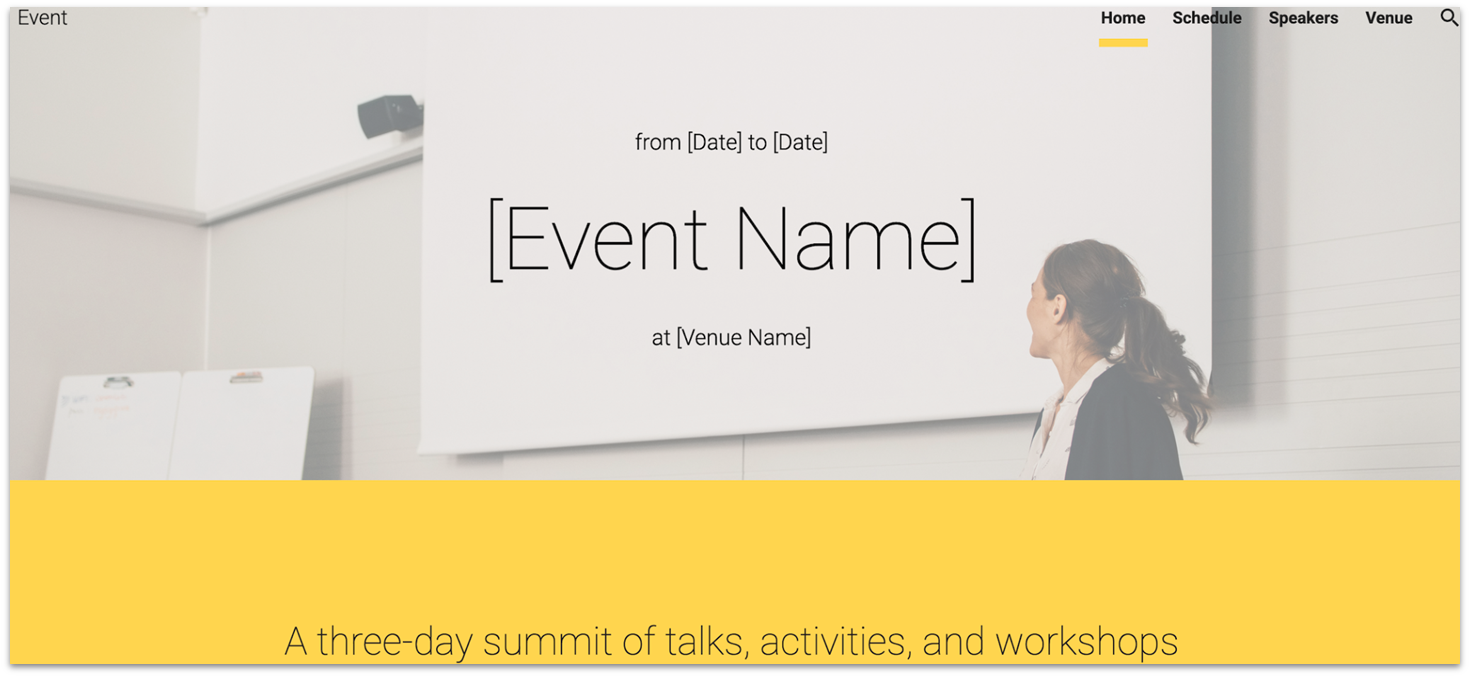
The clean-looking Event template makes it easy to design a website for a business meetup or conference. Its simplicity and straightforward navigation lends itself to firms and organizations that want to connect with busy professionals and encourage them to RSVP.
Visitors can quickly skim the homepage to learn all the fundamentals: the event’s goals, key speakers, and venue. Built-in pages allow interested users to review a detailed schedule, speaker bios, travel options to the event venue, and a Google map showing its location.
Google Sites now lets you add a custom domain to your website for a more professional look. Simply add your site’s current Google or other custom domain, or choose and pay for one from Google Domains.
7. Professors: Best for Professors and Other Academics
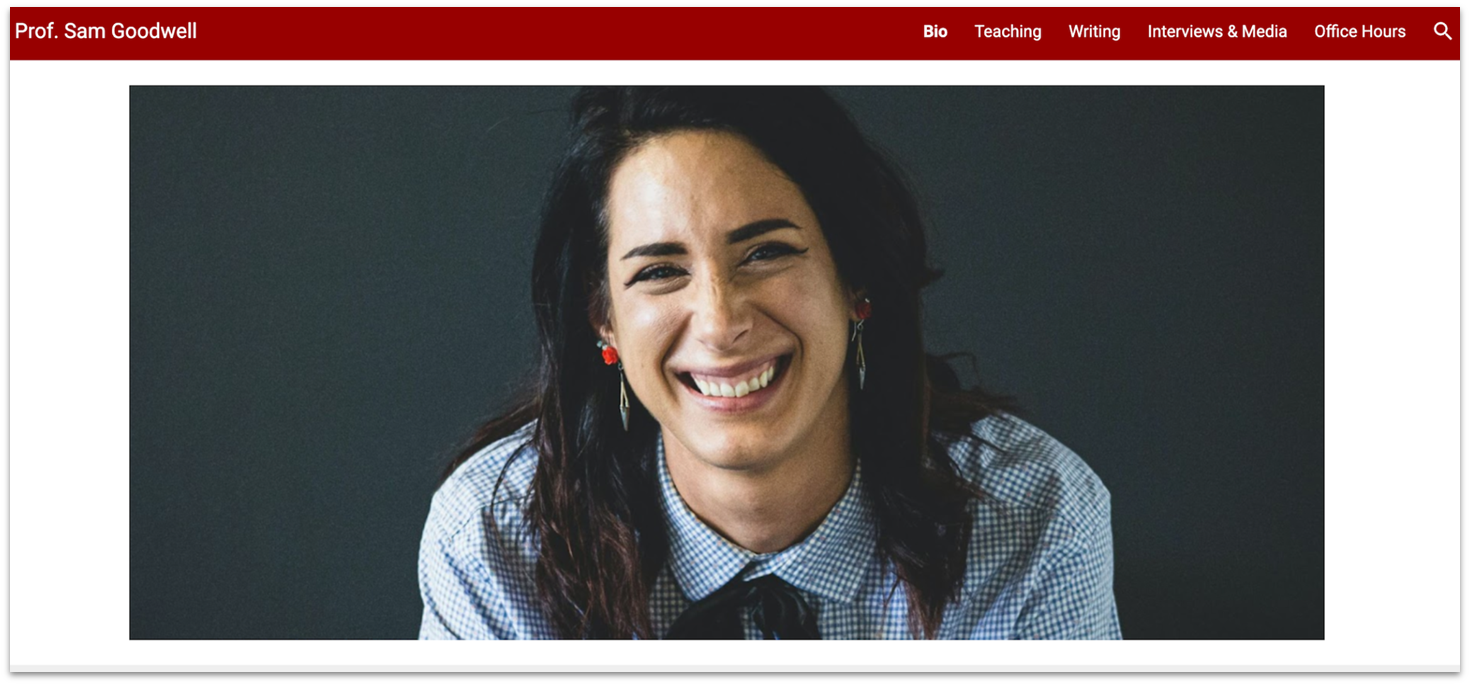
The Professors template opens with a customizable Bio page that highlights your academic background and accolades, providing colleagues, students, and institutions with a clear introduction. The Teaching page is great for listing your current and past courses and syllabi, while the Writing page is perfect for showcasing published papers and essays.
This template also includes an Interviews & Media page, where you can embed YouTube videos of your talks, lectures, or media appearances to provide visitors with a more dynamic view of your work. For accessibility and streamlined scheduling, the Office Hours page supports Google Forms, allowing students to easily request one-on-one meetings.
Other Notable Google Sites Templates
The templates I shared above are my favorite options from Google’s own catalog, so you don’t have to go looking around at third-party markets for a template that suits your needs. If none of the options above call to you though, here’s a selection of other templates to consider. Some are free, but I’ve also included some great premium templates from outside developers.
8. Tibbs: Best for Sharing Social Sites
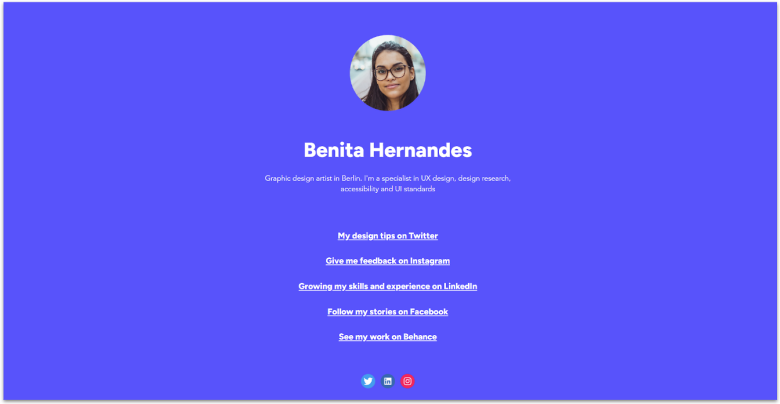
If you only need a site to display outgoing links to your social media pages or examples of your work, there’s no need to overcomplicate it. Available on imaketemplates.com, Tibbs is elegant, minimalistic, and visually striking.
9. Wedding: Classy Wedding Announcement

This classic wedding website template has ample space to share your story with friends and family and show off photos of your courtship and special day. Built-in pages cover all the essential information – the when and where, but also how to get to the welcome party, ceremony, reception, and other celebrations. A nice touch is “what to do” and “where to eat” sections, a thoughtful addition for couples planning a destination wedding.
10. Graduates: Best for Personal Portfolios and CVs
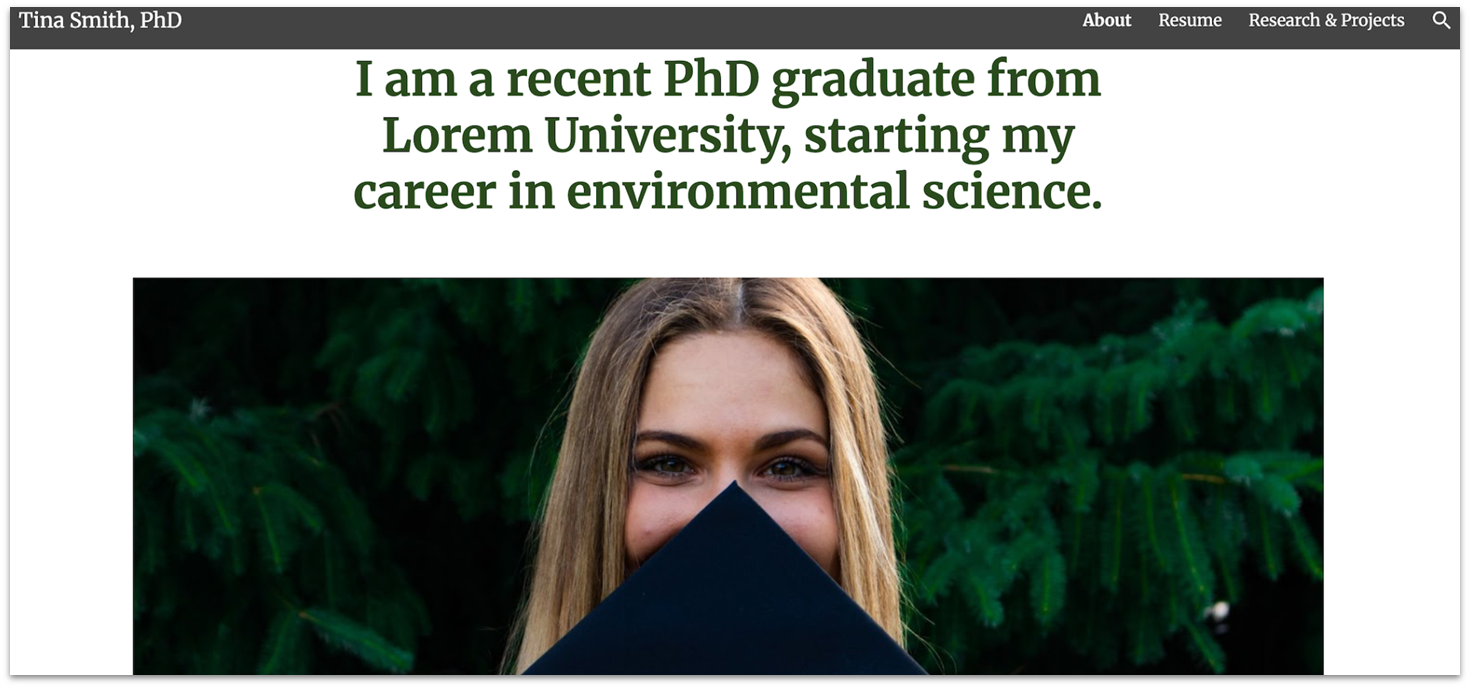
New graduates and other professionals who want a fast and easy way to create a personal website may want to consider Graduates from template haven. Potential employers and clients can use the navigation links to download your resume and explore your professional experience. The simple footer includes your email address and phone number to make it easy for visitors to get in touch.
11. Karan: Best for Health and Wellness Brands
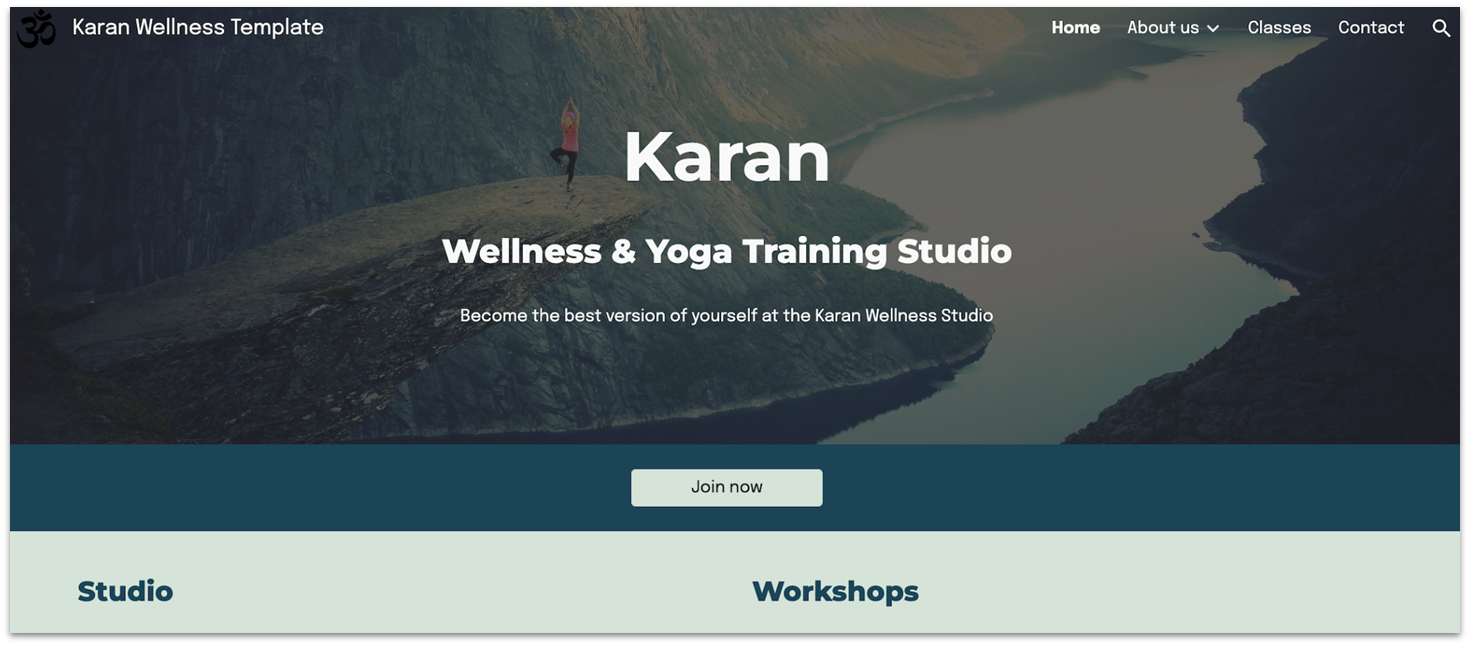
Imaketemplates’ Karan features image sections to showcase what your yoga sessions look like – ideal for building trust and sparking interest among potential clients. The Instructors page is a thoughtful addition that lets you highlight each member of your team, including their specialties and qualifications. Meanwhile, on the Classes page, you can lay out your schedule, session types, and package options, so visitors can easily find what suits their needs.
12. Hector: Best for Traditional Restaurants
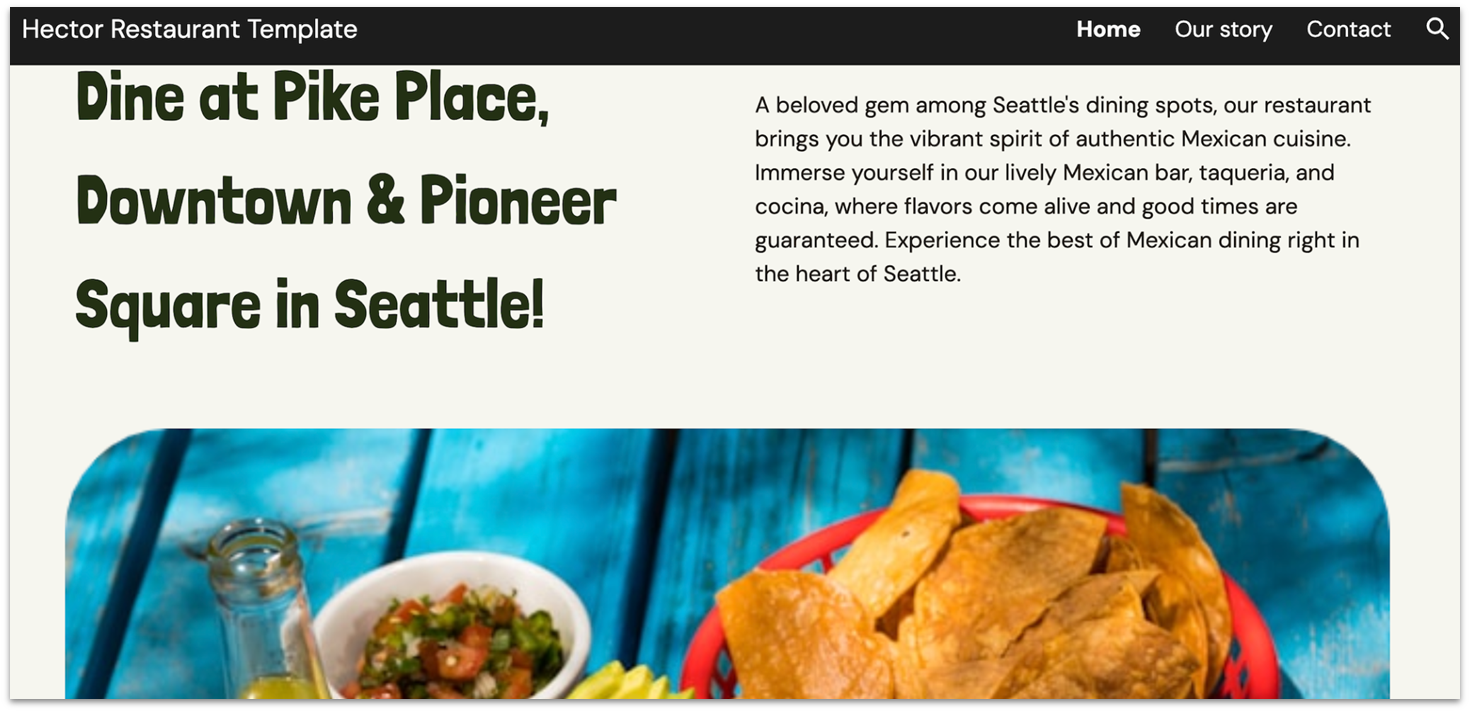
Hector from Imaketemplates is perfect for traditional restaurants that want to showcase their heritage, highlight signature dishes, and connect with a loyal local following. It includes a dedicated Our Story page for sharing your roots and culinary philosophy, as well as organized Menu sections to highlight your food and drink offerings. There’s also seamless integration with a third-party delivery platform, so customers can place orders directly from your site.
13. Bodie: Multipurpose Business Template
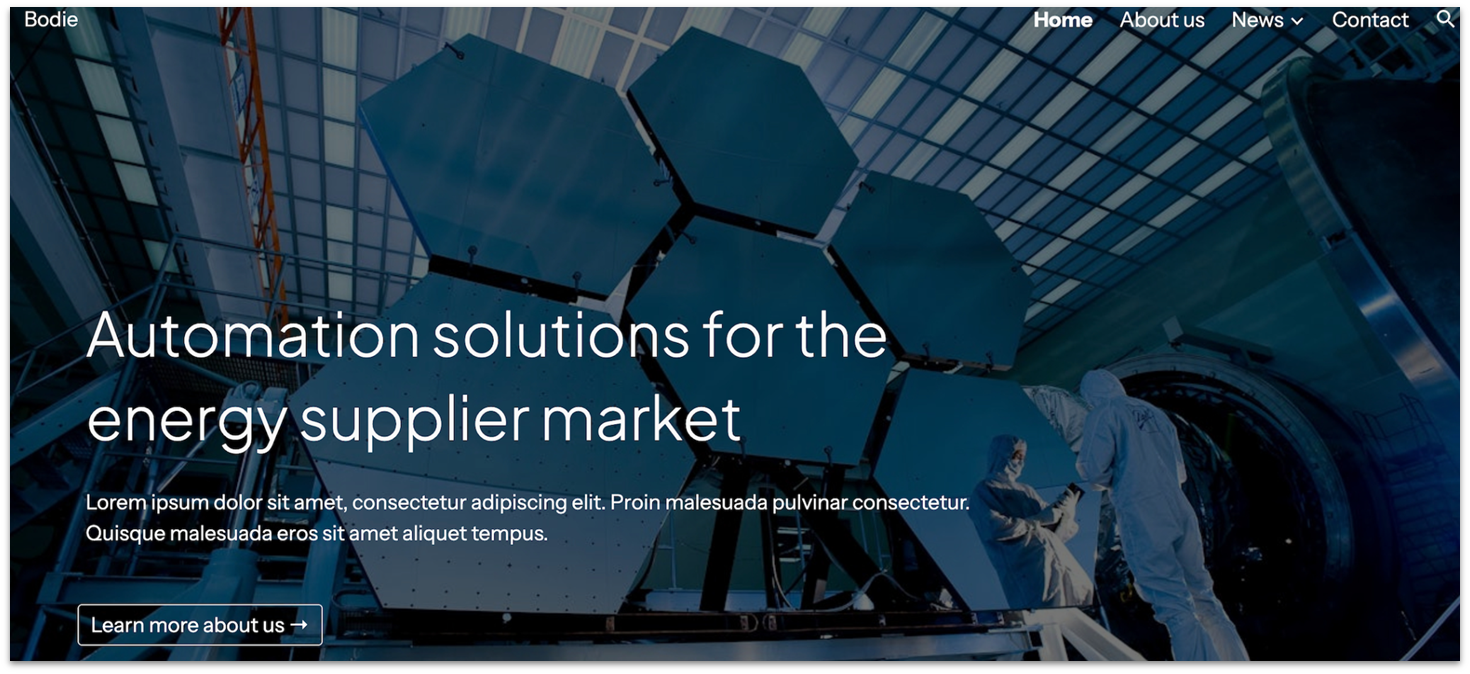
Bodie is a free, versatile template from Imaketemplates that’s ideal for service-based businesses, consultants, and agencies that need a clean, professional online presence. Its minimalist design ensures your offerings and brand message take center stage without distractions. One of its strongest features is the Contact page, which comes pre-integrated with Google Forms for easy inquiry submissions and Google Maps to pinpoint your location.
14. Photography: Smart Look for Creative Artists and Agencies
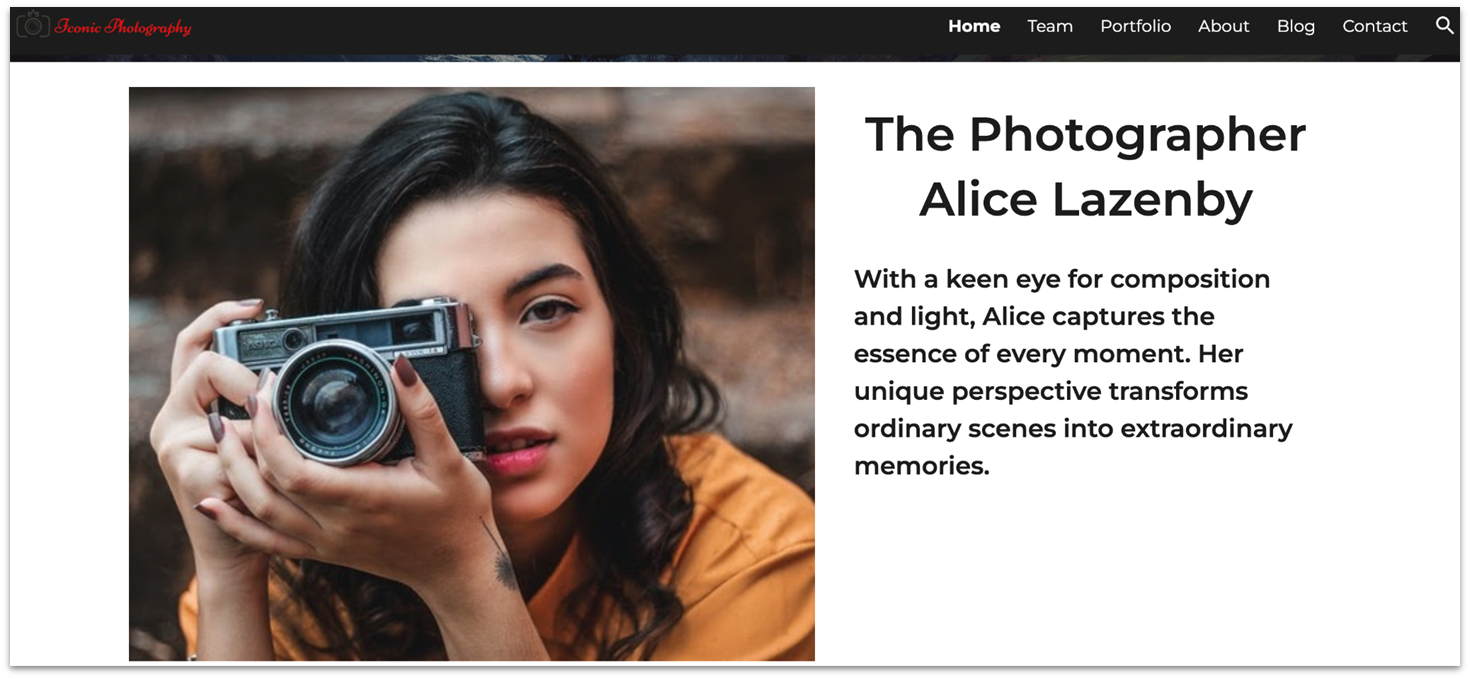
This striking Steegle template for photographers and other artists splits the homepage horizontally above the fold for immediate impact. Just below, a simple grid gallery highlights your creative range and invites visitors to browse featured portfolios image by image. You also set up an About page where you can share insights into your creative approach and add a homepage section to promote classes or workshops you offer.
15. Cabin Coffee: Best for Local Coffee Shops
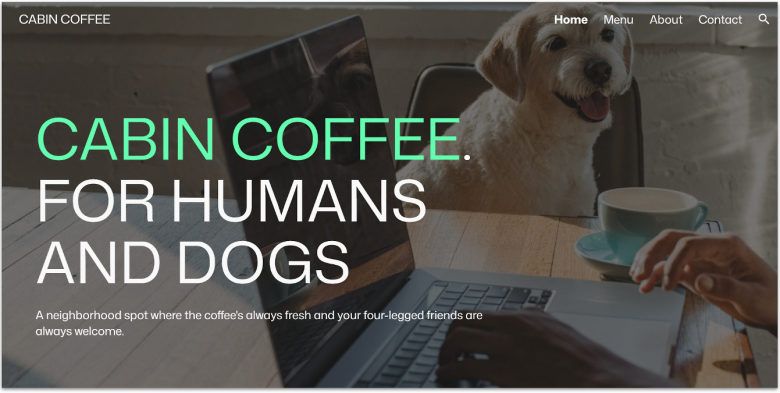
Cabin Coffee by imaketemplates.com really stretches the limits of what’s possible on Google Sites. Thanks to its smart use of bold and modern fonts, large hero images, and a simple site structure, Cabin Coffee looks like it would fit right in with other modern sites designed on fancier platforms. Its cool vibe makes it ideal for niche coffee places.
16. Columbo: Minimalist Style for Coffee Shops and Cafes
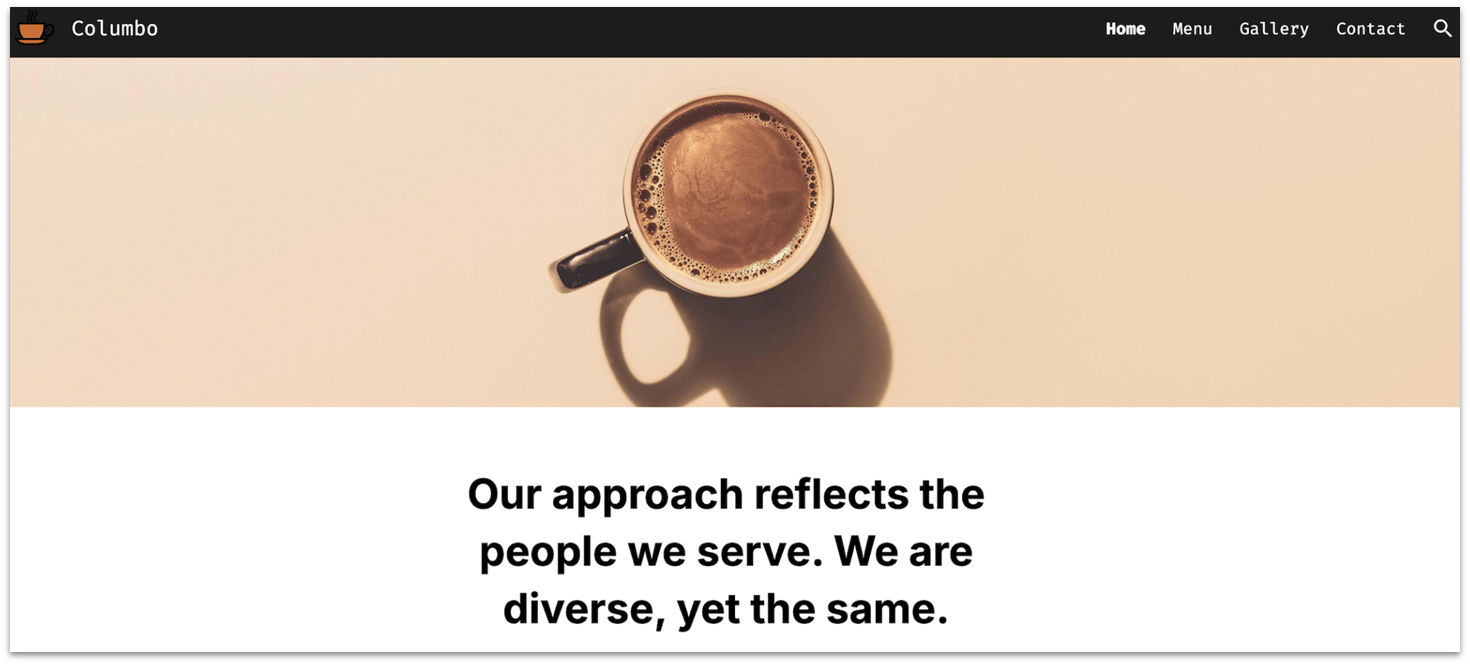
Coffee shops, cafes, and patisseries will find much to like about the free Columbo template from imaketemplates.com. The overall design is simple and well-structured, which makes it easy to navigate. An expansive gallery allows visitors to preview your specialty coffee drinks and other menu items before visiting in person.
17. Orange Home Care: Great for Healthcare Providers
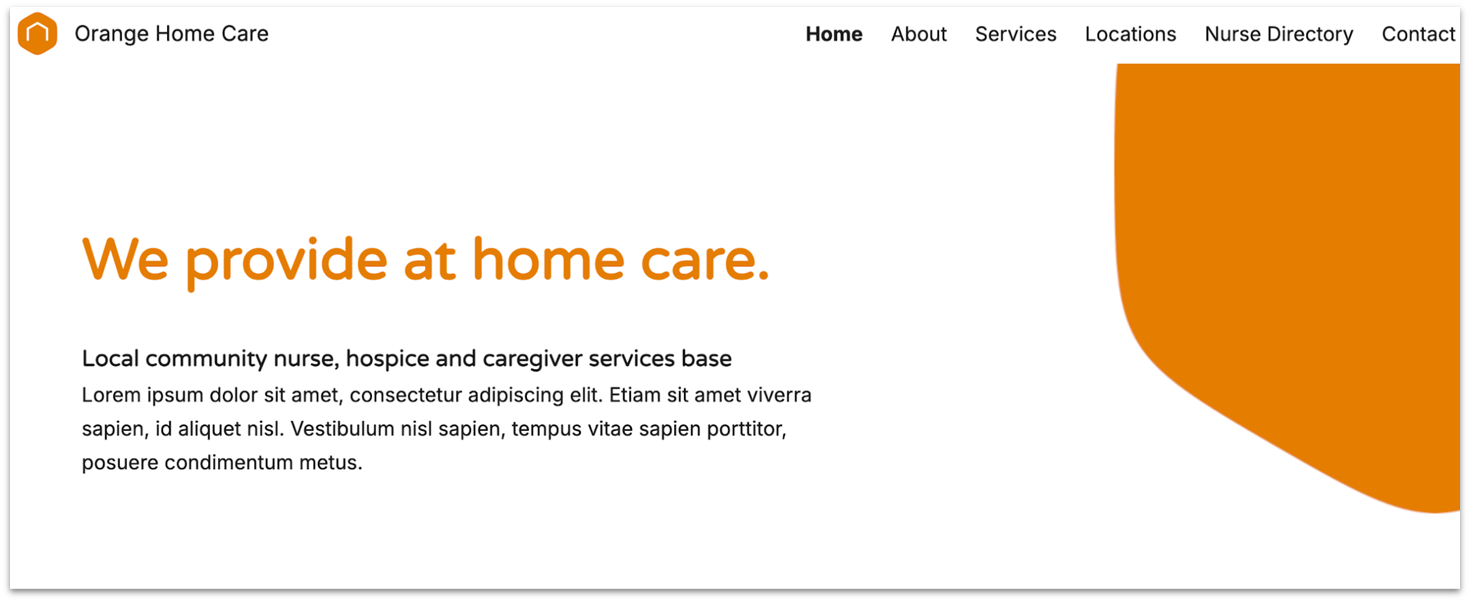
Healthcare providers, home care agencies, and medical directories will appreciate how this template effectively presents services and team information. Orange Home Care’s standout features include a structured Nurse Directory page for individual professional details and a Locations page with integrated map functionality for multi-branch organizations.
18. Fintan Gym: Best for Fitness-Focused Businesses
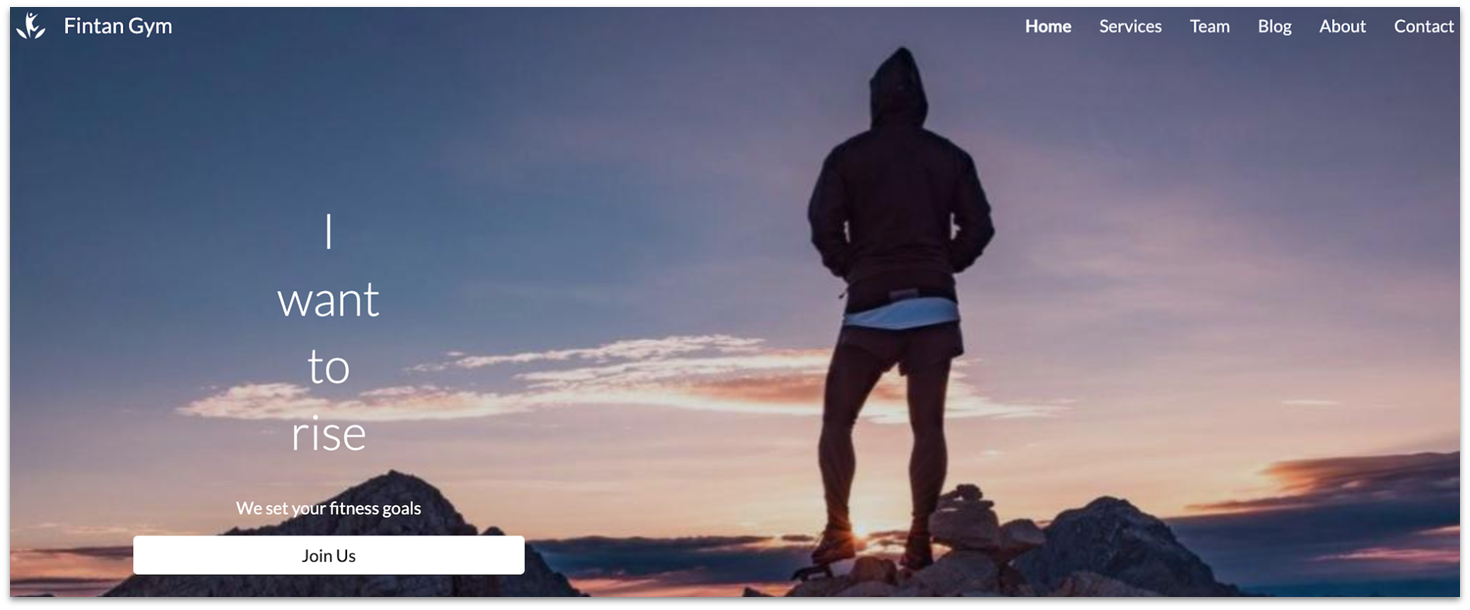
Steegle’s Fintan Gym template draws visitors in with a focused message, on-point visuals, and well-placed “Join Us” CTA buttons that prompt them to sign up to achieve their fitness goals. Its clean layout makes it easy for visitors to navigate your site and focus on your services and benefits gained by signing up for a workout.
19. Baretta: Best for High-Profile Professional Events
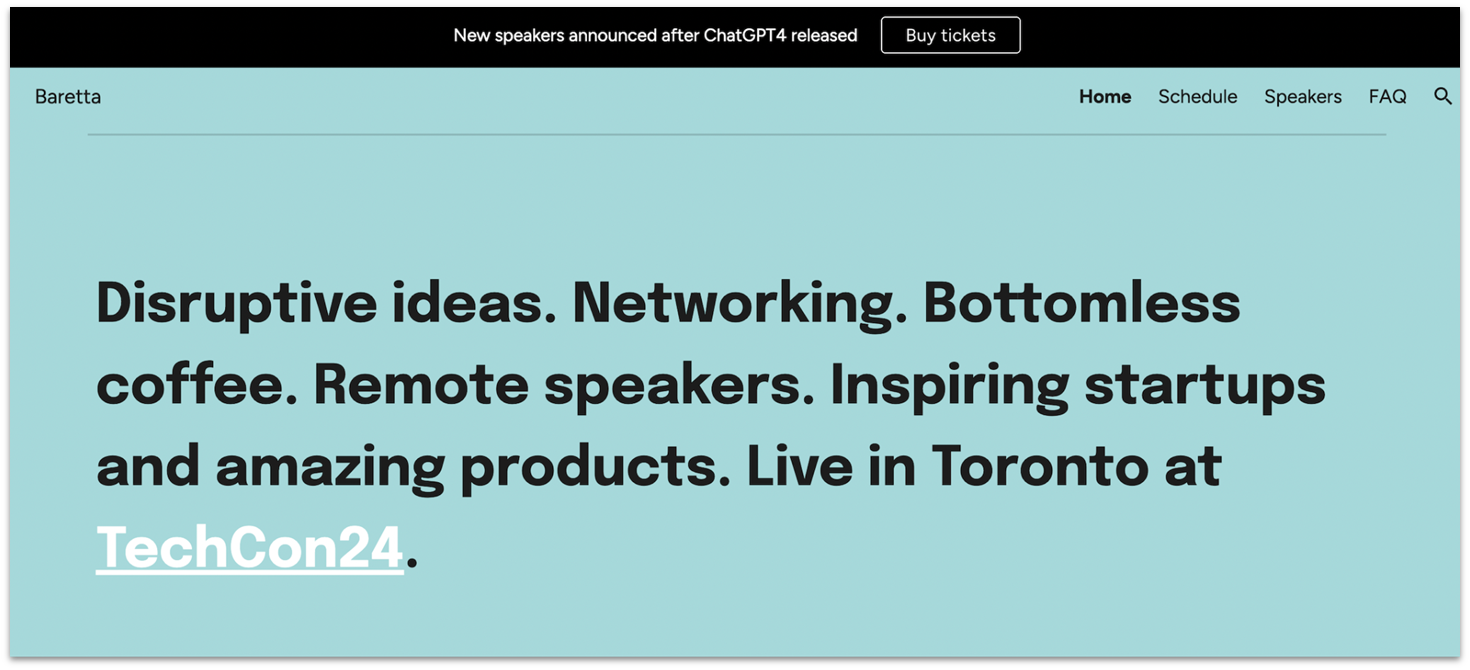
Baretta from imaketemplates.com has what it takes to build a high-conversion website for a convention or professional event. The homepage welcomes visitors with a benefit-focused header, prominently displays a “Buy tickets” banner, and strategically includes calls-to-action to encourage them to click. As they quickly scroll down the page, visitors have the opportunity to explore speakers, choose a ticket package, and finalize their purchase.
20. Drebin Plus: Simple and Focused, Best for Promoting Products or Services
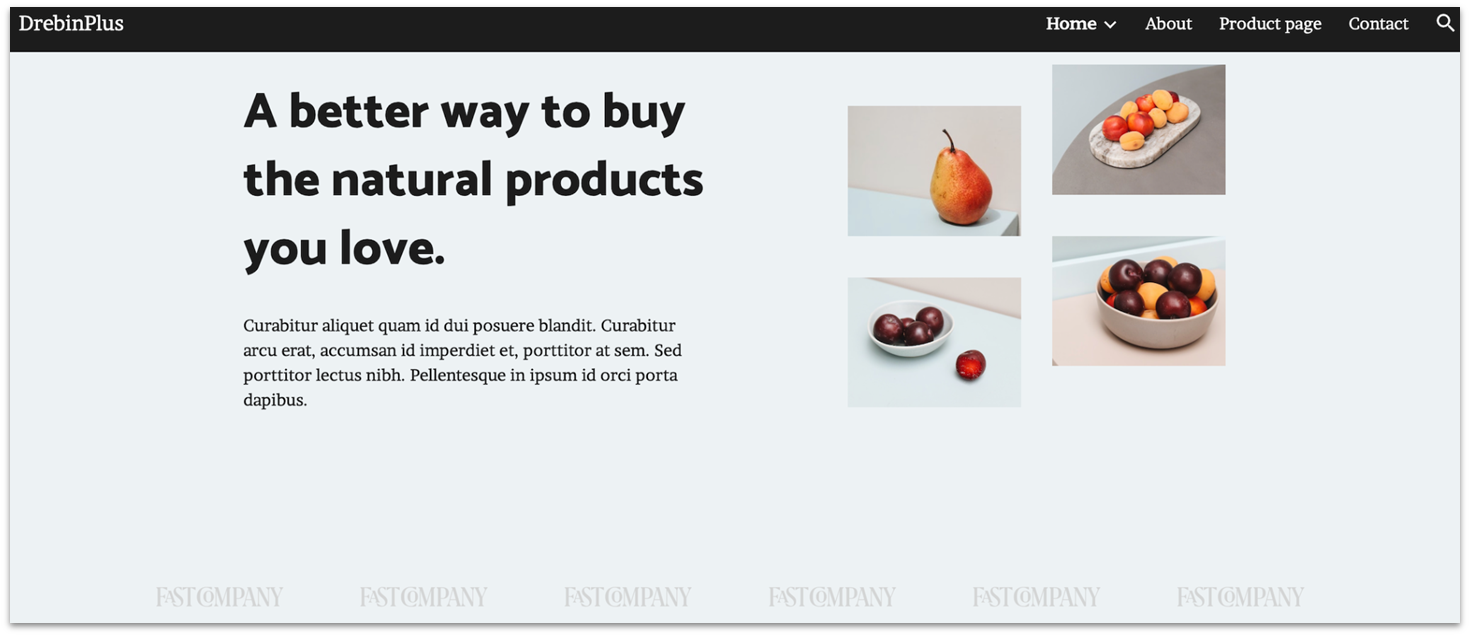
Drebin Plus is the premium version of imaketemplates.com’s free Drebin template. Its ample customization options include 5 homepage styles plus About, Product, and Contact pages. A large footer pinned to every page sums up your business philosophy and invites customers to connect with you on social media.
Didn’t Find What You Were Looking For? Check Out These Templates from Our Favorite Site Builders
If the Google Sites templates left you feeling a little uninspired, you’re not alone. While they’re easy to use and get the job done, they lack the visual impact and design flexibility that you may be looking for.
Many of Google Sites’ limitations are balanced out when paired with a Google Workspace account. For instance, with Workspace, you can upload and share branded Google Sites themes and templates across your organization, so you’re not stuck with generic designs.
However, if you’re not running a business or just want more creative freedom, there are better tools out there. Below, I’ve picked standout templates from top free builders like Wix, SITE123, and Webador – perfect for anyone who needs a more polished and powerful website.
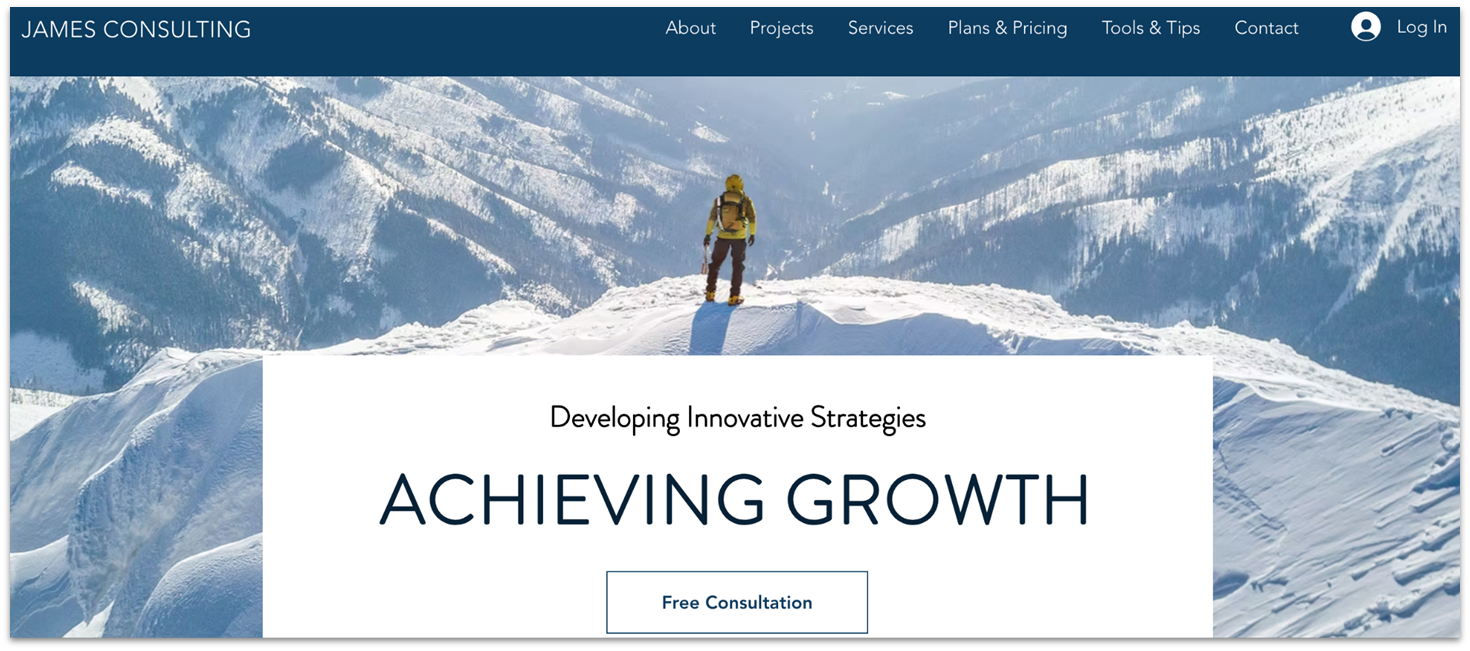
The Consulting Business template from Wix features a sleek and informative design that’s perfect for launching a business or service, or taking an established firm to the next level. With a short scroll down the homepage, visitors can learn about your services, browse past projects, view your client list, and read testimonials from satisfied customers.
The Wix Bookings integration makes it easy for clients to check your availability and book an appointment. They can even make payments through Wix Bookings, whereas Google Sites doesn’t support online transactions. Meanwhile, the integrated Wix Smart Chat app adds a personal touch, allowing you to capture leads, answer questions in real time, and offer responsive customer support.
Market Mastery: Clean & Professional UI for Online Courses

SITE123’s Market Mastery template offers a clean, professional look for online courses. It features attention-grabbing sections for courses, company information, and contact details. The simple, single-page look and smooth layout help convey confidence to potential visitors and maintain visual cohesion within an information-heavy page.
Thanks to SITE123’s extensive app market, you can link information about your courses even if they’re hosted on different platforms, which you can’t do with Google Sites. SITE123 also features a language translator and multilingual SEO capabilities, making it easy to rank well in multiple languages and reach a broader audience.
Traveling: Best for Travel Agencies and Blogs
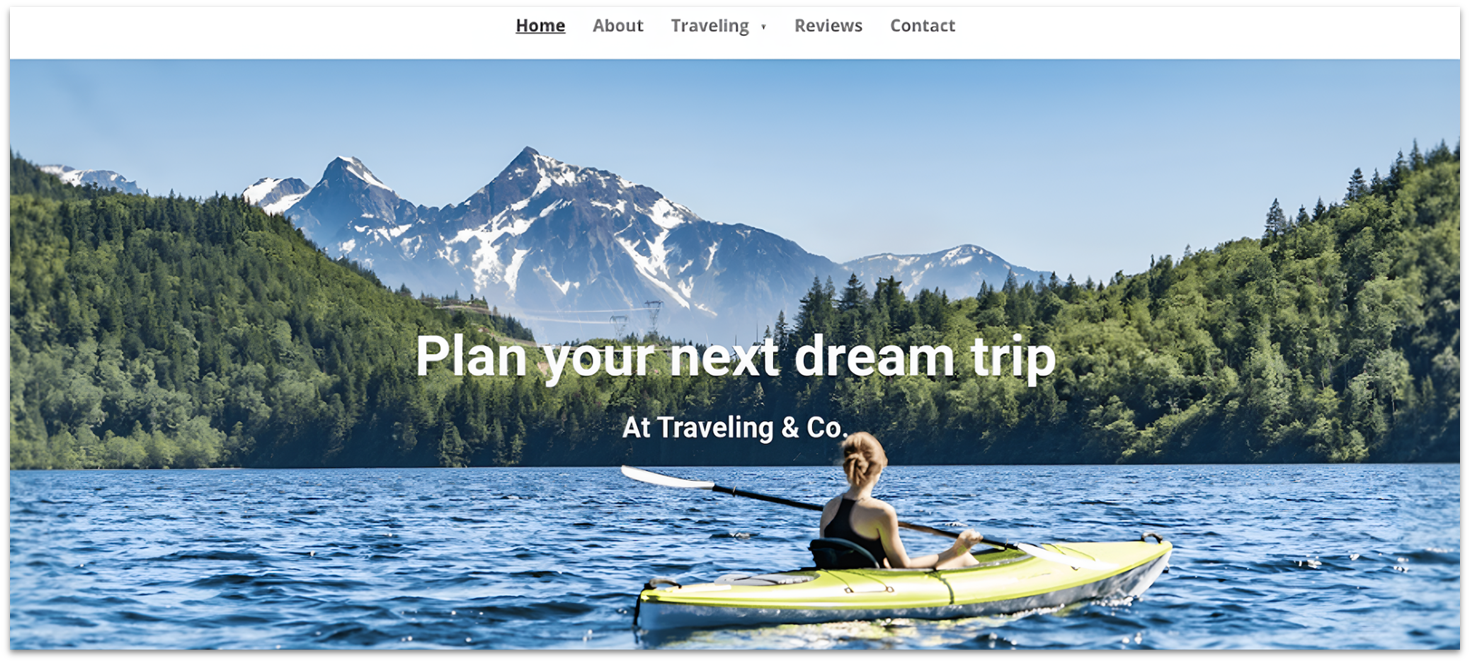
Webador’s simple customization and well-structured design tools can help you create an attractive and understandable blog page, especially with its “Traveling” template. Unlike Google Sites, Webador includes intuitive blogging tools that make it easy to upload each chapter of your adventures.
And thanks to its powerful media-sharing tools and unlimited storage (yes, even on the free plan), you can share high-quality pictures, audio, and videos of your adventures from around the world.
Is Google Sites a Good Fit for Your Website?
Although it has its advantages, Google Sites offers limited customization options, a limited number of templates, and often insufficient storage space. However, its ease of use and convenient integrations with the rest of Google’s suite make it a good choice for small projects or for sharing information online.
If you run a small business, the best solution is to combine your Google Sites with a Google Workspace account to unlock additional storage and collaboration tools, such as shared drives. You can save 15% on your Google Workspace plan for the first 3 months of subscription when you use our coupon.
On the other hand, if you’re an individual looking for more design flexibility, Wix is a great alternative. Even on its free plan, Wix lets you create a website that looks exactly how you want it, thanks to its drag-and-drop builder and enormous selection of 2500+ templates.