When you compare these two cloud hosts, it’s clear that Amazon Web Services (AWS) is many, many times bigger than Kamatera. The difference in infrastructure is so significant it almost seems unfair to compare them – but I was in for a big surprise when I did.
Despite all the odds, I’d say Kamatera is the superior host, as it offers easier plan customizability, more generous free bandwidth allowances, and lower overage fees. This was by no means an easy win, as AWS still holds some infrastructure advantages, such as owning significantly more data centers around the world.
I tested both of these hosts, evaluating performance, features, and more. Read on to find out how Kamatera managed to steal the top spot, along with all the juicy details on how these two hosts measure up.
Plans and Pricing
Kamatera’s Custom-Built Servers Offer Better Value Than AWS’s Rigid Plans
Like most cloud computing services, both Kamatera and AWS charge by the hour, which is simplified into an easy monthly bill. AWS offers a variety of options for web hosting, but Amazon Lightsail is by far the most affordable and the most straightforward to set up. The entry-level Amazon Lightsail server includes 512MB RAM, 2 CPUs core, and 1TB data transfer out of the box.
Kamatera’s cheapest server offers double the RAM and a much more generous free traffic allowance for less than a dollar more per month. It includes 1GB RAM, 1 CPU core, and 5TB of data transfer (but only 1TB at the Hong Kong data center).
Kamatera’s server plans can also be fully customized. If you need a RAM-heavy instance, for example, you can freely set your RAM at the value you need. With Amazon Lightsail, resources cannot be scaled individually – you’d need to upgrade your plan entirely, or configure a server yourself from the ground up with the regular AWS components.
That being said, both hosts offer scalable cloud infrastructure, so resources will scale up to accommodate traffic surges on your website(s).
It’s also important to note that AWS’s transfer overage fees are much higher than Kamatera’s, costing around nine times as much per GB. Depending on your choice of data center, it could cost even more. I’d say Kamatera offers better customizability and scalability for a similar price.
Features
Kamatera Provides More Extensive Setup Options
Again, as these are unmanaged cloud VPSs, not many features are included for free. If you want to add a feature to your server, you’re expected to acquire and install it yourself. That said, there are still some notable time-savers on offer.
Kamatera lets you choose from a long list of server images that can help you to set up your server within minutes. Basic images consist of Linux or Windows OSs, but you may also install a selection of web servers, full development stacks, WordPress with or without Multisite enabled, and much more.
AWS also offers the most popular server configurations, but it lacks the niche options that Kamatera provides. However, Amazon Lightsail servers do come with preconfigured networking, security, and access management.
AWS offers additional value through a 5GB free object storage for a year and a static IP, features not provided by Kamatera. Although these complimentary offerings are pleasant, they don’t drastically alter the landscape. In this comparison, Kamatera emerges as the victor due to its wider range of server images.
| Kamatera | Amazon Web Services | |
|---|---|---|
| Hosting types | Cloud VPS | Cloud VPS |
| CPU | 1 – 104 vCPU | 2 – 8 vCPU |
| RAM | 1 GB – 512 GB | 512 MB – 32 GB |
| Free domain? | ✘ | ✘ |
| Free SSL certificate? | ✘ | ✘ |
| Disk space | 20GB – 16TB | 20GB – 640GB |
| Bandwidth | 5TB (1TB in Hong Kong) | 1TB – 7TB (0.5TB – 3.5TB in Mumbai or Sydney) |
| Automatic backups | Premium add-on | Premium add-on |
| Control panel | Optional, your choice | Optional, your choice |
| Dedicated IPs | ✔ | ✔ |
| Email accounts | ✘ | ✘ |
| Free CDN? | ✘ | ✔ for one year (max. 50GB transfer) |
| Data center locations | US, Canada, the Netherlands, Germany, UK, Israel, Italy, Spain, Sweden, Hong Kong | US, Canada, UK, Ireland, Sweden, France, Germany, India, Singapore, South Korea, Japan, Australia |
| Free site migration? | ✘ | ✘ |
| Free trial | 30-days | 750 hours |
Performance
AWS Offers More Reliable, Faster Performance
While both of these hosts offer data centers around the world, Kamatera struggles to compete with Amazon’s global infrastructure. Kamatera offers 18 data centers covering every major continent, while AWS offers 48+ data centers (“Availability Zones”) in 14 different locations (or “Regions”).
As AWS commonly offers more than one data center in each geographic location, it can offer added fault tolerance, scalability, and availability. AWS also offers its powerful CloudFront content delivery network (CDN) that covers over 400 “Points of Presence” globally. You can get free access for a year to 50GB transfer with this CDN with any Lightsail server.
Kamatera has a 99.9% uptime guarantee on an annual basis. If uptime is lower than this, Kamatera will consider granting a refund or service credits equal to a month’s bill.
On the other hand, AWS offers a 99.99% uptime guarantee, which is calculated on a monthly basis. If downtime occurs, you may be entitled to service credits. With all this in mind, AWS wins this round thanks to its superior infrastructure and performance features.
Kamatera managed to provide respectable speeds across the globe in our performance tests. For more details, check out our in-depth Kamatera review.
Our performance tests with AWS showed significantly faster worldwide speeds than Kamatera. To see the results for yourself, check out our detailed AWS review.
Security
Kamatera Charges Extra For a Firewall, While AWS Offers One For Free
Kamatera and Amazon Lightsail provide a comparable level of security by default. Both hosting providers operate servers within well-protected data centers equipped with redundant power sources. Furthermore, both hosts maintain a secure cloud network with robust encryption to prevent any unauthorized access attempts by malicious hackers, ensuring the safety of your valuable data.
From there, it’s up to you how far you’d like to take security. Amazon Lightsail comes with a free, preconfigured cloud firewall. If you’d like, you can set your own rules. AWS also offers a web application firewall (WAF), but this is priced according to each rule you create as well as the number of processed web requests.
Kamatera also offers a cloud firewall, but there isn’t a free tier. The unmanaged Kamatera firewall starts at a low monthly fee, but the price may rise significantly as your server expands. The managed service add-on costs a pretty penny, but this includes all your servers and virtual devices.
Certainly, you are not obliged to choose any of these security features. Alternatively, you have the option to obtain a security package from a third-party of your preference and install it on your server. This is the flexibility offered by unmanaged cloud hosting. Nevertheless, it is noteworthy that AWS provides a free cloud firewall, which makes it the victor of this round, albeit by a narrow margin.
Support
Kamatera Offers A Superior Scope of Support
As both of these hosts primarily offer unmanaged hosting solutions, there isn’t much in the way of technical support unless you pay a hefty premium. AWS’s free ticket support only offers help with billing and account issues. You also have access to community forums and online documentation to help you, but this is typically aimed at experienced developers.
Kamatera offers some free technical support through tickets, email, live chat, and phone, covering basic issues with the cloud service – such as connectivity failures, for example. Anything beyond this will require purchasing the expensive managed service add-on. Kamatera also lacks any tutorials or guides – there’s no documentation whatsoever.
If you are happy to pay for a premium level of support, Kamatera offers better value. The basic managed service plan includes technical support for your OS, control panel, and web servers, alongside help configuring your server and performing backups. While it isn’t cheap, you’d need to pay nearly twice the price for a similar level of service with AWS.
Despite both hosts only advertising a low level of support for free, I still decided to prod their support teams to see what I could get. To start, I sent a message to Kamatera’s live chat asking for a little help connecting a domain to my server.
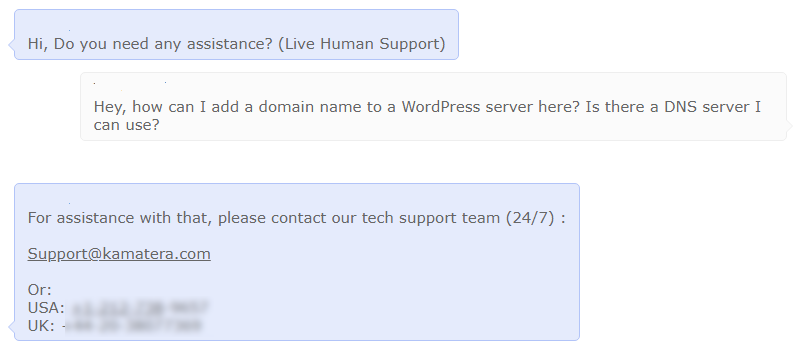
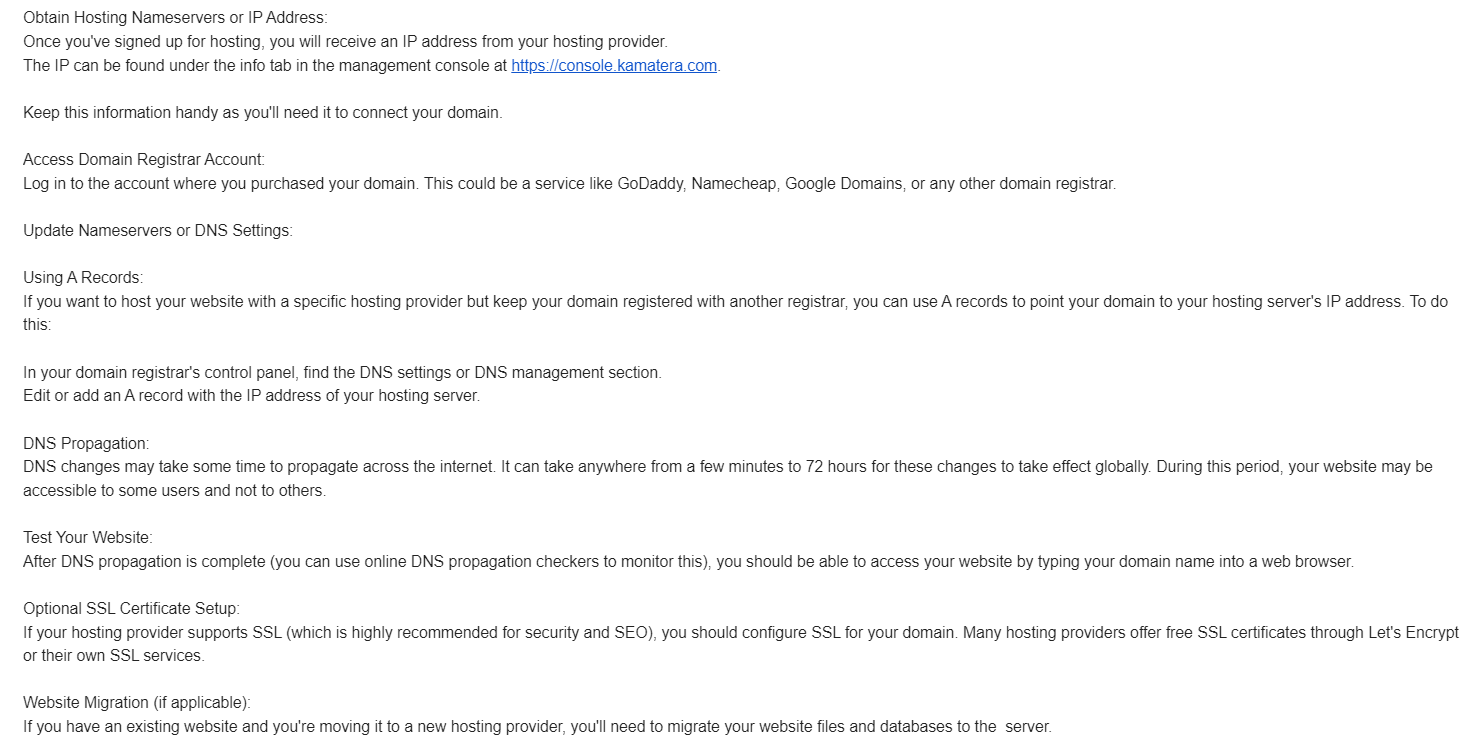
While the live chat was a dead end, the response was at least quick. From there, I sent the same inquiry to Kamatera’s support line. This went much better, as it only took a few minutes to get an excellent response by email.
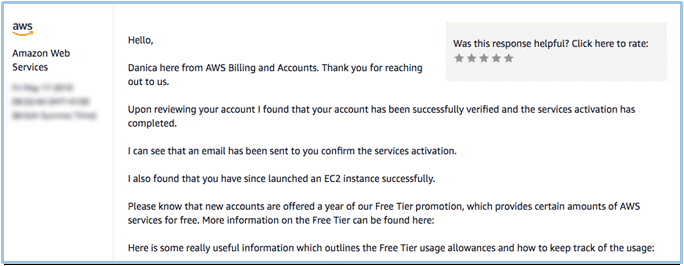
As for AWS, my colleague asked for some basic verification that their account and server had been created successfully. The support agent politely told them that everything looked fine, and went on to give some information about the AWS free tier. It was a nice, helpful response – but my colleague had to wait over 24 hours to receive it.
Overall, Kamatera offers much faster response times, but the basic support offered by the two hosts is about the same. However, Kamatera’s managed service add-on offers much better value than AWS’s premium levels of support.
Kamatera Bests AWS, by a Very Thin Margin
For most users, I’d say Kamatera is the better option. Despite similar pricing, Kamatera offers more free data transfer and lower bandwidth overage fees. Its default plans are easier to customize as well.
However, AWS is a performance powerhouse. If you need the best in speed and reliability, AWS may turn out to be the better option, but to take full advantage of Amazon’s infrastructure you should possess developer-level skill, or enlist someone who does.
Both of these hosts are quite difficult to work with if you don’t have the time or the knowledge to maintain your own server. Managed service and higher levels of support with both hosts are incredibly expensive. If you’re looking for a more straightforward managed service, our list of the best web hosting services might provide more useful options.
FAQ
Does Kamatera offer good performance?
Kamatera offers good speed and reliability across all major continents. While it isn’t as fast as AWS, its performance should be more than enough for most sites and web applications.
How much does AWS cost?
It depends on what you’d like to do with it! If you just need a basic Lightsail server with no additional services, you’ll only be paying a small fee each month. However, if you’d like block storage, managed databases, or any other premium features, your monthly bill will rise significantly.
Is Kamatera the best host?
While Kamatera is a good host, it isn’t right for everybody. It’s an unmanaged solution that requires technical knowledge to operate, or significant additional fees for managed services.
Is Kamatera a good host for WordPress?
WordPress can work perfectly well on a basic Kamatera server. However, you would need to manually install it (or choose the appropriate server image at setup), optimize your server accordingly, and perform day-to-day maintenance yourself.