

Most hosting guides overwhelm you with technical jargon about server types and specifications like NVMe SSDs or CDN integrations, which only leaves you more confused than when you started.
As a beginner, you want a host that keeps things simple, safe, and affordable so you can get online quickly without second-guessing every choice.
That’s exactly what I set out to test. I reviewed dozens of hosting providers, not just from an expert’s perspective, but alongside a friend who was building her very first website. Seeing where she got stuck and how support helped, showed me which hosts truly deliver for beginners and which ones only appear beginner-friendly on paper.
Of all the providers I tested, Hostinger stood out as the best place to start. With its intuitive hPanel dashboard, AI website builder, and affordable entry plans, Hostinger makes launching your first site simple. It also comes with a 30-day money-back guarantee so you can test it risk-free.
Keep reading for the full list of beginner-friendly hosts.
Short on Time? These Are the Best Web Hosts for Beginners in 2026
- Hostinger – AI site builder and simple dashboard to launch your first site in minutes.
- IONOS – Cheapest hosting plans with a dedicated support rep to guide your setup.
- SiteGround – Intuitive Site Tools interface with built-in security and daily backups.
What We Looked For in the Best Web Hosting for Beginners
When testing beginner-friendly web hosts, I focused on features that remove technical barriers while keeping costs low. Here’s what I looked for:
- Simple control panels. An intuitive dashboard makes it easy to manage your site without coding skills. I looked for hosts that include one-click installs for popular platforms like WordPress, Joomla, or site builders, so you can get online in just a few minutes.
- 24/7 customer support. As a beginner, you will have questions. Having real people available over live chat or phone to walk you through setup or unexpected issues gives you peace of mind.
- Reliable performance. I couldn’t overlook uptime (the time your site stays online) and loading speeds (how fast your pages appear to visitors). Both are critical, because a slow or unreliable site can frustrate your audience before they even see your content.
- Included essentials. Free extras like a domain name, SSL certificate, automated backups, and DDoS protection save you money and reduce setup stress. The best hosts make it as simple as clicking a button in the control panel to activate these tools.
- Affordable pricing with a money-back guarantee. When you are just starting out, you don’t want to overspend on features you may never use. That’s why I prioritized beginner plans that keep costs low and still let you get a refund if it’s not the right fit.
A Quick Glossary of Hosting Terms
Hosting comes with a lot of technical terms. Here are the key ones to know, so you can decide for yourself which are more relevant to your needs:
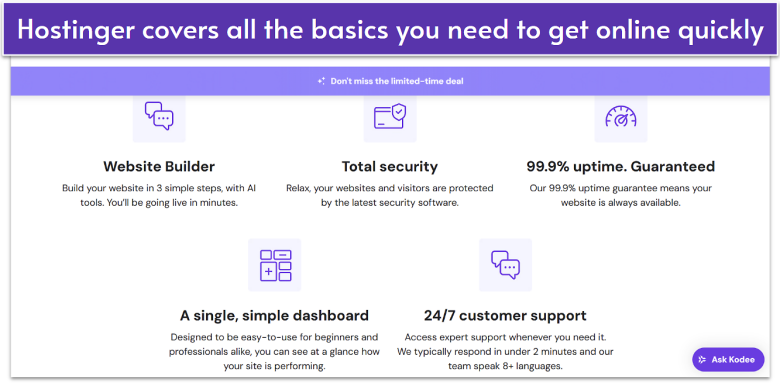
Hostinger combines low-cost shared hosting with beginner-friendly tools that remove technical barriers. Its custom control panel, called hPanel, makes everyday tasks like domain management and one-click WordPress or Joomla installs simple, even if you have no prior experience. On top of that, its AI website builder lets you create a functional site in minutes using drag-and-drop editing instead of coding.
Even Hostinger’s cheapest shared hosting plan, Basic, covers the essentials: a free domain for the first year, a professional email account, and weekly automated backups for easy recovery. Hostinger also recently added a free 7-day trial of its Horizons tool, that gives you five AI-assisted messages to build a custom website or app by simply chatting with the tool.
The only drawback is that the Basic plan lacks daily backups and a CDN, which can speed up site loading times for global visitors. When your traffic increases, the Growth + AI shared hosting plan adds daily backups and a free CDN, along with basic e-commerce tools, advanced analytics, and team collaboration features. This makes it easy to scale without needing to switch providers.
Features
- Global server locations. Hostinger lets you pick from data centers in the US, UK, Singapore, and more. This means your site will load faster for visitors, no matter where they’re based. In our tests, pages loaded in just 0.8 seconds, which is well above the industry average.
- 99.9% uptime guarantee. Hostinger promises your site will stay online at least 99.9% of the time, which is the industry standard. If it ever dips below that, you can claim a credit worth 5% of your monthly hosting fee.
- Free SSL certificate. Every plan includes a free Let’s Encrypt SSL, which adds the padlock symbol next to your web address. It protects your visitors’ data and also gives your site a small SEO boost on Google.
- 30-day money-back guarantee. You can try Hostinger for a full month and get your money back if it’s not a good fit. That way, you can test everything risk-free before committing.
For more details, read our expert Hostinger review.
| Free domain | ✔ (free for the first year) |
|---|---|
| Customer support | 24/7 live chat and email |
| Money-back guarantee | 30 days |
| Starting price | $2.49 |
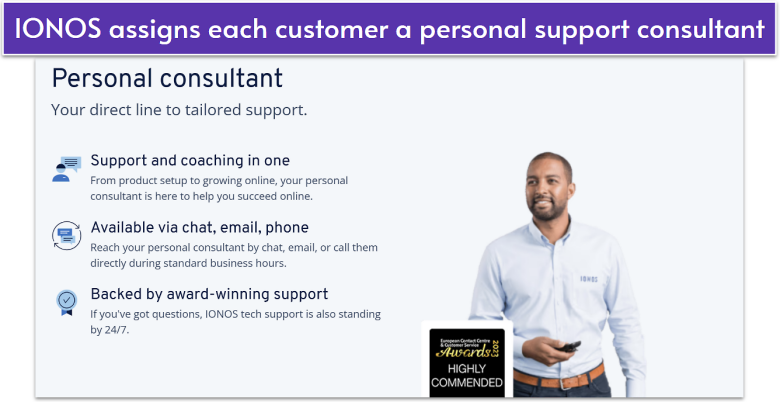
What makes IONOS unique is that every beginner gets a dedicated support rep right from the start. Instead of waiting in generic support queues, you’ll have a single point of contact who knows your account and can give personalized advice. You can reach them by phone, chat, or email whenever you need setup help, growth tips, or technical fixes, all at no extra cost.
Beyond support, IONOS keeps things simple with its custom dashboard. You can check visitor stats, manage hosting resources, and handle domains in just a few clicks. Built-in tools like daily backups, free SSL certificates, and malware protection come included, so you don’t have to worry about setting up security on your own.
IONOS offers the lowest intro pricing of any host on this list, starting at just $1.00 per month. That makes it one of the most affordable ways to get online, even if you’re running a small site on a tight budget. The only limitation is that while IONOS advertises “unlimited traffic,” the Essential shared hosting plan is optimized for about 100 visitors per minute. That’s usually more than enough for a new site, but it could feel restrictive if you suddenly go viral.
Features
- 1-click installs. IONOS lets you install over 70 popular apps like WordPress, Joomla, and Drupal with a single click. I recommend it if you want to avoid manual setup and start building your site immediately.
- Full mobile access. You can manage hosting, domains, and email accounts directly from IONOS’s mobile app. I liked being able to handle website tasks on the go without needing a laptop.
- Optional monthly billing. You don’t have to commit long-term. IONOS offers monthly billing, so you can try its hosting without worrying about large upfront costs or extended contracts.
- 100% renewable energy. IONOS powers all its hosting services with renewable energy, which makes it a strong choice if you want an eco-friendly provider without sacrificing reliability.
Check out the full IONOS review for more helpful features.
| Free domain | ✔ (free for the first year) |
|---|---|
| Customer support | 24/7 live chat, email, phone |
| Money-back guarantee | 30 days |
| Starting price | $1.00 |
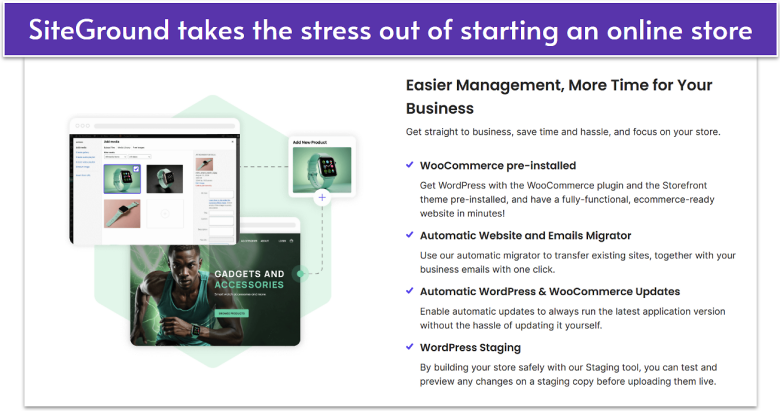
SiteGround makes it easy to start selling online, with WooCommerce pre-installed. You’ll also get staging tools to test changes before going live, free SSL certificates for secure checkouts, and daily backups to protect your store data. These essentials mean you can open your shop quickly and keep it running safely without worrying about setup.
What I like about SiteGround is that it goes beyond security with e-commerce tools. Automatic WordPress and WooCommerce updates keep your store on the latest version without extra work. The Site Tools dashboard keeps everything organized, whether you’re managing inventory, emails, or traffic stats. For busy store owners, that simplicity can make the difference between growing your business and getting bogged down in technical details.
The only drawback is that SiteGround’s storage limits can feel tight compared to some competitors. Even the top-tier shared hosting plan, GoGeek, caps at 40 GB, which may require upgrading sooner than with unlimited storage hosts. Still, this is usually more than enough for a new online store, and if you ever outgrow it, SiteGround’s cloud VPS hosting plans are always an option.
Features
- Built-in caching. SiteGround’s SuperCacher technology automatically improves your site speed without extra plugins. Faster sites keep visitors browsing longer and help reduce cart abandonment.
- 1-click free CDN. With just one click, you can connect your store to SiteGround’s free CDN, which stores copies of your site on servers worldwide. That way, international customers always get the fastest possible load times.
- Professional email. Every SiteGround plan includes free professional email addresses tied to your domain. This makes your store look more credible, whether you’re answering customer questions or sending order confirmations.
- SiteGround website builder. Its drag-and-drop website builder lets you design and publish a site quickly. I think it’s perfect if you want a beginner-friendly solution without needing coding skills.
See our expert SiteGround review to learn more about its features.
| Free domain | ✔ (free for the first year) |
|---|---|
| Customer support | 24/7 live chat, phone, ticket |
| Money-back guarantee | 30 days |
| Starting price | $2.99 |
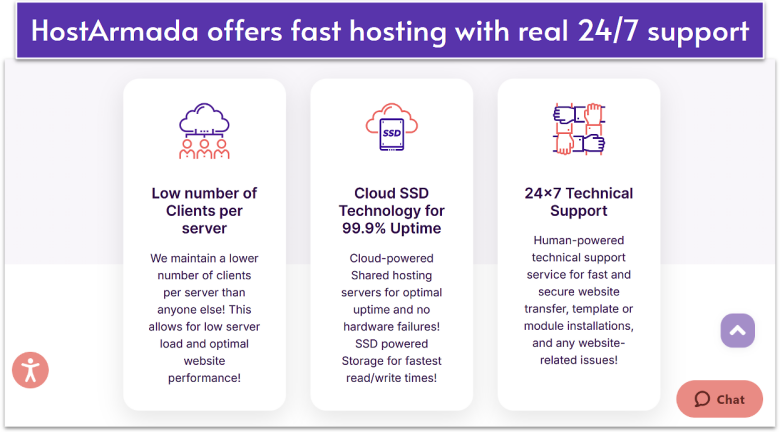
HostArmada is designed with performance in mind, running on cloud SSD technology and using NVMe storage across its infrastructure. With data centers in North America, Europe, Asia, and Australia, your site connects to the closest location for consistently quick load times. This setup makes it a smart pick if you want fast, reliable hosting without paying premium rates right away.
Another thing that stands out about HostArmada is the number of freebies it bundles into every plan. From a free domain name and SSL certificate to daily automated backups and a drag-and-drop website builder, beginners get everything they need without extra costs. It also offers a 45-day money-back guarantee, which is longer than the industry standard.
But while the intro rates are budget-friendly, renewals can cost more than triple once the first term ends. That said, even at higher rates, you’re still getting more value for money than many other providers in the same bracket. And if you ever outgrow shared hosting, HostArmada’s managed cloud VPS plans give you a natural upgrade path with the same beginner-friendly setup.
Features
- NGINX web servers. HostArmada uses NGINX to serve websites faster and handle more traffic with fewer slowdowns. For beginners, this means your site loads quickly without you needing to tweak advanced performance settings.
- cPanel control panel. You’ll manage your site with the familiar cPanel interface, making it easy to add domains, check email, or install apps with just a few clicks.
- Malware scan and removal. Each plan includes automated scanning and removal tools, so you don’t have to worry about digging into code to clean your site if it’s under attack.
- Free website migration. If you’re moving from another host, HostArmada’s team will transfer your site for free, saving you hours of manual work and reducing downtime.
Learn more about HostArmada in our complete expert review.
| Free domain | ✔ (free for the first year) |
|---|---|
| Customer support | 24/7 live chat, phone, ticket, email |
| Money-back guarantee | 45 days |
| Starting price | $1.49 |
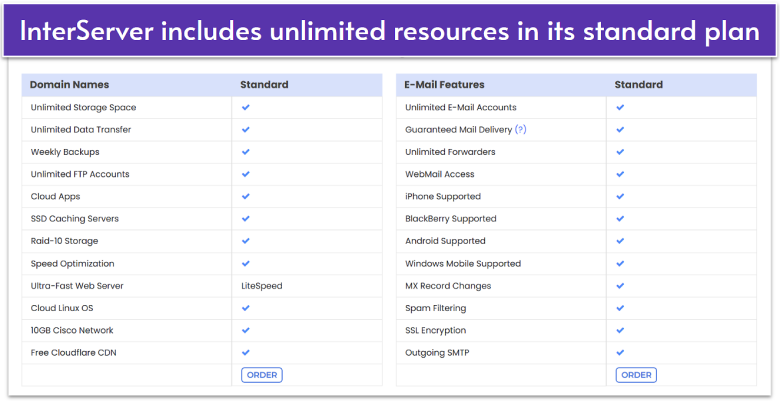
InterServer is unique in that it offers one cheap, all-inclusive, unlimited shared hosting plan for $2.50. This plan includes unlimited SSD storage, bandwidth, as well as unlimited database/website and email account quotas, so you can grow your projects without worrying about limits or overage fees. There are no hidden fees or surprise limits – what you sign up for is exactly what you get.
This plan is also available month-to-month, providing risk-free flexibility. This can be particularly appealing if you’re starting out and unsure about future needs. Additionally, this package gets built-in protection from InterServer’s security suite, InterShield. It features various tools to protect your site, including a machine learning firewall, DDoS protection, and a malware scanner.
However, it’s worth noting that InterServer doesn’t include a free domain name, so you’ll need to buy one separately. That said, it makes up for this with its price-lock guarantee: the rate you sign up with never increases, even when you renew. That kind of stability is rare in hosting, trust me. So, you’ll know what your monthly bills are even if you scale up. If you prefer bundled services, you can always check out Hostinger or other top providers.
Features
- Over 450 cloud apps. InterServer supports quick 1-click installation of more than 450 apps, including WordPress, Joomla, Drupal, and Magento. This makes it easy for beginners to launch a site without coding.
- Guaranteed email delivery. Reliable email is critical if you use your site for business or client communication. With InterServer’s email delivery guarantee, your messages won’t end up in spam folders.
- Inter-Insurance. If your site is ever hacked or compromised, InterServer’s Inter-Insurance policy handles cleanup and recovery at no extra cost, giving you peace of mind without needing outside security tools.
- 50% server capacity. InterServer operates its servers at only 50% capacity, which means your site gets more consistent resources. This helps avoid slowdowns during traffic spikes compared to oversold shared hosting.
Our detailed review has more on InterServer’s ease of use.
| Free domain | ✘ |
|---|---|
| Customer support | Phone, email |
| Money-back guarantee | 30 days |
| Starting price | $2.50 |
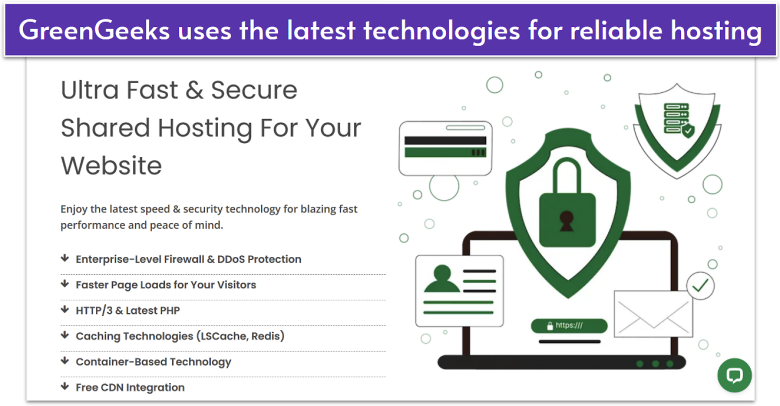
GreenGeeks caters to customers who want hosting with an environmental commitment. For every plan sign-up, GreenGeeks plants a tree and offsets three times the energy it consumes with renewable energy credits. That makes it one of the greenest providers on the market while still delivering competitive hosting features.
On the shared hosting side, GreenGeeks includes unlimited SSD storage, bandwidth, and email accounts with every plan. Built-in caching comes standard, while the Premium shared hosting plan adds Redis caching – a technology that stores frequently accessed data in memory so your site can load heavy content much faster. You might not need it at first, but it’s especially useful for dynamic websites like WordPress blogs, forums, or e-commerce stores.
In our testing, GreenGeeks delivered fully loaded times between 1.2 and 2 seconds. That’s faster than the industry average of around 2 seconds but still behind our top performer, Hostinger, which averaged just 0.8 seconds. Uptime, however, was excellent: we recorded zero downtime during the entire testing period, meaning your site is very unlikely to go offline unexpectedly.
Features
- Managed WordPress features. Instant WordPress installation or migration, automatic updates, built-in security, and daily backups make it easy to run your site.
- AI website builder. GreenGeeks’ drag-and-drop editor with AI-powered templates and SEO tools helps you launch a polished site in minutes.
- Dedicated IP address and AlphaSSL. Available on GreenGeeks’ Premium shared hosting plan, these provide stronger security and better trust with browsers and search engines.
- Fully managed VPS plans. If you need more power but lack the experience to run a VPS server, GreenGeeks’ managed VPS plans handle optimizations, backups, software installs, security, and more.
Read the full GreenGeeks review to learn more about its eco-friendly hosting.
| Free domain | ✔ (free for the first year) |
|---|---|
| Customer support | 24/7 live chat, phone, email, ticket |
| Money-back guarantee | 30 days |
| Starting price | $1.95 |
Other Notable Web Hosts for Beginners
7. Liquid Web
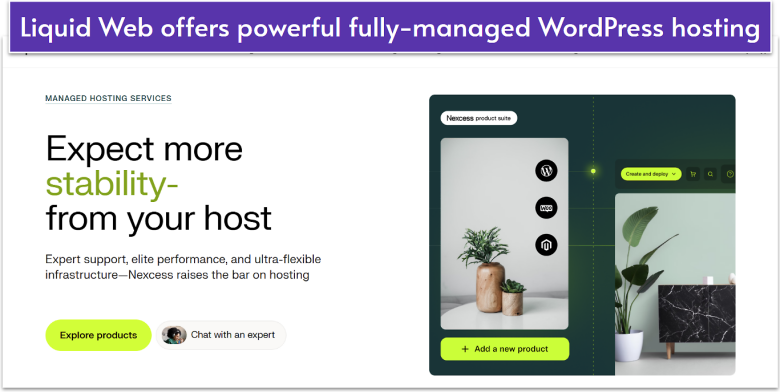
Liquid Web offers a variety of hosting options for pros and beginners alike. For beginners, Liquid Web offers fully-managed WordPress, WooCommerce, and Adobe Commerce hosting. This means that the Liquid Web team will handle every part of your WordPress setup for you, from installation to the most essential updates for performance and security.
Liquid Web’s managed hosting also includes built-in features like advanced caching and image compression to improve your loading times, CloudFlare CDN to ensure worldwide performance, and daily backups for peace of mind.
Though Liquid Web is undeniably a good option for beginners that need a lot of power, you should keep in mind that it’s considerably more expensive than standard shared hosting. The same advanced features that make it ideal for an e-commerce site or a global platform also mean that if you want to create a small personal site, Liquid Web might be a bit of an overkill.
8. InMotion Hosting
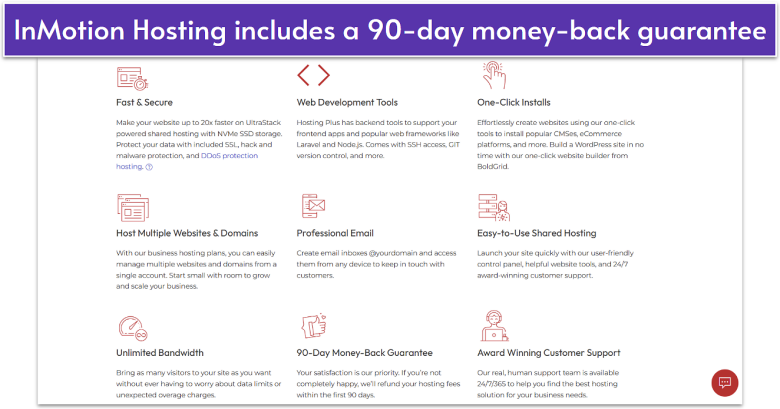
InMotion Hosting is a strong pick for beginners and small businesses that want room to grow. Even the entry-level Core plan includes 100 GB SSD storage, while the Power and Pro shared hosting plans bump this up to 200 GB NVMe. These generous caps are more than enough for blogs, portfolio sites, or small e-commerce stores. You also get a free domain, SSL, email, and a 90-day money-back guarantee – one of the most generous in the industry.
One trade-off is customer support: while InMotion has a good reputation for responsive help, phone support is only available on the Power and Pro shared hosting plans. If you’re on the Core or Launch tiers, you’ll need to rely on live chat instead. For some, that’s no issue, but if you prefer talking to a human on the phone, you may find yourself needing a higher-tier plan.
9. hosting.com
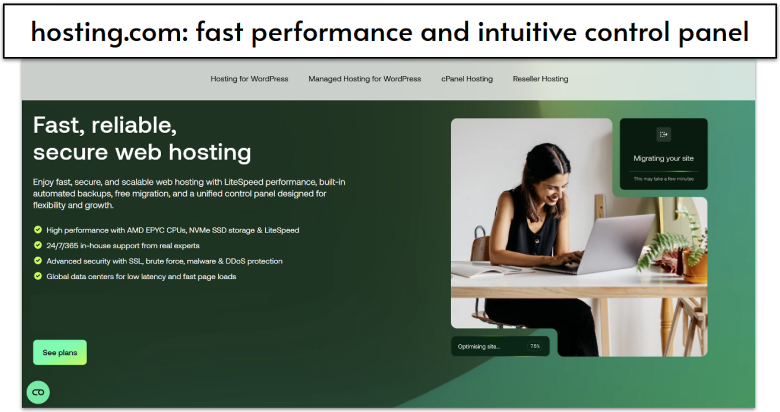
Hosting.com hits the right balance between easy management and strong performance. All plans include LiteSpeed servers, which handle traffic more efficiently than traditional Apache servers. This means your site can stay quick and responsive, even when you get more visitors. Hosting.com is also one of the few shared hosting providers that gives you a cPanel license for free, making it easier to manage your site files, email accounts, and databases.
The main limitation is on the Starter shared hosting plan, which only supports one website and doesn’t allow add-on domains or subdomains. For example, you can’t use the same plan to run both ‘mybusiness.com’ and ‘myblog.com’, or create a subdomain like ‘shop.mybusiness.com’. If you plan to manage more than one site or add extra sections under your main domain, you’ll need to upgrade to the Plus, Pro, or Max shared hosting plan.
Build Your First Website With the Best Web Host for Beginners
Choosing the right web host as a beginner comes down to simplicity, support, and value.
If you’re looking for affordable pricing and the easiest setup, Hostinger is my top recommendation. It gives you an intuitive hPanel, an AI website builder, and one-click installs that make building your first site stress-free.
If personalized support is your priority, IONOS hosting with a dedicated rep is great for beginners. You’ll always have someone to guide you, making it a safe choice if you’re nervous about setup.
Or, if you want to start selling online right away, go with SiteGround. It comes with WooCommerce pre-installed, perfect if you’re setting up an online storefront, daily backups, and strong security features that make it perfect for launching and managing an online store.
| Standout Feature | Storage (Shared Hosting) | Loading Time & Uptime During Testing | Starting Price | ||
|---|---|---|---|---|---|
| Hostinger | AI website builder & simple hPanel control panel for easy setup | 10 GB SSD – 100 GB NVMe SSD | 0.8 seconds / 100% uptime | $2.49 | |
| IONOS | Dedicated support rep available via chat, phone, and email | 10 GB – unlimited SSD | 1 second / 100% uptime | $1.00 | |
| SiteGround | Built-in WooCommerce tools & daily backups | 10 – 40 GB SSD | 1.5 seconds / 100% uptime | $2.99 | |
| HostArmada | Freebies with a 45-day money-back guarantee | 15 – 40 GB NVMe SSD | 1.1 seconds / 99.98% uptime | $1.49 | |
| InterServer | Unlimited resources & price-lock guarantee | Unlimited SSD | 1.7 seconds / 100% uptime | $2.50 | |
| GreenGeeks | Eco-friendly hosting with beginner-friendly extras | 25 – 100 GB SSD | 1.2-2 seconds / 100% uptime | $1.95 |
Why Are the Numbers Important?
These numbers matter more than you might think. Loading speeds decide whether visitors stay on your site or click away, and uptime shows how reliable your host really is – you don’t want your site going offline just when someone’s trying to visit. Storage is usually less of a worry at the start unless you’re planning to upload lots of big images or videos right away.