
Linux hosting gives you full control, but some hosts make that control hard to reach. You’ll find locked dev tools, missing features like Git or staging, unclear PHP support, and big jumps in price when it’s time to upgrade. Even worse, some plans offer “SSH access” but hide it behind costly tiers or VPS-only upgrades.
I tested dozens of Linux hosts by spinning up live sites and checking real-world speed (TTFB), uptime consistency, and what dev tools you actually get at each tier. I also checked backup options, support quality, and whether you’re getting a real free trial or just a refund window.
The best Linux hosting services give you NVMe SSDs, LiteSpeed or NGINX servers, and staging with rollback – without surprise fees. If you want to grow, they’ll offer easy VPS upgrades with full root, wide distro choice, and hourly billing that doesn’t lock you in.
Hostinger is my top pick if you want the fastest, easiest, and cheapest way to launch a Linux site with all the core tools. But if you need a flexible VPS with full control from day one, Kamatera is your best bet.
Short on Time? These Are the Best Linux Hosting Services in 2026
- Hostinger – The best blend of speed and value, with LiteSpeed servers, NVMe storage, and global data centers. Free unlimited migrations and Git integration in hPanel make it beginner-friendly yet powerful.
- IONOS – Built for stability with geo-redundant servers that mirror your site across two data centers. SSH, SFTP, and WP-CLI are available on all plans, plus affordable NVMe VPS upgrades with full root access and distro choice.
- Kamatera – A fully customizable cloud VPS where you pay only for what you use. It offers a wide Linux distro library, NVMe SAN storage, and Intel Xeon Ice Lake hardware, with optional managed services for ease.
What We Look For in the Best Linux Hosting Services
When I tested Linux hosting providers, I focused on features that actually affect your site’s speed, stability, and developer workflow. Here’s what I prioritized:
- Performance and reliability. Great speeds and reliable uptime mean greater visitor retention. If your website is always slow or routinely unavailable, people are going to bounce off your site and never return. The hosts I’ve picked are both fast and reliable.
- Real value for money. Cheap plans mean nothing if renewal rates skyrocket or resources are capped. I looked for transparent pricing, generous resource allocations, and features that aren’t hidden behind expensive upgrades.
- Developer tools and flexibility. Linux hosting should unlock, not limit. I checked for SSH access, Git integration, staging environments, root access on VPS, distro choices, and control panels that streamline your workflow.
- Strong security features. While Linux is quite secure, you’ll still be at risk without a strong security solution. The hosts below all take the security of your site seriously.
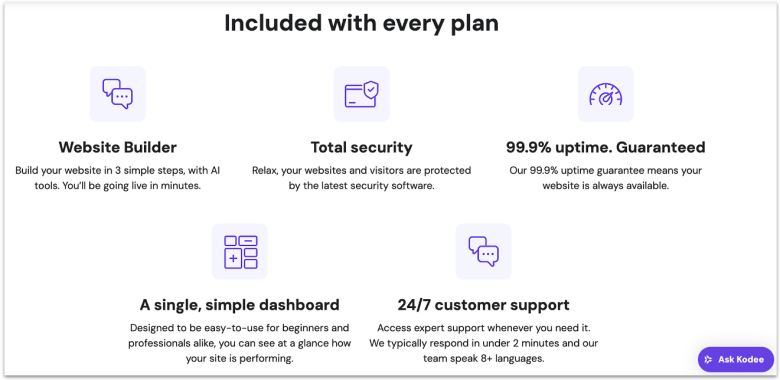
Hostinger’s Linux hosting comes at a price that feels like a mistake. Plans begin at a few bucks per month, yet you still get LiteSpeed servers, NVMe storage, and a choice of global data centers. That mix gives you a quick site no matter where your visitors are. The best part is that you can lock in that super-low intro price for up to 4 years to get max savings.
One of Hostinger’s biggest draws is its free, unlimited website migrations. You’ll also find Hostinger very easy to work with, even if you’ve never run a site before. Its custom hPanel adds Git integration, making it easy to pull code straight from a repo. The Business plan unlocks WordPress staging to test PHP upgrades or plugin changes before pushing live.
Just note that Hostinger doesn’t support Redis or Node.js on shared plans, and the managed Cloud tier also excludes Node.js. Still, PHP-based apps and CMS platforms like WordPress or Drupal run smoothly with LiteSpeed and OPcache optimizations. When you outgrow shared hosting, Hostinger’s VPS plans unlock full root access, NVMe storage, and a wide distro choice.
Features
- SSH and WP-CLI on all plans. You can drop straight into the terminal for serious admin work – run Composer, manage Git repos, or use WP-CLI to update plugins and themes in seconds.
- PHP version control per site. Hostinger lets you pick the PHP version for each site in hPanel, and even set different versions for subdomains or test folders so you can safely trial updates.
- Custom cron jobs with flexible scheduling. You’re free to automate scripts or database tasks on your Linux server with cron jobs, and Hostinger’s hPanel makes scheduling them straightforward.
- Security and CDN safeguards. You get a built-in malware scanner plus Hostinger’s CDN (on Business plan and above) with “Under Attack” mode, which filters suspicious traffic before it ever reaches your server.
Read our expert Hostinger review for more details.
| Resources on the basic plan | 3 websites, 20GB SSD storage, 2 mailboxes per site, |
|---|---|
| Backup frequency | Weekly, on-demand backups on Business plan and above |
| Money-back guarantee | 30 days |
| Starting price | $2.49 |
2. IONOS: Geo-Redundancy Keeps Linux Websites Stable With Dual Data Centers
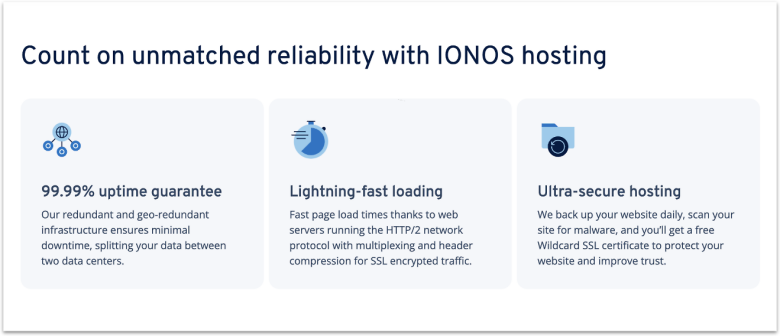
IONOS’ geo-redundant servers give your Linux website serious resilience. It mirrors your site in a second data center, so even if one location fails, your site stays online. You also get SSH, SFTP, and WP-CLI on all tiers, so you can manage code or run scripts without paying extra. Add PHP 8.2 and HTTP/2 as the default stack, and you’ve got a dev-ready setup from day one.
When you need more power, IONOS’ VPS line is one of the best budget upgrade paths. Each server runs on NVMe storage with full root access, plus you can pick from AlmaLinux, Debian, Rocky, or Ubuntu. Data centers span the US, UK, Germany, France and Spain, backed by a 99.99% uptime SLA. You also get snapshots for quick rollbacks and optional Cloud Backup.
Be mindful that its basic shared hosting tier is modest, with 10 GB storage and CPU limits. However, the next tier jumps to 100 GB storage and up to 10 sites for only a few dollars more. And if you outgrow shared hosting, IONOS’ VPS provides full root access, distro choice, and NVMe storage to run custom stacks – all at a very affordable price.
Features
- Wildcard SSL. Your Linux sites (shared or VPS) can secure all subdomains without extra cost. This helps protect dynamic content and multi-site setups.
- Daily backup and recovery. All shared hosting plans include automatic daily backups with one-click recovery, so you can roll back unwanted changes without waiting or paying extra.
- Global DDoS protection with firewall rules. IONOS runs a scrubbing network and offers a configurable firewall on VPS and cloud servers, which helps defend your stack (APIs, Node.js, custom services) from traffic attacks.
- Integrated DNS management. You can manage A, AAAA, MX, TXT, and SRV records right from the IONOS panel, so your Linux apps and mail servers stay easy to configure without juggling third-party DNS tools.
Get all the details in our in-depth IONOS review.
| Resources on the basic plan | 1 website, 10 GB storage, one email account (2 GB inbox), free Wildcard SSL |
|---|---|
| Backup frequency | Daily |
| Money-back guarantee | 30 days |
| Starting price | $1.00 |
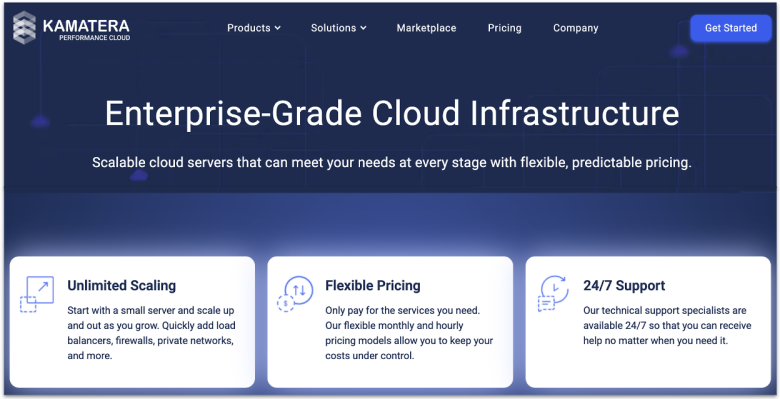
Kamatera lets you pay only for what you actually use, down to the second. That’s great if you spin up Linux servers for testing, CI jobs, or traffic spikes. You can launch a server for one hour, shut it down, and only pay for that hour. It’s one of the most flexible pricing models, ideal for developers, startups, or anyone who runs short-lived Linux workloads.
You also get freedom to shape the server the way you want. Choose from a wide range of Linux distros like Ubuntu, Debian, AlmaLinux, and Rocky, or upload your own ISO. Storage is built on an NVMe SSD SAN, with support for up to 16 drives per server to separate data and logs. Under the hood, Kamatera runs the latest Intel Xeon Ice Lake hardware and backs it with a 99.95% uptime guarantee.
The one drawback is that Kamatera is self-managed by default, which means you’re responsible for updates and security. If you’d rather offload that work, you can add a managed service package during setup. Combined with daily backup options, this lets you keep the flexibility of Linux while handing off the routine admin tasks to Kamatera’s team.
Features
- Custom CPU classes. Pick from Availability, General Purpose, Burstable, or Dedicated cores to fine-tune performance and cost for each Linux server.
- Cloud firewall add-on. If the built-in firewall is not enough for you, you can get a cloud firewall as a paid add-on for your server. This gives you intrusion detection and prevention, DDoS and malware protection, and app-level filtering.
- Choice of traffic model. Monthly servers include 5TB traffic for most regions (1TB limits in Hong Kong, Sydney, Tokyo, and Singapore), with overage billed separately. You can also pick an unmetered 50 Mbps line instead.
- Global data centers. Deploy in multiple regions, including the US, Europe, Asia, and the Middle East, to keep latency low for your audience.
Our full Kamatera review explains everything in detail.
| Resources on the basic plan | 1 GB RAM, 1 shared vCPU, 20 GB SSD storage, 5TB monthly bandwidth |
|---|---|
| Backup frequency | Daily (14-day retention), but backups are a paid add-on |
| Money-back guarantee | ✘ (30-day free trial worth up to $100) |
| Starting price | $4.00 |
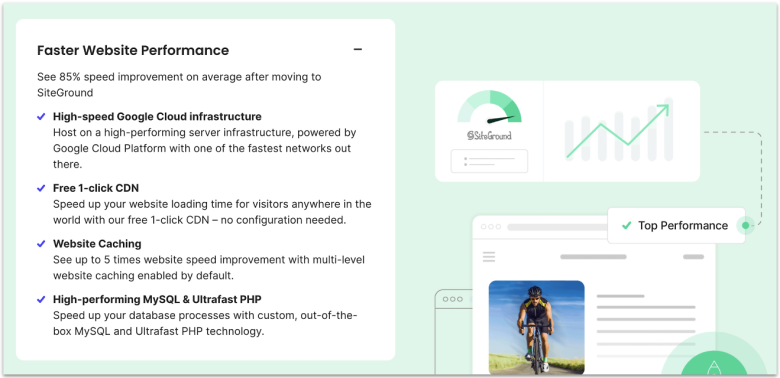
SiteGround’s stack is built for speed from the ground up. Every plan runs on Google Cloud with NGINX Dynamic Cache enabled by default. Plus, Ultrafast PHP that cuts server response times significantly. You also get Brotli and HTTP/3 out of the box, so your Linux apps deliver pages fast, no matter the workload.
You also get a stack of developer tools without jumping to a VPS. SSH and SFTP are included on all plans, letting you work from the terminal with WP-CLI or Composer. GrowBig and GoGeek add one-click staging, while GoGeek includes Git for version control.
Security is just as strong. SiteGround’s AI blocks brute-force waves before they hit your site, and the in-house CDN includes an “Under Attack” mode for DDoS spikes. The one drawback is smaller storage (10 GB on StartUp, 20 GB on GrowBig), but you get daily backups with up to 30 restore points plus premium caching. That balance makes storage less of a pain.
Features
- Custom Site Tools panel. SiteGround replaces cPanel with its own panel that includes file manager, DNS editor, and PHP version control tuned for Linux stacks.
- Free Wildcard SSL. Protect all subdomains of your Linux site without extra cost, which is ideal if you run multi-site setups or staging subdomains.
- On-demand backups. The GrowBig plan and above let you trigger manual backups before updates (beyond the 30 daily copies), keeping a rollback ready when testing Linux apps.
- Built-in DNS and email management. Manage DNS records and email accounts directly from Site Tools, with no need for third-party services.
For more information, check our detailed SiteGround review.
| Resources on the basic plan | 1 website, 10 GB storage, web application firewall (WAF), email migrator tool, unlimited email accounts |
|---|---|
| Backup frequency | Daily |
| Money-back guarantee | 30 days |
| Starting price | $1.99 |
5. HostArmada: Low Server Load Means Steadier Linux Performance
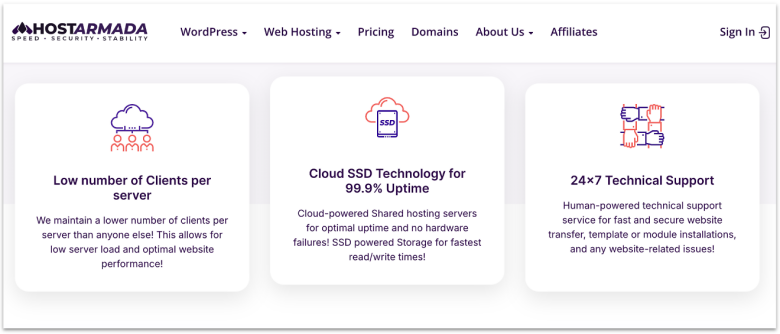
HostArmada sets itself apart by keeping fewer clients on each server. That lower density means your Linux site gets more stable CPU and RAM resources, even when neighboring sites see traffic spikes. Every plan runs on NVMe storage, starting with 15 GB on Start Dock, and includes offsite daily backups – up to 21 copies on the top Speed Reaper plan.
For developers, there’s SSH access on all shared plans, Git version control through cPanel, and staging via Softaculous for safe testing. Multi-PHP with per-directory settings lets you run or trial PHP 8.3 without breaking production. The mid-tier and higher plans support unlimited websites, so you can host multiple Linux projects without upgrading to a VPS right away.
The one catch is that HostArmada’s lower plans use NGINX with server-level caching for static files only. Only the SpeedReaper plan uses LiteSpeed with LSCache and can cache both static and dynamic files. The upgrade is modest in price and adds 40GB NVMe storage, higher CPU and RAM, and a full 21-day backup cycle.
Features
- Imunify360 security on shared and VPS. This adds real-time malware scanning, WAF rules, and patching to protect Linux environments.
- Free website migration on all plans. HostArmada can move up to 5 sites for free, handling files, databases, and email accounts without downtime.
- Unlimited email accounts. You can spin up mailboxes for multiple domains without hitting caps, handy for small business Linux servers.
- Choice of 23 global data centers. Deploy your Linux site closer to your audience with shared hosting servers in the US, Europe, and Asia-Pacific (11+), plus more options on VPS/Dedicated-CPU plans.
Explore the finer points in our full HostArmada review.
| Resources on the basic plan | 1 website, 2 CPU cores, 2 GB RAM, free SSL, WAF, Advanced firewall with herd immunity |
|---|---|
| Backup frequency | Daily (7 restore points) |
| Money-back guarantee | 45 days |
| Starting price | $1.49 |
6. InterServer: Unlimited Storage and Sites on One Linux Plan
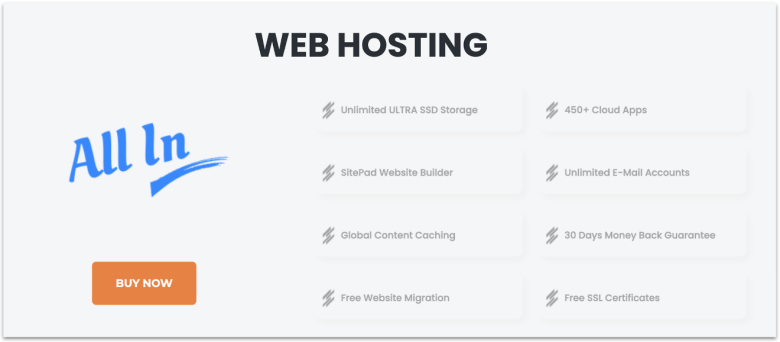
InterServer has unlimited storage and bandwidth, which means you can host unlimited sites (though there’s a fair-use policy). If you’re running storage-heavy apps like file servers, media libraries, or database-driven sites, it’s a pretty good option. The server stack uses CloudLinux with LiteSpeed and cPanel, giving you a stable Linux hosting environment.
You can pick between shared Linux hosting and very affordable VPS plans that start small but can be expanded. Its VPS plans let you choose CentOS, Ubuntu, Debian, or other Linux OS builds. Root access is available too, which is key if you need to tweak configs, install custom modules, or run dev tools.
One drawback is that InterServer’s servers sit only in the US, which can mean higher latency if your readers are far away. Still, the free Cloudflare CDN offsets most of this by serving your site from edge servers worldwide. Pick the closest data center (NJ or LA) to your main audience, and you’ll squeeze out the best performance possible from its setup.
Features
- Developer tools. InterServer features SSH access and support for plenty of popular development frameworks and languages, including Ruby on Rails, Python, Node.js, and more.
- Inter-Proxy caching. The proprietary Inter-Proxy caching technology is designed to deliver your content fast and at every level. You’ll get SSD caching, LSCache, and more – alongside Cloudflare CDN.
- Free InterShield security suite. Every Linux account comes with InterShield, InterServer’s in-house security tool. It blocks web attacks using machine-learning detection, virus scanning, and automatic patching.
- Self-healing hardware. If a hardware component fails in InterServer’s Linux environment, the system automatically routes your VPS to healthy nodes.
For a detailed breakdown, read our InterServer review.
| Resources on the basic plan | Unlimited storage, email accounts, and websites, free migration, 450+ cloud apps |
|---|---|
| Backup frequency | Weekly |
| Money-back guarantee | 30 days |
| Starting price | $2.50 |
Other Notable Web Hosts for Linux Hosting
7. GreenGeeks
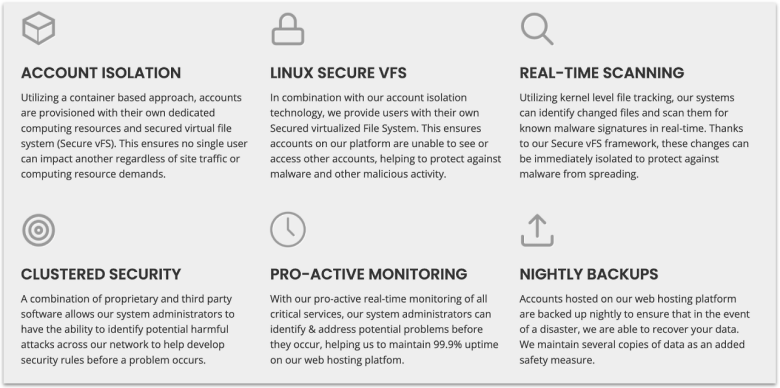
GreenGeeks uses container-based tech with a Secure vFS layer, giving each account its own slice of CPU, RAM, and storage. Each Linux account runs in its own secured virtual file system with dedicated resources, providing account-level isolation. Kernel-level, real-time file monitoring scans changed files for malware, and a proactive firewall plus DDoS protection adds another safety layer.
Performance is strong with LiteSpeed, LSCache, HTTP/3, and MySQL/MariaDB for fast queries, plus SSH access (on request), Git, WP-CLI, and Drush. The only drawback is backups, since cPanel stops at 10 GB, and VPS lacks automatic coverage by default. You can still enable scheduled backups in WHM to protect your server environment. For app-level control, Softaculous lets you automate backups directly inside supported applications.
8. InMotion Hosting

InMotion Hosting gives you more time than any host here to try risk-free. Its 90-day money-back guarantee applies to shared and WordPress plans, and 30 days on VPS month-on-month plans. You can test workloads, scripts, and traffic before locking in. Behind the scenes, it’s UltraStack with NGINX, Apache, and PHP-FPM that keep your apps quick and stable.
You’ll also get NVMe SSD storage on every plan for faster reads and writes, along with SSH, Git, and WP-CLI for smooth Linux workflows. Data centers in Los Angeles, Virginia, and Amsterdam – with a Singapore location in development – help you serve users closer to home. Unfortunately, backups need the paid Backup Manager, but once enabled, it automates remote snapshots and one-click restores.
Which Linux Web Host Is the Best for YOU?
You’ve seen how each provider handles speed, tooling, and scale. Here are my final picks so you can match the host to your use case without wasting time or money.
If you’re looking for fast, low-cost Linux hosting with real dev tools, Hostinger is my top choice. It gives you LiteSpeed + NVMe performance, SSH and WP-CLI access on all plans, Git in hPanel, staging on Business, and free unlimited migrations – perfect for most sites that want speed and value.
And if resilience and a cheap upgrade path to VPS are your main priority, you can consider IONOS. IONOS is great for budget-minded builders because it mirrors sites across data centers, includes SSH/WP-CLI on shared, and offers NVMe VPS with root and distro choice when you’re ready to scale.
Or, if you’d rather have full control with granular scaling and hourly billing, go with Kamatera. It gives you per-second billing, full root, a wide distro library (Ubuntu/Debian/AlmaLinux/Rocky), and global regions, which is excellent for dev/test, CI, or bursty production workloads.
| Standout feature | Backup frequency | Email on basic plan | Starting price | ||
|---|---|---|---|---|---|
| Hostinger | Free, unlimited website migrations | Weekly (on-demand on Business plan and above) | 2 mailboxes per site | $2.49 | |
| IONOS | Geo-redundant shared Linux hosting | Daily | 1 mailbox (2GB inbox) | $1.00 | |
| Kamatera | Per-second billing and $100 trial credit | Daily (paid add-on with 14-day retention) | ✘ | $4.00 | |
| SiteGround | NGINX Dynamic Cache and Ultrafast PHP | Daily (up to 30 copies on shared plans) | Unlimited accounts | $1.99 | |
| HostArmada | Fewer clients per server for fast and consistent performance | Daily (7 to 21 copies as per tier) | Unlimited accounts | $1.49 | |
| InterServer | Unlimited storage and websites on one plan | Weekly (JetBackup self-restores) | Unlimited accounts | $2.50 |