
Turning product recommendations into real income takes more than just writing good reviews – it starts with building a website that actually converts. A well-built affiliate site can attract steady traffic, showcase products effectively, and send visitors to Amazon ready to buy.
But building that kind of site isn’t always straightforward. Many website builders can’t import Amazon products or support affiliate links. Some make customization difficult, while others hide marketing and analytics tools behind expensive upgrades. Choosing the wrong builder can slow you down or even cost you commissions.
I tested the best Amazon affiliate website builders to find the easiest and most cost-effective options. Wix came out on top, as it lets you create a free Amazon affiliate website with its beginner-friendly drag-and-drop editor and 140+ blog templates.
You can start with Wix below, or keep reading to see other Amazon affiliate store builders.
Short on Time? These Are the Best Amazon Affiliate Website Builders in 2026
- Wix – Free Amazon affiliate website builder with easy-to-use SEO settings.
- Squarespace – Direct integration with the Amazon Associates program.
- Shopify – Extensive support for international Amazon affiliate stores.
What We Look For in the Best Amazon Affiliate Website Builders
When I tested different platforms, I focused on the features that make it easier for you to create a profitable, professional Amazon affiliate site. Here’s what I prioritized:
- Affiliate-friendly templates. All the website builders on my list have clean, conversion-focused designs that make your product recommendations look trustworthy and easy to browse.
- Easy product linking. Adding Amazon affiliate links should be simple and fast. I selected website builders that make it easy to insert links or import Amazon products, whether directly, through a third-party, or via HTML coding.
- SEO tools. Your site needs to rank well to get traffic. My recommendations have SEO features so you can optimize your product pages and blog posts.
- Marketing and analytics tools. Knowing what’s working is key to scaling. I included website builders that have email marketing, analytics, and tracking features so you can optimize for more clicks and commissions.

Wix lets you build a free Amazon affiliate website where you can manage link rel attributes to define the relationship between your page and your Amazon affiliate link. You can also add “sponsored” tags to your affiliate links to stay compliant with Amazon’s guidelines. You can do these by clicking on an element (text or button) in Wix’s editor, adding the link, selecting “Advanced SEO Settings,” and picking the rel value you want to use – whether “nofollow” or “sponsored”.
Your free plan also includes an SEO Setup Checklist that walks you through optimizing page titles and meta descriptions to rank higher in Google and attract more visitors. Wix can also help optimize your site for generative engine optimization (GEO) to increase its chances of appearing in AI-generated answers from platforms like ChatGPT.
With the Zonify app in Wix’s App Market, you can import Amazon products to your site and display them in a neat, professional layout. When someone clicks through and buys on Amazon, you earn a commission through the Amazon Associates program. Just note that it doesn’t offer a free plan beyond the 3-day trial, and you’ll need a Wix Premium plan to actually import products, though you can still use affiliate links on the free plan.

Save up to 50 % on your Wix plan!
Sign up for an annual plan and enjoy the savings.
Plus get a free custom domain for 1 year!
Features
- 140+ blog templates. Wix makes it easy to launch a clean and attractive blog without hiring a designer. You can create product reviews, comparison posts, or buying guides and focus on writing content that drives clicks and conversions.
- Easy editor. Wix’s drag-and-drop editor is beginner-friendly but also flexible enough to place buttons, product images, and calls-to-action in high-converting spots without using any code.
- UTM Catcher app. This app tracks where your clicks and conversions are coming from, so you can see which posts or campaigns are generating sales and focus your efforts where they pay off the most.
- Google and Meta ads management. This is handy if you want to drive targeted traffic to specific product reviews or landing pages and scale your affiliate earnings faster.
Read our expert Wix review for more details.
| Amazon Associates integration | ✔ (via third-party apps and custom code) |
|---|---|
| Number of blog templates | 140+ |
| Conversion tracking | ✔ (built-in) |
| Starting price | $17.00 |

2. Squarespace: Best Website Builder for Amazon Associates
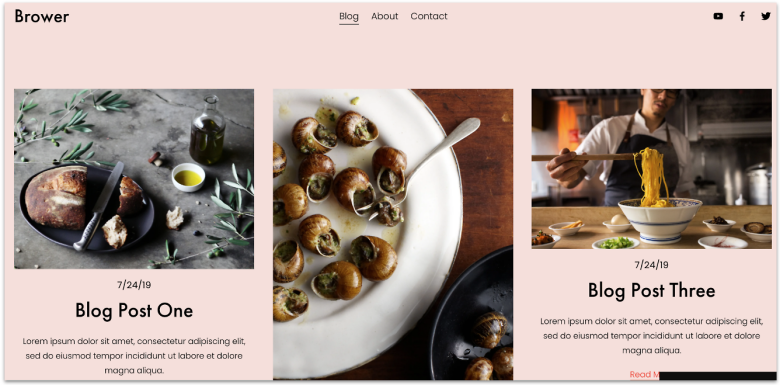
With Squarespace’s Amazon Blocks, you can embed Amazon products directly in your pages or posts, then enter your Amazon Associates ID so clicks go to Amazon through your account. This way, you can consistently use product blocks (with image, title, “Buy” button, etc.) that match your site’s design rather than Amazon HTML or hacks which might look unpolished.
Squarespace’s blogging tools make it easy to grow your audience and increase Amazon product sales. You can schedule posts in advance, save drafts for later editing, add images and videos to make your content engaging, and share posts on social media channels – all from one platform.
Squarespace doesn’t have a free plan, but its 14-day free trial is good to test features (including Amazon Blocks, analytics, and design tools) before you commit.


Save up to 36 % on your Squarespace plan today!
Plus get a free domain for one year!
Features
- Beautiful, professional designs. Squarespace’s modern templates and polished design tools make it easy to present your Amazon products in a way that looks high-quality. This can improve conversion since people are more likely to assume a product is good if it’s featured on a site that looks good.
- Squarespace Marketing Kit. The Marketing Kit (in the Squarespace iOS app) helps you to generate promotional material (social media graphics, video previews, etc.) without hiring a designer.
- Squarespace Analytics. You get reports on referral sources, conversions, and bounce rate to double down on content and product recommendations that perform and optimize pages for better conversion.
- Custom logo design. Squarespace’s free logo maker can create a clean, professional logo that makes visitors more likely to stick around, share your content, or return.
Our expert Squarespace review has more info on features and pricing.
| Amazon Associates integration | ✔ (directly via Amazon blocks) |
|---|---|
| Number of blog templates | 50+ |
| Conversion tracking | ✔ (built-in) |
| Starting price | $16.00 |
3. Shopify: Best Amazon Affiliate Builder for Global Stores

Shopify lets you tailor your affiliate store for different regions. You can show product pages in the visitor’s language, use local domains or subfolders, and adjust prices or currencies per market. This helps you reduce friction and boost conversion rates for international audiences.
You can export product listings (title, SKU, images, descriptions) from Amazon into a CSV and import them into Shopify. Before importing into your store, you’ll need to edit the file to match Shopify’s product CSV template. I recommend this process for affiliates with smaller product catalogs who don’t need full automation.
For large catalogs, you can use third-party apps from the Shopify App Store (e.g., Importio or Amazon Importer) to migrate Amazon listings, including reviews, images, and pricing syncs. Just note that you have to pay extra for these tools, but they usually come with a free plan.


Try Shopify FREE for 3 days, then only $1.00/month for 3 months!
Limited-time offer - Don't miss it!
Features
- Shopify Store Migration app. This first-party tool supports importing from Amazon by uploading Amazon’s CSV files, capturing product and customer lists in a few clicks. This option reduces manual effort, as you don’t have to edit the CSV files before importing them.
- Store analytics. You get built-in dashboards and reports covering sales, traffic, conversions, and campaign attribution. You can quickly see which product pages drive clicks and which referral traffic sources work, and optimize your site based on real performance data.
- Shopify Email. Shopify’s email marketing tool lets you send newsletters or product roundups to your list and embed your affiliate links, without needing an external email service.
- Marketing automation. You can automate follow-ups, cross-product recommendations, or win-back emails – all sending prospects toward Amazon product pages.
Learn more in our in-depth Shopify review.
| Amazon Associates integration | ✔ (via CSV files) |
|---|---|
| Number of blog templates | 10+ |
| Conversion tracking | ✔ (built-in) |
| Starting price | $29.00 |

If you’re new to Amazon affiliate marketing and want to save money upfront, IONOS’ MyWebsite Now Plus plan costs $1.00 per month during your first year. This low cost lets you focus your money on testing products, writing reviews, or running ads instead of worrying about expensive website hosting.
You can add Amazon products via HTML code, letting your readers click straight through to Amazon from your site. You also get your own personal consultant who can offer affiliate marketing tips and AI tools that speed up the site-building process.
Just remember that IONOS’ renewal price highly increases after the first year’s discount. Many new affiliate marketers forget about renewal costs, so knowing this helps you decide whether to shop around for a cheaper option later or not.
Features
- Website translator. If you want to boost your Amazon commissions with a global audience, IONOS can make your site available in multiple languages.
- Social media integration. You can share your affiliate content easily across Instagram, Facebook, or Pinterest for website traffic growth.
- Competition tracking. You can monitor competitors’ rankings, reviews, and their social media activity, so you know when to update your content or double down on a product that’s trending.
- Online visibility. Google PageSpeed optimization and SEO tools help your site load faster and rank higher in search engines. Faster sites mean better user experience and more clicks on your Amazon links.
Have a look at our detailed IONOS review for more details.
| Amazon Associates integration | ✔ (via custom code) |
|---|---|
| Number of blog templates | None, but its AI can build one |
| Conversion tracking | ✔ (built-in) |
| Starting price | $1.00 |

Digital publishers, content creators, and service businesses can use SITE123 to build a website with minimal effort. It has 80+ mobile-responsive templates, and its editor is the most beginner-friendly of any I’ve worked with.
SITE123’s free plan is good if you’re just starting out and want to share Amazon affiliate links in your content. As your site grows, upgrading to the Basic plan lets you import Amazon products with custom code, remove ads that distract from your links, and connect your domain name so your site looks more credible.
SITE123’s simplicity comes at the cost of limited customization, so I wouldn’t recommend it if you want a unique design or advanced features like custom product filters or comparison tables. However, if you just need a clean, straightforward site, SITE123 works well.
Features
- Blogging tools. Easily publish reviews, buying guides, and product roundups. Fresh, helpful content is the key to ranking in search engines and getting organic traffic, which means more clicks and commissions for you.
- Multi-language support. SITE123 lets you create a site that displays in multiple languages, making it easier to reach an international audience.
- Seamless third-party integrations. SITE123 integrates with tools like Google Analytics and Hotjar so you can track where your traffic comes from and see how people use your site.
- 24/7 live chat support. If you ever get stuck, SITE123’s support team is always available to fix issues fast.
Check our expert SITE123 review to learn more.
| Amazon Associates integration | ✔ (via custom code) |
|---|---|
| Number of blog templates | 6+ |
| Conversion tracking | ✔ (via Google Analytics) |
| Starting price | $12.80 |
6. WordPress.com: Best for Experienced Amazon Affiliates Looking to Scale

WordPress.com integrates with 260+ plugins for Amazon affiliates, including AffiliateX, Disclosure for Amazon Affiliate, and Affiliate Product Ads for Amazon. These plugins let you easily import Amazon products directly to your site, comply with the Amazon Associates program, and professionally showcase Amazon product ads.
With 300+ themes to choose from, WordPress.com gives you plenty of options to build a site that fits your niche. Whether you’re writing product reviews, sharing recommendations, or running a deals blog, you can pick a theme that looks professional and keeps visitors engaged.
I recommend WordPress.com for affiliates who are comfortable with a little technical setup. You’ll need a higher-tier plan to install Amazon affiliate plugins, but even on the free plan, you can still add affiliate links to text, images, and buttons. That means you can start simple and scale up as your affiliate business grows.
Features
- Built-in newsletter and RSS. You can send updates about new reviews, product roundups, or special deals straight to subscribers, which helps bring people back to your site and improve clicks on your affiliate links.
- AI content creation. WordPress.com helps you generate product descriptions, blog post ideas, or quick outlines, so you can publish content faster and focus on building traffic and revenue.
- Website performance boosters. WordPress.com’s built-in content delivery network (CDN), fast themes, and caching tools ensure your pages load quickly. This is critical for keeping visitors on your site and reducing bounce rates.
- Website statistics. The built-in Jetpack analytics tool gives you insights into your traffic sources, top-performing pages, and visitor behavior so you understand which products, posts, and strategies generate the most clicks.
See our comprehensive WordPress.com review for more info.
| Amazon Associates integration | ✔ (via third-party plugins and custom code) |
|---|---|
| Number of blog templates | 155+ |
| Conversion tracking | ✔ (built-in) |
| Starting price | $4.00 |
How to Build an Amazon Affiliate Website
Here’s a quick list of steps to help you get your Amazon affiliate site started:
1. Sign up for the Amazon Associates program. Go to Amazon Associates and create an account. Once approved, you can generate unique affiliate links for products.
2. Choose your niche. I suggest picking a focused topic that interests you and has enough products to recommend – for example, home office gear, kitchen gadgets, or fitness equipment. A clear niche helps attract a targeted audience.
3. Pick a website builder. A beginner-friendly affiliate marketing website builder gives you ready-made website designs, and lets you add affiliate links to posts and import Amazon products into your site.
4. Design your website. Select a clean template, add your logo, and create pages (Home, Blog, About, Contact, and Privacy Policy). Make sure your site is mobile-friendly.
5. Create content. Product reviews, buying guides, and comparison posts work well for affiliate marketing. Include your Amazon affiliate links naturally in your content – focus on helping readers make informed decisions.
6. Optimize for SEO. Use keywords, add meta descriptions, and structure your headings to rank better on search engines and attract organic traffic.
7. Promote your website. Share your posts on social media, build an email list, and engage in communities related to your niche to drive more traffic to your Amazon affiliate website and increase product sales.
8. Track and improve. You can use Amazon’s reporting dashboard and Google Analytics to see which products and posts perform best, then refine your strategy based on the data.
Amazon-Ready Feature Checklist for Affiliate Marketers
Before you choose a website builder, make sure it includes the right tools to maximize your Amazon affiliate earnings. Here’s what to look for:
- Easy affiliate link integration. You should be able to quickly add Amazon affiliate links, whether manually or with a plugin/integration that pulls product info automatically.
- Product display options. Look for builders that support customizable product boxes, comparison tables, and image carousels so you can showcase Amazon products in a professional, conversion-friendly way.
- Mobile-friendly design. Most shoppers browse on their phones, so a responsive, fast-loading site is important for clicks and commissions.
- SEO tools. Built-in SEO features (meta titles, descriptions, schema support) help your site rank in search engines and attract organic traffic.
- Fast and secure hosting. Page speed affects rankings and user experience – choose a builder with reliable, fast hosting and SSL security.
- Content management flexibility. You’ll be publishing reviews, guides, and listicles regularly. You need a good content management and blog platform that makes it easy to manage and update content without technical hassle.
- Amazon API compatibility. If you want automatic price and product updates, look for builders or plugins that integrate with the Amazon Product Advertising API.
- Analytics and conversion tracking. Make sure you can track clicks, conversions, and traffic sources so you know which products and pages perform best.
- Compliance support. Your builder should make it simple to add Amazon affiliate disclaimers and comply with FTC disclosure requirements.
Go With One of These Best Amazon Affiliate Website Builders
In this review, all six builders offer the tools and support necessary for launching an Amazon affiliate website. Your choice will depend on your specific goals and priorities.
If you want to get started at no cost, Wix is the best free Amazon affiliate website builder. You can create a free website and add link rel attributes to affiliate links in pages and posts. Its free plan also includes an intuitive drag-and-drop editor, 140+ blog templates, and SEO tools.
For a seamless integration with Amazon’s affiliate program, Squarespace syncs directly to Amazon Associates. You don’t need third-party tools or HTML code, just your Amazon Associates ID.
If you cater to an international audience, Shopify supports global Amazon affiliate stores with multilingual tools, custom market domains, and individual pricing per market.
| Free Plan | Best Feature | Best For | Starting Price | ||
|---|---|---|---|---|---|
| Wix | ✔ | Free plan that supports link rel attributes | Affiliates who want a free plan with design flexibility | $17.00 | |
| Squarespace | ✘ | Direct integration with Amazon Associates | Amazon Associates who want zero hassle | $16.00 | |
| Shopify | ✘ | International sales support | Global Amazon affiliate stores | $29.00 | |
| IONOS Website Builder | ✘ | One-year discount | New affiliates looking for low upfront costs | $1.00 | |
| SITE123 | ✔ | Beginner-friendly editor | Less tech-savvy Amazon affiliates | $12.80 | |
| WordPress.com | ✔ | 260+ Amazon affiliate plugins | Experienced affiliates looking to scale | $4.00 |