

Potential clients will most likely judge your practice by what they see online, so your site must look professional and trustworthy. At the same time, you need an option that’s easy to set up and maintain, so you don’t depend on anyone else to update and maintain your website.
Though there are specialized services in the market like Brighter Vision and TherapySites, they often come with a premium price tag for features that more accessible site builders already offer, like scheduling tools and intake forms. The builders in this list are accessible in pricing, include useful tools for therapists like forms that can be made HIPAA (Health Insurance Portability and Accountability Act) compliant, client portals, appointment booking, and blog options for building trust.
Short on Time? These Are the Best Website Builders for Therapists in 2026
- Wix – Best selection of therapist templates and best for extensive app integration.
- Squarespace – Best for social marketing features and easy HIPAA-compliant scheduling.
- Hostinger Website Builder – Best for therapists on a tight budget.
- IONOS – Best for website and email management.
- SITE123 – Best for online business cards with a fast setup.
- Webador – Best for European therapists looking for a simple website.
- Shopify – Best for selling courses, self-help materials, and online sessions.
Testing Methodology
We evaluate all website builders based on features, ease of use, quality of support, value for their price, customization, and additional tools. We’ve tested each builder comprehensively, creating and publishing a professional website with each and testing it for performance, navigation, and discoverability.
For support, we personally contact each builder’s support team with technical questions and rate them on response times, contact channels, and usefulness. We also take historical reviews from past users into account.
For more information, take a closer look at our testing methodology.
What We Look For in the Best Website Builders for Therapists
Your website is the first step to building trust with a potential client. That’s why I tested the top website builders to find the services that meet therapists’ unique needs.
- Ease of use. You should be able to create and adapt your site however you want, and as easily as you want. I only selected builders that were user friendly and quick to pick up so you can focus on your practice.
- HIPAA-conscious features. Protecting patient information is critical. The builders on this list support secure integrations, encrypted forms, and third-party tools that can you maintain HIPAA compliance.
- SEO tools. To allow potential new patients to discover your practice, I focused on how well each builder supports basic SEO features like customizable metadata, fast-loading pages, mobile-friendly pages, and discoverability tools like blogging and social media marketing.
- Templates. It’s important that your therapy website feels calming and conveys professionalism. Though the builders in this list are highly customizable, we looked for those with high-quality templates to reduce the amount of customization work on your end. We also valued templates that came preloaded with supported features such as bookings, service pages, and intake forms.
- Scheduling tools & calendar integrations. It’s important that your website helps keep your schedule organized. I selected sites that offered booking functionality and tools like automated appointment reminders to reduce your no-show rates.
- Secure payments. Just as with other important patient information, I ensured that these platforms offered secure payment options for your patients if this is something you need.
- High value, low cost. I made sure that the builders on this list offered a fair balance of suitable, useful features at an affordable price.


Wix offers a variety of useful tools, including booking integrations, members-only areas, and third-party integrations, in a highly customizable builder with over 30 templates exclusively designed for therapists. On premium and Wix Studio plans, Wix offers built-in HIPAA compliance tools, a must in this industry, as you know. Even if you don’t go for one of the plans with built-in HIPAA compliance (Business and above), you can incorporate third-party HIPAA apps to handle patient information, such as HIPAAtizer and Jotform HIPAA for HIPAA-compliant forms, or Hushmail for Healthcare for compliant emailing.
You can access third-party apps directly on the free plan, but I recommend going with one of the premium plans so you can connect to a custom domain (which Wix offers for free for one year). A premium plan also removes Wix ads from your site, which is important for conveying professionalism and trust to potential clients. If you’re interested, I recommend going with the Core plan, which you can get for as low as $29.00 per month.

Save up to 50 % on your Wix plan!
Sign up for an annual plan and enjoy the savings.
Plus get a free custom domain for 1 year!
| Best For | Not For |
|---|---|
| ✅ Specialists with a unique brand ✅ Mental health content creators ✅ Art therapy practices |
❌ Quick and easy websites ❌ Super tight budgets ❌ Large clinics |
Pros
- Free CRM software. Wix’s built-in CRM tools help you capture leads, convert them, build lasting relationships with your clients, and manage your workflow.
- Wix Members Area. The Wix Members Area helps you create a space for your clients to log in, access exclusive content, and manage their appointments. It helps your clients feel more connected and provides an easy way to update their information and privacy settings.
- Flexible payments. The all-in-one payment processor simplifies billing for your practice. It supports various payment methods, including credit/debit cards, PayPal, Apple Pay, and Google Pay, so clients can pay for sessions in the way that works best for them.
- Easy SEO. The WIX SEO Setup Checklist guides you through optimizing your website for search engines. Just answer a few questions about your business to get a personalized SEO plan that helps your therapy site rank higher in search results and attract more clients.
- Thousands of third-party apps. Wix offers integrations with booking tools, invoicing software, schedule managers, client relationship management software, and more.
Cons
- Steep learning curve. Though the editor is easy to get started with, if you want a fully custom therapy site, the more advanced design tools take some getting used to.
- Branded free plan. The free plan includes a Wix subdomain and Wix branding, which might come off as amateurish.
- Limited local SEO. Though Wix offers advanced tools for general SEO, it lacks specialized features to help you rank in local search results.
For more information, head to our expert Wix review.
| Free plan | ✅ |
|---|---|
| Therapist website templates | 30+ |
| Online scheduling | ✅ (via Wix Bookings app) |
| Starting price | $17.00 |

Squarespace is one of the top choices for therapists worldwide thanks to its elegant collection of over 180+ professional-looking, mobile-responsive templates and booking and scheduling tools. Squarespace also includes tools to help improve local SEO. This means you can improve your search engine rankings – specifically in your area – giving you more exposure to potential clients who might be searching for a therapist near them. You also get integrations with Google Ads to further promote your practice.
On the premium plan, Squarespace’s Acuity Scheduling supports full HIPAA compliance. Acuity Scheduling also allows you to set appointment reminders, automate intake forms, and accept direct deposits. Squarespace is also ideal if you’re trying to boost your business through social media marketing, as it includes intuitive newsletter features, built-in social sharing, and even creates branded content with its AI writer.


Save up to 36 % on your Squarespace plan today!
Plus get a free domain for one year!
| Best For | Not For |
|---|---|
| ✅ Professionals with a social media presence ✅ Local practices looking to attract in-person clientele ✅ Appointment scheduling options |
❌ Multilingual therapists ❌ Accepting insurance payments directly from your site ❌ Simple online business cards |
Pros
- Customer accounts. Clients can create personal accounts on your website to securely save information, manage appointments, and access exclusive content.
- Map blocks. Squarespace’s map blocks let you embed Google Maps directly into your website, so clients can easily locate your practice, view directions, and plan their visit.
- Events calendar. Showcase upcoming group therapy sessions, workshops, or speaking engagements, each with a description and an image.
- Built-in marketing tools. Squarespace offers a suite of marketing tools, including AI-powered email campaigns, social media integration, and advanced analytics. These help you communicate effectively with clients, share valuable content, and grow your practice’s online presence.
- Blueprint AI. If you need to get set up quickly, Squarespace’s blueprint AI can generate a complete and personalized site template based on basic information about your business.
Cons
- No free plan. Squarespace doesn’t offer any fully free options, and the free trial is limited to 14 days.
- No native telehealth integrations. Squarespace doesn’t offer native tools to integrate online sessions directly from your site.
- Separate scheduling cost. On lower-tier plans, Squarespace Acuity incurs an additional monthly fee.
If you want to learn more, head over to our comprehensive Squarespace review.
| Free plan | ❌ |
|---|---|
| Therapist website templates | 20+ |
| Online scheduling | ✅ (requires Acuity Scheduling subscription) |
| Starting price | $16.00 |

Hostinger offers a good mix of design freedom without getting too hard to use. All website builder plans come with robust security features, and you can easily integrate services like Jotform HIPAA to ensure compliant forms. Hostinger also includes a wide selection of useful AI tools that can help you create a logo, write content, and even vibe code custom apps. Some ideas include homework trackers, thought journals, and even offering breathing exercises directly from your site.
If you handle online transactions, Hostinger doesn’t charge extra transaction fees. It’s also one of the most affordable website builders for private practices, especially if you select a long-term billing plan.


Save up to 75 % on your Hostinger Website Builder plan today!
Limited-time offer - Don't miss it!
| Best For | Not For |
|---|---|
| ✅ Therapists on a super-tight budget ✅ Cognitive-behavioral therapists who want to integrate work into their website ✅ Selling a few self-help materials |
❌ Multi-therapist practices ❌ Deep SEO customization ❌ In-website invoicing tools |
Pros
- Pre-designed legal pages. Hostinger offers templates for essential legal pages, including Privacy Policy, Refund Policy, and Terms and Conditions. You can customize these templates to fit your practice’s needs, helping you comply with legal requirements and build trust with clients.
- Multiple payment methods. Hostinger supports over 100 payment methods, including credit and debit cards, bank integrations, and e-wallets like Apple Pay and Google Pay.
- Live chat integration. You can integrate Facebook Messenger and WhatsApp into your website, enabling fast, direct communication with clients.
- Mobile-responsive templates. While there are no therapist-specific templates, Hostinger offers 180 customizable, mobile-responsive templates.
- Free domain name for a year. If you sign up for a yearly billing period or longer, you get a free domain name registration for a year.
Cons
- No native HIPAA compliance. Hostinger’s native forms cannot be made HIPAA compliant.
- Few third-party integrations. Unlike Wix or Squarespace, Hostinger has very few integrations with third-party services you might use for invoicing or client management.
- Steep renewal rates. Though Hostinger’s rates remain low after renewal, they increase sharply from the initial discounted price.
Read our expert Hostinger Website Builder review for more details.
| Free plan | ❌ |
|---|---|
| Therapist website templates | 50+ |
| Online scheduling | ✅ |
| Starting price | $2.99 |
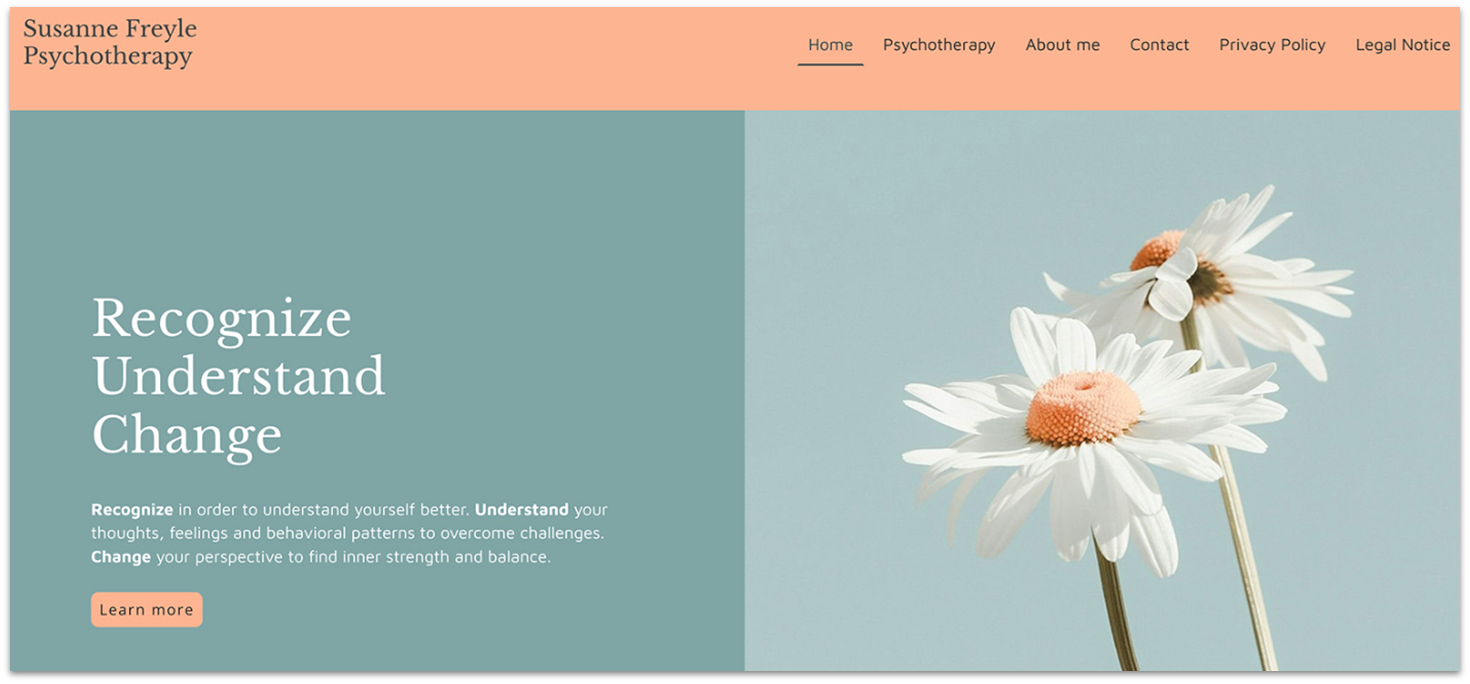
If you need to build a simple, professional site quickly, IONOS is a great choice. Though its customization is a little more limited, all of its templates come with business-ready tools and page options like services, professional qualifications, and client testimonials.
You can integrate third-party apps with IONOS too, like Termly for cookie consent and compliance with privacy regulations, and BookingPress to handle appointments directly through your site.
IONOS plans start from as low as $1.00/month – at least for your first year of subscription. What’s more, IONOS offers a 30-day money-back guarantee, so you can explore its features risk-free.
| Best For | Not For |
|---|---|
| ✅ Group practices ✅ Those needing extra-quality customer support |
❌ Highly customized sites ❌ Native scheduling systems |
Pros
- Support for multiple payment processors. IONOS Website Builder supports over 80 payment processors, including popular options like PayPal, Stripe, and Square.
- Professional email address. Create a professional email address that matches your domain, such as [email protected], to boost credibility and maintain consistent branding.
- IONOS rankingCoach. This SEO tool provides an individualized action plan to improve your website’s visibility. Weekly reports provide actionable insights, including competitor analysis.
- List Local directory listings. Promote your therapy practice across 30+ online business directories to increase local visibility and attract potential clients.
- Dedicated personal support consultant. Every time you reach out to IONOS, you’ll get in contact with the same support consultant.
Cons
- Weak customization. You’re mostly limited to a few pre-made block variations for your website.
- No native HIPAA-compliant forms. IONOS doesn’t offer built-in HIPAA-ready intake or contact forms, meaning therapists collecting sensitive client information must rely entirely on third-party tools and take full responsibility for compliance.
- Weak blogging Tools. Formatting therapy blog posts is clunky – it lacks advanced tags, categories, and author archiving for SEO content marketing.
Learn more in our in-depth IONOS Website Builder review.
| Free plan | ❌ |
|---|---|
| Therapist website templates | 6+ |
| Online scheduling | ✅ (via third-party apps) |
| Starting price | $1.00 |
5. SITE123: Easily Create HIPAA-Compliant Forms and Client Portals

One of SITE123’s key strengths is its integration with third-party form builders, such as 123FormBuilder and Jotform, for HIPAA-compliant forms. SITE123’s Client Zone tool lets you set up a private area on your site where clients can register and manage their profiles. They can also update personal information, view previous interactions, and participate in forums.
SITE123 doesn’t have templates made specifically for therapists, but its options for professionals are versatile enough that you can adapt it to your practice’s needs.
| Best For | Not For |
|---|---|
| ✅ Multilingual sites ✅ Therapists who mostly rely on referrals |
❌ Advanced in-site functionality ❌ Online-only practices |
Pros
- Online appointment scheduler. SITE123’s built-in online appointment scheduler helps reduce no-shows and improve client engagement. You can set your availability, receive booking notifications, and allow clients to select time slots.
- Timeline page. You can use SITE123’s Timeline page to highlight milestones like education, certifications, or specialized training. This helps you build trust with potential clients by showing a clear professional journey.
- Custom contact forms. In addition to third-party HIPAA-compliant forms, SITE123 lets you create and edit custom contact forms directly in the editor. You can tailor these forms to collect specific information during the inquiry stage – like preferred contact times or reasons for reaching out – without relying on a third-party app.
- Testimonial page. This feature lets you showcase client feedback in a clean and structured way. When potential clients can see how others have benefited from your therapy services, it adds credibility and reinforces your professional image.
- Automatic mobile responsiveness. SITE123’s templates are mobile-responsive from the start, so you don’t have to put in extra work optimizing your page.
Cons
- Limited customization. SITE123’s editor is considerably more restrictive than some of the alternatives.
- Limited SEO. SITE123 only allows you to customize the most basic SEO characteristics of your site.
- Generic aesthetics. Because the templates are rigid, your website might look very similar to other sites built on the platform.
Read our expert SITE123 review to find out more.
| Free plan | ✅ |
|---|---|
| Therapist website templates | None, but customizable fitness and wellness templates are available |
| Online scheduling | ✅ |
| Starting price | $12.80 |
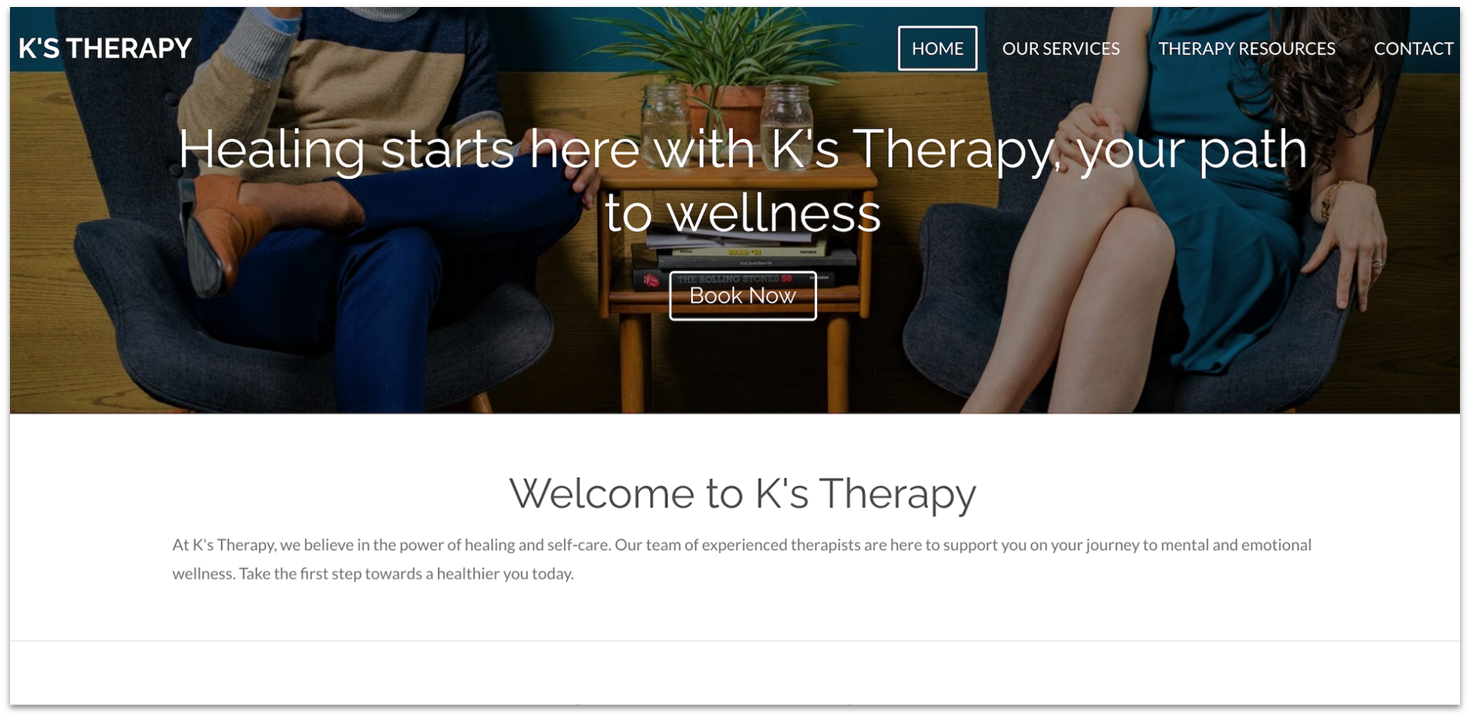
Webador is another ultra-simple website builder that lets complete beginners go online in minutes.
If your therapy website will center around a blog, Webador offers an intuitive and flexible blogging platform. Its WYSIWYG (What You See Is What You Get) editor lets you edit entries by adding elements like photo albums and videos. You can also share your posts on social media to boost reader engagement. It only takes a few minutes to integrate a five-star rating widget on your site for visitor feedback.
Webador’s free plan gives you access to its templates, stock photos, unlimited storage, and blogging tools. However, you can’t connect to a custom domain, and your site will display ads, which may hurt your credibility as a therapist. Upgrading to the Pro plan lets you use a professional email, create custom forms, and sell products.
| Best For | Not For |
|---|---|
| ✅ Online business cards with contact details ✅ European therapists |
❌ Robust SEO ❌ Selling courses or workbooks |
Pros
- GDPR certification. For European therapists, Webador adheres to GDPR certifications.
- Media-streaming and file-sharing tools. Add audio and video players, along with a document-sharing system, to promote your work and keep all content centralized.
- Support for third-party apps and integrations. Connect apps such as Google Calendar, Calendly, and YouCanBook.me to integrate scheduling and appointment tools.
- Customer accounts. Provide clients with personalized access to your website to offer tailored resources and appointment information.
- SEO made easy. Webador lets you easily edit your site’s SEO settings to boost traffic and grow your client base. With just a few clicks, you can modify page titles, meta descriptions, and your visibility on Google.
Cons
- No native scheduling system. Webador doesn’t have a built-in scheduling system, so you’ll have to rely on third-party apps.
- No client portal options. You cannot create a members-only area for restricted information.
- Webador branding on the free plan. Sites created on the free plan heavily display Webador branding, which can damage your trust.
Read our in-depth Webador review to learn more.
| Free plan | ✅ |
|---|---|
| Therapist website templates | None, but customizable fitness and wellness templates are available |
| Online scheduling | ✅ (via third-party apps) |
| Starting price | $3.00 |
7. Shopify: Best for Selling Your Services Online

Shopify is ideal if you want a therapy practice website that also doubles as an online store for related products, such as therapy workbooks, sensory toys, or mindfulness guides. Its polished storefront templates can help you present your brand professionally and build trust with potential clients.
Shopify’s simple drag-and-drop editor lets you build a store quickly. Its mobile-responsive themes come with built-in product pages to showcase your therapy work and social media apps to stay in touch with your clients.
Even Shopify’s cheapest plan includes unlimited products, discount codes, and 24/7 support. Though there’s no free plan, you can use Shopify’s 3-day free trial to test the platform before committing, and then pay $1/month for the first 3 months.
| Best For | Not For |
|---|---|
| ✅ Heavy e-commerce functionality ✅ Online-only therapists |
❌ In-person only practices ❌ Therapists who don’t sell additional material |
Pros
- Subscription membership options. Shopify provides full support for subscription-based services, allowing your clients to access exclusive materials or guides.
- Apps for selling books. Shopify App Store counts over 8,000 free and paid integrations to help you extend your site’s functionality. You’ll find many author-oriented tools, such as Lulu Direct for printing and shipping your books and Digital Downloads for selling e-books online.
- Multi-channel selling. Shopify lets you sell on other channels, such as Facebook, Instagram, and Amazon. Manage all channels from your Shopify dashboard to streamline your operations.
- Built-in email marketing tool. Shopify’s tool lets you send up to 10,000 emails per month for free. Send automated emails to inform your subscribers about upcoming events or offer discount codes to long-term clients.
- Free logo maker and business name generator. If you’re just starting, you can use Shopify’s logo maker to create a unique logo for your therapy practice. Also, you can use the store name generator to search for business names and check domain availability.
Cons
- Expensive third-party themes. Some high-quality third-party themes can cost hundreds of dollars.
- Expensive base cost. Shopify’s entry-level plans are still expensive when compared to the competition.
- Subpar blogging. Though Shopify supports blogging, it doesn’t really come with any advanced features or recommendations to help you drive organic SEO traffic.
Find out more about Shopify in our comprehensive review.
| Free plan | ❌ |
|---|---|
| Therapist website templates | None, but customizable services and wellness templates are available |
| Online scheduling | ✅ (via third-party apps) |
| Starting price | $29.00 |
Also Consider: Full-Service Therapy Website Providers
DIY website builders aren’t the only choice for therapists. Tools like TherapySites, SimplePractice, and Brighter Vision are specifically designed for creating therapist websites. So why didn’t I include them in the list?
Though these specialized tools offer strong HIPAA compliance, they are lackluster in almost all other areas, like design options, SEO tools, and booking features. Some of them also look far too outdated to inspire trust in potential clients, especially when you want potential clients to feel safe and welcomed from the get go.
Still, these tools are not all bad. Brighter Vision handles design and branding for you, so it’s a good choice if you don’t want to bother much with your website, but personally, that doesn’t justify the $99+ monthly cost. That puts your annual website costs into the thousands…
Therapy Sites is designed to get you online quickly. It offers built-in secure forms and SEO support, but it’s less customizable than Wix or Squarespace. And yet, it’s much more costly in the long term.
SimplePractice integrates directly with your practice management system, but it severely restricts customization when compared to a DIY website builder.
Common Mistakes Therapists Make on Their Websites
Regardless of the counseling website builder you choose, ensure your website follows best practices for your purpose. That could be growing your in-person clientele or expanding your online audience.
Here are some common mistakes that many therapists make when creating their websites:
- Hard-to-find contact info. This is the main one. Most therapist websites are looking to get visitors to reach out to you, but if your information is hard to find, there are very few clients who will be willing to go searching for it. Your name, contact information, and credentials should be immediately available the moment someone visits your site.
- Unclear specialties. Many clients will be looking for a specific specialty, such as couples counseling or CBT. Neither you nor your client wants to go through the trouble of scheduling a first session only to discover your specialty is not right for them. Make sure to be very clear from the outset which area(s) you specialize in.
- Overly clinical tone. I understand that as a licensed practitioner, you don’t want to come across as too informal. But many therapists get way too clinical on their websites. Remember that your visitors won’t be able to get a sense of your in-person compatibility directly from your site, so you must come across as approachable.
- Generic stock photos. If you use too many generic stock photos or obviously AI-generated images, it can make your practice seem unprofessional or even suspicious. If you want visual elements, try to include clear photos of yourself and your workspace. Even then, avoid saturating your website with so many photos that they distract from the information.
- Weak local SEO. Global SEO and local SEO require different practices. Some online-only practices or therapists selling courses might not need as robust local SEO. If you do in-person consulting, though, it matters more that you appear in search results near your practice.
How to Build a Therapy Practice Website
A therapy practice website is more than just an information hub – it’s a way for potential clients to see what you have to offer. With the right website builder, it’s easy to get your website up and running – just follow my step-by-step guide:
1. Choose a website builder
Select a platform that’s easy to use, cost-effective, and supports HIPAA compliance and secure client data handling. Just remember that for intake and client data, keep PHI out of native site forms and instead embed a HIPAA-compliant third-party solution that provides a BAA.
2. Pick a professional therapist template
Choose a template that reflects your practice’s tone, whether you specialize in CBT, mindfulness, or family therapy. While customizing, follow accessibility best practices by using alt text, readable fonts, and clear color contrast so all clients can navigate your site.
3. Maintain HIPAA compliance
Make sure your site includes secure methods for collecting client information, such as encrypted forms or secure client portals, especially if you offer teletherapy. If you need to handle sensitive intake information, only do so through a HIPAA-compliant provider that signs a BAA. Your website itself should not store or send PHI via native forms or email.
4. Optimize for local SEO
Use location-specific keywords to help clients in your area find you, add your address to the site footer, and claim your Google Business Profile. Just make sure to keep your name, address, and phone number consistent across all listings. Including a blog on mental health topics can also boost your search visibility and showcase your expertise.
5. Add a simple, secure contact page
Provide an easy way for potential clients to contact you, whether via a secure form, phone number, or HIPAA-compliant scheduling system. Always ensure your website runs on HTTPS to keep visitor connections secure.
6. Connect a professional domain name
Establish credibility with a custom domain that matches your practice name. Many builders like Wix offer free domains with certain plans, or you can purchase your own.
7. Keep your site updated and secure
Regularly refresh service pages, blog posts, and availability, and check that links and security certificates remain valid. Updating your Google Business Profile and reviewing accessibility as content grows keeps your site reliable and inclusive.
What Every Therapist’s Website Should Include
A therapist’s website needs to address potential clients’ needs quickly and clearly. Key elements include:
- Clear description of services. Specify the types of therapy you offer (individual, couples, family, etc.), your specialties (anxiety, trauma, relationships), and therapeutic approaches (CBT, EMDR, mindfulness).
- Professional bio and credentials. Highlight your qualifications, experience, and areas of expertise to build credibility and trust.
- Affiliates and licensing. In some jurisdictions, you’re required to include your license number, state or national board, and professional affiliations so clients can confirm your credentials.
- Booking and availability. Provide an easy-to-use scheduling tool, with clear details on your hours, rates, insurance policies, and cancellation terms.
- Contact information. Make sure your phone, email, and physical address are easy to find, and include a contact form for inquiries. Just make sure to avoid collecting sensitive patient health information through non-HIPAA forms.
- Privacy policy. Assure clients of your commitment to confidentiality and compliance with relevant laws like HIPAA.
- FAQs. Address common questions about session length, preparation, payment options, insurance, and virtual therapy.
- Client testimonials or reviews. Display customer testimonials (only with permission) or feedback to build trust and showcase client outcomes. Anything you display here must not disclose protected health information.
- Accessibility features. Design your site with accessibility in mind: add alt text to images, use clear fonts, maintain strong color contrast, and enable keyboard navigation so all visitors can use your site. Following Web Content Accessibility Guidelines is best practice.
- Blog or resources section. Offer helpful content on mental health topics that demonstrates your expertise and helps in client decision-making.
- Responsive design. Make sure your website looks great and works well on phones, tablets, and computers.
- Professional imagery. Use warm, inviting images to create a sense of comfort and professionalism.
Go With One of These Best Website Builders for Therapists
Wix offers the quickest path to a great counseling website without sacrificing essential features. It offers 30+ therapy-specific template designs, and its functionality is unmatched thanks to the integrations you get through the Wix App Market.
Squarespace is ideal for quick HIPAA compliance. Its scheduling software is HIPAA-compliant, and it lets you manage client information, therapy appointments, and payments.
Hostinger will get you online the fastest. Alongside its AI-powered website builder, it offers a full suite of AI tools to streamline and accelerate the entire website creation process.
| Free Plan | Best Feature | Best For | Starting Price | ||
|---|---|---|---|---|---|
| Wix | ✔ | 30+ therapist templates, plus an extensive app market | Template selection, creative control, and apps for advanced features | $17.00 | |
| Squarespace | ✘ | HIPAA-compliant scheduling software | Maintaining HIPAA compliance | $16.00 | |
| Hostinger Website Builder | ✘ | Advanced AI tools | Less technical therapists that want a done-for-you website creation process | $2.99 | |
| IONOS Website Builder | ✘ | Template designs with relevant pages | Simple therapy websites with solid business features | $1.00 | |
| SITE123 | ✔ | HIPAA-complaint forms and client portals | Secure client intake and communication | $12.80 | |
| Webador | ✔ | Star-rating widget & comments feature | Building stronger therapist-patient connections | $3.00 |