
Squarespace is known for its modern templates and intuitive design tools, but it’s not without drawbacks. It can be pricey compared to other builders, and its editor feels restrictive if you want full design freedom. Moreover, third-party Squarespace integrations are scarce, and e-commerce stores face extra transaction fees.
The challenge is finding an alternative that actually balances affordability, flexibility, and ease of use – without forcing you to compromise on design quality. That’s why I tested the top Squarespace alternatives. I built websites with each tool, compared features side by side, and found which platforms work best for different needs.
My top choice is Wix, thanks to its 2500+ templates, flexible drag-and-drop editor, 500+ apps, and zero extra transaction fees. You can try Wix for free right now, or keep reading to find the best Squarespace alternative for you.
Short on Time? These Are the Best Alternatives to Squarespace in 2026
- Wix – More flexible drag-and-drop editor, plus 2500+ templates.
- Hostinger Website Builder – Plenty of AI tools for a more hands-off approach to website building.
- Shopify – A more comprehensive e-commerce platform with advanced tools on its lowest-tier plan.
What We Look For in the Best Alternatives to Squarespace
When I tested Squarespace alternatives, I focused on the features that make building, customizing, and managing a site easier and more effective for you.
- Flexible design options. I looked for platforms that let you customize layouts and styles more freely than Squarespace, so you can create a site that matches your exact vision.
- Affordable pricing plans. Cost matters, and I prioritized builders that give you professional features without locking you into expensive plans. Most of my recommendations are cheaper than Squarespace.
- Built-in essential tools. One major drawback with Squarespace is that it provides email marketing and appointment scheduling as paid add-ons. I included platforms that include these tools in your plan.
- Ease of use. All the builders on my list include editors that are either easier to use or as intuitive as Squarespace’s editor.
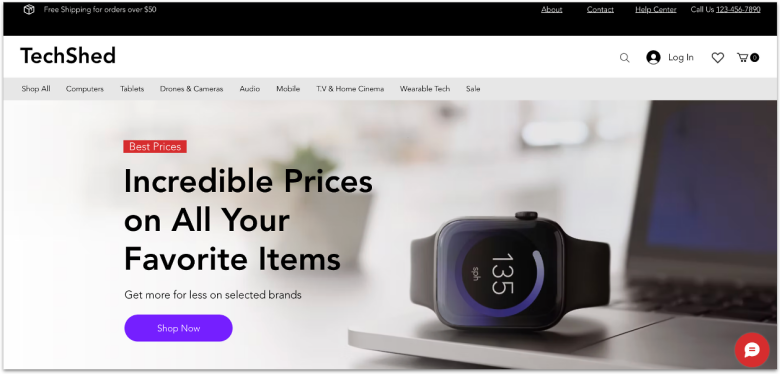
Wix has 2500+ templates versus Squarespace’s more curated 180+ designs. You get more starting points, niche designs, and variations out of the box. You also get a flexible drag-and-drop editor that lets you place elements freely compared to Squarespace’s structured layouts and snapping grids.
Wix integrates scheduling (Wix Bookings) and an email marketing tool directly into its platform, so you don’t need to rely solely on third-party plugins or costly add-ons. Squarespace, on the other hand, provides its Acuity Scheduling and email marketing tools as standalone products you pay extra for.
While Wix and Squarespace have close price points, Wix gives you more value for your money. Plus, Wix has a free plan that lets you explore most of its features at no cost. However, to start selling products or services – or to remove Wix’s ads and subdomain – you’ll need to upgrade to a premium plan.

Save up to 50 % on your Wix plan!
Sign up for an annual plan and enjoy the savings.
Plus get a free custom domain for 1 year!
Features
- No extra platform transaction fees. Unlike Squarespace, Wix doesn’t charge extra transaction fees (though you still pay credit/card processing fees).
- More comprehensive app market. Wix has an app marketplace with 500+ apps to extend functionality (marketing, media, and e-commerce).
- Wix SEO Setup Checklist. Wix has a built-in, guided SEO Setup Checklist to help you configure basics like title tags, meta, and verification.
- Extensive ad management. You can run Instagram, Facebook, and Google ad campaigns without leaving the site builder.
Read our expert Wix review for more details.
| Free plan | ✔ |
|---|---|
| Number of templates | 2500+ |
| Storage on cheapest plan | 2 GB |
| Starting price | $17.00 |


Hostinger Website Builder has a larger collection of AI tools than Squarespace. Its Business plan ($3.99/month) includes an AI blog generator, image generator, logo maker, and SEO assistant, making Hostinger great for a more hands-off approach to website building.
Hostinger Website Builder is also cheaper than Squarespace. Its entry-level Premium plan costs just $2.99/month and gives you its AI Website Builder, a free domain for a year, and 180 templates. That means for a much lower entry cost than Squarespace’s base tier, you get tools that help you get online fast.
E-commerce sites can benefit more from Hostinger Website Builder’s Business plan because of its zero transaction fees. Squarespace, on the other hand, only charges zero transaction fees from its Core plan, which costs $23.00/month. That said, Hostinger caps your product listings at 1,000, whereas Squarespace lets you sell unlimited products.


Save up to 75 % on your Hostinger Website Builder plan today!
Limited-time offer - Don't miss it!
Features
- AI heatmap. This tool visualizes how site visitors engage with page elements (e.g., clicks, scroll behavior), helping you see what parts of your layout or content draw attention.
- Kodee AI assistant. Kodee is Hostinger Website Builder’s built-in AI chat agent that helps with everything from picking plans and editing your site to fixing domain issues.
- AI email marketing tool. With any website builder plan, you can try out Hostinger Reach for free for a year to draft, send, and track campaigns from Hostinger’s dashboard.
- AI product generator. When adding products to your store, Hostinger Website Builder can automatically generate product titles, descriptions, and labels (once you upload an image) using AI.
See our expert Hostinger Website Builder review for more info.
| Free plan | ✘ (but there’s a 14-day free trial) |
|---|---|
| Number of templates | 180 |
| Storage on cheapest plan | 25 GB |
| Starting price | $2.99 |
3. Shopify: Best Squarespace Alternative for E-Commerce

Shopify is better suited for selling products, whereas Squarespace excels in selling services. On Shopify’s entry-level plan, you get in-depth store analytics, professional shipping and tax services, customer segmentation, and e-commerce automations.
Shopify also offers extensive support for international sales. You can configure different domains or subdomains for different geographies, assign local languages and currencies per market, and set custom pricing rules per region.
Both Shopify and Squarespace charge extra transaction fees when you use external payment gateways. However, Shopify waives online store fees if you use its payment processor, Shopify Payments. That said, Shopify does cost a bit more than Squarespace, so I only recommend it for dedicated online stores with large budgets.


Try Shopify FREE for 3 days, then only $1.00/month for 3 months!
Limited-time offer - Don't miss it!
Features
- Shopify POS. Shopify includes an integrated point-of-sale (POS) system you can use in physical stores, pop-ups, or events, syncing inventory and sales data with your online store.
- 8,000+ integrations. Shopify’s marketplace has 8,000+ apps for marketing, fulfillment, analytics, and loyalty, making it easy to extend functionality without custom coding.
- Shopify Email. Shopify has a built-in email tool with templates and automations (welcome series, abandoned cart, etc.) integrated into your dashboard.
- Shopify APIs. You can build custom apps or integrations to tailor functionality to your needs.
Want to learn more? Head over to our full Shopify review.
| Free plan | ✘ (but there’s a 3-day free trial) |
|---|---|
| Number of templates | 900+ |
| Storage on cheapest plan | Unlimited |
| Starting price | $29.00 |

If your business has a low starting budget, IONOS Website Builder’s Plus plan costs just $1.00/month for the first year. It includes a free domain for a year, a professional email address, an AI website builder, and an integrated online booking tool, which Squarespace provides as an add-on.
IONOS Website Builder doesn’t use a full drag-and-drop editor like Squarespace, nor does it have as many templates. That said, if you’re not after customization and flexibility, IONOS Website Builder’s 40+ mobile-responsive designs and pre-designed layouts are good for beginners looking to get set up fast.
Just remember that IONOS Website Builder’s prices increase after the first year, but they’re still cheaper than Squarespace’s prices. However, this is only the case if you choose to use the Easy Website Builder version. With the Online Store Builder, starting monthly rates may nearly match Squarespace’s Core plan.
Features
- Personal consultant. You get a dedicated personal consultant for strategy help, troubleshooting, or advice.
- Website translator. IONOS’ built-in translator app lets you automatically translate your site into 100+ languages, which helps break language barriers and reach international visitors.
- Competitor tracking tools. IONOS has tools for monitoring competitors’ online presence (ads, keywords, social) from your dashboard.
- 17,000+ royalty-free images. A rich image library is a design shortcut – rather than hunting for stock photos elsewhere, IONOS gives you instant access to visuals.
See more great features in our in-depth IONOS Website Builder review.
| Free plan | ✘ (but there’s a 30-day money-back guarantee) |
|---|---|
| Number of templates | 40+ |
| Storage on cheapest plan | 10 GB |
| Starting price | $1.00 |
5. SITE123: Simpler-to-Use Squarespace Alternative

SITE123’s editor is one of the easiest platforms I’ve used for creating websites. You hover over page elements to edit them, and the top menu shows clear controls. You can also tweak finer details like spacing, section heights, and element size. SITE123 also has ready-made content blocks (like testimonials and restaurant menu layouts) you can insert with a few clicks.
Unlike Squarespace, SITE123 has a free plan that comes with a scheduling tool, counters (numbers display), blog pages, social media integration, and audio/video links. For someone trying out a site or with a minimal budget, that means you can test features before upgrading.
That said, SITE123 doesn’t offer built-in store analytics, has limited third-party integrations, and lacks e-commerce features like gift card creation or direct links to marketplaces like Amazon or Etsy. So, while SITE123 is great for simple sites, it may fall short if you need deep e-shop capabilities – something Squarespace handles more robustly.
Features
- 24/7 live chat support. In addition to email and knowledge base support, SITE123 provides round-the-clock live chat assistance for urgent issues unlike Squarespace.
- Client Zone tool. With this feature, your site visitors can register, log in, and manage accounts to view orders, bookings, and profiles. It’s useful for creating membership areas or managing client access.
- AI chatbot plugins. SITE123 supports AI-powered chatbots for automating visitor conversations, answering questions, and guiding users.
- Multilingual websites. You can build multilingual sites with SITE123, enabling you to present content in multiple languages.
Our in-depth SITE123 review has more on the platform’s features.
| Free plan | ✔ |
|---|---|
| Number of templates | 80+ |
| Storage on cheapest plan | 3 GB |
| Starting price | $12.80 |
6. Webador: Best Squarespace Alternative for Beginners

Webador is the best website builder for beginners looking to create a site quickly. It has very few customization options compared to Squarespace. For instance, there are no scrolling texts, image effects, or animations – instead, Webador is more concerned with basics like text, video, and image.
Because Webador immediately creates a tailored site using AI, you don’t have to pick a template first, which lowers the barrier to starting (no template decision paralysis). Once you’re inside Webador’s editor, you can access its 50+ templates from the left panel.
While Webador’s higher-tier plans are affordable, I find it weird that its entry-level plan includes ads. That said, if you don’t want to fuss with the design too much and just need to build a quick and easy site for your business, portfolio, blog, or CV, Webador is the builder for you. However, I wouldn’t recommend it for creating a truly unique website.
Features
- Unlimited storage and bandwidth. Webador offers unlimited pages, storage, and traffic on all plans, so you don’t need to worry about scaling content (e.g., blogs, portfolios).
- Unique widgets for media sharing. While Webador lacks advanced animation tools, it compensates in part with useful built-in widgets – image slideshows, embedded maps, rating modules – so you can still add interactive elements without plugins.
- Switch templates. Webador lets you switch templates mid-build (or later) and automatically carries over your images, text, and content blocks.
- Easy-to-use SEO. Webador has an accessible SEO interface where you can set page titles, descriptions, and enable or disable Google indexing.
Read our expert Webador review to see why it’s a great choice for beginners.
| Free plan | ✔ |
|---|---|
| Number of templates | 50+ |
| Storage on cheapest plan | Unlimited |
| Starting price | $3.00 |
How to Migrate from Squarespace to Your New Platform
- Audit and plan. List pages, blog posts, images, products, forms, custom code, integrations, and SEO/meta you need to move.
- Back up and export. Squarespace lets you export your site content into an XML file, which you can then import into your new platform.
- Prepare the new site. Create the account/hosting, install your theme, and set permalink structure and basic settings (SSL, timezone, language).
- Import or rebuild content. Use the new platform’s import tools for any exported files – manually recreate pages or blocks that don’t import cleanly and upload media.
- Recreate features and integrations. Rebuild navigation, forms, galleries, e-commerce settings, payment gateways, email lists, and add analytics/third-party apps.
- Set up redirects and SEO. Copy meta titles/descriptions, alt text, and set up 301 redirects from old Squarespace URLs to the new URLs.
- Move your domain to the new site. Either transfer your website address to your new platform or update the settings so it points to your new site, making sure visitors can still find you without downtime.
- Test and finalize. Test pages, forms, checkout, mobile view, and analytics, fix any 404s, keep backups, and only cancel Squarespace once everything works on the new site.
Go With One of These Best Squarespace Alternatives
Each of these six builders solves Squarespace’s drawbacks in different ways, whether that’s cost, flexibility, or e-commerce tools. The best choice depends on what you value most in building your website.
If you want full creative control, Wix has a more flexible drag-and-drop editor, 2500+ templates, and 500+ apps. Wix also offers email marketing and appointment booking tools as part of your plan.
If you want a more hands-off approach to website building, Hostinger Website Builder has a fuller suite of AI tools. These include an AI heatmap, an image generator, a blog generator, a logo maker, a product generator, and an SEO assistant. It’s also much cheaper.
Or, if your main priority is selling products online, Shopify includes advanced store analytics, shipping and tax features, and customer segmentation on all its plans. Large e-commerce businesses also get 8,000+ integrations and extensive support for international sales.
| Free plan | Best feature | Best for | Starting price | ||
|---|---|---|---|---|---|
| Wix | ✔ | More flexible drag-and-drop editor and 2500+ templates | Full creative freedom | $17.00 | |
| Hostinger Website Builder | ✘ | AI tools for site content generation and management | Running sites with minimal effort | $2.99 | |
| Shopify | ✘ | Comprehensive e-commerce tools | Online stores | $29.00 | |
| IONOS Website Builder | ✘ | Cheaper pricing | Tight budgets | $1.00 | |
| SITE123 | ✔ | Simpler and more intuitive editor | Fast website creation | $12.80 | |
| Webador | ✔ | Less overwhelming interface | Beginners | $3.00 |